TP-Link Deco XE75 Pro
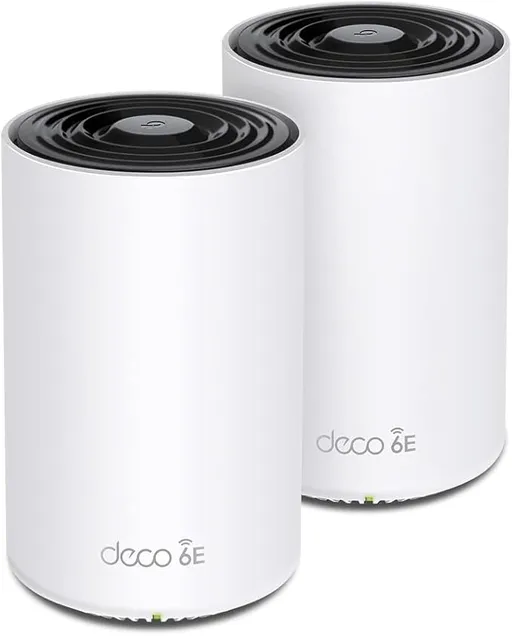
Idéal pour : Idéal pour un réseau simple privilégiant le backhaul sans fil et une connexion supérieure à 1 Gbit/s.
En bref : Le consensus Reddit est partagé, avec de très bons débits et un backhaul sans fil performant lorsque tout fonctionne. Plusieurs utilisateurs signalent toutefois des déconnexions, des redémarrages et des problèmes en 2,4 GHz ou avec le backhaul filaire.
Au-delà de ce modèle, la marque TP-Link (toutes gammes) recueille 46 % d'avis positifs sur 385 utilisateurs Reddit. Ce signal marque ne compte pas dans la note du modèle ci-dessus.
Points forts
Débits élevés
5 2
« I upgraded from a Google Nest Mesh Wifi 3 node system to the TP-Link Deco XE75 Pro - best decision ever! » Voir l’avis
« With my xe75 pro with 6hz dedicated wireless back haul I get 850 mbps download and upload (940mbps is my isp speed) my satellite router is about 12 feet away with one wall in between from the main… » Voir l’avis
« The key Differences on the XE75 and XE75 pro are not astronomical the pro version just adds a single 2.5gb Ethernet port the rest are 1gig ports but the difference between the BE25 and XE75 pro and… » Voir l’avis
Connexion stable
5 3
« Wifi is solid but I hate that it completely drowns out zigbee reception in the house, nor does it support matter... if you're into smarthome tech. » Voir l’avis
« I only had issues with my eufy cameras disconnecting. » Voir l’avis
« I had nothing but issues on them for like 3 years and they’ve been rock solid for the last month or so since I updated. » Voir l’avis
Points faibles
Fonctions limitées
2 10
« Wifi is solid but I hate that it completely drowns out zigbee reception in the house, nor does it support matter... if you're into smarthome tech. » Voir l’avis
« The xe75 / pro is bad, hasnt been supported and has enough issues. » Voir l’avis
« At least a couple times a week ALL devices are dropped, while the TP Link app says, "Everything looks good". » Voir l’avis
Prix élevé
2 4
« You currently don't have a need for the xe75 pro or the be25, given your current plan and devices. » Voir l’avis
« I paid a lot of money for 4 units thinking it would be the best ever. » Voir l’avis
« Given my $300 budget, option 1 seems too expensive. » Voir l’avis
| Critère | Note /10 | Ce qu'en dit le consensus |
|---|---|---|
| Stabilité | 5.8 | Les avis Reddit vont d'un fonctionnement sans souci à des coupures fréquentes imposant des redémarrages. |
| Fonctions | 1.4 | L'application est simple mais peu configurable, avec des limites pour l'IoT, l'isolation et la sauvegarde des réglages. |
| Fiabilité | 4.9 | Plusieurs installations restent fiables, mais des pannes précoces ou après environ un an sont également rapportées. |
| Backhaul | 4.6 | Le backhaul sans fil est souvent performant, tandis que le filaire suscite des retours très contrastés. |
| Installation | 9.5 | Le déploiement et l'utilisation initiale sont généralement jugés simples. |
| Couverture | 0.0 | Quelques utilisateurs signalent des appareils choisissant un nœud éloigné et obtenant ainsi un signal faible. |
| Débit | 6.1 | Les débits rapportés sont souvent élevés, mais le port 2,5 Gbit/s unique bride certaines configurations filaires. |
| Prix | 2.6 | Le surcoût du modèle Pro paraît peu justifié sans connexion supérieure à 1 Gbit/s, surtout si le XE75 standard est nettement moins cher. |
Avis Reddit
38 avis analysés · Positifs 16 Neutres 6 Négatifs 14
avis pertinents ·
-
AccidentalBirth 🇬🇧
1 commentaire analysé
-
Odd-Comfortable-652 🇬🇧
1 commentaire analysé
r/TpLink · Deco XE75 vs XE75 Pro vs BE25 You currently don't have a need for the xe75 pro or the be25, given your current plan and devices. You can always upgrade to wifi-7 down the road in parts, and still make use of the xe75 for a period of time. The decos all work together fairly seamlessly. Unless the pro is very similar in price, I would go for the xe75. It will meet your needs and then some, without breaking the bank for a marginal performance boost you won't be able to use or detect.
-
ShinyJangles 🇬🇧
1 commentaire analysé
r/HomeNetworking · Why do TP-Link get a hard time from people,and routers made by Asus are often praised.... Yeah, OP if you have your mind set on the xe75 pro mesh already, just buy it. Popular opinion isn’t important, use your best judgement and report back.
-
jinjadkp 🇬🇧
1 commentaire analysé
r/TpLink · Which Deco Mesh System? (BE25 vs. XE75 Pro vs. X4300 Pro) I have xe75 pro. Wifi is solid but I hate that it completely drowns out zigbee reception in the house, nor does it support matter... if you're into smarthome tech.
-
rpm001 🇬🇧
2 commentaires analysés
r/TpLink · Deco M4 vs X60 vs XE75 Pro vs BE25 in terms of range and reliability I’m also looking to replace my XE75 Pro. Going to trash them all. Could never get 2.4ghz to work reliably. Performance was overall worse than the google nest wifi I was trying to upgrade from.
r/TpLink · Deco M4 vs X60 vs XE75 Pro vs BE25 in terms of range and reliability Thanks for the suggestion. Support gave me the link to it and it does seem to help the 2.4. I’ll give it a few days to see if it’s stable.
-
intellpower 🇬🇧
1 commentaire analysé
r/TpLink · Deco M4 vs X60 vs XE75 Pro vs BE25 in terms of range and reliability owner of XE75 Pro and no issues so far
-
hernandezam207 🇬🇧
1 commentaire analysé
r/TpLink · Deco M4 vs X60 vs XE75 Pro vs BE25 in terms of range and reliability Unpopular, but I’m having a ton of issues with my XE75 Pro
-
yepitsmememe 🇬🇧
1 commentaire analysé
r/TpLink · Deco XE75 vs XE75 Pro vs BE25 I upgraded from a Google Nest Mesh Wifi 3 node system to the TP-Link Deco XE75 Pro - best decision ever! I have an 1800 sf house with 43 devices connected, using Spectrum 600 mb service. I'm consistently getting 650-680 mb speed on my hand held devices. The system has been in place for a month with zero issues.
-
silvertejps 🇬🇧
3 commentaires analysés
r/TpLink · TP-Link Deco BE22 vs BE25 vs XE75 Pro - 2025 October (Wireless backhaul testing) Since I’ve had the deco M5 earlier, I was pretty familiar with the ui. It’s the same app and everything is identical, except you get access to some new features. And no I’ve never felt limited.
r/TpLink · TP-Link Deco BE22 vs BE25 vs XE75 Pro - 2025 October (Wireless backhaul testing) I live in EU and here we have the BE65 instead. It’s far pricier than the XE75 pro. I wasn’t planning on putting 400$ on a router since mine was already working, but I did it anyway. Now I’m not going for 600$ for the BE65.
r/TpLink · TP-Link Deco BE22 vs BE25 vs XE75 Pro - 2025 October (Wireless backhaul testing) I live in EU and here we have the BE65 instead. It’s far pricier than the XE75 pro. I wasn’t planning on putting 400$ on a router since mine was already working, but I did it anyway. Now I’m not going for 600$ for the BE65.
-
Key-Ear-296 🇬🇧
1 commentaire analysé
r/TpLink · TP-Link Deco BE22 vs BE25 vs XE75 Pro - 2025 October (Wireless backhaul testing) Does your office have a coaxial somewhere? I would always try and run ethernet but I get it. I ran cat 6 solid copper throughout my whole house and all of my decos are wired backhauled. But if you do have a coaxial in the office. Try one of these. It could help. An thanks for doing that test! Thats good to see those results. I have 6 XE75 pro and the BE63. They all work great. I only had issues with my eufy cameras disconnecting. I was able to fix that with changing the 2.4g channel on the decos to 11. https://preview.redd.it/a9vibtz1iruf1.jpeg?width=1080&format=pjpg&auto=webp&s=f6986dffdb9c288dc29a5b204695f6c52772720e
-
user1242789 🇬🇧
1 commentaire analysé
r/TpLink · Deco ethernet backhaul megathread I'm here with the same issue, TP Link XE75 Pro wired back haul through SG108-M2. At all times only 1 node is showing wired back haul. The others are WiFi. Wouldn't have bought this switch if I knew it wouldn't work
-
gcubed680 🇬🇧
1 commentaire analysé
r/HomeNetworking · Why do TP-Link get a hard time from people,and routers made by Asus are often praised.... Definitely dont do it. The xe75 / pro is bad, hasnt been supported and has enough issues. Just go look at tplinks forum. Source - i own xe75 pros and regret it
-
Reygleruk 🇬🇧
2 commentaires analysés
r/HomeNetworking · Why do TP-Link get a hard time from people,and routers made by Asus are often praised.... I have had the TP-Link Deco xe75 pro mesh for over two years. It sucks. Constant battle. I bought into the many YouTube "reviews" saying how awesome it is. Looking back, none of those people had any length of experience with the product. They were just rehashing TP Link marketing points. My reality is I have about 63 devices. 2.4 ghz devices are constantly dropping off the network. At least a couple times a week ALL devices are dropped, while the TP Link app says, "Everything looks good". At this point, I have to reboot the main Deco router. I have also spent hours naming devices in the client list to recognizable names, and for stationary devices, turning off mesh and assigning the nearest mesh point (because they often connect to the furthest mesh point and have a weak signal). I found that when I have to reboot the router, all of that customization is lost. There is no way to back this up. It's been a terribly frustrating experience. I paid a lot of money for 4 units thinking it would be the best ever. Bad mistake.
r/HomeNetworking · Why do TP-Link get a hard time from people,and routers made by Asus are often praised.... Don't do it. If you are determined to go TP Link, get a different model.
-
blackdog543 🇬🇧
1 commentaire analysé
r/HomeNetworking · Why do TP-Link get a hard time from people,and routers made by Asus are often praised.... Probably because TP-Link is sold at Walmart? Mine works fine. People are commenting it's a Chinese company (did 2.8 billion revenue in 2023). You're worried the Chinese are going to look at your lasagna recipes and steal your bank account info? Highly unlikely. They would be opening up a 40 year old company to TikTok like scrutiny. Change the password and put virus protection on your devices?
-
powaking 🇬🇧
1 commentaire analysé
r/HomeNetworking · Looking to purchase a new router and need recommendations/advice When I moved into my 3300sq/ft house I had originally went with Tp link XE75 Pro. Had issues with it when it would just randomly reboot. Support sent a beta firmware. Seemed to work but the overall lack of features and configurations put me off. So I decided to the a UGC-Max with a 4Tb nvme. Have since expanded to 16 port pro max switch, 2.5 flex Poe switch, G5 ultra turret, G6 turret and G6 entry. Also wiring them all up. My XEpro is working in AP mode. Not ideal but can’t swing for Ubiq AP at this time. So far rock solid. No issues. Highly recommend.
-
OPoober 🇬🇧
1 commentaire analysé
r/TpLink · Deco M4 vs X60 vs XE75 Pro vs BE25 in terms of range and reliability This is the exact same thing that is happening to me with around the same time of ownership.
-
Impossible3000 🇬🇧
1 commentaire analysé
r/TpLink · Deco M4 vs X60 vs XE75 Pro vs BE25 in terms of range and reliability My xe75 pro has started to act weird, 1 year old. For no reason it's giving random red lights .. on 2/3 units. Switching off and back on fix this but it's kinda annoying
-
djovosch 🇬🇧
1 commentaire analysé
r/TpLink · Deco M4 vs X60 vs XE75 Pro vs BE25 in terms of range and reliability I have Deco XE75 2 units (not Pro, because the Pro difference only is 2.5gbit port). This is my first mesh WiFi system and it runs extremely well from what I had before. Some issues persists rarely, for example I cannot figure out why one of nodes dropping bandwidth from 160Mhz to 80mhz (happens once in 3-4 months), but overall stability and connection with WiFi 6E devices very nice. Need to mention that I use wired Ethernet backhaul so all WiFi bandwidth pushed to devices.
-
sharkhyder 🇬🇧
1 commentaire analysé
r/TpLink · Deco M4 vs X60 vs XE75 Pro vs BE25 in terms of range and reliability Hi, I would try finding and pushing the 1.4999 firmware on them, it completely changed the game for me. I had nothing but issues on them for like 3 years and they’ve been rock solid for the last month or so since I updated.
-
shadowbansarestupid 🇬🇧
1 commentaire analysé
r/HomeNetworking · Recommendation for a new mesh wifi system I'm contemplating dropping some ethernet through the attic. My coaxial is on the first floor, and I would want to run it to the room directly above and the basement directly below for the entertainment center so I feel like it shouldn't be too difficult! Which Eero system would you go with for a 1.5 Gbps symmetric plan? My ISP will let me borrow 2 Eero Pro 6 for free, but I feel like that won't be significantly different from my XE75 Pros.
-
Homeguy123 🇬🇧
1 commentaire analysé
r/TpLink · Full Wi-Fi 7 Mesh Setup with Deco BE25 - 2.5Gbps Ethernet Backhaul & MLO vs Wi-Fi 6E? With my xe75 pro with 6hz dedicated wireless back haul I get 850 mbps download and upload (940mbps is my isp speed) my satellite router is about 12 feet away with one wall in between from the main router.
-
ConclusionDirect7045 🇬🇧
2 commentaires analysés
r/TpLink · Full Wi-Fi 7 Mesh Setup with Deco BE25 - 2.5Gbps Ethernet Backhaul & MLO vs Wi-Fi 6E? My two final options are: 1) Buy a dedicated wired router with two 2.5G ports and use the XE75 Pro (6E) exclusively as an access point to get that clean 6GHz band. 2) Stick with the Deco BE25 as both a router and an AP, since it already has two 2.5G ports and Wi-Fi 7 features like MLO. Given my $300 budget, option 1 seems too expensive. Is the XE75 Pro's 6GHz band so superior to the BE25's Wi-Fi 7/MLO combo that it justifies the extra cost of a separate router?
r/TpLink · Full Wi-Fi 7 Mesh Setup with Deco BE25 - 2.5Gbps Ethernet Backhaul & MLO vs Wi-Fi 6E? Not using a second router to take advantage of wired 2.5? Doesn't the Xe75pro only have one 2.5 port?
-
poisonrain3 🇬🇧
2 commentaires analysés
r/TpLink · Full Wi-Fi 7 Mesh Setup with Deco BE25 - 2.5Gbps Ethernet Backhaul & MLO vs Wi-Fi 6E? Yeah it does, for one backlink I've dropped to 1GBE and used the 2.5GB for a 2.5GB switch. I wasn't suggesting to use XE75, I was just saying a similar TP mesh worked fine.
r/TpLink · Full Wi-Fi 7 Mesh Setup with Deco BE25 - 2.5Gbps Ethernet Backhaul & MLO vs Wi-Fi 6E? Similar setup with XE75Pro for 3xmesh 2.5GB wired backhaul, all works fine. No other router needed. Just be aware that you won't have so many options on the TP-Link app as Mesh is basically set-up once and forget about it.
-
liwahoo 🇬🇧
1 commentaire analysé
r/TpLink · Deco XE75 vs XE75 Pro vs BE25 Thanks yeah I figured the regular XE75 would be best, I think there was only a $20 difference between that and the Pro so that’s what made me consider the Pro
-
purespeed44 🇬🇧
1 commentaire analysé
r/TpLink · Deco XE75 vs XE75 Pro vs BE25 The key Differences on the XE75 and XE75 pro are not astronomical the pro version just adds a single 2.5gb Ethernet port the rest are 1gig ports but the difference between the BE25 and XE75 pro and non pro is the BE25 is a dual band system with no 6ghz band so since you have a couple of WiFi 7 devices that band is missing in the BE25 but the BE25 is all 2.5gb Ethernet ports so if you use wired backhaul and say in the future you upgrade to a 2gig plan from your ISP you would benefit from this that way. Wireless backhaul not so much as this is where both XE75’s excel is with them being a tri band system and utilizing that 6ghz band if your running wireless backhaul if your wired backhaul all the bands are open for use therefore speeds theoretically should be better. My suggestion is if you want a wifi 7 system that’s tri band and fairly affordable and really want to future proof yourself get a BE63 system if you don’t want to spend the money on that the normal XE75 would suffice like I said unless your isp upgrades you to over 1gig speed wise then you would want a multigig system like the pro xe75
-
Winter_Salamander429 🇬🇧
1 commentaire analysé
r/TpLink · Which Deco Mesh System? (BE25 vs. XE75 Pro vs. X4300 Pro) But wirelessly speeds are slower because it's only dual band. I'm stuck in a similar situation. I have a 3 pack of the pros and I cannot utilize my pcs full speed because of the single 2.5gb port and do not want to dish out more money.
-
hamo78 🇬🇧
1 commentaire analysé
r/TpLink · Deco be25 or XE75? What is your Internet speed? If you go with xe75 you are limited to 1 gig ports. The xe75 pro has a 2.5 gig port if you have a connection faster than 1 gig.
-
Temstar 🇬🇧
1 commentaire analysé
r/TpLink · Deco BE25 No they do, I have a single BE65 Pro meshed with my three XE75 Pro as we speak on wireless backhaul. I imagine if you actually connect to the MLO SSID then the mesh isn't actually available if you're in an area only covered by a wifi 6(E) node.
-
MadHaterz 🇬🇧
1 commentaire analysé
r/TpLink · Deco XE75 Pro vs BE25 I've been researching this past few days. I think the be25 works better in my case. I have ethernet ports in all rooms and can use ethernet backhaul instead of wifi. Plus, the be25 has 2x 2.5gb ports vs the xe75 has 1x 2.5gb and the other two are gigabit. This defeats the purpose of ethernet with xe75 for me since i have 3GB fiber. Only thing I'm missing out on is the 6ghz band which doesn't seem to be super common right now. So it seems it really comes down to, are you using wifi or ethernet backhaul. If wifi > xe75, if ethernet > be25. Open to opinions if someone thinks otherwise.
-
alvaroes11 🇬🇧
1 commentaire analysé
r/TpLink · Why do I see so much hate towards the Deco BE25 (BE5000)? Good to know they work well - I'm not sure if two units would be enough to cover 3 floors? Worried about the 3rd floor only as I would have the main in the garage (where the fiber access is) and the second one on the second floor.
-
RareNinth 🇬🇧
1 commentaire analysé
r/TpLink · Deco ethernet backhaul megathread You are my hero! I've ordered the TL-SG108E last week as a replacement for my Netgear GS105 which also did not work within this setup. After reading your comments I was confident I could get this to work, and over the weekend I got it up and running with these instructions. Now all my DECO X75 pro units are showing up with a wired backhaul connection and it has been stable now for 2 days. I have 3 DECO X75 units, all three connected to the TL-SG108E switch in AP mode.
-
dolfstar 🇬🇧
2 commentaires analysés
r/TpLink · Deco ethernet backhaul megathread I will add that not only did the situation described above improve tremendously after switching to Ubiquiti APs, but I see zero, absolutely zero, disconnects, etc., with any of my equipment, including IOT equipment, that is known to be finicky. So, my conclusion is that, besides the obvious problem of the network loops with Deco, their basic WiFi implementation has issues, too.
r/TpLink · Deco ethernet backhaul megathread I only became aware of this thread recently after having had to do my own troubleshooting. Four Deco X75 Pro units, all wired for backhaul and in AP mode, will spontaneously and unpredictably switch to WiFi communication, causing true network loops. My switch(es) will shut down ports (STP technology). Only (manual) power cycling all units would resolve this until it happens again. My setup involves a router connected to a 24-port Ubiquiti ES-24 Lite switch. Two additional switches are each connected to this switch in very different locations. Each of these two switches has a Deco unit on it. The central Deco unit is on this (second level) switch with two more Deco units downstream. These two are both in the radio range of the secondary , further away, Deco unit. The secondary unit seems to decide to wirelessly connect to one of the tertiary units, creating a network loop. STP then shuts down the port where it is detected, which, in my case, then disables the main/central Deco unit, taking everything down entirely because the main unit now has no Internet connection. Working (if you can call it that) with TP-Link was essentially fruitless. They would certainly not acknowledge the problem but wanted to "talk me through" several steps to resolve it. I told them early on that I would like to return the units, but they said not to worry about it and to work with them, or they would RMA the units. My original problem, before the loops, was that many of my TP-Link smart plugs would constantly go off-line. THey told me to NOT use the IOT network, as it might not work well (why have it on your product then). I moved all my plugs off that network (a PITA because you have to essentially re-install them; you cannot just change the WiFi SSID and password they connect to). That did not really help. Then I connected units a little differently (to what I describe above), and the looping problems started. Next they wanted to remote desktop with me. I explained that (a) I cannot spend weeks troubleshooting with my network unreliable (wife working from home), and (b) my network involves several switches, VLAN's etc, so using WireShark was not going to be trivial. Told them to tell me what they wanted to see, they never did and insisted on remote desktop connection. Every interaction seems to go through the home base and takes a minimum of two working days, so this process was slow. I decided to solve the problem once and for all, ordered three Ubiquiti units, and installed them (wired). Problems are gone, and additional features have been gained (like true isolation for an IOT network etc.). I now have great signal everywhere, multiple SSID on separate VLANs, and great speed as well, all over my house, garage, driveway (for car) and yard. So now it was time to return the Deco units. This is where it all fell apart. Despite assurances earlier, TP-Link refused to RMA the units, with the lame argument that I need to go through the reseller (Amazon). I had told them earlier there was a return window, and they told me not to worry, they would take them back. NOT SO! After explaining the situation to Amazon, they ultimately took them back for a full refund (after 2 months). Also, I will let you know that Deco offers a guest network and an IoT network. Both are useless because they do not provide device isolation. They may do it partway if traffic stays on WiFi, but since all three networks will be on the same IP subnet, guests can reach any device that can be reached from the switches or router. Similar for IoT. I have another Deco setup in another home. The topology there will still not allow loops in the above scenarios, so I get away with it there. In general, this product may work OK for fairly simple setups (which many people may have), but once you have problems, forget to try to solve them. Return immediately is my advice. The Ubiquiti solution, for me, was only 1.5x more expensive and even gave me WiFi 7 as well (the X75 Pro is WiFi 6E). Do note that Ubiquiti does require running a Unifi server in a VM or elsewhere on the network. It is only needed for configuration. I run it, constantly, on my OPNSense firewall.
-
The_fury_2000 🇬🇧
1 commentaire analysé
r/AmpliFi · Alien Setup Replacement If you want set and forget mesh, any of the major brands are typically fine. TPlink deco 6e mesh units like x75pro are likely fine as are netgear orbi. They obviously don’t have the same app as alien but are perfectly fine for your needs !
-
UNSW_PCSoc 🇬🇧
1 commentaire analysé
r/TpLink · Deco ethernet backhaul megathread yeah. Decos *require* a network loop to be formed in order to function, so unless you can run them on a VLAN which has STP disabled, it's not going to be a joyful experience
-
Upstairs-Big6550 🇬🇧
1 commentaire analysé
r/TpLink · Which Deco Mesh System? (BE25 vs. XE75 Pro vs. X4300 Pro) For me the problem with XE75 pro is that I have now Fiber at 2,5Gbps and if I buy a XE75pro I know already that on the ethernet in the future I will not be able to connect via ethernet any 2.5 device. At least with BE25 i have this possibility and I spend even less.
-
Ok_Movie4792 🇬🇧
1 commentaire analysé
r/TpLink · Which Deco Mesh System? (BE25 vs. XE75 Pro vs. X4300 Pro) Xe75 pro has been an operation in my house for about 3 to 4 months now I was pleased with the deployment and the ease of use so far I’ve had no problems with it and I run a complicated network to include streaming TVs 100 devices Sonos and other products TP link and it’s working well so I’m gonna stay with that
-
jonspittle 🇬🇧
1 commentaire analysé
r/TpLink · Deco BE25 I'm in the process of upgrading my home network from the standard EE ISP router (which is pretty naff) to a mesh network with 2/3 nodes. I've narrowed it down to either the ASUS XT9s or ASUS Rog GT6s, mainly because they are tri-band devices and I will be using wireless backhaul. I did consider the TP-Link Deco XE75 Pro, as my previous TP-Link mesh devices worked well and I like the aesthetics of their devices, but I don't want to have to pay for the extra parental controls, hence why focusing on ASUS devices. As well as during my research, I've read staying away from WiFi 6E devices if they use the 6Ghz band for dedicated backhaul, or a dual-band device unless you are going to be going wired backhaul. Have you decided on anything yet to replace your mesh system?
-
Luminoth11 🇪🇸
1 commentaire analysé
r/TpLink · Deco M4 vs X60 vs XE75 Pro vs BE25 in terms of range and reliability Por la velocidad que tienes contratada en tu servicio creo que te conviene más el Deco X60, y sin problema por años, mejor si el backhaul es por cable, el M4 queda muy corto, el XE75 PRO y el BE25, son para velocidades más altas(1Gbps en adelante), el XE75 pro es algo problemático afortunadamente al comprarlo lo usé de manera inmediata pero empezó a fallar(no es común) así que pude devolverlo(antes de los 30 días), el BE25 según las reseñas disponibles, también tiene ese problema de inestabilidad, sobre la cobertura muchos están entre 500m2 a 700m2, pero ya en la práctica eso puede variar mucho por los obstáculos, materiales y hasta por el ambiente. Te recomiendo el X60, por tu velocidad contratada, espero ser de ayuda, mucha suerte.
Aucun avis pour ce filtre.
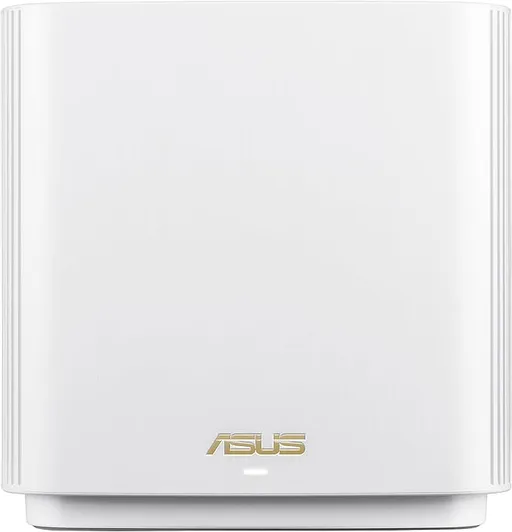
Souvent comparé à


Questions fréquentes
Le Deco XE75 Pro est-il stable ?
Le consensus Reddit est mitigé. Certains utilisateurs ne rencontrent aucun problème, tandis que d’autres rapportent des coupures, des redémarrages et des appareils 2,4 GHz régulièrement déconnectés.
Quels débits peut-on attendre ?
Des utilisateurs Reddit annoncent environ 650 à 680 Mbit/s sur appareils mobiles. Un autre atteint environ 850 Mbit/s via le backhaul sans fil, pour une connexion opérateur proche de 940 Mbit/s.
Le backhaul filaire fonctionne-t-il bien ?
Les retours Reddit divergent. Certaines installations filaires fonctionnent correctement, mais d’autres basculent spontanément en Wi-Fi ou rencontrent des boucles réseau nécessitant un redémarrage manuel.
Le XE75 Pro convient-il à une connexion multigigabit ?
Son unique port 2,5 Gbit/s peut servir à une connexion rapide, mais les autres ports gigabit limitent certaines configurations. Les utilisateurs Reddit le jugent donc peu adapté aux réseaux filaires multigigabits exigeants.
Just bought the xe75 pro. Crappy support but great routers