Amazon Eero Pro 7
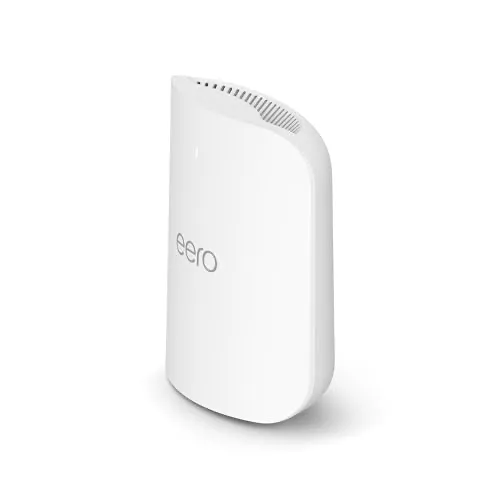
Idéal pour : Idéal pour un grand logement recherchant un mesh rapide et simple, de préférence avec backhaul Ethernet.
En bref : Les utilisateurs Reddit apprécient surtout sa couverture, ses débits élevés et sa simplicité, avec une stabilité souvent excellente. Les avis restent toutefois partagés sur le backhaul sans fil, le MLO, certaines mises à jour et un prix jugé élevé hors promotion.
Au-delà de ce modèle, la marque Amazon (toutes gammes) recueille 51 % d'avis positifs sur 520 utilisateurs Reddit. Ce signal marque ne compte pas dans la note du modèle ci-dessus.
Points forts
Excellente couverture Wi-Fi
30 11
« The range on both were good but the 7 is better for 6ghz. » Voir l’avis
« i run 1 7 pro and 2x 6Es in a 3 story townhome and with 2.5gig symmetrical and i get amazing coverage everywhere » Voir l’avis
« Depending on what your house is constructed of 1 max7 or pro7 in that flex room then 1 on the 2nd floor in bed 2 or 3 should be plenty. » Voir l’avis
Backhaul efficace
22 14
« Will be useful for me since I do 10gbE wired backhaul. » Voir l’avis
« Since reading this post, I reduced to the two wired backhauled Eeros and speed has doubled pretty much everywhere. » Voir l’avis
« Pro 7 is a much better choice for wireless backhaul because it has extra bands / antennas » Voir l’avis
Bon rapport qualité-prix
21 14
« I think I will go with the pro, it's not much more in price with my internet provider with the discount and someone said they had issues with the eero 7s wifi stability. » Voir l’avis
« Worth paying more for the 7 Pro, or falling back to the 6E Pro, which I use and is fantastic. » Voir l’avis
« I’d sell the Orbi 960 and use only the Eero Pro 7 if I were you. » Voir l’avis
Fiabilité éprouvée
21 16
« I tried the 7 but it was sorely missing the 6GHz band so I traded for the 7 Pro and it was flawless for me. » Voir l’avis
« Went with Eero Pro 7 and never looked back. » Voir l’avis
« Been very happy with our Pro after 15 months. » Voir l’avis
Installation facile
17 8
« What should have been done is simple: simply go into your eero app, click on the little plus sign top-right corner and select replace eero. » Voir l’avis
« I’d sell the Orbi 960 and use only the Eero Pro 7 if I were you. » Voir l’avis
« Other pro 7s connect easily in a mesh like setup, but too many can decrease effective speed. » Voir l’avis
Points faibles
Aucun point faible notable.
| Critère | Note /10 | Ce qu'en dit le consensus |
|---|---|---|
| Fiabilité | 5.2 | Beaucoup d'utilisateurs rapportent un fonctionnement sans souci, tandis que certains rencontrent des problèmes liés au matériel ou au firmware. |
| Installation | 5.2 | La mise en service est souvent jugée très simple, à condition de limiter et bien positionner les bornes. |
| Couverture | 6.7 | La couverture est généralement large, mais dépend fortement des obstacles, des interférences et du placement. |
| Débit | 4.9 | Les débits peuvent être très élevés, avec quelques témoignages de performances irrégulières ou inférieures aux attentes. |
| Fonctions | 4.1 | Le tri-bande et le 6 GHz sont appréciés, mais le MLO, les réglages limités et certaines fonctions payantes divisent. |
| Prix | 5.4 | Le rapport qualité-prix devient convaincant en promotion, mais le tarif normal est souvent jugé prohibitif. |
| Stabilité | 5.1 | La stabilité est souvent excellente, mais des décrochages et incompatibilités apparaissent dans une minorité notable de retours. |
| Backhaul | 5.9 | Le backhaul peut être performant, mais Reddit recommande l'Ethernet pour éviter les bascules et pertes de débit. |
Avis Reddit
222 avis analysés · Positifs 103 Neutres 39 Négatifs 72
avis pertinents ·
-
ampx 🇬🇧
3 commentaires analysés
-
kzone186 🇬🇧
1 commentaire analysé
r/amazoneero · 1 month with eero Pro 7 on a 10Gbps isp line , honestly didn’t expect this Dude those are not your WiFi speeds. Those are gateway speeds. You need a Speedtest app like Ookla to test your WiFi speeds to individual devices.
-
Widohmakr 🇬🇧
1 commentaire analysé
r/amazoneero · 1 month with eero Pro 7 on a 10Gbps isp line , honestly didn’t expect this That's the wired speed the Eero router is getting from your ISP. It is not the speed your phone is getting over wifi from the Eero router.
-
Wrxloser1215 🇬🇧
4 commentaires analysés
r/amazoneero · 6E>7 Pro or 7 Max setup Max has the best range. It also has a 4x4 5ghz radio. When I went from a 4x4 to 2x2 in the Pro 7 my speeds halved on the 5ghz band. Has other benefits as well that would work well with wifi 7. Definitely pricey though. I just went from pro6 to pro6e for a few weeks and now I'm trying the pro 7. The pro6e put out a faster 5ghz speed than the 7 interestingly. The range on both were good but the 7 is better for 6ghz. If you already own the 6e I'd just keep it Unless you have a few wifi 6e/7 products for the 6ghz. My pro6 is the best for 5ghz which blows my mind but they are fantastic little routers.
r/amazoneero · 6E>7 Pro or 7 Max setup Hopefully because the pro 7 doesn't exactly feel like a huge upgrade from the 6e other than the vets 6ghz range
r/amazoneero · New Eero 7 Pro - Half Speeds… Yeah the pro 7 has been my most problematic to date. It has settled and works great now but honestly felt like weeks before that. Let it just settle for 3 days and see what's up then.
r/amazoneero · New Eero 7 Pro - Half Speeds… Honestly I had a few issues just like this for a few weeks until it really figured itself out. A few updates as well.
-
FireNinja743 🇬🇧
6 commentaires analysés
r/amazoneero · eero Pro 7 first impressions: super easy setup + 8.5Gbps speeds I'm confused how you're able to get speeds above 5Gbps? The Pro 7 only has 5 GbE ports? Only the Max has 10 GbE.
r/amazoneero · eero Pro 7 first impressions: super easy setup + 8.5Gbps speeds Well that's what I mean. The eero Pro 7 only has 5 GbE (5 Gbps) ethernet ports, so it's impossible to be getting speeds above that from the ISP unless you were using an erro Max 7.
r/amazoneero · Eero 7 Pro setting advices It would still require a simultaneous send and receive connection with two bands. I'm not entirely sure how MLO is implemented, but it could possibly work that way if figured out. However, that would only benefit if either band had significantly more congestion than the other. As it stands, the 5 GHz and 6 GHz bands aren't really congested, so having one transmitting and one receiving would be redundant. 2.4 GHz is too congested to be relied in.
r/amazoneero · Eero 7 Pro setting advices I would try enabling it and running a speed test over ethernet. If you get speeds close to your full 2 gig speed, then I'd say leave it enabled. If your speeds drop significantly (to 1500 or less), then I'd say you should probably leave it disabled. Also, run a Waveform Bufferbloat (search online) test with SQM off and on to see if either have better results (lower bufferbloat is better).
r/amazoneero · Eero 7 Pro setting advices Yes, but only really for speeds at 1 gigabit or greater. Even then, SQM still works well for higher speeds.
r/amazoneero · Eero 7 Pro setting advices WiFi 7 clients support MLO, but most do not support STR (simultaneous transmit and receive), which is what makes the bandwidth significantly higher from band aggregation. Majority of clients support NSTR (non-simultaneous STR) or eMLSR (enhanced multi-link radio), which is basically the ability to be connected to two bands at the same time for possibly better stability, but it cannot simultaneously transmit and receive data on both bands. Either way, MLO STR is not going to work well for mobile clients because it uses too much power compared to NSTR, so it totally makes sense why it hasn't been supported by nearly all WiFi 7 devices. I don't see it being implemented in the future either, unless it manages to improve efficiency with Wi-Fi 8.
-
Klar1ty 🇬🇧
1 commentaire analysé
r/amazoneero · eero Pro 7 first impressions: super easy setup + 8.5Gbps speeds there is more than one pro 7 SKU, and one is 10G
-
Nexxster 🇬🇧
1 commentaire analysé
r/amazoneero · eero Pro 7 with dual 10 gbE ports That’s new! Will be useful for me since I do 10gbE wired backhaul. Thanks for the info!
-
elegoomba 🇬🇧
1 commentaire analysé
r/amazoneero · Eero 7 Pro nowhere near wired speeds Idk if you are expecting 2+ with wifi but that’s probably just not likely to achieve. What are you not able to do with the current speed?
-
Big_Rig369 🇬🇧
3 commentaires analysés
r/amazoneero · Eero 7 vs Eero Pro 7 I think I will go with the pro, it's not much more in price with my internet provider with the discount and someone said they had issues with the eero 7s wifi stability. Thanks for your recommendation.
r/amazoneero · Eero 7 vs Eero Pro 7 They're half price with my internet provider at the moment, and only works out to be $60AUD difference
r/amazoneero · Eero 7 vs Eero Pro 7 Looking at the retail stores in my area they seem to start from wifi 6 and wifi 7 routers. It's half price for me to get eero with my internet provider so it's more cost effective to pick one of these two.
-
NeonCicero 🇬🇧
1 commentaire analysé
r/amazoneero · UPDATE - Eero 7 Pro Speeds I’ve been using eero Pro 7’s since November on my Spectrum 1 gig connection. I’ve never experienced less than 1.11 Gbps down, nor more than 1.14 Gbps, so it’s been extremely consistent. This makes me think your problem is not with the eeros. There is a lot that can go awry with network connections, so your flaky speeds is either your ISP, your modem, or the cabling somewhere in the chain.
-
Moronicon 🇬🇧
1 commentaire analysé
r/amazoneero · Eero 7 Pro setting advices MLO is pointless unless the majority of your devices are wifi 7. Caused alot of issues on my network until I turned it off.
-
Accutronman 🇬🇧
2 commentaires analysés
r/amazoneero · Eero 7 Pro setting advices Turn local DNS caching off, turn SQM on, turn Multi-Link on
r/amazoneero · Eero 7 Pro setting advices Turn local caching off…doesn’t work well. SQM should always be on regardless of connection speed. MLO should be on to take advantage of fastest communication between mesh nodes if you aren’t using wired backhaul
-
likenedthus 🇬🇧
1 commentaire analysé
r/amazoneero · Poe 7 or Max 7 mesh system All eero routers are mesh systems when using more than one unit. The eero PoE 7 and eero Pro 7 are the same in terms of performance. The PoE version is just flatter and able to be powered over ethernet, making it more suited for wall mounted installs. As for the eero Max 7, it has extra radios that allow it to reach higher maximum speeds and provide a slightly larger coverage footprint, but there still few consumer devices that take advantage of this (and even fewer that actually need it, imo). If I’m being honest with you, I can’t even tell the difference between my eero Pro 6 setup and my eero Pro 7 setup. My use cases simply don’t push these systems hard enough. I would say save some money and go with the PoE 6 if you’re not on a multi-gig fiber connection.
-
Lazuf 🇬🇧
1 commentaire analysé
r/amazoneero · 3 story townhome - 3x 6's, 2x 7 Pro's, 1x Single 7 Max? -- Tips needed! 2x 7 pros and 3x 6Es in a three story townhome is extremely excessive i run 1 7 pro and 2x 6Es in a 3 story townhome and with 2.5gig symmetrical and i get amazing coverage everywhere
-
The_Phantom_Kink 🇬🇧
1 commentaire analysé
r/amazoneero · Should I get 3 eero max 7 or just 1 eero max 7 and 2 eero 7 pro? Depending on what your house is constructed of 1 max7 or pro7 in that flex room then 1 on the 2nd floor in bed 2 or 3 should be plenty. If you get too much wifi on your mesh you'll cause problems.
-
Worst_Choice 🇬🇧
1 commentaire analysé
r/amazoneero · Bought an Eero Pro 7 and some devices improved while others worsened? I just bought one as well and the crazy part is only my TV in one room is being affected. Second I switched back to my normal router and all of a sudden no issues. The Eero is definitely diminishing results with certain devices.
-
funkypsychosis 🇬🇧
1 commentaire analysé
r/amazoneero · Eero Max 7 vs Pro 7 - speed and range on 5ghz Just got an Eero Pro 7 and am thoroughly disappointed with WiFi performance. I'm sitting literally 5 meters max from it and getting literally half the speeds I get if I'm standing right next to it. I'm not joking about the distance either. I live in a small apartment with thin walls that aren't anywhere near as solid as concrete, squished between 2 other apartments, so admittedly there might be some interference coming from my neighbours. But still pretty annoying that I have to find a workaround for it now.
-
OutrageousTask5214 🇬🇧
1 commentaire analysé
r/amazoneero · 1 month with eero Pro 7 on a 10Gbps isp line , honestly didn’t expect this Actually you are not getting the full 10G from your ISP. There is a throttle somewhere. The test you are seeing is Router to ISP via cat6 wired cable. If you to test your true wireless speed, install ookla speed test on your phone and test the speed, I bet you it will be way less. iPhones 16 and up since the so support WiFi 7 I believe have a wireless max rate of ~2Gbps.
-
Smoky_MountainWay 🇬🇧
1 commentaire analysé
r/amazoneero · UPDATE - Eero 7 Pro Speeds Same setup and ISP here and similar results. I do hate Spectrum for other reasons though.
-
Nutella-or-Death 🇬🇧
1 commentaire analysé
r/amazoneero · Eero 7 Pro nowhere near wired speeds You've all been most helpful. For context, I upgraded to this Eero Pro 7 system from a Linksys Velop AC6600 mesh system. With the Velops, I absolutely needed 5 access points to get coverage. Speed was good. Reliability was good. But the APs couldn't reach. If I removed an AP, security cameras went offline. I incorrectly assumed the same with this Eero Pro 7 system. Replaced the Velops with Eeros one for one. Since reading this post, I reduced to the two wired backhauled Eeros and speed has doubled pretty much everywhere. The problems I mentioned mostly resolved. I've been running speed tests and I'm getting the results I'd initially anticipated: 1.5-1.8 gbps on Wifi7 devices, 1.3-1.6 on Wifi 6E devices. And the rest, all good. Appreciate everyone's advice and guidance here. Thank you.
-
hitlicks4aliving 🇬🇧
1 commentaire analysé
r/amazoneero · Eero 7 Pro nowhere near wired speeds Turn off MLO I’ve noticed it makes iPhone and Android stuck to the 5ghz band
-
bippy_b 🇬🇧
1 commentaire analysé
r/amazoneero · Disable WiFi from Eero Pro 7? I have submitted this as a feature request for the app.
-
Downhill_Sprinter 🇬🇧
6 commentaires analysés
r/amazoneero · Eero Pro 7 Port Negotiation You can If you go to the downstream node off of the main page, it will show which node it’s connected to and the speed.
r/amazoneero · Eero Pro 7 Port Negotiation You can check the uplink’s speed within the Eero app. I’ve seen that after software reboots, they will occasionally negotiate at 1gbps, but otherwise have had no issue.
r/amazoneero · Eero 7 Pro setting advices It depends on the client’s compatibility. Most are not capable of the full MLO feature list.
r/amazoneero · eero Pro 7 - 6GHz Backhaul instability & Ethernet 1Gbps negotiation bug I’ve noticed recently that my wireless Pro 7 node connects at 5GHz instead of 6 as it previously did. It may be possible to help ensure 6GHz is more stable, but in my case, I have limited ability to change location. Perhaps you can move yours slights closer or remove some obstructions?
r/amazoneero · Eero 7 Pro vs Max I think I would agree with your thoughts in that situation.
r/amazoneero · Eero 7 Pro vs Max I have a 17 Pro Max with an Eero 7 Max and two Pro 7s. The Max does seem to offer better WiFi 6 range, so the WiFi 6 speed have a wider area. General performance when in range is the same. For instance, I don’t receive higher speeds near one model over the other. Of your range is fine and you don’t have a ton of devices, you may notice little difference between the models.
-
purespeed44 🇬🇧
6 commentaires analysés
r/amazoneero · Eero Max 7 vs Pro 7 - speed and range on 5ghz Max 7 has the better radios at 4x4 whereas the pro is only 2x2 and the max 7 has more ports and can do 10gig and 2.5 gig where as the pro 7 has only 2 5gig ports
r/amazoneero · Pro to Pro 7 "upgrade" has been a disaster I still think in this scenario your just oversaturating the area with signal that will drive you crazy and causes eero to have all sorts of issues because it’s hopping from eero to eero constantly so try just the two pro 7’s and one echo I know that the echoes enable Wi-Fi when they need it also don’t add that 6e unless it’s absolutely necessary. One thing about Eero’s , especially the new ones less is better.
r/amazoneero · Eero Pro 6E VS Eero Pro 7 Pro 7 should be the gateway here as that’s the newest model and have the 6E as a satellite which is the same for most mesh systems as the newest model should be the main unit. The pro 7 does have a bit of a stronger antenna array over the 6e but it’s not a massive gain if it was a max 7 that’s a different story. Are you going to see better overall WiFi coverage with another pro 7 probably yes but speeds are really dependent on isp and home layout. But definitely swap them around and have the pro 7 as your main unit
r/amazoneero · 6E or 7 or 7 Pro ???? The 6E and pro 7’s will give the best coverage out of the 3 you listed as they are tri band but if you have WiFi 7 devices I would go with the pro 7 if not the 6e is very good as well.
r/amazoneero · Eero 7 or Eero pro 7 Pro 7 is a tri band system whereas the regular eero 7 is just a dual band if you want to keep the 6 GHz band then go with the pro 7 especially when doing wireless backhaul
r/amazoneero · Eero Pro 7 (3) vs Eero Max 7 (1) 1 max 7 and 1 pro 7 will cover that sq footage plenty and there both on sale right now and your future proofing yourself with WiFi 7
-
IglooDweller 🇬🇧
2 commentaires analysés
r/amazoneero · Eero Pro 6E VS Eero Pro 7 You should put the pro7 as the gateway. Assuming the ISP is fast enough to exceed pro6e limitations. The reason is simple. Currently, not matter what node you connect to, you are limited by the speed of your pro 6e due to wireless backhaul. Also, the Pro7 has a more powerful antenna, which means that some devices might choose it for that reason, even though it’s an extra hop to the outside. Having the Pro7 as the gateway might make a couple of devices connect to the gateway instead of the remote node, reducing latency.
r/amazoneero · Eero Pro 7 and eero 6+ together I don’t understand, so I’ve got questions for you. You mention that you kept everything the same, but the 6+ is now your gateway directly connected to the fiber ONT, yet, you mention that the IP addresses are coming from 2 different places. What exactly is your network topology? You seem to describe a situation were you have 2 separate networks which would make inter-network communication difficult. This is the first issue we need to tackle. Another thing of note is that the 6+ is used as gateway. This isn’t a good idea for a very simple reason: the 6+ only features 1Gbps port, and you’re paying for 2Gpbs. The extra bandwidth cannot be leveraged by this gateway. What should have been done is simple: simply go into your eero app, click on the little plus sign top-right corner and select replace eero. You then select to replace your gateway eero with the pro7. This will allow you to leverage more performance from you internet connection, giving higher performance to whatever device connects directly to your pro7 or connected via Ethernet. However, devices connected to other eero 6+ will still be limited to whatever performance their local node is able to provide.
-
SirSurboy 🇬🇧
3 commentaires analysés
r/amazoneero · Eero Pro 7 vs Orbi 960 In ideal conditions with clear line-of-sight and strong signal strength, a wireless eero Pro 7 node will heavily favor the 6 GHz band for backhaul because its massive 320 MHz channels provide the widest pipe and lowest latency. If obstructions or distance degrade that connection, TrueMesh will automatically shift the backhaul priority to the more resilient 5 GHz band to maintain a stable link. Therefore I'd not be concerned about the backhaul situation with the Eero Pro 7.
r/amazoneero · Eero 7 vs 7 pro In my opinion no, unless you’re in a very busy household.
r/amazoneero · Eero 7 vs 7 pro The 7 pro is triband but to be honest unless you push your network quite hard you won't notice any difference. I have the standard Eero 7 and get amazing performance on a 1gb connection.
-
Many-Tomatillo9374 🇬🇧
4 commentaires analysés
r/amazoneero · Eero 7 vs 7 pro Pro is the way to go. 6 Mhz band is recognized by newer Apple products and will give you much faster speeds. I get over 1100 bps down and over 900 mbps up via spectrum highsplit on my ipad air with a 1 gbps plan on an eero pro 7 with a 2.5 gbps wired backhaul.
r/amazoneero · Eero 7 vs 7 pro IMHO yes for future proofing, 6 ghz band, higher speed and superior design. Best to wait until they have a sale (which they do frequently).
r/amazoneero · Question, I have a Eeros 7 pro The range on my pros are great. I do have a wired back haul for all of them. Seems like something else might be going on.
r/HomeNetworking · Looking to purchase a new router and need recommendations/advice Okay…easy setup, great range, great speeds, great support, non-chinese company, etc
-
dwightsilverman 🇬🇧
1 commentaire analysé
r/amazoneero · Eero 7 vs 7 pro Eero 7 is kind of WiFi 7 "lite." No 6-GHz band, which is part of the 7 spec. There are other benefits, but lack of the 6-GHz radio is showstopper. If your smartphone is relatively new, chances are it supports WiFi 7, or at least WiFi 6E, which also has the 6 band. Worth paying more for the 7 Pro, or falling back to the 6E Pro, which I use and is fantastic.
-
zoiks66 🇬🇧
1 commentaire analysé
r/amazoneero · Eero Pro 7 vs Orbi 960 I moved from Orbi 970 to Eero Max 7. 1 of my Eero Max 7 satellites isn’t wired, and there’s very, very little difference in network speed. I’d sell the Orbi 960 and use only the Eero Pro 7 if I were you. It’ll save you money and decrease your network complexity by only using Eero.
-
Aydoinc 🇬🇧
1 commentaire analysé
r/amazoneero · Eero Max 7 vs Pro 7 - speed and range on 5ghz I would use the Pro 7 as the gateway.
-
natenate19 🇬🇧
1 commentaire analysé
r/amazoneero · Eero Max 7 vs Pro 7 - speed and range on 5ghz Max 7 5 GHz range is more or less equivalent to the 5 GHz high radio on the Pro 6, which is to say, very good. Performance is much better if using wireless backhaul, about the same for 80 MHz clients using wired backhaul, better for 160 MHz clients using wired backhaul. Skip the Pro 7, the hardware is not as good and it had had nebulous issues that never affected the Max 7. You might not even need a node in your basement, try it with just two Max 7 nodes initially and go from there.
-
Kickendekok 🇬🇧
1 commentaire analysé
r/amazoneero · Eero 7 vs Eero Pro 7 I tried the 7 but it was sorely missing the 6GHz band so I traded for the 7 Pro and it was flawless for me. I do have 1 Gig internet though so take your own speeds into consideration. That said the Pro at half o pop rice is s great deal and you will not be sad you got the extra horsepower, especially if you ever get a higher plan.
-
Donnie_TACO 🇬🇧
3 commentaires analysés
r/amazoneero · 1 month with eero Pro 7 on a 10Gbps isp line , honestly didn’t expect this I'm just upset that the back hauls don't maintain their 6Ghz connection ever. Always falling back on 5Ghz
r/amazoneero · eero Pro 7 - 6GHz Backhaul instability & Ethernet 1Gbps negotiation bug I have basically the exact same issue. I even moved the two units within ~8 feet of each other and the 5Ghz back haul remained after a short lived 6Ghz. Has to be firmware. Honestly, I'm glad I found this thread and a few others experiencing basically the same thing because I was ripping my hair out thinking it was specific to my situation and set up.
r/amazoneero · 1 month with eero Pro 7 on a 10Gbps isp line , honestly didn’t expect this Well, it's been hours since I did that and the 6Ghz connection has held the whole time,, way longer than before the move.
-
Substantial_Sky6149 🇬🇧
2 commentaires analysés
r/amazoneero · 1 month with eero Pro 7 on a 10Gbps isp line , honestly didn’t expect this Why did you leave out the upload result? The actual Wi-Fi download speed is 1.35 Gbps.
r/amazoneero · New Eero 7 Pro - Half Speeds… As an Astound fiber technician, my recommendation may help. The eero Pro 7 is my preferred system—I haven’t seen any issues so far. Make sure your eero is running the latest firmware (Settings → Software Update). Also, the Arris Surfboard S33 has two ports (1 Gbps and 2.5 Gbps); always use the 2.5 Gbps port. Test your speed directly from the modem to confirm performance, mot sure your PC or laptop NIC supports 1.5 Gbps. Let us know your results.
-
kanti123 🇬🇧
3 commentaires analysés
r/amazoneero · Eero 7 Pro setting advices I constantly getting a weird half speed download and fill 1 gig up. My connection is 1Gig up/down. Just turn off MLo to try again and was able To get full 1 gig down. Weird
r/amazoneero · Eero 7 Pro setting advices Seems like MLO was added in 7.7.1 firmware. So it was not original. Either way from WiFiman app, my transfer rate is 2.4G through WiFi with MLO off vs inconsistent speed with MLo on. My internet is only 1Gig so it wouldn’t make any different.
r/amazoneero · Eero 7 Pro setting advices You have to turn off the eero plus features
-
Ty_Guy4 🇬🇧
1 commentaire analysé
r/amazoneero · Eero pro 7 on 8gb plan You’ll have to correct me if I’m wrong but I believe the Pro 7 only has 5gb ports. Your network is only as fast as its weakest link. As others have said, best to do a speed test from the app and make sure you at least seeing 5gb on the download/upload. Maybe try turning off MLO if the pro 7 is equipped. Should be seeing a little better on the download though.
-
JusCuzz804 🇬🇧
2 commentaires analysés
r/amazoneero · Eero pro 7 problems Can you please post your topology? I’m also curious as to why you went from 3 eero 6’s with no problems to 4 Pro 7 devices. More doesn’t mean better in mesh wifi unless it’s truly needed. You may be over-saturating your network.
r/amazoneero · Eero 7 Pro nowhere near wired speeds There is so much to consider here - but you need to first determine if your topology is ideal. By your devices cycling through 6, 5, 2.4 as you stated it seems to me your devices can’t figure out which access point they want to stick to at any given time. This is common in situations where the coverage area is overcrowded with access points. You need to start with just one unit as the gateway and go from there. Only put units at the edge kd wheee you begin to see signal degradation. 5 AP’s seem extremely unnecessary in a residential setting. Heck - one of the buildings I work at has just 3 for 10,000 sq. feet because there’s a lot of open area.
-
kerser001 🇬🇧
3 commentaires analysés
r/amazoneero · Eero 7 or Eero pro 7 Eero 7 doesn’t even have a 6ghz band so isn’t 6E or 7 speeds. Has some of the features of wifi 7 but not the more important one lol the pro is very much worth it exp long term.
r/amazoneero · Eero 7 or Eero pro 7 Not really locked no. The isp branding will show in the app and probably come with the free eero secure sub that my isp provides for free/included, lots of the isp are doing that in australia not sure about else where. If one moves to a diff isp after a month or two the isp releases the branding switch/secure sub and the branding disappears. Thats what happened on my old 6+ anyways.
r/amazoneero · Eero 7 or Eero pro 7 If you want very stable gaming performance go the eero 7 pro. Exp while most houses have very few wifi 6E/7 devices the experience is way better than even my old eero 6+ unless of course you mean console gaming which unless it’s a ps5 pro can’t make use of the 6ghz band this generation. But new gen is few years away only more than likely. With few devices on my pro 7 6ghz band my pc with wifi 7 feels so close to Ethernet it’s kind of crazy.
-
steik 🇬🇧
3 commentaires analysés
r/amazoneero · eero Pro 7 with dual 10 gbE ports I get ~4.5gbps sustained through Usenet and regularly queue up hundreds of GB at a time to be downloaded. Never an issue, because Usenet only allows for X connections at a time (X=20 in my case for my provider). Resilio and Perforce are very different. They spawn thousands of connections that end up overwhelming the eero's kernel. This is not a problem unique to eero, as I mentioned many of my coworkers that have fast connections also have the same problem on their ISP provided routers. After doing some research I've learned that effectively all consumer level routers use a linux based kernel compiled with a fixed number of max connections (google "conntrack linux" for more details if curious). I've reached out to eero support but no reply yet and I'm not really expecting them to be able to do anything. I realize I'm an edge case, dealing with enterprise software on a consumer level router. But I expected more tbh, this is a $450 router/AP that is performing the same as a $50 one.
r/amazoneero · eero Pro 7 with dual 10 gbE ports Not solid at all. They have 10gbit ports without the rest of the hardware/software capable of fully utilizing it. Works fine for a speed test but crash within minutes of heavy p2p load. I've had to artificially cap speeds for various services to 1gbit or below. Take fucking forever restart too after crashing.
r/amazoneero · eero Pro 7 with dual 10 gbE ports I actually don't use torrent much. I use Usenet for most Linux ISOs. But I use resilio (a p2p secure file sharing program) for work and perforce (similar to git) as well. If either of them hits sustained > 1gbps for a couple of minutes my router crashes like clockwork. I deal in around 300 GB of data per day over those programs. Very annoying to have to artificially cap my speed for most of the data I download on my 5gbps connection. I've done some research and apparently it's literally all consumer routers that have this same issue due to the number of connections resilio and perforce can create. Several of my coworkers have the same problem with different routers as well. I do have a Mikrotik CRS312 which is a beast of a router but I just use it as a switch cause I like the GUI of eero but one of these days I'll find the time to make the switch and relegate the eero to WiFi AP duties.
-
offlineon 🇬🇧
1 commentaire analysé
r/amazoneero · How to know if Eero Pro 7 MLO is working Yes and no. I say no because Eero MLO has never worked for me in terms of increased speed. I say yes because my devices can identify a list of paired wifi signals (5GHz+2.4GHz or 6GHz+5GHz) when MLO is activated.
-
ihtpsswrds 🇬🇧
1 commentaire analysé
r/amazoneero · Eero Pro 7 broadcast pattern? The pattern is pretty much a circle. It will be decreased by walls, wiring, appliances... Normally, it's a 25' radius. Best placement is between 4' and 6' high. Other pro 7s connect easily in a mesh like setup, but too many can decrease effective speed.
-
CockringWarehouse 🇬🇧
1 commentaire analysé
r/amazoneero · Anyone gaming on the eero Max 7? What’s your real-world experience? I’ve got an eero pro 7 with two 6e pros with wireless backhaul. I actually game on my pc connected via lan cable to the furthest wireless node and feels like it’s connected directly to the router as far as packet loss & jitter go. Reading any history of this sub almost makes it seems like a requirement to go wired backhaul but wireless has been exceptional for me for gaming concurrent with streaming 4K on 3 different tvs. Granted my gaming pc won’t max out my fiber connection in terms of MB/sec but the only drawback of that is waiting a few extra minutes on 100gb+ steam downloads. If it matters, here’s GeForce Now (notoriously sensitive) network test from the wireless backhaul https://i.imgur.com/1TRNSUf.jpeg Locally installed online games have seen <10ms ping so. Idk, if you don’t live in a crowded apartment building or microwave shop, wireless is sensible from my anecdotal experience. 👍
-
UPS_Kimbo 🇬🇧
1 commentaire analysé
r/amazoneero · Max 7 Wireless Backhaul Through Ceiling + 2 Walls Just a heads up for anyone in an eligible area, I have T-Mobile fiber, I pay $70 month for 2gb fiber and they provide as many eero pro 7`s you need according to the need for it, I personally have 3, and they have no charge for equipment at all. I had the eero 6 pro e or whatever their called (3 nodes) and I sold them as soon as I switched over to T-Mobile, from metronet even though they are now the same company (smh I know it's weird)
-
Aster007 🇬🇧
1 commentaire analysé
r/amazoneero · Eero Pro 7 (3) vs Eero Max 7 (1) Add to this is are you wanting to future proof. Basically go for a higher internet speed in the future. Then always go for the best (7 max or pro) if money isn’t your concern. I have 2 of the eero pro (2nd gen) and they are still good for me with a similar sqft. Since your speeds are low, you don’t typically need one that’s super fast. If you find these older gen eeros, that should work too since they will be super cheap in the used market. I have 1 gig speed from my ISP which gets dialled down to 200-400 mbps(true speed) coz of the eero pro (uses wifi 5 I believe) even though it supports 1 gig. I’m waiting out for next gen as I typically don’t need the higher speeds but just the range. My ISP router does give higher speeds and can connect directly to it in case I need to. Its range is good but not as great as having 2 eeros. If you get 2, the. Place one downstairs and one upstairs since you have 2 story house. If you get 3, then probably one on the stairs which can have less blocked paths to each of the other eeros.
-
RockTheGlobe 🇬🇧
1 commentaire analysé
r/orbi · BEWARE: Orbi 770 is absolute trash. Netgear support is even worse. Funny that you went back to Eero. I have a 5-year-old RBK753 system that's starting to show its age so I picked up an Eero 7 Pro set to replace it. Unfortunately, I found that the Eero network was waaaaay slower than the much-older Orbi. Even though the Orbi could only handle 1Gbps at the router, I was getting WiFi speeds around 600-750Mbps. But while I could my full 2.5Gbps at the Eero router, my WiFi speeds were between 300-400 Mbps. I returned it and put my old Orbi system back into use.
-
Sharp_Juggernaut8960 🇬🇧
6 commentaires analysés
r/amazoneero · Eero Pro 7 Port Negotiation Oof, agreed although I’m not sure I want to invest the time (my guess is at least 30 minutes) on the phone going through all their steps only to find out it’s a port issue. Granted I’ve spent at least that much time on this post. This is such a great/smart group I figured someone would have experienced my problem. Thanks!
r/amazoneero · Eero Pro 7 Port Negotiation Interesting update. The Netgear switch performed the same as TP Link. Download speed was still \~1.0 gbps and upload was \~1.4 gbps. Disappointing but I was not shocked given all the ins and outs on trying to resolve. Out of sheer desperation and lack of options, I tried a chatGPT suggestion of inserting a switch between Comcast modem and Gateway router. Eureka! Problem solved. I now getting symmetrical \~1.4-1.5 uploads and downloads at the Eero nodes. New configuration is: Comcast modem -> 2.5 Gbe switch -> Gateway Eero -> 2.5 Gbe switch -> Eero nodes. I hope this helps others out there!
r/amazoneero · Eero Pro 7 Port Negotiation Ah, yes. That displays the link speed (mine all currently say 2.5 Gbps) but the actual performance speed is more like 1.0 gbps down. Great call though!
r/amazoneero · Eero Pro 7 Port Negotiation I haven't but only because all my devices are wireless. Yes, I realize this facet makes the point almost moot since nothing I currently own hits true Wifi 7 speeds however I am trying to build to theoretical maximum speed. No sense in having 2.5gig service to the house if you're capped at 1 gig speeds. Besides, true Wifi 7 devices will surely come to the fleet of devices that is the modern American home. 😄
r/amazoneero · Eero Pro 7 Port Negotiation Current configuration: Modem -> Gateway eero -> 2.5Gbe switch -> Node eeros (two). I started with an unmanaged TP-Link switch and even bought a managed TP-link Omada switch and removed all flow controls. The download cap persists but only after traffic passes through the switch in to the node eeros. If I bypass the switch, the I get symmetrical upload and download speeds on my iPhone 16 Pro (around 1.4gbps). Any time I include a switch (unmanaged or managed) the download speed is capped right around 1.0gbps but upload hits around 1.4gbps. All speeds tested using Network Analyzer app. I'm wondering if anyone else has seen the same.
r/amazoneero · Eero Pro 7 Port Negotiation Thanks! Unless I am mistaken, you can only check the speed between ISP router and eero router within the Eero app. I don't think there is an option to test between nodes.
-
ganzvu 🇬🇧
1 commentaire analysé
r/amazoneero · Eero Pro 7 Port Negotiation the artificial cap around 1gb is defo due to negotiation issue. You might need to report this to Eero 😊
-
RealBlueCayman 🇬🇧
10 commentaires analysés
r/amazoneero · Eero 7 Pro poor network performance and packet loss Ok. What is your ISP, type of connection (fiber, coax/ broadband, DSL, etc), model of modem/ router? Also, what is the size of your home? Two concerns off the top: 1) Your ISP device is broadcasting wifi and conflicting with Eero and 2) Neither the Ubiquiti switch nor the Eero (when in bridge mode) are routing on your network...and therefore not protecting it.
r/amazoneero · Eero 7 Pro setting advices I have IPv6 enabled and use a PS5. No issues with content or accessing the PS Store.
r/amazoneero · Eero 7 Pro setting advices I use SQM on with 1GB fiber connection. No issues.
r/HomeNetworking · OK to mix Eero Max 7 and dual-band 7? Yes, you can mix/ match Eero devices. Considering the size of your home and construction, and the location of the Max 7, you may be able to get away with one or two Eero APs. If you can connect the second via ethernet or MoCA, that's preferable. Devices will connect to whichever AP provides the best connection. If they connect to the Max 7 and support 6GHz, then you're going to see potentially better performance than the 7's. I'd recommend the Pro 7 over the Eero 7 if the budget supports it to get the third band.
r/amazoneero · Eero 7 Pro poor network performance and packet loss Glad to hear that things are improving in the right direction! As for the network performance drops with the Eeros, keep in mind that each 'hop' will cause a drop in performance. But at 900Mbps, that is far more than most applications would ever be able to consume.
r/amazoneero · Eero 7 Pro poor network performance and packet loss Ahh... yes, that would be a router, not just a switch. In that case, I would definitely remove the Comcast modem/ router and replace it with a simple cable modem. Use the UDM to do your routing and firewall functions. And use the Eero for wifi functions in bridge mode. Sounds like that's largely what you have setup. I still wouldn't rule out the Comcast box not playing nice. I know you've already invested $$ into the Eero APs. They're great, but whenever you are mixing different vendor products, there is always the risk of some funky behaviors. If $$ were not object, I would try to get to a single-vendor solution. If Ubiquiti, replace the Eero APs with something like the U7 Pro XG. If Eero, replace the UDM with the Eero PoE Gateway. Even if you're not using PoE, it still provides (2) 10Gbps ports and (8) 2.5Gbps ports. You can then connect each of the Eero 7 Pros directly into the PoE Gateway. In either case, I would highly recommend replacing the Comcast modem/ router with a simple Arris cable modem that supports your ISP like the S34. I've used both Ubiquiti (UDM-SE) and Eero (PoE Gateway) at different times for my home. I'm currently using the PoE Gatway w/ (3) PoE 6 APs.
r/amazoneero · Eero 7 Pro poor network performance and packet loss Ok. That means that the Comcast box is doing the firewall/ filtering/ routing functions. I'm not sure where to suggest from here. When I had Comcast years ago (and Cox broadband more recently), I opted to abandon their modem/ router and use my own cable modem. I wanted a simple cable modem that I controlled and then I could use my own router to manage the network. If you take that router, make sure the cable modem is one of the approved modems. I prefer the Arris Surfboard. If you go this route, you need to make sure that the next device connected to the modem is a router (ie: Your Eero gateway...not a switch).
r/amazoneero · Eero Pro 6E VS Eero Pro 7 This. And it is easy to swap. Unplug both Eeros. Turn off your ISP router/ modem/ ONT. Disconnect, swap and reconnect both Eeros where the Pro 7 is in the gateway position. Now turn everything back on and plug both Eeros back in. They will take several minutes, but will automatically realize that the gateway has changed and swap.
r/amazoneero · Upgrade to 6e Pro, Eero 7 or another 6+ node? The higher the frequency range (ie: 2.4 > 5 > 6GHz) the more it is disrupted by walls and other obstacles. 2.4GHz is better to penetrate, but lower performance. 5/6GHz is better performance, but not as effective going through obstacles. So... in your case... depending on the size of your apartment, you probably only need one or two APs at most. The 6+ is woefully underpowered compared with the alternatives. My recommendation would be to take advantage of the sales currently going on and pickup a 2-node Eero Pro 6E setup. The Pro 6E is better than the Eero 7. Of course the Pro 7 and Max 7 would be better...but you've ruled them out. Even if you get two units, I would start with just one Pro 6E to start and see how that goes. IF you are still experiencing coverage issues after 24 hours, then add the second one to expand coverage.
r/amazoneero · Eero 7 Pro setting advices I don't use Wifi 7...so MLO isn't a factor. But I do have WPA3 enabled. I would recommend enabling it \*unless\* there a specific reason not to or while troubleshooting. WPA3 provides better wifi encryption.
-
darkeagle03 🇬🇧
6 commentaires analysés
r/amazoneero · Devices Struggling with Eero 7 Pro after working with Eero 6 Yeah, AI was telling me that Frontier hides some options / makes them unavailable to be modified
r/amazoneero · Devices Struggling with Eero 7 Pro after working with Eero 6 Last night when we went to bed I disabled IPv6, but I've been in meetings all day today and haven't really had an opportunity to try it out. My work computer and personal phone are 2 of the devices that never really gave problems in the first place.
r/amazoneero · Devices Struggling with Eero 7 Pro after working with Eero 6 Where is that in the Eero app? Google says it's in advanced networking -> Wireless but that section only contains Client Steering, Encryption, and Thread in mine.
r/amazoneero · Devices Struggling with Eero 7 Pro after working with Eero 6 Correct. Both 2.4 and 5 GHz say Standard (WPA2) for encryption. I'd upload a screenshot, but don't seem to have the option.
r/amazoneero · Devices Struggling with Eero 7 Pro after working with Eero 6 It's required for the 6 GHz band. All others are using WPA2
r/amazoneero · Devices Struggling with Eero 7 Pro after working with Eero 6 WPA2 for 2.4 & 5 ghz. 6 only supports WPA3 I did just read about disabling IPv6, but I'll have to wait a bit since it's a restart
-
baller5 🇬🇧
2 commentaires analysés
r/amazoneero · Devices Struggling with Eero 7 Pro after working with Eero 6 My guess is it’s the encryption. Is it WPA3? Older devices aren’t compatible with it. Drop it down to WPA2 and see. I have mine set to Hybrid WPA2/WPA3.
r/amazoneero · Devices Struggling with Eero 7 Pro after working with Eero 6 Interesting. That’s where it should be. Perhaps Frontier units don’t have that setting.
-
jeff77k 🇬🇧
1 commentaire analysé
r/amazoneero · Devices Struggling with Eero 7 Pro after working with Eero 6 Sometimes devices are not happy when you leave the WiFi name/password the same, but change out the router. You may have to manually disconnect and reconnect the problem devices.
-
threesixtyone 🇬🇧
7 commentaires analysés
r/amazoneero · Have 2nd gen eero’s - upgraded to gigabit fiber - Eero 6 Pro vs 7 Pro recommendations? You will notice a pretty substantial upgrade in terms of speed and stability going from a 2nd generation pro to Pro 7's or Max 7's. If I were you, because of the size of your home and construction, I would go Max 7s and call it a day. I have experience with both the Pro and Max's and there's a pretty substantial improvement in terms of range and overall speed with the Max 7's. Wait for them to go on sale and buy them in a bundle 2, 3 or 4 pack. If you can do wired backhaul, you be able to get the most out of any mesh system you buy.
r/amazoneero · Pro to Pro 7 "upgrade" has been a disaster OK your home layout is very different than mine. If you have the patience, try playing around with placement of your eeros. I find that moving them even a few feet in different directions can have a fairly large impact. For example, I moved a basement eero 2 feet away from a wall, and that improved throughput by over 50%. I find that making each eero is 20-25' away from each other; any closer and things don't work as well. Lastly, if you have any way of wiring them together for wired backhaul, that would give you the most significant improvement out of anything else.
r/amazoneero · Pro to Pro 7 "upgrade" has been a disaster That is likely way too many devices. I have 1GB fiber setup using two eero Pro 7's and three eero 6+ units in 4500 sq foot 3 level house with dense construction and that's already more than plenty for coverage. The Pro 7's are quite powerful and even with wireless backhaul, the network is fast and very stable. I suspect the echo's are creating issues for you; I would remove those first and see what happens.
r/amazoneero · Eero 7 vs 7 pro When I first got Fios a few years ago, Verizon issued me a CR1000A router and an extender mini. The extender was pretty useless; half the time it would indicate that it was either too close or too far from the main router. The mobile user interface to control them is lacking, and very laggy. I think you could get away with 1 eero Pro 7 per floor. The single best thing you can do is find a way to hardwire them together. This will give you the best improvement in speed and stability.
r/amazoneero · Eero 7 vs 7 pro There is a difference between the eero 7 and the eero Pro 7. As others have mentioned, having the extra band will be helpful, especially if you have newer devices. I used to use stock Verizon Fios hardware until it started crapping out, then upgraded to 2 x eero Max 7's. The best buying advice I could offer is to wait for an eero sale. Amazon frequently puts their whole eero range on sale a few times/year, usually 20-30% off. If you're not in a rush to upgrade, I'd wait until then. For reference, I upgraded my parents' home wifi from eero 6+ to eero Pro 7 and the jump in speed and overall coverage was noticeable. If you are able to hardwire them together, even better. If you can provide more details about your home layout, size, number of floors etc. we can help steer you towards a suitable solution.
r/amazoneero · Eero Max 7 vs Pro 7 - speed and range on 5ghz I've used both Max and Pro 7s. What's more important is whether or not you can do wired backhaul to your nodes. That will have much more impact on overall speed and stability than anything else. If the answer is yes, then I'd get the 3-pack of Pro 7's, hardwire and you'll be fine. For reference, I setup a 2-pack of Pro 7's in my parents' 3 level house, with 2 of them on the top + ground floor, and a 6+ in the basement. The coverage down in the basement is noticeably slower, but still stable. Everywhere else in the house is pretty solid. They hav 1GB fiber coming into the top floor -- they get 450-700 Mbps there, about 350-500 Mbps on the main floor and 100-170 Mbps in the basement. You'll have to play around with placement too. Moving a unit a few feet in different directions can have a pretty significant impact on speed. I'd give it a solid week or so of tinkering before the eero network optimizes itself. Once it's done, it's pretty much hands-off and you don't have to touch anything.
r/amazoneero · Upgrading to Max 7 advice needed Personally, I upgraded from very old WiFi 5 Eero's to the Max 7 and the process was pretty seamless. I don't have any niche use cases and my needs are pretty pedestrian. I went straight from the fiber ONT to the new gateway eero, then added a node. First did it wirelessly, but then now have it properly wired. Looks like you can wire from the outset, so you'll be taking advantage of all of the bandwidth the Max 7 offers, which is tremendous. FWIW, I upgraded my parents' house to Pro 7's and also mixed in a couple of older eero 6+ units in. No issues at all. They also had some older eero (WiFi 5) units that worked but I eventually removed them as they weren't really necessary. If you have the 3 x Max 7's doing most of the heavy lifting and an older Pro 6 also wired in, I don't think you'll run into any issues. Eeros generally play well with each other.
-
smackythefrog 🇬🇧
1 commentaire analysé
r/amazoneero · Have 2nd gen eero’s - upgraded to gigabit fiber - Eero 6 Pro vs 7 Pro recommendations? I had 3 Eero Pros from 2020 or so. WiFi 5 devices. Upgraded to two 7 Pros a few months back. I also upgraded to Xfinity Gigabit before upgrading the Eeros. I'm not sure I saw much different in speed for my desktop which was wired to the gateway Eero, but I did see it go from 500-600 Mbps to 900+ Mbps on my wireless devices with the 7 Pro upgrade. None of my devices are WiFi 7, though; they are mostly 6 or 6E devices. I may get a Max within the year so I can go back to three nodes again but the 7 Pros were a solid upgrade for my wireless devices.
-
Fearless-Willow-1977 🇬🇧
2 commentaires analysés
r/amazoneero · 2,100 sq foot 2 story house, 9,000 sq foot lot. 1 Eero Max 7? For my 800-square-foot apartment, which has concrete walls and floors, + like 80 WiFi networks around me that I can see, 7 max, is WAY better than 2 x 7 Pros. YMMW
r/amazoneero · Planning to swap 2 eero 7 Pro’s to one 7 Max - thoughts? My issues is that I can’t back-haul hardwired so with the walls and noice I see what I’d call hiccups. Having placed them closer together has helped but they are now both in one side of my apartment (wardrobe, bath and bedroom) and thus I don’t have one in my living room where I am doing 99% of my WIFI. At least I get stable/ish 650-750 most of the time up and down depending a bit on where I am sitting. My Mackbook 2022 model, which is technically the farthest from anything gets like 300 most of the time.
-
ForeverAdditional831 🇬🇧
1 commentaire analysé
r/amazoneero · Bought an Eero Pro 7 and some devices improved while others worsened? So far this seems to be the case, thanks for sharing your experience! It has seemed to improve a bit over the last few days. Still have moments of buffering but far fewer. Fingers crossed.
-
Barack__Odrama 🇬🇧
1 commentaire analysé
r/amazoneero · Bought an Eero Pro 7 and some devices improved while others worsened? This is 100% true. I just went though it switching from an eero pro 6 3-pack to an eero pro 7 3-pack. My pro 6 network was rock-solid but i upgraded my isp speed to 5gig so the pro 7 upgrade was necessary. Looking at the WiFi analytics over the first couple of days on the pro 7, there was a lot of device intereference and noise, especially on the 2.4 GHz band. Some of my cameras were dropping off the network and I wasn’t seeing the speeds I expected over WiFi either. By day 3 the eeros had optimized themselves and I my network was back to being solid. Interference and noise reduced significantly and WiFi speeds were more in line with expectations.
-
RedBirdsFly 🇬🇧
1 commentaire analysé
r/amazoneero · Bought an Eero Pro 7 and some devices improved while others worsened? Yeah I’m not impressed with mine either. I have two of them. The eero 6 pro with the 6 extenders was much better.
-
ElderberryHamlet 🇬🇧
6 commentaires analysés
r/amazoneero · Eero Pro 7 vs Orbi 960 Short answer. No Long answer. Choose one or the other system. Add cheap unmanaged switches wherever you need extra ports
r/amazoneero · Adding a 7 pro to existing 6 network 7 pro has the same wifi 1 though 6 and 2x2 antenna array on each band as the 6 vanilla except also 6GHz band and wifi 7 on each band.
r/amazoneero · Upgrade to 6e Pro, Eero 7 or another 6+ node? The primary advantage of the "tall design" is ventilation, which favors perching on top of a high shelf or bookcase so it's out of immediate line of sight but still visible enough to see the LED in case of a hiccup. Cheap unmanaged switches at desk level or below or behind whatever are an easy addition for better, smoother throughput and multiplies your available ethernet ports within easy reach
r/amazoneero · Eero pro 7 problems Eero 7 or pro 7 has the same wifi 6 included within the wifi 7 backward compatibility except the pro 7 also has a 6GHz band and faster Ethernet ports
r/amazoneero · Eero Pro 7 or 6E as the head of my mesh network. 7 pro is essentially the same specs as the 6E for all end devices with WiFi 6E or lesser capability. The only difference will be for end devices with WiFi 7 7 max is better overall because is has more antennas \~ 2x2 @ 2.4GHz, 4x4 @ 5GHz, and 4x4 @ 6GHz 7 pro & 6E has 2x2 array for each band
r/amazoneero · eero pro 7 frontier/verizon and tmobile/metronet tagged devices Pro installers buy these in bulk for next to nothing and resell them legally as surplus. Typically sold in the hundreds or thousands is a good sign the vendor is a pro installer selling surplus Only time you need to worry about bricking is with vendors with only one or a few to sell. These may not be theirs legally to sell. Call or chat online with ISP customer service to verify what the situation is. You're still going to have to deal with the ISP logo in the eero app and all of your router logs are going to be sent to the ISP server but you'll typically get a free subscription to eero Secure, the no frills version of eero Plus. Eero assumes the ISP is handling the billing for the subscription. Eero will never inquire but you'll need to pay full subscription price if you want the new eero Plus data package for eero Signal. Eero Plus will come with 10GB data a year for $99 a year or $9.99 a month or 100GB for $199 a year or $19.99 a month
-
djnines 🇬🇧
1 commentaire analysé
r/amazoneero · Eero 7 vs 7 pro All depends on the home, environment, devices being used, all that good stuff. I have 7 pros and they are elite. 6ghz does help with certain devices and gives a less crowded better wha to route those devices. However the real reason I think most will see a difference in a tri band vs dual band system is the 6ghz ban is a way for the eeros to connect to each other if you rely on a wireless backhaul. I have a 2300 sq foot home and 1gb internet and with 3 eeros wirelessly backhauled I have 80 to 90 percent of my 1gb speed through the home. If you have the ability to have a wired backhaul then all of a sudden a lot more products on the market are a more affordable choice with same results but this was not an option for me and I got tired of losing half my speed in parts of the home so I went 7 pro
-
-QuestionMark- 🇬🇧
2 commentaires analysés
r/amazoneero · Eero 7 Pro setting advices Even if you have Wifi7 gear [MLO is basically useless](https://www.youtube.com/watch?v=-5o_Qu3XToQ) as no devices really support that feature.
r/amazoneero · Eero 7 vs 7 pro > Best to wait until they have a sale (which they do frequently). THIS. You can get great deals if you are patient.
-
Ok_Bid_3899 🇬🇧
1 commentaire analysé
r/amazoneero · Eero 7 vs 7 pro Same here I added a 7 to my system that has a pro 7. No noticeable difference other than substantial cash savings
-
tychiballs808 🇬🇧
2 commentaires analysés
r/orbi · How to upgrade smoothly a network with > 80 devices to an Orbi 770 with 2 satellites? I also upgraded from the same RBR50v2 with 2 satellites. The RBR50v2 was great that’s why I thought the 770 would be a no brainer. To answer your questions. Yes make the SSID the same but you also need to make sure the WPA version you use is compatible with all your devices. I initially went with WPA3 and ran into connection issues with some devices and could not figure out why for quite some time. Then I changed it to WPA2/3 which is a mixture of both and all was fine after that. However the dropped connections was the next issue. I tried all kinds of things to fix it. Did hours of research and gave the router 2 months cause I truly believed I could fix it. I thought the bad reviews about this issue was because people didn’t know what they were doing, but after 2 months I threw in the towel. Just so you know I’m not illiterate when it comes to tech. I’m usually pretty good. I’m no expert but I’m fairly tech savvy and am able to take things apart and understand the basics of how things work. My suspicion is that the 770 just has horrible firmware that tries too aggressively to put the device on the fastest available band and because of this, it keeps switching back and forth and causes your device to lose connection. If you use an ethernet cable to the router it’s not bad. The wifi is where the 770 is just horrible. Once I gave up and got the Eero Pro 7 with 2 satellites it’s been so smooth. No dropped signals and so easy to setup. Easier than the Orbi 770. I widh I just went with this Eero router to begin with. Would have saved so much time. But who knows, maybe you will have better luck. There are people out there that claim the 770 works fine for them so who knows. All I can do is tell you from my personal experience. Good luck 🍀.
r/orbi · How to upgrade smoothly a network with > 80 devices to an Orbi 770 with 2 satellites? Don’t do it. Orbi 770 sucked ass. Went with Eero Pro 7 and never looked back.
-
HamsterCapable4118 🇬🇧
1 commentaire analysé
r/amazoneero · Anyone have a way to make Eero Pro 7 POE powered? It took me a couple tries to find a poe-to-usbc that actually supports 9V3A profile. This is the one I ended up with. Any injector should work fine, it’s the converter that was annoying to find as some that claimed to support it, did not. Note that it’s not enough to just support >= 27w. Eeros are pretty finicky. https://a.co/d/067DWaYw
-
ASC-NYC 🇬🇧
1 commentaire analysé
r/amazoneero · Eero Max 7 vs Pro 7 - speed and range on 5ghz I have 2 Pro 7s and am getting great wireless speeds across all areas of my 1400 sq ft NYC 2 fl brownstone apt. I have Spectrum 1 GBps down/40 MBps up and getting 1 GBps up and 37 MBps up wirelessly and full bandwidth wired on my Mac desktops and laptops. Been very happy with the results.
-
abc123mnmn 🇬🇧
1 commentaire analysé
r/orbi · Orbi 970 2 pack Weird Issues Turn off ipv6, turn off I think it is called user access control, turn off upnp. Try it again. I'm using eero pro 7s after nothing but problems with 970s. Turning off Ipv6 at least me to be able to keep a connection for a few hours but never can keep a stable connection even with a wifi 7 laptop that doesn't move location. I've been shuffled up the toer support and finally gave up. Eeros aren't quite as fast when the 970s have been reset (then drops quickly) but rock solid connections which is what I need.
-
impreza77 🇬🇧
1 commentaire analysé
r/amazoneero · Eero 7 vs Eero Pro 7 Been very happy with our Pro after 15 months.
-
mando1075 🇬🇧
2 commentaires analysés
r/amazoneero · Eero 7 vs Eero Pro 7 I have the Max as a gateway and some pro 7 as nodes. It’s been great so far
r/amazoneero · Eero Max 7 Hardware Issue Return them! I recently bought a Max 7 as a gateway and have 4 other pro 7’s as nodes. No issues at the moment
-
Majibow 🇬🇧
3 commentaires analysés
r/amazoneero · Unable to provision Pro 7 with fiber ISP Fidium They gave you bad advice. Everything in networking has a unique physical address. As you can see each port has its own as well as each radio. This is not just an eero thing this is all networking. This is how it works. Depending on which port is plugged in to my switch it sees a different address. (screenshot) [https://i.imgur.com/DTop26K.jpeg](https://i.imgur.com/DTop26K.jpeg)
r/amazoneero · Unable to provision Pro 7 with fiber ISP Fidium The MAC address for eero is in the app. App Homepage -> Select the specific (if you have multiple) eero device -> Device Information -> Read off MAC address. There will be a different MAC address for each port. Try provisioning with both.
r/amazoneero · Unable to provision Pro 7 with fiber ISP Fidium Yes every physical port has a unique address. This is how devices know where to deliver the packets. I hope this solves the provision problem.
-
FRAB13 🇬🇧
3 commentaires analysés
r/amazoneero · 1 month with eero Pro 7 on a 10Gbps isp line , honestly didn’t expect this The speed to my iphone 17 pro is almost 1.3gbps. No settings changed. see speedtest [here](https://www.speedtest.net/result/i/7046049492). I added an Eero 7 Pro on top of the Q1000K in bridge mode.
r/amazoneero · Planning to rearrange Eero 7 Max What is the app to get the same picture? How many square feet is your home? The picture almost show my downstairs area, I have 1 eero 7 pro to cover the area and I have full speed almost everywhere. Downstairs I around 1,000 sqft. I would put one in the laundry room. But again, 3 eero seems overkill.
r/amazoneero · Eero 7 Pro setting advices same firmware but i see it on my eero 7 pro. will turn off
-
jqi283 🇬🇧
1 commentaire analysé
r/amazoneero · 1 month with eero Pro 7 on a 10Gbps isp line , honestly didn’t expect this That speed test is not conducted from the phone’s antenna. It asks the eero router to run a speedtest against the ISP. Other routers can do this too. Wifi 7 on iphones is capped to 160mhz rather than the full fat 320mhz. Your speeds will likely cap out at 1.4-1.6 gbps at most.
-
SteveIsTheDude 🇬🇧
1 commentaire analysé
r/amazoneero · 1 month with eero Pro 7 on a 10Gbps isp line , honestly didn’t expect this I’ve had some success moving WiFi devices away from back haul units and getting (and keeping) 6 ghz… your mileage may vary
-
ZaderRaider 🇬🇧
2 commentaires analysés
r/amazoneero · eero Pro 7 - 6GHz Backhaul instability & Ethernet 1Gbps negotiation bug I just noticed this happening to me today. Right after a reboot I got full speeds on 6hz backhaul and then randomly it jumped to 5ghz and my speeds were almost cut in half. Its also weird it only happens to one of my Eeros (unfortunately the furthest one)
r/amazoneero · eero Pro 7 - 6GHz Backhaul instability & Ethernet 1Gbps negotiation bug That’s what I thought at first too, but when it shows as 5ghz the speeds actively go from 300/300 to 250/200 (after I moved it closer, original spot it was 150/100). As soon as it goes back to 6ghz speeds go back
-
WakeDaddyLee 🇬🇧
1 commentaire analysé
r/amazoneero · eero pro 7 frontier/verizon and tmobile/metronet tagged devices I had some Frontier units that worked for about 1 year before they locked them out. Not worth the price or trouble.
-
GenghisFrog 🇬🇧
1 commentaire analysé
r/amazoneero · New to eero pro 7/mesh networking. Few question. Are the Eeros hard wired together or meshing over WiFi? If over WiFi each “hop” reduces bandwidth. Would it make sense, knowing the layout of your home, that the eero you are connecting to is having to get back to the main eero via a connection to a middle eero? If you want full speed at all, and it’s possible, hard wire all the Eeros back to the main one.
-
Mountain-Rope2782 🇬🇧
1 commentaire analysé
r/amazoneero · Eero pro 7 with two 10 gig ports Yeah, I already have a 2x10G Eero Pro 7 from Frontier. I think it might be ISP-only for now, not that I have a use for anything higher than 2.5G currently. With only two ports you'd probably need a 10G switch to take advantage of the speed unless you're just daisy chaining Eeros.
-
mswampy762 🇬🇧
1 commentaire analysé
r/amazoneero · UPDATE - Eero 7 Pro Speeds Return them for 6E, I work for a company and that uses Eero’s and I’ve noticed that 7s are having the same issue. In addition your subscribed for 1 gig speeds which plenty for even small business account and your equipment isn’t capable of those too.
-
ThereRnoIDs 🇬🇧
7 commentaires analysés
r/amazoneero · Installed EERO 7 and wifi is slow Happened to me. You gotta turn on Multi-link MLO on, but then the connection becomes unreliable. I returned the eero 7 for the eero 7 pro, all the speed issues disappeared even with MLO off. That 6ghz band makes a huge difference. But I swear the Eeros are overrated, my wifi 7 & keeps kicking me down to wifi 6 randomly. And the more eero u connect, the crapper the connection becomes for some bizarre reason. So mesh is overrated. Pull 1 out, whole house reconnects. 1 update files, whole house fails. Man I swear having 1 router from each brand runs better.
r/amazoneero · Installed EERO 7 and wifi is slow I remembered MLO increasing my speeds, but sites becoming choppy and janky. Just get a pro or something with a 6ghz band man. I swear mesh sucks, I'm currently running 1 eero 7 max and 1 Asus be88u. I have the eero 7 pro, but it's currently plugged out and thinking of selling later in May. Mesh setup honestly sucks, house is running better with 2 seperate wifi.
r/amazoneero · Just switched from Google WiFi (1st gen) to Eero 7 I returned my eero 7 for the pro 7 cause it couldn't cap out the speeds on wifi without multi link /MLO. It kept breaking so we needed the 6ghz band or wateva so I could cap out the wifi with MLO off.
r/amazoneero · eero Pro 7 first impressions: super easy setup + 8.5Gbps speeds Ya I was thinking of just pulling out the Antennas and disable wifi so it has more overheads for vpn 😅. 8 port lan shud be plenty to replace the switch too, so eero/ubiquiti will act as replacements for reliable wifi. Now just deciding if I should use the Max 7 or Asus as the main WAN router... The main eero is acting up right now after an update & won't distribute DNS' properly. Literally gotta type dns manually on some devices right now, reboot/power cycling does nothing.
r/amazoneero · eero Pro 7 first impressions: super easy setup + 8.5Gbps speeds Man and I was about to pull out the eero 7 pro for the Asus... My ISP sucks so I need the vpn to fix the high pings & latency overseas... I can deal with it on phone, tv, pc via the spp etc. But the gaming consoles are completely hopeless without it.
r/amazoneero · eero Pro 7 with dual 10 gbE ports I'm on the Max 7 with a pro 7 in the bedroom. I literally torrent on my phone and havn't had any hiccups with flud, never needed to reboot or crash etc. But I'm not too hardcore enough to stress test it to the extreme since they Uhhh all finish within minutes lol.
r/amazoneero · eero Pro 7 with dual 10 gbE ports Man these routers are solid.... But updating & cloud configure is so annoying when something goes wrong.
-
Hot-Butterscotch349 🇬🇧
1 commentaire analysé
r/amazoneero · Eero pro 7 on 8gb plan I have no idea the company I work for just partnered with eero, and i just got the internet and mesh in my home, im actually trying to figure out the reason myself, i have fiber optic and the max gb plan if that and from upstairs im now pulling 1000 download and 900 upload but downstairs right next to the router im pulling 1200 and 950 and then when i dongle test it im only getting 900mbs so confusing. I haven't gotten to resplicing any of the fibers at my home yet but i think its an ISP issue aka the provider, ive told my supervisor about it but he swears its not the eero
-
ntrev 🇬🇧
5 commentaires analysés
r/amazoneero · eero Pro 7 first impressions: super easy setup + 8.5Gbps speeds The speed test is the built-in one in the eero app, so it’s testing the connection from the router to the ISP rather than through a device. All my devices are currently on Wi-Fi, so none of them are actually pulling 8Gbps. I think the test is just showing the available bandwidth from the fibre line.
r/amazoneero · eero Pro 7 first impressions: super easy setup + 8.5Gbps speeds That’s a fair point about the ISP versions. Even if it is a standard Pro 7 with 5Gbps ports, the built-in eero speed test often hits the 'theoretical' speed of the fiber line itself rather than what the Ethernet port can actually push to a wired device.
r/amazoneero · eero Pro 7 first impressions: super easy setup + 8.5Gbps speeds The eero Pro 7 is a beast for raw speed, but I get the struggle with console routing. If your ISP is that bad, you could always put the eero in Bridge Mode and let a cheaper Asus or a dedicated VPN router handle the heavy lifting/tunneling. Best of both worlds you get the Wi-Fi 7 speeds and the latency fixes for your gaming.
r/amazoneero · eero Pro 7 first impressions: super easy setup + 8.5Gbps speeds Yeah that’s what I thought too. The gateway node is definitely a Pro 7 according to the eero app. The speed test is just the built-in one in the eero app, so I’m not entirely sure how it’s reporting above 5Gbps. My guess is it’s measuring the ISP side bandwidth rather than the actual port throughput. All my devices are on Wi-Fi anyway so none of them are actually pulling those speeds.
r/amazoneero · eero Pro 7 first impressions: super easy setup + 8.5Gbps speeds I place the router in my bedroom and I still can receive wifi in my living room
-
icy1007 🇬🇧
6 commentaires analysés
r/amazoneero · Eero 7 Pro setting advices MLO is buggy and doesn’t work properly. I also have devices that don’t work correctly when I enable the WPA3 option. Anything that connects using 802.11be will automatically use WPA3 without it needing to be enabled for everything else.
r/amazoneero · Eero 7 Pro setting advices Turn MLO off and WPA 3 off. Client Steering on
r/amazoneero · eero Pro 7 first impressions: super easy setup + 8.5Gbps speeds It’ll say what the Ethernet port is capable of on the back or on the product label. The 10Gbps Pro 7 will say it on the label. I’ve only seen those provided by an ISP and not ones purchased from a store.
r/amazoneero · eero Pro 7 first impressions: super easy setup + 8.5Gbps speeds It still uses an Ethernet port to connect to your ISP/modem. lol
r/amazoneero · Eero 7 Pro setting advices Your devices can still use WPA3 without it enabled in the eero settings. It just causes issues for devices that can’t deal with it.
r/amazoneero · Eero 7 Pro setting advices Same. With MLO enabled, most of my devices will work, but some have random slowdown or my phone (iPhone 17 Pro) will randomly disconnect from WiFi. My garage door opener will stop working for hours at a time before reconnecting. Everything works so much better with MLO disabled.
-
Denalin 🇬🇧
1 commentaire analysé
r/amazoneero · Eero 7 Pro setting advices DNS caching is a good thing. Don’t turn it off.
-
Geminispace 🇬🇧
3 commentaires analysés
r/amazoneero · eero Pro 7 with dual 10 gbE ports Damn fellow Singaporean here. It's cheaper than eight telecom. I believe even eight is still selling the 5gbps eero pro 7 still
r/amazoneero · eero Pro 7 first impressions: super easy setup + 8.5Gbps speeds I guess just one is sufficient. Simba selling additional eero pro 7 for $199
r/amazoneero · eero Pro 7 first impressions: super easy setup + 8.5Gbps speeds The one provided by this ISP (Simba) had 10 gbps ports that first in SG for the eero pro 7. Older version only have 5gbps
-
wjthomas9 🇬🇧
3 commentaires analysés
r/amazoneero · Eero pro 7 problems Sure. Modem → Main Eero → Switch → Other Eeros/Devices. I just added another Eero for additional coverage to reach my back patio area. I didn’t add a 4th because I was trying to make it perform better than 3. I have tried disconnecting 2 of the Eeros for a while. Same bufferbloat/SQM-related issues on Meta app (Facebook/instagram).
r/amazoneero · Eero pro 7 problems FYI, tried this today. Same issues. Bummer.
r/amazoneero · Eero pro 7 problems Yep WiFi only. Seems to be specific to iOS apps on iPhones.
-
bastard_child_botbot 🇬🇧
2 commentaires analysés
r/amazoneero · Eero 7 Pro nowhere near wired speeds Too many causes more interference and congestion.
r/amazoneero · Eero 7 Pro nowhere near wired speeds I bought 4 for outdoor and indoor coverage of 2500 sqft house. Had slow speeds. Went to 2 inside and 1 outside and my speeds went from 300 to 900 on WiFi.
-
jhollington 🇬🇧
1 commentaire analysé
r/amazoneero · Eero 7 Pro nowhere near wired speeds This. It also reflects the speeds I’m getting on an iPhone 17 Pro Max: 1.8 Gbps right at the Eero Max 7, around a gigabit at the Eero Pro 7 nodes. It’s theoretically possible to break 2Gbps on other smartphones that offer wider 320 Hz Wi-Fi 7 channels, but the iPhone is capped at about 1.8Gbps or so due to its 160 Hz channels.
-
ClassicDull5567 🇬🇧
1 commentaire analysé
r/amazoneero · Eero 7 Pro nowhere near wired speeds I don’t have answers but I do have questions. Do you really need that many AP’s? You don’t say how big your house is. It may be that your devices have too many choices and keep moving between them in a futile attempt to optimize the signal strength. Maybe try all of the non-wired and see how that works and add back mesh units slowly. What do you expect for speeds? If any individual device gets something close to 1gig and it’s rock solid is it really a problem? My iPhone and iPad certainly can’t do any with more speed than that.
-
opticspipe 🇬🇧
2 commentaires analysés
r/amazoneero · Anyone else annoyed with only 1 available ethernet port on eero pro 7? I am not annoyed by it. I only ever use these as wired mesh nodes in budget jobs. I’d never use one of these as a gateway.
r/amazoneero · Strange issue about Eero 7 Pro Do speed tests indicate that the speed has degraded? I’ve found the app to be a pretty unreliable source of information. If the other end believes it’s at 2.5g, and there is still flowing data, I would suspect the speed is still 2.5G. If these are mismatched, no data flows.
-
CDSSuperTurbo 🇬🇧
1 commentaire analysé
r/amazoneero · is it worth it to upgrade to Eero 7 Pro, I currently have the Eero version 2 I just upgraded from eero pro v2 to eero 7 pro today and it has seemingly solved all my problems. We were having random internet drops and random lag/glitches in online gaming at peak times. Tried all the tricks, disabling settings and features like SQM, rebooting, resetting and reloading, upgrading to new versions (tried 3 versions in past month before deciding it was time). Nothing has changed in our setup, same number of devices and usage, it just started being a bad experience over the past 3 months affecting everyone in the house. Just by upgrading to newer eero model with new hardware, higher capacity seems to have solved it. We've had a great day so far.
-
Sad_Coach_1433 🇬🇧
1 commentaire analysé
r/amazoneero · Help with eero pro 7 That's wild I did forget network and rejoined now getting 800/800 on wifi in other room about 30ish ft from main router thats connected to fiber ont not bad has a hall way in between the rooms too
-
Stellatank 🇬🇧
2 commentaires analysés
r/amazoneero · Adding Eero Max 7 to an Eero Pro 6E? Good? Bad? Problems? I'm fairly new to the eero system but I love it already. I bought 1 eero Max 7 on sale for £420 from Amazon and have just bought another 2 eero Max 7's in their Black Friday deal for £800. So I am invested in the system. eero Pro 6E has 2 ports. One at 2.5 Gbps and the other at 1 Gbps so this may cause a bottle neck if you are doing wired backhaull from the eero Max 7 from a 2.5 Gbps port into your 6E 2.5 Gbps port. But then you'd only be able to come out of 2nd port to PC at 1 Gbps. So if you can afford it while Black Friday is still on at Amazon getting a 2 pack of eero Pro 7 with 2 x 5 Gbps ports. Wired backhaull to each from eero Max 7 10 Gbps ports then you would have a spare 5 Gbps port on each eero pro 7. Personally that would be my personal choice.
r/amazoneero · Upgrade from Old Orbi to Eero Max 7 I upgraded from Deco and haven't looked back. Luckily i got all mine from Amazon in sale Max 7 £420 instead of £600 and 2 x 7 Pros for £440 instead of £550. All wired backhaull. Great system. Regular firmware updates and support for 5 years from when they stop selling them. I do miss the extra congratulations in a GUI but for ease and simplicity the app is fine.
-
Jumpy-Structure8408 🇬🇧
1 commentaire analysé
r/orbi · Orbi 970 sucks, what to move to? I too had issues with Orbi and tried TP Link Deco. Better but not great. When Eero Pro 7 came out I bought that and it’s wonderful. Extremely stable and strong. More plug and play so if you aren’t one to tweak things it should be a strong contender. My 2 story house is about 2800 sq ft and I’m using 3 eeros with Xfinity 800 Mbps service. On my iPhone 17 Pro my speed depending where I am in my house ranges from high 700s to low of 500 and no dropouts
-
D_K21 🇬🇧
1 commentaire analysé
r/orbi · Orbi 970 sucks, what to move to? I had the Orbi 770 but gave up. I went back to Eero with a pair of Pro 7’s and a POE Gateway. It just works and performance is great.
-
sunrisebreeze 🇬🇧
2 commentaires analysés
r/HomeNetworking · Moving from Asus XT8: eero Pro 7 vs. Deco BE11000 – Need 2.4GHz stability + Real-time stats! TL;DR: Change 2.4ghz band on the ASUS system to use a fixed channel, as auto selection may be contributing to client drops. That fixed a similar issue I was having. BTW I think WiFi 7 is still too expensive, and don’t think most folks really need to invest in WiFi 7 now (especially if a system costs $800!). Details: I have an ASUS XT8 mesh system and experienced the same issue: 2.4ghz IoT devices dropping and reconnecting, which caused havok with Home Assistant (automations would fail; walk into a room and a light switch doesn’t turn on as it should, because it dropped off network; very annoying). I fixed this by modifying the ASUS router’s 2.4ghz WiFi network settings (change channel selection from Auto to channel 1). To determine which channel to use (in USA 1, 6 and 11 are the ones to choose from as they are not overlapping), I used a WiFi scanner on my Android phone to evaluate the local area around my house. 6 and 11 were very crowded so I decided on 1. No channel was that great but 1 was the least busy. Since making the change it’s been 3+ months and I haven’t seen an IoT device drop again. My theory is the ASUS router (when set to AUTO channel selection) would perceive one channel being better than another, and would switch channels (as it was previously set to AUTO). And whenever this happened, clients would disconnect and need to reconnect. Anyway, before buying a new system, perhaps try this first. Ten minutes of your time could save you $399+. Best of luck!
r/HomeNetworking · Wifi 7 Routers - reviewed & compared Thanks for sharing! Yeah I don’t like the TP-Link subscription model for additional security. Looks like that adds about $54/year based on their website, so after 4 years that’s about $200. When people compare router prices they may not include any subscription fees in the calculation, but good to remember when calculating the cost difference. Of the ASUS BT6 and BT8, if I were shopping today, I would select the BT8, for these reasons: (1) BT6 only has 2.5GB WAN port; BT8 has 2.5GB WAN & an extra 2.5GB LAN port (rest of ports on both are gigabit). With the extra 2.5GB LAN port on the BT8 I could add a 2.5GB switch and plug NAS and other devices into that for faster 2.5GB speeds on my internal network. Plus if I ever upgraded to 2.5gb internet speed, the router (BT8) could handle it. (2) BT8 has 3x3 streams on 5GHz and 6GHz bands. The BT6 only has 2x2 on those bands. More streams = more data can move at once. I know you probably don’t want to read more reviews but if you do, these have some good technical info. Dong used to work for CNET and he rated the BT8 a bit higher than the BT6. https://dongknows.com/asus-zenwifi-bt6-review/ https://dongknows.com/asus-zenwifi-bt8-review/ Considering the last WiFi 6 generation of ASUS mesh (XT8), when that first came out in late 2020, it got great reviews at PC Magazine. It’s still their best rated WiFi 6 mesh system: https://www.pcmag.com/picks/the-best-wi-fi-mesh-network-systems However, it took a while for the firmware to solidify. Early versions were buggy and problematic. Now, it is rock solid. But everyone’s moved on to WiFi 7 now. And PC Mag thinks eero Pro 7 is the best WiFi 7 mesh system, but that’s got a subscription model for all security features, and I wouldn’t want to give any more data to Amazon, which owns eero (just my opinion…). I do like that ASUS gives you the full security feature set for free. So I’m not trying to steer you away from the ASUS WiFi 7 mesh systems, but just noting there could be issues. The only way to know really, if it will work, is to try it. And you could always return it if it doesn’t work out. Good luck and have fun!
-
Just_Cupcake_4669 🇬🇧
1 commentaire analysé
r/HomeNetworking · Best Wifi mesh system for 2000+ sqft. multifloor home? +1 for UniFi or Eero Pro 7 if you just want to set it and forget it without any customization or advanced features for free. However, I really came to say, if you have regular cable coax in your house, don't discount the possibility of using MoCA adapters to get wired connectivity between your mesh nodes. I will say, if you truly can't do wired over MoCA, then Eero 7 Pro or Max give you better wireless backhaul than most other options, whereas other someone would eat into your usable bandwidth.
-
Mggn2510z 🇬🇧
1 commentaire analysé
r/HomeNetworking · Unifi Express 7 + Eero 7 Max? I have Frontier at my house, my father has it, and my girlfriend has it. Unless they ran out, or are changing policy, you get the Eero Pro 7 with 2 gig & under plans. They only give the Max for 5 gig and over plans. My girlfriend and I got 2 gig plans in the past 5 months and we both got Pro 7. My dad has the 5 gig plan and got the max. https://frontier.com/offer/eero I gave/loaned my Eero unit to my girlfriend so she could expand her network, as one unit wasn’t enough coverage for her house. I currently use a UniFi Cloud Fiber and two Asus routers in access point mode. Works well.
-
SmurfyPop 🇬🇧
1 commentaire analysé
r/amazoneero · 6E>7 Pro or 7 Max setup It's really a question of price...of course Max is better but it's really expensive. We just replaced 3 6Pros with 3 7 pros and the coverage is perfect and the speeds (which we were paying for but not getting) are now insane.
-
ExiledMafia 🇬🇧
1 commentaire analysé
r/amazoneero · Eero Pro 7 (3) vs Eero Max 7 (1) I was thinking of doing that. Black Friday sale and then amazon has kindle trade in deal
-
Equivalent-Travel712 🇬🇧
2 commentaires analysés
r/amazoneero · Upgrading to Max 7 advice needed Your old eeros have a coverage area of 1500 sqr ft, the max is 2500 sqr feet. I recently upgraded mine as well (eero pro 7 2000 sqr ft coverage) and old setup i had 2 upstairs and 2 downstairs and 1 in the garage all wired backhaul. But the increased coverage made my 2.4ghz other device interfierence insane with too many eeros. I ended up doing 1 central in the basement, 2 on the main floor on opposite sides of the house and 1 in the garage. By having them on opposide sides of the house on the main leve,l this gave me great outdoor coverage for my 5 ring cameras, along with the one in the garage. And get great signal at the pool too. So be aware you may have to move them farther apart from each other since they are much stronger than your current setup. 1 max basement, 1 living room and 1 garage should be an amazing setup. I woukd only need 3 as well if I didnt need signal outside and have my 2 on the upper level on sides of the house to push signal out. But ring cameras, esp the 2k ones need very good 5ghz signal.
r/amazoneero · Upgrading to Max 7 advice needed I am taking the extra uneeded eero pro 7 up to my parents today. I at first thought just replace samevlocations too easy but did end up moving to different rooms. I use moca 2.5 for my wired backhaul as all of our rooms have coax to them so it was easy to make changes for me. I used an echo pop in the garage before for a cam wifi extender but tge new eeros setup i have now i no longer need to use eero built in from them.
-
AlteredLogic 🇬🇧
3 commentaires analysés
r/HomeNetworking · Help With Picking a New Router I guess an example would be a eero pro 6e and a eero pro 7, you get the eero 6e you get 500 down but you have a gig, you get the pro 7 you get real close to a gig on wifi most everywhere, that's what I mean. Good Wi-Fi I guess with one device
r/HomeNetworking · Help With Picking a New Router Good to hear! I'm glad they are working out for you. Congrats on the 3 gig too! Yeah I'm getting a lot of positive feedback from research about Eero, I originally started out looking at Asus then Ubiquiti then Eero. Pro 7 might be overkill for 1 gig but I thought the wi-fi would be faster across farther distances. Thank you for your feedback!
r/HomeNetworking · Help With Picking a New Router I gotcha, I was referring to a video I watched on youtube, the video was comparing the two and the Pro 6E was limited on the wifi and the Pro 7 did way better. Seems like you have an optimal setup though, unfortunately for me I have to use a very basic setup, you did surprise me though about the 6E.
-
TrankDart89 🇬🇧
1 commentaire analysé
r/orbi · Orbi 970 randomly drops Exactly the same. I had 960 & 2 satellites, would drop internet at random. A couple of years, very frustrating. Switched in Eero Max 7 + 2 Eero Pro 7’s, one with wired backhaul, one wireless. Not a whisper of a problem since then except for a power outage that wasn’t Eero’s fault. Couple of auto firmware updates, but no problems before or after.
-
JinRoh 🇬🇧
1 commentaire analysé
r/amazoneero · Disable WiFi from Eero Pro 7? The provider's Wifi is disabled. It's the Eero WiFi that needs to be also OFF (signal is not good and yet some devices connect there)
-
clubie26 🇬🇧
1 commentaire analysé
r/amazoneero · Disable WiFi from Eero Pro 7? Why not just move that Eero to one of the rooms fed with Cat 6? Are all the eeros hard wired right now? One doesn’t have to be at the ONT. One just needs an Ethernet link to the ONT
-
1492mtu 🇬🇧
1 commentaire analysé
r/amazoneero · Eero Pro 7 Port Negotiation I am using four eero Pro 7's connected via a NETGEAR MS308 8-Port 2.5Gb Ethernet Unmanaged Switch. I selected this model since an online review mentioned good performance with eero Pro 7. I have 2 Gig Fiber that reaches about 1.5 Gig to WiFi 7 clients when tested via WiFiman.
-
AlphaB3ASTACE 🇬🇧
1 commentaire analysé
r/amazoneero · Question regarding Ripple Fiber Provided eero 7 Pro and eero signal devices From my attempts to do so it's not possible it allows u to do it and will show the ripple branding but it will not provide internet after. Went as far as I fought with it all night gave up and plugged in my old provider and when I woke up in the morning ripple had somehow deleted my entire old network bec the new device was attached to the previous network.
-
sean-8102 🇬🇧
2 commentaires analysés
r/amazoneero · eero Pro 7 with dual 10 gbE ports I have this same Eero from my ISP. Ripple Fiber in the US, they also include a Eero Signal LTE backup, and same. \~5 months in, and not a single issue. \~5 months now and never had it reboot (other than for software updates) or any issues. And I use BitTorrent quite a bit (our house uses \~1-3 TB of data per week). 99% of the time if the file is large enough and enough seeders etc. the speeds stay maxed out majority of the time (2 Gigabit down and up). Same with downloads from Steam, GoG, Epic etc. Again, never had a reboot, or lost connection or anything. I'd hate the thing if I did because a reboot is a pretty slow (only time I've done or had a reboot happen is for software updates).
r/amazoneero · eero Pro 7 with dual 10 gbE ports Weird. I can only speak from personal experience of course. I've had this model in the US through Ripple Fiber (they provided it) along with a Eero Signal LTE backup (100 GB per month on AT&T) and Eero Secure is included. I use BitTorrent quite frequently and haven't had a single issue. 99% of the time it maxes out my connection or close to it (2 gig up and down). Never had my Eero Pro 7 crash, or reboot in the \~4-5 months I've had it. Same model shown in this post. Eero Pro 7 with 2x 10 Gig ethernet instead of 5 Gig (was wondering since Ripple Fiber offers 1/2/5/8 Gig speeds). As I said zero issues with BitTorrent. Downloading games on steam maxes my connection out the entire time and no reboots etc.
-
fat-jez 🇬🇧
1 commentaire analysé
r/HomeNetworking · Reccomend me a router with wifi 7 and a parental control app. Eero Pro 7. Almost as good as the Max but a lot cheaper. Single router is £300 or you could get a pair for under your budget. The advantage being you don’t need to set up everything again in terms of parental controls. I have 2 Max’s and a Pro and had the Pro been available when I bought the Max version I’d have saved the money and gone with that.
-
SonOfZork 🇬🇧
2 commentaires analysés
r/amazoneero · Eero 7 Pro poor network performance and packet loss I'm more invested in the Ubiquiti system (as I have a few PoE cameras). I was already on Eero when I went to the 7s and only did so because I had a fear my lack of knowledge would prevent me from getting much out of the Ubiquiti APs. If it were just me, then I'd be okay messing around with it, but with two other people that work from home, it makes for a challenge to find a time to get everyone to accept they'll be offline for a bit while I break things. I appreciate the guidance. I'm going to throw the Comcast modem into bridge mode tonight, while people are out, and see if things still work.
r/amazoneero · Eero 7 Pro poor network performance and packet loss It's a Comcast XB8 docsis modem/router with coax into the house and 2Gbe paid for bandwidth. I general get around 1.8Gbe at the router, at the uniquiti switch, and at the first eero.. Home size is 2500 sq ft.
-
Blackdogaudio 🇬🇧
2 commentaires analysés
r/amazoneero · Devices Struggling with Eero 7 Pro after working with Eero 6 My bad...possibly try a hard reset then on your Pro 7 and hopefully MLO will show up now.
r/amazoneero · 2,100 sq foot 2 story house, 9,000 sq foot lot. 1 Eero Max 7? We've got 2200 sq ft (ground floor plus finished basement) and run two eero pro 7s with a hardwired backhaul. Wifi speeds average 1200 down and 800 up with 1 GB symmetrical fiber over most of the house with the bathrooms dropping to 500 mbps thanks to a large mirror in each.
-
just1ed 🇬🇧
1 commentaire analysé
r/amazoneero · 1 month with eero Pro 7 on a 10Gbps isp line , honestly didn’t expect this I’m using the same Eero Pro 7 10Gbps model. On a M1 10Gbps plan in Singapore, and yes. You can hit that kind of speeds on Wifi. I’m in my bedroom. The speeds are even faster if I’m right in front of the router. https://www.speedtest.net/result/i/7163152145
-
iiPanda0615 🇬🇧
2 commentaires analysés
r/amazoneero · Is it worth upgrading from 6E pro to 7 I purchased the 7 pro. Im thinking to return it and trade in my 6e pro. And save like 140 I think for the 7 pro.
r/amazoneero · Is it worth upgrading from 6E pro to 7 yeah, because I was thinking getting the 7 Pro. But out of ALL my devices/ smart devices, only my P5 Pro and 2 of my S25 Ultra has the capabilities of wifi 7. All are still on wifi 6E. And I know myself wifi 6E are still good for I would say minimum of 5 years since 7 came out not that long ago.
-
FilterJoe 🇬🇧
1 commentaire analysé
r/amazoneero · Is it worth upgrading from 6E pro to 7 Of all the devices you listed, I don't think you would notice a difference on any of them because once you get past around 0.5 Gbps or so, everything feels instant. If you are an elite gamer on PS5 Pro playing a game that requires really fast human reflexes, you would benefit more by getting a specialized monitor with higher refresh rates than you would a higher Internet speed. Also - Ethernet is more reliable than WiFi so 1 Gbps ultra reliable ethernet is better for your PS5 gaming than WiFi with higher peak speeds but less consistency/reliability.
-
Mac5889 🇬🇧
1 commentaire analysé
r/amazoneero · Is it worth upgrading from 6E pro to 7 If you go on amazon and see if you have the option to do monthly payments thru amazon like for me just for 1 erro pro 7 its $25 a month for 12 months but there is a down payment you can try it out and see if you like it. Fyi if you get lucky and get an indian guy and just say its not connecting to my internet after like 1-2 weeks they legit let you keep it and get a refund. I got 2 eero 6E and then let me keep it and only paid $45 reason why it cost more the amazon products to get returned so they either let u keep it or get a replacement and keep it so u might get lucky and get 2 or how much u ordered. yes i know its scamming but its a billion dollar company who cares.
-
Kris404 🇬🇧
1 commentaire analysé
r/amazoneero · Eero Pro 7 constantly rebooting Power supply issue most likely. I run all of my Pro 7 & Pro 6Es on these eero 45W adapters - https://www.amazon.com/dp/B0B64NM5BL
-
naois009 🇬🇧
1 commentaire analysé
r/amazoneero · Have 2nd gen eero’s - upgraded to gigabit fiber - Eero 6 Pro vs 7 Pro recommendations? I have gig fiber and started with two Gen2s then had 2 Pro 6s. Just upgraded them to Pro 7s. Definite boost to wireless speeds. I am wired backhaul though so maybe not so helpful.
-
Entire_Status6205 🇬🇧
1 commentaire analysé
r/amazoneero · 2,100 sq foot 2 story house, 9,000 sq foot lot. 1 Eero Max 7? I bet u'd be fine with 1 Eero 7 Pro (or 6 Pro)
-
jaydeebee1984 🇬🇧
1 commentaire analysé
r/amazoneero · 2,100 sq foot 2 story house, 9,000 sq foot lot. 1 Eero Max 7? My house is 3000 sq ft and I have two Eeros (Eero Pro 7 and an Eero Pro 6e) hardwired in my office and one (Eero Pro 6e) upstairs in the hallway. Download - 984 Mbps Upload - 374 Mbps
-
Kitt9000 🇬🇧
2 commentaires analysés
r/amazoneero · Pro to Pro 7 "upgrade" has been a disaster I went from the Eero pro 6e I’ve had for years to the deco pro 7, be 13000 from Costco but also tried the be63…and the decos in terms of stability and speed have been much better than my eeros ever were. I tried the Eero pro 7 to take advantage of the Amazon trade-in deal as well with the pro 7s and I had similar issues as you, plus the speeds were quite erratic. I have no experience with deco’s prior to this but so far enjoying the stability. Further more if you have a wireless backhaul, you can in the deco software specify which node should connect to which and which decides (especially for static devices) should connect to which node if you want to override the automatic settings. This is a great feature that the eeros never had.
r/HomeNetworking · Can't decide between EERO 7 or TP-Link Deco 7 Pro BE63 mesh wifi I just switched from the Eero 6E pro that had a mix of wireless and wired backhaul and I was dealing with the wired node disconnecting randomly at times. I bought the be63 and eero pro 7 to try compare the two routers, esp with the discounts on the eero pro 7 with trade in, however I found the eero pro 7's speed to be quite inconsistent and slower whereas the be63 had remarkably good speeds, reliablity, and connection stability so far. I also apprecaite being able to change the setting of which node a static device should connect to if I choose. In the end I returned the eero 7 pro and be 63 and bought the deco be13000 at costco since that was on sale. The be13000 appears to have just as great performance as the be63 for me, perhaps slightly better range, but otherwise very similar. I dont think I'll purchase into the Eero experience again after the instability I experienced for many months on my 6e pro.
-
jkudlacz 🇬🇧
1 commentaire analysé
r/amazoneero · Pro to Pro 7 "upgrade" has been a disaster So now after removing eero 6E Pro one Echo stays active to feed the room where eero 6E Pro was - rest seems stable so far. It does feel like this improved stability and other echos are no longer being used. Our home is one story 2840 square feet + garage 700 square feet so very spread out, but so far so good.
-
ChesKat_pf 🇬🇧
1 commentaire analysé
r/amazoneero · Bought an Eero Pro 7 and some devices improved while others worsened? Can’t be 100% sure, but I believe it’s an Eero an firmware issue. Months of dropping, 10 hours with eero support troubleshooting on the phone, then troubleshooting with Claude and ChatGpt, both LLM’s think it’s a firmware issue. Resetting the whole network and then each device WiFi fixed it temporarily. Resolved for a couple weeks before problems came back. Computers (Apple and Windows), IoT devices, speakers, iphones, TV’s (Samsung and others). Basically 20+ devices would intermittently drop. Eero tried to rollback firmwares and that did work… until the next firmware got pushed in. After months and hours of this, I gave up and switched to Deco 7 Pro. No problem since. Hope this helps.
-
Torrsall 🇬🇧
1 commentaire analysé
r/amazoneero · Eero Pro 6E VS Eero Pro 7 Pro 7 = gateway! It's your only component with multi gig capability. Even if you don't have it yet, it's coming. Just remember that all the parts need to be 2.5gbps capable on the hard wire side.
-
DexterDone 🇬🇧
2 commentaires analysés
r/amazoneero · Eero Pro 6E VS Eero Pro 7 Depends on: ISP speed >1.5Gbps Can the position of the gateway be hardwired to a place that is the most used, most advanced wifi7 compatible devices? If Yes to both questions I think you should make the 7pro the gateway for sure.
r/amazoneero · Eero pro 7 problems What do you mean by this: “- upgrade to a better unmanaged switch” Where is this switch and how many Gbps are the ports of switch rated for? If wired connection possible between eero PRO 7 devices then Suggest your network path should be for example direct between eero PRO 7 devices with a Cat cable that supports the 5 Gbps rated ports of our PRO7 devices (without a less than 5Gbps switch in between). Fore example: for 2 eero Pro 7’s: eero A eero B ISP direct into Port 1 of eero A then port 2 of eero A should go to port 1 of eero B port 2 of eero B would go to any other eero device or your first switch at this point
-
ratherdisinclined 🇬🇧
1 commentaire analysé
r/amazoneero · Bought an Eero Pro 7 and some devices improved while others worsened? Same issue here with mine, except it's a single room. It's almost like a faraday cage where the WiFi signal drops and is very intermittent. I've not had this issue with any other router before, and I have a 6E in the room right above it, too.
-
Smeagol7583 🇬🇧
1 commentaire analysé
r/amazoneero · Eero 7 vs 7 pro Eero pro is min due to ports on eero 7 are useless. It is future proof for a long time and higher internet speeds above gig. Triband is nice as well for new devices like MacBook Pro and iPhones.
-
Burkely31 🇬🇧
2 commentaires analysés
r/amazoneero · Bought an Eero Pro 7 and some devices improved while others worsened? This was 100% exactly what I experienced. you can change the encryption in one of the settings. I believe it defaults WPA3 across the board out of the box, maybe be worth checking into.
r/amazoneero · Eero 7 or Eero pro 7 Definitely neither. If it weren't for my isp, I'd kiss this garbage mesh, "whole-home" system good bye!
-
yocomoquchi 🇬🇧
1 commentaire analysé
r/amazoneero · Eero Max 7 vs Pro 7 - speed and range on 5ghz My Pro 7 is working extremely well. It’s sat in a utility cupboard on the ground floor and covers the whole of my house (250sq metres) and outside areas well. On the 2nd floor at the furthest distance, I still get speeds of 650Mb+ and at the end of my garden a very useable 200Mb. I wondered if I’d need another node, but completely not necessary.
-
Ok_Astronaut2102 🇬🇧
1 commentaire analysé
r/amazoneero · 1 month with eero Pro 7 on a 10Gbps isp line , honestly didn’t expect this Title: eero Pro 7 + Sonic Fiber 5Gb: wired PC randomly drops from 4.5Gbps to \~700/96 Mbps, but link still shows 5Gbps Hi everyone, I’m trying to troubleshoot a weird multi-gig Ethernet issue and I’m not sure if the problem is my eero Pro 7, my PC NIC, Realtek driver, or something with Sonic. My setup: * ISP: Sonic Fiber * Plan: 5Gb download / 5Gb upload * Router: eero Pro 7 * PC motherboard: ASUS ROG STRIX X870E-E GAMING WIFI * Ethernet controller on motherboard: Realtek PCIe 5GbE Family Controller * OS: Windows 11 Pro * CPU: Ryzen 7 9800X3D * BIOS version: 2103 * Realtek driver version: 10.79.20.1003 * Realtek driver date: 2025-10-03 * Connection path normally: Sonic ONT → eero Pro 7 → PC * Ethernet link speed in Windows always shows 5 Gbps The issue: When my PC is connected through the eero, Speedtest sometimes gives good speeds at first, around: * 4400–4500 Mbps download * 1400–1500 Mbps upload * 2 ms ping But after some time or after a few tests, it drops to almost the same bad result every time: * \~700 Mbps download * \~96 Mbps upload The upload being around 96 Mbps is the weird part. It looks like some kind of cap or bug, not normal variation. Important detail: even when the speed drops to 700/96, Windows still says the Ethernet link is 5 Gbps. It does not drop to 1Gbps or 100Mbps. PowerShell output: Get-NetAdapter | Format-Table Name, Status, LinkSpeed Name Status LinkSpeed Ethernet Up 5 Gbps I also checked the adapter details: InterfaceDescription : Realtek PCIe 5GbE Family Controller DriverVersion : 10.79.20.1003 DriverDate : 2025-10-03 Status : Up LinkSpeed : 5 Gbps Things I already changed on the Realtek adapter: * Advanced EEE: Disabled * Energy Efficient Ethernet: Disabled * Green Ethernet / Ethernet ecológico: Disabled * Gigabit Lite: Disabled * Power Saving Mode: Disabled * Speed & Duplex: Auto Negotiation * PCI Express link state power management in Windows power plan: Disabled * Windows power plan: High Performance * Wi-Fi is disconnected/not being used * eero SQM / Optimize for Conferencing and Gaming is disabled I also restarted the Ethernet adapter using: Disable-NetAdapter -Name "Ethernet" -Confirm:$false Start-Sleep -Seconds 5 Enable-NetAdapter -Name "Ethernet" -Confirm:$false Direct ONT test: I connected the PC directly to the Sonic ONT, bypassing the eero completely: Sonic ONT → PC With that setup, speeds were much better and more stable: * 4434 Mbps down / 1504 Mbps up * 4350 Mbps down / 1420 Mbps up * 4264 Mbps down / 1495 Mbps up * 3246 Mbps down / 1508 Mbps up So direct to the ONT, I do not get the 700/96 issue. Back through eero: Then I unplugged the eero from power, reconnected it, and changed the ports: Sonic ONT → eero port 1 eero port 2 → PC After doing that, it worked well again for a while: * 4517 Mbps down / 1468 Mbps up * 4496 Mbps down / 1449 Mbps up * 4438 Mbps down / 1388 Mbps up But later it started failing again on the same Santa Rosa Sonic Speedtest server: * 4350 Mbps down / 95 Mbps upload * 715 Mbps down / 96 Mbps upload * 711 Mbps down / 96 Mbps upload So it seems like the eero works fine for a while, then enters a bad state where my wired PC gets stuck around 700/96, even though Windows still reports a 5Gbps link. I also tried a San Jose Sonic Speedtest server and it gave lower results around 1200/900, but I’m mostly comparing using the same Santa Rosa Sonic server because that one can give 4.4Gbps when things are working correctly. My current theory: The PC motherboard/Realtek NIC might not be the main problem, because direct ONT → PC works much better. The issue mostly appears when the eero is in the middle. It feels like the eero Pro 7 is either: * bugging out after some time, * mishandling the wired 5GbE client, * having a firmware/port issue, * or doing something weird with routing/NAT even though SQM is off. Questions: 1. Has anyone seen eero Pro 7 wired multi-gig clients randomly drop to \~700/96 Mbps while the link still shows 5Gbps? 2. Is there any known issue with eero Pro 7 and Realtek 5GbE NICs? 3. Would using a separate 10Gb router/switch and putting eero in bridge mode be a better setup? 4. Is there anything else I should test before replacing the eero or buying a different router? 5. Could this still be a Realtek driver issue even though direct ONT → PC works much better? I’m also considering installing an ASUS XG-C100C 10Gb PCIe NIC to test if the Realtek 5GbE controller is part of the problem, but I’m not sure if that would help if the eero itself is the bottleneck. Any ideas would help. Thanks. note\*: I don't speak English very well so I used AI to type this. So dont think I am a bot. I really need help. IDK what to do
-
Charming_Leather3631 🇬🇧
2 commentaires analysés
r/amazoneero · 5Gbps AT&T Fiber Build: 3,375 Sq Ft / 2-Story. Max 7 vs. Pro 7 vs. PoE Gateway topology? I would pick up a ubiquity WiFi man Wizard for $99. Then use it along with the WiFi Man app to map out where you need to place your Eeros. Then you’re dropping nodes based on real WiFi performance data. Equipment? Since your ethernet backhauled I would use Eero pros for the sweet spot for price vs performance. Amazon prime day is in 2 weeks. Pick up a 3 pack and go from there with your WiFi man wizard. If money is no object, and you want to maximize performance of your 5gig fiber go with the Max’s
r/amazoneero · Eero 7 vs 7 pro I have had both the 7s and the Pro 7s. I have a WiFi scanner that maps the house for WiFi signal strength and the pros blew away the 7s with better coverage and stronger signals throughout the house. The Pros do go on sale from time to time. I think the last sale they were $499 for 2 of them and right now they are $699. (When I checked the jungle web) If you are using more than one and not running Ethernet backhaul between them, the pros will shine here too as they will “talk” to each other on the 6Ghz channel.
-
Illustrious_Burner 🇬🇧
1 commentaire analysé
r/amazoneero · Eero Pro 7 and eero 6+ together The best solution not the easiest to keep your speed and have everything operate as previously, would be to run an ethernet cable from the main gateway (which should be the 7 pro you have) to the node (6+) that your printer connects to and take it out of bridge mode. As a previous user mentioned it sounds like you created a new network when you added the new eeros and didn't just add them to your existing network, hense the reason you have different network IPs. The Eeros when connecting to each other correctly will share the same network and assign IPs to individual devices as they connect to the one network.
-
BeneficialSyllabub60 🇬🇧
1 commentaire analysé
r/amazoneero · Installed EERO 7 and wifi is slow I just got an eero pro 7 from Frontier and I am now stuck at 100 Mbps. I plugged in my Tp-link ax1500 and got 750 Mbps using the same cable.
-
anotherlab 🇬🇧
1 commentaire analysé
r/amazoneero · Eero 7 vs 7 pro I replaced an aging Eero 5 Pro with an Eero 7, three-pack for each. I have Fios 1 GB, and I had Ethernet run through the house it was built. It's a single-floor ranch of about 200 sq ft, with a basement of the same size. Fios comes into the base, so the gateway Eero is there. The other two are on the main floor, and I get great coverage throughout the house. For my needs, the doubled price of the 7 Pro didn't make sense.
-
jay-aay-ess-ohh-enn 🇬🇧
1 commentaire analysé
r/HomeNetworking · Looking to purchase a new router and need recommendations/advice If you're going to recommend something that is almost triple the budget, you'd better explain why that is necessary.
-
GladSoup4783 🇬🇧
1 commentaire analysé
r/amazoneero · Eero Pro 7 vs Orbi 960 just use the orbi if it works for you unplug the eero
-
fandyboy 🇬🇧
1 commentaire analysé
r/amazoneero · Eero Pro 7 vs Orbi 960 I have walls and it still uses 6Ghz.
-
Unwell_Cat 🇬🇧
1 commentaire analysé
r/amazoneero · How to know if Eero Pro 7 MLO is working So, I asked eero this question and their response is below. Note that the MLO feature is turned off by default on your eero 7 system and must be turned on manually. Turning on MLO activates this feature for both your devices and the connections between your eero units. Once enabled, your eero system automatically combines and coordinates your internet traffic across different wireless channels at the same time to give you the best performance. Another key takeaway point to note is that the eero app shows your connection status using the best wireless channel available at that moment. Even with MLO running, it is completely normal to see only the faster 5 GHz channel listed rather than a combined label. Your eero units will always prefer the faster 5 GHz channel to keep your speeds high, while automatically using other channels in the background to avoid interference. Because your eero system uses just one network name for all channels, the app will not show separate, combined connection labels for your units.
-
BackgroundNotice7267 🇬🇧
2 commentaires analysés
r/Zen_Internet · Just received my eero pro 6e device and need advice How many ports do you need for wired devices (only 1 or more than 1)? That is important to decide what to replace the Pro 6e with. An eero Pro 7 (which I much prefer over the 6e if the Max 7 is too expensive) has two 5Gbps ports). But if you need to connect via ethernet more than one device you can do it with the Max 7 (2 10Gbps ports and 2 2.5Gbps ports) or a multi-gig switch off the Pro 7 port you use for your LAN.
r/amazoneero · How to know if Eero Pro 7 MLO is working MLO is a mess (or has been every time I have enabled it). This is not unique to eero but it seems to be a buggy mess. If it works for you and improves your speeds, great. But I have given up on it for the time being and find our WiFi far more reliable and predictable with it disabled. YMMV
-
p365x 🇬🇧
1 commentaire analysé
r/orbi · Plz recommend between Orbi 870, 970 or Eero Max 7 FWIW had an older orbi set up. Never had any issues. From what I've read decided to leave and got eero 7 pro and it works great but they put some features I used on my orbi behind a paywall.
-
Healthy-Ad4191 🇬🇧
2 commentaires analysés
r/amazoneero · Eero Max 7 vs Pro 7 - speed and range on 5ghz I have both and am getting great speeds and coverage throughout my entire house when connected to either
r/amazoneero · Eero 7 vs Eero Pro 7 I think they mean that each band has more channels available.
-
famousblinkadam 🇬🇧
1 commentaire analysé
r/HomeNetworking · Recommendation for a new mesh wifi system The Pro 6E at the very least. The Pro 7 would be a good choice.
-
Striking-Age-2322 🇬🇧
1 commentaire analysé
r/amazoneero · Eero 7 vs Eero Pro 7 how big is your house? currently in 5 bedroom brick house, 2 max and 1 pro 7. mabe i overkilled it
-
ImAnOldManImConfused 🇬🇧
1 commentaire analysé
r/amazoneero · Eero 7 vs Eero Pro 7 Thx! I’ll try this. I’ve had new 7 pros for four months and still can’t get one installed. I actually called my isp and was more confused after a half hour on the phone with them.
-
fuzzywuzzywuzzafuzzy 🇬🇧
3 commentaires analysés
r/amazoneero · Unable to provision Pro 7 with fiber ISP Fidium Just an update that Eero did give me a MAC address for one port on each of the nodes and I was able to get Fidium to provision.
r/amazoneero · Unable to provision Pro 7 with fiber ISP Fidium So I just talked to Eero again. they told me only 1 MAC per unit even though it has 2 ports.
r/amazoneero · Unable to provision Pro 7 with fiber ISP Fidium I can't get to the app homepage until it's connected to the internet.
-
Low_Requirements 🇬🇧
1 commentaire analysé
r/amazoneero · Unable to provision Pro 7 with fiber ISP Fidium MAC address might be on a label stuck to the original box, if you have that.
-
Beneficial-Trouble18 🇬🇧
1 commentaire analysé
r/amazoneero · 1 month with eero Pro 7 on a 10Gbps isp line , honestly didn’t expect this I think he thinks the speed test is phone > eero > internet rather than just eero > internet
-
Unusual-Citron-2460 🇬🇧
2 commentaires analysés
r/amazoneero · 1 month with eero Pro 7 on a 10Gbps isp line , honestly didn’t expect this My isp provides 500 MB (mbps?) from AT&T and my Samsung from gets 605 mbps via my Eero wifi (Max 7 and Pro 7). AT&T usually exceeds what I pay for which is nice.
r/amazoneero · Eero pro 7 glitch? Seems unlikely gps would impact wifi band choice. In any case I think it is the phone that makes that choice.
-
capecodcaper 🇬🇧
2 commentaires analysés
r/amazoneero · 1 month with eero Pro 7 on a 10Gbps isp line , honestly didn’t expect this In jealous. Meanwhile my pro 7 is getting 1.2 gbps download but 2.2 upload when they're supposed to both be 2+ but no one can tell me what's wrong.
r/amazoneero · Eero 7 pro download speed much slower than upload Basically: I spoke to 2 people and 1 said its either your ISP or the hardware is broken on the pro 7. I told them I found like 4 or 5 threads about people having similar issues with fiber internet and pro 7s on here and they said they knew nothing about it. So basically it boiled down to having my ISP come out and tell me what I already knew, that its a router issue OR return the router. I guess my options are: 1. Return router and buy another hoping it doesnt have same issue 2. Spend 2x the price and get the 7 max 3. Get away from Eero which would probably be more than the 7 max
-
Cute_Sun3943 🇬🇧
1 commentaire analysé
r/amazoneero · 1 month with eero Pro 7 on a 10Gbps isp line , honestly didn’t expect this My line is officially 1.6gb from voda and I have hit 1.7gb both wireless and wired using my eero 7 pro. Make of that what you will.
-
FragmentedExistence 🇬🇧
1 commentaire analysé
r/amazoneero · Question, I have a Eeros 7 pro The room next to the pro doesn't get good wifi signal either. Its better in the living room the router is in the main bedroom. But its also just on the other side of the wall and little past that the wifi drastically drops off. I got two mesh routers to help boost the wifi; but I can't put them in bridge mode without it auto putting the pro on bridge mood too..
-
gogglespizano1 🇬🇧
1 commentaire analysé
r/amazoneero · New to eero pro 7/mesh networking. Few question. I second what Genghis posted above, you definitely want to hardwire as many of the eero units together as practically possible. Otherwise, the technology is not quite there yet to maintain a strong consistent connection among different eeros via wifi throughout a house, especially on different levels. I tried using just wifi connection in my house, it didn't work great. Hardwired works perfectly.
-
Isspeter92 🇬🇧
1 commentaire analysé
r/amazoneero · eero pro 7 frontier/verizon and tmobile/metronet tagged devices Avoid purchasing on eBay. I purchased so called “unlocked work with any isp routers”. Once I canceled frontier fiber they made me return all the routers or I have to pay $500 for each device even though I purchased on them eBay. I assume once it’s registered to the network they have a way knowing the serials but not sure how they detected how I have those routers purchased from eBay.
-
RebelScum414 🇬🇧
1 commentaire analysé
r/amazoneero · New to eero pro 7/mesh networking. Few question. Yeah, my goal is to eventually run cat6 throughout the house. I figured since they’re meshing over WiFi that was the issue. Thank you for the info.
-
SpecialistLayer 🇬🇧
1 commentaire analysé
r/amazoneero · New to eero pro 7/mesh networking. Few question. Yes, this would make sense as the eero on the other side is purely using wifi backhaul and likely only able to use 5ghz channel. There's only so much bandwidth available for that depending on building materials, distance, etc. If you're able to run a cat6 cable from the main eero to this other one on the other side of the house, that would take care of that entirely.
-
SourceOk8801 🇬🇧
1 commentaire analysé
r/HomeNetworking · If anyone can help, I'd like some advice please! because the link between two ep7's on the same floor would be so strong, I think the difference between the two options would be negligible. Either way you are going wired>wireless or wireless>wired. youre not eliminating a wireless hop in either case
-
WayPleasant60 🇬🇧
1 commentaire analysé
r/amazoneero · eero Pro 7 first impressions: super easy setup + 8.5Gbps speeds I recently got eero pro 7 and extender Download 2.48 Upload 2.65 Xbox is very slow now and it’s right by the extender like 7 steps with a wall in between
-
cs37er 🇬🇧
2 commentaires analysés
r/amazoneero · Eero pro 7 problems I had a somewhat similar issue for twitch, YouTube, etc, that I fixed by changing my dns. I use Cloudflare now, which fixed it for me.
r/amazoneero · eero Pro 7 - 6GHz Backhaul instability & Ethernet 1Gbps negotiation bug I’ve noticed something similar. It will eventually negotiate back up to 6GHZ, but the speed doesn’t increase.
-
Significant-Case-200 🇬🇧
1 commentaire analysé
r/amazoneero · New Eero 7 Pro - Half Speeds… In the eero app go to settings advanced networking turn off IPv6 I was having the same issue but kept dropping connection I saw video on youtube about dropping connection after I turne off IPv6 no issues in the past 2 weeks you might try
-
OkSatisfaction2062 🇬🇧
1 commentaire analysé
r/amazoneero · New Eero 7 Pro - Half Speeds… Mine works fine i see 2.35gig down and 100 up. As per my connection
-
Wooden-Band-7913 🇬🇧
1 commentaire analysé
r/amazoneero · eero Pro 7 - 6GHz Backhaul instability & Ethernet 1Gbps negotiation bug I am facing the exact same issue. I have bought Eero Pro 7 2-weeks ago, just checked on the app observed it is no using 6GHz as backhaul. It is using 5GHz when just rebooted, after 2min it jumps to 6GHz, but around an hour it wil jump back to 5GHz for no reason (and never jump back to 6GHz until reboot). I am using 1000Mbps plan, without 6GHz backhaul it only reach around 600-700Mbps, I have emailed to Eero support (case number: 01720796) hope it helps (hope so). Otherwise I might consider to return it.
-
maiircos 🇬🇧
2 commentaires analysés
r/amazoneero · New Eero 7 Pro - Half Speeds… I got the 7 pro to pair with a 6E pro. Because they are both tri band. The regular 7 is dual band. I got a 6E pro on marketplace for 50 bucks new(ish)!
r/amazoneero · New Eero 7 Pro - Half Speeds… I honestly have ZERO clue on what or why this is … I hope there is an update that can fix this. I heard eero pushes out updates frequently so… I have 15 days to return this thing if it doesn’t resolve.
-
UrCreepyUncle 🇬🇧
1 commentaire analysé
r/amazoneero · eero Pro 7 first impressions: super easy setup + 8.5Gbps speeds They have a pro 7 with the 10gb now
-
ked913 🇬🇧
1 commentaire analysé
r/amazoneero · 6E or 7 or 7 Pro ???? My advice is the same, wifi 7 or 7 pro is overkill for you. You would be better off with the 6 pro if you can get it, 6E may not be too bad, and you would be best trying to wire upstairs/office to basement.
-
DiacriticalOne 🇬🇧
1 commentaire analysé
r/amazoneero · 6E or 7 or 7 Pro ???? Try it during the day while someone is streaming. I get 2.06Gbps down and 1.65Gbps at night, but while streaming on two TVs and running everyone’s laptops and phone (about 3 computers and four phones/ipads), I see a drop to 2.03Gbps down and 1.54Gbps down. It’s not much, but that’s a sign of the ISP generally handling a good bit of traffic without much contention,also, use speed.cloudflare.com to test throughput from your device and compare, esp looking at the network quality score and latency under load. Try it from a couple of eeros if you can. My iPhone 16 runs about 791 Mbps down and 336Mbps up over a meshed connection. This is on a 7 Pro with a 7 Pro Max gateway eero. Just some ideas for isolating the reason for the performance issues.
-
One_Mann 🇬🇧
1 commentaire analysé
r/amazoneero · Eero 7 Pro setting advices What about ipv6, should it be enabled? I recall I had issues when I had a PS5 accessing the PS Store and other content when I was using IPV6
-
acadiel 🇬🇧
1 commentaire analysé
r/amazoneero · 6E or 7 or 7 Pro ???? I got the 6E’s and one 7 pro. Why 7 pro? Because it gives me some faster Ethernet ports for when I need them. And I can upgrade my fiber later on.
-
bigdk622 🇬🇧
1 commentaire analysé
r/amazoneero · Eero pro 7 problems Remove the network entirely. Reset the eeros as if they were new. Rebuild network one eero at a time- have all the others unplugged and go one by one. This fixed all my issues.
-
rklug1521 🇬🇧
1 commentaire analysé
r/amazoneero · 6E or 7 or 7 Pro ???? I'd pass on the 7 since it's only dual band. The 7 Pro is basically the newer version of the 6E. You might want to make sure your issue isn't your Internet provider first.
-
Own_Sound_3159 🇬🇧
1 commentaire analysé
r/amazoneero · Eero 7 or Eero pro 7 Pro 7 provides triple band and 5ghz ethernet ports so I would go with the 3 pack Pro 7 and would save the extra money the Max requires unless it's strictly needed for covering house and garage (if you need outdoor extension check out dedicated product line). Pro 7 unleashes true wifi 7 tech especially if you have fiber optic internet access with your ISP you will definitely notice the difference.
-
MortgageStress 🇬🇧
1 commentaire analysé
r/amazoneero · Eero 7 or Eero pro 7 Are they locked / is there a difference buying through them vs from Amazon directly? There are options to pay outright that are still cheaper than Amazon, so not as part of a contract.
-
_ahrs 🇬🇧
1 commentaire analysé
r/amazoneero · eero Pro 7 with dual 10 gbE ports The only annoying thing is locking downgrades. I don't need arbitrary downgrades to any version but at least allow me to downgrade to n-1. Sometimes I want to test if an issue is caused by a recent software update or some other part of my network and that's impossible without emailing support and saying "Please could you pretty please downgrade the firmware to the last version". Thankfully, this doesn't come up often.
-
ItsNotNot 🇬🇧
1 commentaire analysé
r/amazoneero · Eero 7 or Eero pro 7 I have a Pro 7 connected to main router, a Pro 6E in the office connected to PC with ethernet. The 6E is on the opposite side of the house and I get a great connection with low latency.
-
la-la19 🇬🇧
1 commentaire analysé
r/amazoneero · Eero 7 or Eero pro 7 its on sale right now, so the eero 7 is 500aud and the eero pro 7 is 900aud
-
kturner367 🇬🇧
1 commentaire analysé
r/amazoneero · eero Pro 7 with dual 10 gbE ports I bought these and tried to get them to work for a week before I returned them. Half my Apple devices would not connect and half my Amazon devices would not connect. I replaced them with a different brand and got everything to work.
-
wase471111 🇬🇧
1 commentaire analysé
r/amazoneero · Eero 7 Pro nowhere near wired speeds totally agree, nothing you ever come across will send you a 2 gig speed on the interwebs plus gettting 2 gig wifi speed from ANY consumer gear is extremely rare almost EVERY website serves data to you at speeds WELL UNDER one gig, so 2 gig speed is just another way for your ISP to empty your pockets if you got 2 gig speed for **5 or 10 dollars more than one gig,** I get that, but to pay more for speeds you will NEVER see or use as a consumer is just plain silly
-
Retiredfiredawg64 🇬🇧
1 commentaire analysé
r/amazoneero · Eero 7 Pro nowhere near wired speeds Have you ever thought you might have to many eeros ? How big is your house? The 7 can do 2000 sq ft by itself.
-
Middle_Signal6288 🇬🇧
3 commentaires analysés
r/amazoneero · Is it me or eero 7 pro Ethernet's port 1 is fine but port 2 is stuck at 100Mbps??? Same, I called Eero support several times now. I have done all of the troubleshooting they asked me to do including changing all my cables I even had my ISP send a technician out to check my service which is fine I get full speed up and down plugged into the modem but when I get to the Eero pro 7 it has not fixed anything, I’m still having slow speeds sometimes download sometimes upload sometimes when connected via Ethernet and sometimes with Wi-Fi. I think it’s the updates they push out that keeps causing the problem……I am very frustrated with Eero…if they don’t get this fixed soon I’ll be returning the Eero for another mesh system..
r/amazoneero · Strange issue about Eero 7 Pro I’m having the same issue with Eero Pro 7. My Wi-Fi and ethernet speeds drop to 400-500 Mbps down and 148 Mbps up sometimes a lot less, even the port swap doesn’t bring it back sometimes. I’m using Metronet fiber 2Gbps down and up…can’t get even close wired or wireless in the last 3 weeks and neither Eero or Metronet can seem to fix it. If you find a solution please post it here.
r/amazoneero · Eero 7 Pro nowhere near wired speeds I have had a similar issue when I called customer support they were not able to help get it fixed! Going back to my older orbi system until I find a replacement. The older orbi is giving me WiFi speeds of just over 1.9Gbs on 2Gbs fiber
-
Optimal_City7206 🇬🇧
1 commentaire analysé
r/amazoneero · Eero 7 Pro nowhere near wired speeds I had 5 APs with slow service, just went down to 2 and have had a good 30% increase in average speed
-
iTzHazZx 🇬🇧
1 commentaire analysé
r/amazoneero · Eero 7 Pro vs Max Thanks that helps. Range is fine although in my office my iPhone does switch between 6ghz and 5ghz all the time. Seems like I’m on the edge but having said that the router is under the stairs which will play a part in that. Given I picked up a 7 Pro for £209 new seems like it’s worth sticking where I am for the moment if you have not noticed much of a difference aside from range. If range is an issue I should probably pick up another 7 Pro and get a little more range for the money opposed from having just one 7 Max
-
GreatTelephone6719 🇬🇧
1 commentaire analysé
r/amazoneero · Wired connection degrades over time on Pro 7 I have a max 7 gateway and a 7 pro back haul wired and my wifi goes down to 400 on a 2gb connection . Terrible
-
ironmcchef 🇬🇧
1 commentaire analysé
r/amazoneero · Wired connection degrades over time on Pro 7 Interesting, I haven’t noticed the link negotiating down from 1Gb but this sounds like something definitely worth trying. Thanks!
-
PHayesxx 🇬🇧
1 commentaire analysé
r/amazoneero · Wired connection degrades over time on Pro 7 I have the 7 and sometimes the wireless connection is so strange. I’ll have a device that’s always on the 5ghz suddenly drop to the 2.4ghz and buffer non-stop resulting in being kicked off the show I’m watching. My wired connections have been fine however.
-
False_Study_8632 🇬🇧🌐
5 commentaires analysés
r/amazoneero · eero Pro 7 - 6GHz Backhaul instability & Ethernet 1Gbps negotiation bug Unfortunately, that's not the case. Even when it stays on the 6GHz band, the speeds don't increase, and more often than not, it just stays stuck at 5GHz indefinitely without ever switching back.
r/amazoneero · eero Pro 7 - 6GHz Backhaul instability & Ethernet 1Gbps negotiation bug Besides, I'm an advanced user, but they really need to fix these basic issues like the 1Gbps downgrade; for what this system costs, the 6GHz backhaul should definitely work as intended.
r/amazoneero · eero Pro 7 - 6GHz Backhaul instability & Ethernet 1Gbps negotiation bug Unfortunately, I can't move them due to the ONT and office layout. It seems you're noticing the same 6GHz stability issue... i suppose it's a eero firmware issues...
r/amazoneero · Strange issue about Eero 7 Pro the issues i see affect the gateway and the other beacon, the VLAN it's set in my eero app and if i set the same in my ethernet it's not work
r/amazoneero · Strange issue about Eero 7 Pro Yes, my PC goes only 1 Gbps
-
HoldReal8312 🇬🇧
1 commentaire analysé
r/smarthome · Best WiFi 6 router right now for a typical home setup? I'm in a similar boat with my 6 year old basic Arris router and now looking to make a jump to the Eero Pro 7 (2 pack). Review seem great but been looking for actual reviews from those who use it. Their products seem pretty simple too.
-
Aggressive_Goal7747 🇬🇧
1 commentaire analysé
r/amazoneero · Is the Eero Max 7 as bad as people say they are? I have a Max 7 gateway and two pro 7's and I'm still learning after 4 months and have not really got past the basics yet all is well and I'm satisfied..... They work really well. If you like to tinker you will outgrow them. I think.
-
ThisCorgi4904 🇬🇧
1 commentaire analysé
r/HomeNetworking · Moving from Asus XT8: eero Pro 7 vs. Deco BE11000 – Need 2.4GHz stability + Real-time stats! Eero pro 7. Has been mostly stable with a few garage IOT devices going offline. Im planning to add a node there to help with that. Just waiting on the next sale
-
poisonsu 🇬🇧
1 commentaire analysé
r/HomeNetworking · Moving from Asus XT8: eero Pro 7 vs. Deco BE11000 – Need 2.4GHz stability + Real-time stats! Interested in what you decided to do. My 6 year old Eero is killing me with dropped 2.4 devices. Was looking at tp link be63 but apparently you can't manually shut off the 5ghz like you can with the eero app. So I'm leaning towards the eero pro 7.
-
xenon2000 🇬🇧
1 commentaire analysé
r/amazoneero · Anyone else annoyed with only 1 available ethernet port on eero pro 7? My point is that right now there are several sub $200 competing wifi 7 routers with 4x 2.5G LAN ports versus only 1 with the $300 eero 7 pro. Since my eero was free to me, I will use it for now.
-
eoddc5 🇬🇧
1 commentaire analysé
r/amazoneero · Makes sense to mix pro 7 and a max 7? If you’re interested… I’m switching to asus (like you I switch a lot), and I’m selling my eero units. I have 3 pros and 1 max 7 if you’re interested in the max It’s a great system. I use the max as my main router and the pros as my satellites
-
BoozeMakesItBetter 🇬🇧
1 commentaire analysé
r/Linksys · Issues with MESH WiFi disconnecting randomly. Yeah, I was running a Linksys AC2200 (older WiFi 5 system) and had random WiFi network drops all the time. I have a lot of home automation devices, multiple computers, tvs, probably a typical more modern home. I was especially always having problems with devices randomly disconnecting and always blamed the automation devices. After a ton of research, turns out especially these older WiFi mesh systems just aren’t capable of handling this type of traffic well. The system was essentially running at max all the time. I finally bit the bullet and went with the Eero Pro 7 and holly shit what a difference. Everything just works, stays connected, responds quickly, and basically don’t touch it. Why did I wait so long?
-
LyGmode 🇬🇧
1 commentaire analysé
r/amazoneero · Help with eero pro 7 i noticed this too even though i didnt have the old ISP modem/router combo, might have been the phones saved wifi details messing with the eero or something. Forgeting and connecting to the "via eero" network fixed the speeds.
-
Expert-Aardvark2652 🇬🇧
1 commentaire analysé
r/amazoneero · Eero pro 7 SQM on pro 7 does not fix bufferbloat.. eero concluded it id by design :) wasted over 3 months to and fro.. in my case ended up placing a cheap managed swicth between eero and ont and limited bandwitdh there to eliminate bufferbloat..
-
Aromatic-Persimmon23 🇬🇧
1 commentaire analysé
r/amazoneero · Eero pro 7 I'm on PS5 I'm directly connected and I tested the bufferbloating on waveform on my phone and still getting a Grade C
-
Electrical-Habit-120 🇬🇧
1 commentaire analysé
r/amazoneero · Eero Pro 7 v. Schlage Home, Resideo, AlladinConnect and Molekule Fixed it by returning it. The ASUS I replaced it with had very little problem connecting to everything. No idea what the issue was but I was done messing around to figure out a solution.
-
NoneOfYoBusinezz 🇬🇧
1 commentaire analysé
r/amazoneero · Eero Pro 7 v. Schlage Home, Resideo, AlladinConnect and Molekule I have a 2 unit eero pro 6e setup and have no issues with my schlage lock and liftmaster garage door opener connecting to their apps on my phone. I have my phone connected to the main SSID and the schlage lock and liftmaster garage door opener connected to the guest SSID. Might consider returning the pro 7s & get the pro 6es. Additional details: IPv6 is ON, default DHCP, automatic DHCP & NAT, 1 IP reservation used for a pihole device, custom DNS for pihole device using Google (ECS, DNSSEC), local DNS caching is OFF, UPnP is ON, SQM is OFF, client steering is ON, thread is ON, WPA3 is ON. One other thing to try is delete all the pro 7s from the eero app and start setup over again, but check your IoT devices for app access after setup is complete for each eero pro 7 unit. Start with the gateway, then try to add your IoT devices to wifi and if they connect, then see if the IoT device can access their app. Add the next pro 7 unit and repeat the process again until you've got all your pro 7s back online. There is such a thing as having too many eero mesh units in a home where they start to effect network performance.
-
Wiley_Coyote_2024 🇬🇧
1 commentaire analysé
r/TpLink · What’s limiting my Deco 7 BE25(BE 5000) Wi-Fi on a 2 Gbps fiber connection? I am glad you saw my point in real world experimenting! The only problem with the higher bands is that the signal is reduced by obstacles but since you are testing it, you will be able to avoid blackOut areas. You can't beat having such high speeds on portable devices! So for fastest wifi connections, keep the Eero's out in the more populated areas of each floor..or wherever you need the Most speed and run wire to only those devices you want. This is what worked for me - although I previously hard wired all the PC's and Smart TV's for privacy and best quality signal (no interference). The wifi nodes were primarily for convenience when using portable wifi devices. YEARS AGO (during Covid), It all came quite handy when wifi calling became a cellphone feature - I could literally hold a conversation on my phone without worrying about losing a cellphone signal (i am out in the country, far from towers)... going freely from room to room, floor to floor or even building to building or even while doing yard work. Your kids will enjoy that freedom, with their own tech once you are done.. they won't be stuck indoors to get a usable signal.
-
venbollmer 🇬🇧
1 commentaire analysé
r/amazoneero · Adding a 7 pro to existing 6 network I have run them blended with no issues.
-
hitek_Rdneck 🇬🇧
1 commentaire analysé
r/amazoneero · Poe 7 or Max 7 mesh system In my research it seems the POE 7 and Pro 7 have about the same performance and specs, with the POE 7 being able to power with POE they can be mixed and matched. If I was in your situation I would use the POE 7’s in the locations that are mounted and needing to be powered with POE and in any location that would work for not needing mounted using a Max 7 for the benefit of the extra output and extra antennas.
-
neil7722 🇬🇧
3 commentaires analysés
r/TpLink · What’s limiting my Deco 7 BE25(BE 5000) Wi-Fi on a 2 Gbps fiber connection? I think you right, I might need the 6Ghz router. I just feel mislead with the specifications on the router saying it can give me 4.3gbps speed on 5ghz. Yes I was able to get 2gbps connected over ethernet. I hooked the Eero Pro 7 after the 2nd router and the speedtest on the router was able to show 2 gbps up and down. I connected to the eero via wifi on the phone and Fast.com was able to give me 1.9 gbps. Btw. If I do speedtest on fast.com on the Deco it was able to get me 1.2-1.3 gbps. Wild how speedtest.net and fast.com show so different results. (500mbps). I feel like returning the new deco and start using my old one. It has 1gbps ports, but anyways, the new deco is no good either. The additional internet bandwidth will just have to go to waste.
r/TpLink · What’s limiting my Deco 7 BE25(BE 5000) Wi-Fi on a 2 Gbps fiber connection? I don't think the phone is the problem. It's Samsungs Z flip 7. I am able to achieve the 1.9 gbps speed while connected to Eero.
r/TpLink · What’s limiting my Deco 7 BE25(BE 5000) Wi-Fi on a 2 Gbps fiber connection? I think the 6ghz frequency is what is going to get me more speed. I did a speed test with fast.com and it was getting me around 1.3gbps. I connected the Eero Pro 7 after the 2nd mesh router. Eero speed test showing full 2gb up and down speed. Fast.com speedtest after connecting to Eero wifi gave 1.9gbps. Eero wifi connected to 6ghz 320 MHZ channel
-
BinkyX 🇬🇧
2 commentaires analysés
r/orbi · Orbi 970 sucks, what to move to? I just moved from Orbi RBR50 to Eero Pro 7, night and day if all you need is simple, easy and fast WiFi. Eero setup took about 10 minutes tops and was completely painless. Rock solid performance
r/amazoneero · 7 Pro or Max any more stable than 7? I have 3 eero pro 7s and an eero 6 node. Att 1 gig fiber. I put the BGW320 in pass through mode and turned off the WiFi antennas in it. Then plugged one of the eeros into the 5ghz Ethernet socket on the BGW, and turned it all on. Then added the two pro 7 and one 6 node. I changed absolutely nothing on the eeros, just took them out of the box and connected them using the eero app. Been rock solid with no issues for 3 weeks now. You have a complicated system, maybe simplify it down for a day, reset everything and reconnect to provide nothing but WiFi and see if the issue goes away. Then start adding switches and Ethernet devices one at a time and see if the problem comes back.
-
OhBaby1028 🇬🇧
1 commentaire analysé
r/amazoneero · 3 story townhome - 3x 6's, 2x 7 Pro's, 1x Single 7 Max? -- Tips needed! 2x 7 pro on 1st and 3rd or max on 2nd. 3 may or may not be too much depending on your layout and interference situation so i’d stick to no more than 2 well spaced nodes. good luck!
-
NeedleworkerCute5082 🇬🇧
1 commentaire analysé
r/amazoneero · Planning to swap 2 eero 7 Pro’s to one 7 Max - thoughts? on the paper, your floor area can be covered by your current equipment. try to do a wifi survey. download something from the app store and see where your wifi signal drops off. some materials are harder to penetrate. so although distance is a great contributor to a good signal, materials between your accesspoint and client can shorten your range
-
cbdudley 🇬🇧
1 commentaire analysé
r/amazoneero · Planning to swap 2 eero 7 Pro’s to one 7 Max - thoughts? Just be sure that WiFi is turned off on the AT&T modem, this will ruin performance of the eero(s).
-
Curious_Party_4683 🇬🇧
1 commentaire analysé
r/HomeNetworking · Home network refresh recommendations it does not matter what you buy, they are all the same. what matters is that all of those mesh or AP have ethernet backhaul as mentioned in this video [https://youtu.be/ooGnTxTXmRg](https://youtu.be/ooGnTxTXmRg)without ethernet backhaul, wifi from any companies will suck big time.
-
Few_Consideration96 🇬🇧
1 commentaire analysé
r/amazoneero · Should I get 3 eero max 7 or just 1 eero max 7 and 2 eero 7 pro? I’m not opposed to it I just figured having the eero max 7 would be better as my gateway. The 3 pack pro would be a lot easier on the pockets so I may just go with that!
-
FeeFit846 🇬🇧
1 commentaire analysé
r/amazoneero · 6E>7 Pro or 7 Max setup But they all (eero 7 series) have pretty much the same range? Why would the Max differ from the Pro's? I had the 7 Pro's and range sucked compared to my 6+.
-
terrarouge 🇬🇧
2 commentaires analysés
r/amazoneero · Eero Pro 7 (3) vs Eero Max 7 (1) Right on! Even better deal w/ the trade in!
r/amazoneero · Eero Pro 7 (3) vs Eero Max 7 (1) I was looking for the same solution for my parent's home and needed coverage for a 1940s build w/ 2 floors + coverage to the back yard garage. Like 30 feet from the house. I got them the eero Pro 7 in 3 pack for piece of mind and something I can manage remotely. So far it's better than the old ASUS ZenWiFi AXE7800 mesh w/ 10g fiber. Plus it's on sale! If you have an old router or modem, you can get 15% off plus the sale price at Bestbuy.
-
TootBoxSniffer 🇬🇧
1 commentaire analysé
r/amazoneero · Is the Eero Max 7 as bad as people say they are? I am the exact opposite of you, I had 2 Pro 7s and they have been worse than my Orbi setup. Switch to a TP Link and have had legit 0 issues since.
-
Steveanychance 🇬🇧
1 commentaire analysé
r/amazoneero · Is the Eero Max 7 as bad as people say they are? I have used EERO since 2020 in two houses. I had WiFi 5 and 6 units and now 7 eero pro 7’s (not EERO pro max). All have been excellent. There was a period of time, about six months ago, that the firmware would not connect to my Tesla wall connector and one or two Samsung TVs after a firmware upgrade. I could manually reboot and reconfigure and all was well. That issue has disappeared, no more problems. I have been on 1 GIG and now 2 GIG Cox internet service using a cable Modem Arris S33 and now Arris S34 (Both Docsis 3.1). I really like the way the system maintains itself by installing new updates and distributing the updates automatically to all EERO mesh routers wired and wireless. All products have their nuances and occasional problems but, by and large, EERO routers are outstanding and I highly recommend them!
-
stealthgeekjim 🇬🇧
1 commentaire analysé
r/amazoneero · Is the Eero Max 7 as bad as people say they are? Bought a max and 3 pro 7 to replace the 4 eero 6+, performance was same so started a return and boxed everything back up. Left it a few days and had a niggling doubt I’d missed something, unboxed them again and set them up, but this time disabled WiFi on the router. Difference was noticeable, 60-70mb upstairs to 200-300mb, and all the way to the roof (4 floors). 700mb if in the same room as the max (900mb connection). Couldn’t go back.
-
unbeta 🇬🇧
1 commentaire analysé
r/amazoneero · Is the Eero Max 7 as bad as people say they are? Have had a Pro 7 for a couple weeks now and it’s been trouble free. I have (5) other Pro 6s connected in a 3,500 square foot house, with one covering just the garage. I just have nothing bad to say about any of them. I don’t want to administer a local network and it just works out of the box.
-
SchemeNervous2712 🇬🇧
1 commentaire analysé
r/amazoneero · Eero Max 7 / Pro 7 Intermittent Issues It’s funny you mention this. With the October eero update my whole network has been a disaster since. I was running a pro 6e network with about 6 nodes and my network was perfect for years. After that update in early October it’s been crap. I upgraded to pro 7’s and upgraded my internet itself from cable 500 mb to fiber 2 gig and the network still sucks. Sonos, which has been crap for years but solid for me now crashes every 24-48 hours. Ring and blink are horrible and I never had any issues with them. Brilliant tech that worked well with Philips hue refuses to reconnect to my network and I have devices here and there such as a Samsung smart tv that won’t join at all since the update. I am at my last nerve with eero and looking for another alternative at this point. It sounds exactly why you just described. My ring has not given me any substantial service since the update. The other day my doorbell rang ten minutes AFTER the person left. It’s unreal. I had a perfect network prior to their garbage firmware update.
-
BananaJoeAU 🇬🇧
1 commentaire analysé
r/orbi · My experience with Orbi 870 has been a nightmare The Orbi 770/870 have great range but the buffer bloat is terrible. I returned mine and purchased an eero 7 Pro 3-pack. It’s been easy-sailing since then.
-
Life-Location-6281 🇬🇧
1 commentaire analysé
r/firewalla · Quick review: Firewalla Gold Pro with 5 Firewalla AP7 desktop access points Unmanaged switch should be good (most main brands). Roaming is as good. Coverage is not quite as good but close. Speed is significantly better. I don’t have band steering on, but my devices end up connecting to the correct bands every time. Personal keys I’m not using but that’s a great way of handling Mac randomization. Another is setup the VPN, turn off Mac randomization per device and force all new connections to quarantine. That way if they turn on randomization they get nothing lol. I think you’d be happy. I have 144 devices across 3 access points and it’s wonderful.
-
SnooPuppers9481 🇬🇧
1 commentaire analysé
r/amazoneero · Upgrading to Max 7 advice needed You can also mix and match with the Eero 7 Pro. However, I doubt you’ll need that one.
-
therewillbelateness 🇬🇧
2 commentaires analysés
r/amazoneero · Eero 6+ and Pro 6E Thoughts? We don’t really know the 7 performance yet until some people post results, but it looks like the Pro is about twice as fast over wifi. But the 7 should be good for a 500mbit connection, especially if you have wired back haul. The Pro will just have more headroom if your ISP increases your speed.
r/amazoneero · Eero 6+ and Pro 6E Thoughts? I would avoid them and get 7 or 7 Pro
-
kschang 🇬🇧
1 commentaire analysé
r/amazoneero · Eero 6+ and Pro 6E Thoughts? I thought 7 Pro is being launched at $399? It's 7 Max that's cost prohibitive.
-
SirChurros 🇬🇧
1 commentaire analysé
r/amazoneero · Eero 6+ and Pro 6E Thoughts? The 7 Pro is pretty cost prohibitive. To get tri-band you’re looking at over $1k for a pair.
-
pagemap1 🇬🇧
1 commentaire analysé
r/amazoneero · Eero 6+ and Pro 6E Thoughts? Yes. Looks like you need to go with the Eero Pro 7 or Max 7 to get 6GHz band.
-
Asleep_Drummer6737 🇬🇧
1 commentaire analysé
r/amazoneero · Eero Pro 6E VS Eero Pro 7 I just switched them and my internet speed jumped up almost a whole gig
-
mdjsj11 🇬🇧
1 commentaire analysé
r/amazoneero · Eero 7 vs 7 pro For me the difference is 700 mbps avg vs 1.5 gbps on the same 2 gbps hard connection to my computer. So definitely the pro is preferable. I have both.
-
Fantastic-Buddy2069 🇬🇧
1 commentaire analysé
r/amazoneero · Eero pro 7 with two 10 gig ports You’d be better off using a dedicated switch anyways. People forget that the unblocked throughout of a router based “switch” is a lot lower than that of a dedicated one. Most consumer router ports are all connected to the same backplane, and are theoretically limited by the single shared connection to the CPU.
-
dont-ask-me-why1 🇬🇧
1 commentaire analysé
r/amazoneero · eero Pro 7 - 6GHz Backhaul instability & Ethernet 1Gbps negotiation bug Your expectations are too high. You need to hardwire the two units together.
-
Fresh_Inside_6982 🇬🇧
2 commentaires analysés
r/amazoneero · Inconsistent speeds with Eero Max 7 Your speeds vary as devices connect to the Max at times and to the Pro7 at times; you said it yourself the problems began with the Pro7.
r/amazoneero · Inconsistent speeds with Eero Max 7 So you added a cheap device the premier WiFi device available and you're surprised it's degraded? You got what you paid for.
-
Fluffaykitties 🌐
1 commentaire analysé
r/amazoneero · Eero 7 Pro setting advices Yeah mines 2gig
Aucun avis pour ce filtre.
Souvent comparé à

Questions fréquentes
Le Eero Pro 7 couvre-t-il une grande maison ?
Le consensus Reddit signale une bonne couverture, parfois sur plusieurs étages avec peu de bornes. Les murs, les interférences et le placement restent déterminants, et multiplier les bornes peut dégrader le réseau.
Le backhaul sans fil est-il fiable ?
Les expériences Reddit sont contrastées. Certains obtiennent une liaison rapide et stable, tandis que d'autres constatent un basculement du 6 GHz vers le 5 GHz et une baisse de débit, le câblage Ethernet restant la solution la plus sûre.
Le Eero Pro 7 est-il simple à installer ?
Oui, de nombreux utilisateurs Reddit décrivent une configuration rapide et largement automatisée. Il faut néanmoins espacer correctement les bornes, désactiver le Wi-Fi du routeur opérateur si nécessaire et éviter de surcharger la zone en points d'accès.
Le Eero Pro 7 vaut-il son prix ?
Les utilisateurs Reddit le trouvent intéressant face au Max 7 et lorsqu'il est soldé. Hors promotion, son tarif et certaines fonctions payantes réduisent nettement son rapport qualité-prix.
Definitely go with the pro, it has an extra band (6GHz) and larger / more numerous antennas.
Pro 7 is a much better choice for wireless backhaul because it has extra bands / antennas
The Pro 7 has more physical space inside than the standard eero 7 eero likely uses the space for some combination of better hardware / cooling, the system on a chip used to run the eero software and handle network communication (both WiFi and Ethernet) and wireless antennas are prime candidates The antennas in the Pro may be physical larger to allow for stronger / more sensitive transmission and reception, or at the very least there’s probably more antennas to cover the additional 6GHz band the Pro has