TP-Link Deco BE25
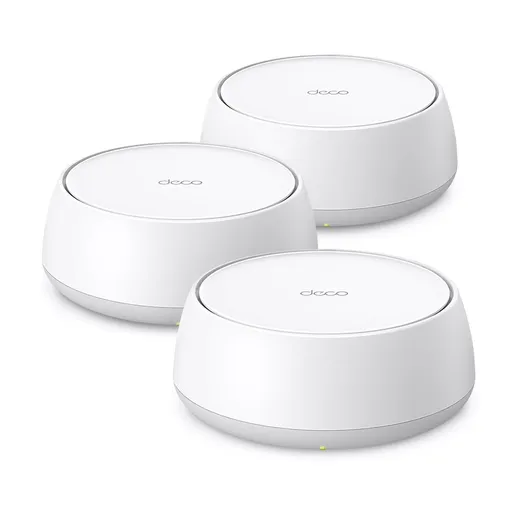
Idéal pour : Idéal pour un foyer moyen ou une grande maison câblée en Ethernet cherchant un mesh multigigabit abordable.
En bref : Les avis Reddit décrivent un mesh abordable, couvrant et rapide, surtout avec un backhaul Ethernet. Son Wi-Fi 7 reste limité par l’absence de bande 6 GHz, et plusieurs utilisateurs signalent des débits ou une stabilité variables.
Au-delà de ce modèle, la marque TP-Link (toutes gammes) recueille 46 % d'avis positifs sur 385 utilisateurs Reddit. Ce signal marque ne compte pas dans la note du modèle ci-dessus.
Points forts
Fiabilité éprouvée
8 1
« I have the BE25 3 pack in the UK and they have been absolutely brilliant. » Voir l’avis
« Both are good units, I’ve got x55 here and installed BE25 at my parents. » Voir l’avis
« I too have the BE25 and it's more than capable for my family and work needs, easy to set up, solid connection, kinda set up and forget. » Voir l’avis
Bon rapport qualité-prix
24 7
« Therefore, I would take a look at the Tp-Link Deco BE25 for what is probably the cheapest option for a system that'll be able to handle your speeds competently. » Voir l’avis
« Unless there is a huge price difference go with the BE25 as it’s the newer model, will have a better cpu etc. » Voir l’avis
« I would take the cheaper mesh system and spend the price difference on cabling and you'd end up with a much faster and stable system. » Voir l’avis
Excellente couverture Wi-Fi
13 6
« I installed it a week back. Covers my house ~ 5500sq.ft » Voir l’avis
« I agree - And also I feel that 6Ghz bands have a harder time going through walls etc so yeah I’ll stick with 5Ghz band. » Voir l’avis
« My house has \~4000 sqft and I got full coverage pretty much every corner and I have only two units setup, now wondering where to put the 3rd one... » Voir l’avis
Backhaul efficace
18 9
« I believe it can use MLO as the backhaul between the nodes instead of just using a single band if you are going to use wireless backhaul. » Voir l’avis
« I have 4 Be25 all Wired backhaul and it worked great. » Voir l’avis
« Yes, wired backhaul is my intention, one device per floor and hopefully I'll get a fast and reliable connection! » Voir l’avis
Installation facile
17 9
« It's better to put the ISP router in modem mode and use Deco as the router in my experience. » Voir l’avis
« I too have the BE25 and it's more than capable for my family and work needs, easy to set up, solid connection, kinda set up and forget. » Voir l’avis
« This will work if you set the operation mode of the Deco mesh to Access Point. » Voir l’avis
Points faibles
Fonctions limitées
23 29
« I just want to add something that since this is a cheap Wifi 7 router, it’s missing the new 6ghz channel if you’re trying to maximize internet performance but MLO should also improve speed too but… » Voir l’avis
« However, the Archer will not join the Deco mesh, you will have the Archer wifi network, and the Deco wifi network. » Voir l’avis
« Yeah if it won't connect to the network when there is only one node and only 2.4 GHz turned on, then you've done what you could. » Voir l’avis
Connexion instable
10 14
« The X55/BE25 uses much wider channels (80MHz or 160MHz). » Voir l’avis
« Tried factory resets, 2 times, one by one, still same issues. » Voir l’avis
« Have you got fast roaming ensbled, it says with fast roaming older units may loose connection to the WiFi » Voir l’avis
| Critère | Note /10 | Ce qu'en dit le consensus |
|---|---|---|
| Couverture | 6.2 | Les utilisateurs Reddit rapportent souvent une large couverture, mais les murs et le placement restent déterminants. |
| Fonctions | 3.1 | Le roaming, le MLO et les réseaux invités ou IoT sont appréciés, mais l’absence de 6 GHz et certaines incompatibilités limitent l’ensemble. |
| Backhaul | 5.8 | Le backhaul Ethernet est le choix nettement privilégié, le mode sans fil étant plus variable. |
| Installation | 5.1 | L’application simplifie généralement l’installation, malgré des configurations opérateur ou réseau parfois laborieuses. |
| Débit | 4.8 | Les débits peuvent approcher la connexion filaire, mais varient fortement selon les appareils et le backhaul. |
| Prix | 6.9 | Le consensus Reddit le juge compétitif parmi les systèmes récents, surtout face aux modèles Wi-Fi 7 supérieurs. |
| Stabilité | 4.3 | La stabilité est souvent excellente en Ethernet, mais des coupures et problèmes de firmware sont aussi signalés. |
| Fiabilité | 8.6 | De nombreux propriétaires se disent satisfaits sur la durée, avec quelques cas d’échec complet selon l’environnement. |
Avis Reddit
118 avis analysés · Positifs 58 Neutres 16 Négatifs 43
avis pertinents ·
-
SwimmingMongoose2358 🇬🇧
3 commentaires analysés
-
masked-21 🇬🇧
1 commentaire analysé
r/TpLink · Deco BE25/BE5000? It’s the same thing. "BE" refers to Wi-Fi 7, the latest generation of Wi-Fi technology, also known as IEEE 802.11be. The key difference is that "BE25" is the actual model name, while "BE5000" is a marketing term used to highlight the total bandwidth capacity.
-
civilBay 🇬🇧
1 commentaire analysé
r/TpLink · Deco BE25/BE5000? It’s the same BE25 is also called BE5000 I installed it a week back. Covers my house ~ 5500sq.ft
-
aeroshep1 🇬🇧
1 commentaire analysé
r/TpLink · X50 vs BE25 DECO I've used the be25 for a year. It is wifi 7, but it is dual band not tri band. I still get 900 plus up and down on wifi on 5 ghz band, and it has been perfectly stable. I have around 80 devices connected in my house, and 0 issues. Now I do have the access points connected with a wired backhaul, but for my setup it has been rock solid.
-
CautiousInternal3320 🇬🇧
7 commentaires analysés
r/TpLink · TP-Link Deco BE22 vs BE25 vs XE75 Pro - 2025 October (Wireless backhaul testing) Are you sure that BE25 offers the 6Ghz wifi band? TP-Link documents: * for BE22 and BE25: 5 GHz: 2882 Mbps, 2.4 GHz: 688 Mbps * for XE75: 6 GHz: 2402 Mbps, 5 GHz: 2402 Mbps, 2.4 GHz: 574 Mbps
r/TpLink · Will Deco BE25 units in Access Point mode support full Mesh with Ethernet Backhaul? Yes. In AP mode, the main Deco does not act as a router, and it is allowed to connect a satellite Deco by Ethernet to the main router. In Router mode, a satellite Deco can only be connected to another Deco. Seamless roaming and other "wifi mesh" features are available in both modes.
r/TpLink · What’s limiting my Deco 7 BE25(BE 5000) Wi-Fi on a 2 Gbps fiber connection? Are you sure Deco BE25 advertises up to 4.3 Gbps on the 5 GHz band? I believe it is advertised as BE3600: * 5 GHz: 2882 Mbps * 2.4 GHz: 688 Mbps
r/TpLink · TP-Link Deco BE25 If the switch is not connected to the ISP router, it is not required to have the Deco mesh in AP mode.
r/TpLink · Can I connect a archer BE3600 to Deco BE25 via ethernet backhaul? This will work if you set the operation mode of the Deco mesh to Access Point. However, the Archer will not join the Deco mesh, you will have the Archer wifi network, and the Deco wifi network.
r/TpLink · Upgrade Deco S7 for BE25, is it worth it? If you get 450mb via a wifi backhaul on S7, it is likely that the backhaul does not exclusively use the 2.4ghz band, and you can indeed expect to get more on BE25, which offers more capacity on the 5ghz band.
r/TpLink · Full Wi-Fi 7 Mesh Setup with Deco BE25 - 2.5Gbps Ethernet Backhaul & MLO vs Wi-Fi 6E? What do you expect as "all the traffic"? wired or wireless? wired devices connected to satellite or to main Deco? If you expect to handle more than 1Gbps, you should aim, at a minimum, at Deco BE65.
-
Teenage_techboy1234 🇬🇧
7 commentaires analysés
r/TpLink · Deco BE25 better than X60? I believe it can use MLO as the backhaul between the nodes instead of just using a single band if you are going to use wireless backhaul., I know that the BE63 can use MLO backhaul.
r/TpLink · Deco BE25 better than X60? I'd go with the BE25 because I believe that you can use MLO backhaul. I could be wrong though.
r/wifi · Budget, 1 gig mesh system None of those supposedly gigabit capable systems will be able to handle actual gigabit speeds. Gigabit ports cannot sustain full gigabit speeds due to overhead, and Wi-Fi five and six, especially on the 2.4 and 5 GHz bands, can't really do it either. Therefore, I would take a look at the Tp-Link Deco BE25 for what is probably the cheapest option for a system that'll be able to handle your speeds competently. The BE22 might also be able to do it.
r/TpLink · TP-Link Deco BE25 It can go through a switch.
r/wifi · Budget, 1 gig mesh system I do know about those. They really would honestly only be good if you have Wi-Fi 6E capable devices. Otherwise, I feel like the BE25s give you a more balanced system, although they don't have the 6GHZ band. You could also look at a set of BE63s, which would be your best bet, though they are significantly over your budget.
r/TpLink · TP-Link Deco BE25 OK, well your comment sounded like directly connecting them would not work. Obviously a switch can be used to expand the amount of ports available at the main Deco, but it is not required.
r/TpLink · Having hard time connecting smart plugs to Deco BE25 Yeah if it won't connect to the network when there is only one node and only 2.4 GHz turned on, then you've done what you could.
-
meshedmyself 🇬🇧
1 commentaire analysé
r/TpLink · My Deco BE25 stared behaving extremely strange. Maybe try the same approach with your clients. Add them one by one to see if/when the issue resumes. You might also try changing "Wireless Network Mode" to "High Capacity" rather than "Optimal Performance" to see if this changes anything.
-
Odd-Comfortable-652 🇬🇧
1 commentaire analysé
r/TpLink · Deco XE75 vs XE75 Pro vs BE25 You currently don't have a need for the xe75 pro or the be25, given your current plan and devices. You can always upgrade to wifi-7 down the road in parts, and still make use of the xe75 for a period of time. The decos all work together fairly seamlessly. Unless the pro is very similar in price, I would go for the xe75. It will meet your needs and then some, without breaking the bank for a marginal performance boost you won't be able to use or detect.
-
alvaroes11 🇬🇧
5 commentaires analysés
r/TpLink · Why do I see so much hate towards the Deco BE25 (BE5000)? Amazing, this is the comment I was hoping to read. I think the BE25 are great for the average household.
r/TpLink · Why do I see so much hate towards the Deco BE25 (BE5000)? I agree - And also I feel that 6Ghz bands have a harder time going through walls etc so yeah I’ll stick with 5Ghz band. Thank you!
r/TpLink · Why do I see so much hate towards the Deco BE25 (BE5000)? Perfect! Yes, wired backhaul is my intention, one device per floor and hopefully I'll get a fast and reliable connection!
r/TpLink · Why do I see so much hate towards the Deco BE25 (BE5000)? I do - And yes it works flawlessly
r/TpLink · Why do I see so much hate towards the Deco BE25 (BE5000)? Uhm.. 400 Mbps on Wifi doesn’t seem like “a lot” if you are ethernet backhauled… I would expect to get around 600-700 Mbps at least? Is the speed capped in your wifi devices?
-
LDL1975 🇬🇧
4 commentaires analysés
r/TpLink · Any way to force ethernet backhaul on Deco BE25? I would swap the puck and see if it is the port issue . U can't force it. At least not what I see in the app
r/TpLink · Why do I see so much hate towards the Deco BE25 (BE5000)? I have 4 Be25 all Wired backhaul and it worked great. I don't see the need for the 6ghz band at all. If you are capable of doing Wired backhaul, your wifi speed would be awesome. I'm getting really good speed off my 2 gb internet,
r/TpLink · Why do I see so much hate towards the Deco BE25 (BE5000)? At the current price of the BE25, I would add another single BE25 instead of the older Deco M4 unit.
r/TpLink · Deco be65 and be25 setup I have 4 BE25 units in a 2 stories 4500 sq ft home and all wired backhaul and it worked great. Personally, I would return the BE 25 and get a 3 pks combo of BE65 since you have a 5gig internet , then get a 10 gb switch. The BE25 is only have 2.5 gb ports. I would not mix match the BE65 and BE25, it will downgraded it since one is a triband and the other is a dual band.
-
bojack1437 🇬🇧🌐
3 commentaires analysés
r/TpLink · Deco BE25/BE5000? They looked to be the same thing. They have identical specs.
r/TpLink · Deco BE25/BE5000? I saw the different pictures as well... I wouldn't be surprised if they are literally the same in the box and one site just used the wrong or a different stock photo. Or it is possible that different retail channels have that very slight difference. But everything else I see about them is absolutely identical.
r/TpLink · Deco BE25/BE5000? Keep the cheaper one.
-
Majestic_Young_9372 🇬🇧
1 commentaire analysé
r/TpLink · X50 vs BE25 DECO have them both, take the be25 if you are tech savy take the x50 if not, be25 requires some manaula firmware beta updates depanding on your setup but after is blazing fast an stable
-
Unwell_Cat 🇬🇧
5 commentaires analysés
r/TpLink · If you had to choose between Deco BE25 or Deco x55 which would you choose and why? Same setup and management. Unless there is a huge price difference go with the BE25 as it’s the newer model, will have a better cpu etc. The x55 does have three Ethernet ports vs two on the BE25 though.
r/TpLink · Deco BE25 advice needed Also, once you reset them. Just set one up. Don’t bother powering on the satellite and get that working. You can add the satellite within the app separately. The one plugging into your fibre/cable connection is always the primary node. Re plugging a Ethernet cable between them for testing, it should not be needed. Try to get the deco set as the router stable first. The only other thing I can think of in the deco app under connections settings make sure the correct one is selected. For me it would dynamic IP.
r/TpLink · Deco BE25 advice needed I have two of these units in AU and just plugged one into my fibre modem, then connected a deco to that. Started the app on my phone and went through the setup. Plugged the Satellite deco in close by and the app found it and configured it as a mesh node. I then moved the satellite node to where I actually wanted it in my house. Something fundamental is going wrong here. There is a newer version of firmware here - https://community.tp-link.com/en/home/forum/topic/860466 Which is what I’m running.
r/TpLink · Deco BE25 advice needed Factory reset by holding down the button on the bottom of each unit or remove the satellite first then the one acting as a router from within the deco app. When you remove the router the app will says it’s going to delete the entire network and you can start again.
r/TpLink · Deco BE25 better than X60? Except the x60 is 4x4 whereas the BE25 is 2x2 meaning the x60 may have better range and coverage.
-
Horror_Zucchini2886 🇬🇧
1 commentaire analysé
r/TpLink · [Help] Deco X55/BE25 Wired Backhaul producing <2Mbps Wi-Fi speeds on 1Gbps Fiber Im no expert but here are a few pointers. Since your wired PC on the second unit is "blazing fast," we have proven the Wired Backhaul is solid. Your custom cable is fine! The issue is purely the wireless broadcast. Try these steps in order: The "One-Node" Test: Unplug the basement Deco entirely. Stand next to the Main Deco. If Wi-Fi is now 600Mbps+, you have an interference/placement issue. If it's still 2Mbps, the issue is a setting on the Main Deco. Signal Source Selection: In the Deco app, click on a specific device (like your phone). Look for "Connection Preference." You can manually tell that phone to only connect to the 1st-floor Deco. This stops the "fighting." Check for "Smart Connect": Decos try to merge 2.4GHz and 5GHz into one name. Some devices fail at this. Try disabling the 2.4GHz band temporarily in the Wi-Fi Settings to see if your speed jumps. MTU Size: In the Deco app under Advanced > IPv4, check the MTU. It should be 1500. If it's lower, it can cause massive fragmentation and slow speeds. A note on the M4 vs X55: The M4 was slower but used older, more "forgiving" Wi-Fi standards. The X55/BE25 uses much wider channels (80MHz or 160MHz). In a small house, those wide channels hit walls and bounce back, creating "noise." You might actually need to lower the congestion by moving the Decos further apart or reducing the "High Capacity" settings in the app. Verdict: Start by turning off Fast Roaming and testing with only one Deco powered on. That will tell you immediately if the units are sabotaging each other.
-
LuckyNucky0 🇬🇧
3 commentaires analysés
r/TpLink · My Deco BE25 stared behaving extremely strange. I have reset them yesterday one by one. Still the same issue. Tried the ISPs router ( which is trash) just to see if the optic ONT works and there isn’t a problem with the ONT. It worked( it needs PPOE to work) I will try to reflash it after resetting it. I am angry that I have to use their ONT( which has fiber and tv and an Ethernet, but it’s wired that it only provides internet to routers but not other devices). Maybe I’ll try an wired backahul, cause when I plugged my laptop in the main Deco instantly it got 1Gb, so that’s weird. The routers are very new ( November 205). I will try to reset it and reflash it and see what happens. Hope it’s not hardware related. Had an deco before, very unreliable….
r/TpLink · My Deco BE25 stared behaving extremely strange. Tried factory resets, 2 times, one by one, still same issues. My isp provided router works fine. I don’t think that I am double nating but I’ll check
r/TpLink · My Deco BE25 stared behaving extremely strange. Thank you, tried it but nothing new. One or two weeks ago I have had the same issue, left the house for 2 days and when I came back everything worked like normal which seems like what the heck… and it’s back. This time worse. I suspect that NVR… it happened three days after I connected that thing… it seems suspicious that it never happened before. It’s using some sort of cheap WiFi 5 extender the install team put that gets WiFi so the nvr can use ethernet. In the tether app, the cameras are 192.168.68.91,89,92.90 - they show up on the main deco network : if connected to my deco WiFi it literally shows them as local devices. Ok, maybe that’s the problem but it’s also weird that 2 or 3 phones and a laptop experience the issue and not any other device( and this are the devices mostly used besides the working Apple TV). So very weird. Tried everything. If changing to the high capacity band lots of devices disconnect and never connect until switching to the normal band( example inverter etc)
-
Away-Sky3548 🇬🇧
2 commentaires analysés
r/TpLink · Deco BE25/BE5000? Just switched to this from Asus AX86U, a big upgrade for me. My house has \~4000 sqft and I got full coverage pretty much every corner and I have only two units setup, now wondering where to put the 3rd one... What's funny is that wifi speed test (>600Mbs) on my phone outruns my PC which has 1gbps ethernet connections (\~500Mbs). I guess something is wrong with the cat5e cables, but anyway more than enough for my daily use.
r/TpLink · My Deco BE25 stared behaving extremely strange. How did you pull the log off these units? They don't seem to provide such debug functionality through their app.
-
MilkshakeAK 🇬🇧
5 commentaires analysés
r/TpLink · If you had to choose between Deco BE25 or Deco x55 which would you choose and why? Both are good units, I’ve got x55 here and installed BE25 at my parents. If I had to choose, I would go with the BE25 as they are newer and future proof with WiFi7.
r/TpLink · TP-Link Deco BE25 A switch is the way to do in, nobody does router to access point and he has 3-4 cables coming down, so without a switch he would have to choose which to use, with a switch he can connect them all and see where his AP’s work best. I read his question as, can I use a switch or does it have to be Deco to Deco.
r/TpLink · TP-Link Deco BE25 Get a switch, it’s the correct networking way to do it. Also do you have your Main Deco as Main unit or Access point mode. If you have both an ISP router and Main Deco doing dhcp and other networking “job” they you have conflicting network service and you should contact your ISP and ask if they can put their modem I Bridge mode for the best configuration of your network. This way your Deco will be the main unit running your network and your can configure it all from the Deco app.
r/TpLink · Deco Be25 smart devices? Have you got fast roaming ensbled, it says with fast roaming older units may loose connection to the WiFi
r/TpLink · Any way to force ethernet backhaul on Deco BE25? Are connection directly between two acces points from Ethernet port to Ethernet port, if yes, that don’t work.
-
Matt6453 🇬🇧
1 commentaire analysé
r/TpLink · TP-Link Deco BE25 It's better to put the ISP router in modem mode and use Deco as the router in my experience.
-
Shwarma_997 🇬🇧
6 commentaires analysés
r/TpLink · Help with DECO BE25 Hey I’ll suggest using deco in router mode ; connect directly to isp it does support that I’ve been using it this way only ; and as you said you aren’t using priority mode ; you can make your gaming rig a high priority device and try it out
r/TpLink · Help with DECO BE25 Might as well I’ve done it without it too; haven’t faced any issues but if it’s switch is nearby might as well power cycle
r/TpLink · Help with DECO BE25 It’s totally upto you; what I do is perform a reset without any cables ; and on the app when it says restart the modem - it will (once it detects the deco - second step ); then I plug in the isp cable!
r/TpLink · Help with DECO BE25 Aah I see ; If you’ll flip it you’ll see a button ; you need to press it for a few seconds ; light will change ; it’ll enter setup mode ; and once blue ; on the deco app add a new network!
r/TpLink · Help with DECO BE25 I mean since your existing router won’t be used now ; the network config of that won’t matter - and as for deco once you reset a new network is made either way
r/TpLink · Help with DECO BE25 Yeah ; it’s basically that ; but I’d rather you reset the deco it takes a minute ; create a new network as sometimes this can create a problem with old network mixing; just choose your settings correctly ie is it static ip ; dynamic or PPPoE’ config and you’re good
-
arty118 🇬🇧
2 commentaires analysés
r/TpLink · Any way to force ethernet backhaul on Deco BE25? The connection is like this BE65(main) ——- BE65 ——- 2xBE25 All connected via ethernet cable. One of the BE25 works fine while the other keeps going for wireless backhaul.
r/TpLink · Why do I see so much hate towards the Deco BE25 (BE5000)? I have BE65 (primarily for wired backhaul ports) as my main unit and a few BE25 (all with wired backhaul) as satellites. I don’t see any difference in performance for my use.
-
Wiggy1977 🇬🇧
1 commentaire analysé
r/TpLink · Why do I see so much hate towards the Deco BE25 (BE5000)? I too have the BE25 and it's more than capable for my family and work needs, easy to set up, solid connection, kinda set up and forget. I'm getting nearly all my broadband speed to my devices, which is way more than I'll ever need, so I highly recommend them from my experience so far.
-
jimboolaya 🇬🇧
1 commentaire analysé
r/TpLink · OpenWRT on BE5000 / Deco BE25 These don't appear to be in the "Table of Hardware" on the Openwrt site: https://openwrt.org/toh/start Am I missing something?
-
enjoylife1788 🇬🇧
1 commentaire analysé
r/TpLink · Deco BE25 You can link as many as you want. Definitely 4.
-
National-Debt-43 🇬🇧
1 commentaire analysé
r/TpLink · Deco BE25/BE5000? I just want to add something that since this is a cheap Wifi 7 router, it’s missing the new 6ghz channel if you’re trying to maximize internet performance but MLO should also improve speed too but having a 6ghz channel is going to give you much better performance if you’re planning to have gigabit internet plan
-
TechnikalKP 🇬🇧
1 commentaire analysé
r/TpLink · Deco BE5000 (BE25) vs BE10000 (BE63): Is the Upgrade Worth It? If at all possible, you'd be better off with ethernet backhaul. I would take the cheaper mesh system and spend the price difference on cabling and you'd end up with a much faster and stable system.
-
electriclala 🇬🇧
1 commentaire analysé
r/TpLink · X50 vs BE25 DECO I have x50*3, be25 and be65(main) all connected via ethernet backhaul. Close to zero issues with either through the years. I haven't really noticed any difference. Be25 is wifi7 so a bit faster and supposedly more stability. Go for the be25 imo. You can find good prices on those, at least here in Scandinavia.
-
unplorable 🇬🇧
8 commentaires analysés
r/TpLink · Deco BE25 advice needed Okay, well thanks. I got a call from someone who gave me 100% conflicting information compared to the first guy I spoke with, but this new person insisted he was right but the first person was wrong. when I start getting conflicting instructions on basic functionality ("you need special instructions to hook them up" vs "just plug them in and they'll work") is when I start questioning the company's definition of 'support.' clearly someone is giving bad information to customers, but I don't feel like taking the time to cipher out who that might be. The last person I spoke with said this will be "escalated" to someone who works on second shift. An hour later, I get instructions telling me to go to a tplink deco website where I guess they store error logs. But, after about 30 seconds of waiting for that site to load, I get "This site can’t be reached." I tried a few times, but it always gives up trying after 20-30 seconds of waiting. A couple hours later I get a different website to try, but by then we had already started unhooking cables and power cords. Nobody was using the deco for anything, and we're paying for spectrums router now anyway, and we figure 2 weeks of non-functioning wifi and conflicting setup instructions... what are we really doing at this point. I might try again this morning, just so I can say I tried, but seriously after 2 weeks of this, I really don't care. Spectrum says these have problems, and they do. One person at deco tech support who was barely understandable because the call quality was so bad every time I called, says there are special instructions, another one says there are NOT special instructions. I don't want to be in the middle of that argument. All I know is that for 2 weeks I have been trying to make these work using the regular instructions. That's not working. If I had followed different instructions, I likely would have different results... like a functional product. But I've never been given the opportunity to find out. When your support people blatantly contradict each other, it makes me question what kind of support you provide when the customer is expected to figure out who to believe. It makes me feel like if there is some magic switch or checkbox or config file just for Spectrum internet to function, not everyone at deco is aware of this, which really makes me question the wisdom of using this thing any longer. The whole "go to this website for error logs. Oh, that didn't connect? Well then try this different website instead" just kind of cemented the idea that it's all just a bunch of random suggestions rather than actual troubleshooting. Sorry, just completely done at this point. Missing work, nothing functioning, trips to best buy for new cables, Spectrum coming on-site... after 2 weeks, Im done trying things. We just want wifi.
r/TpLink · Deco BE25 advice needed You are correct. The spectrum ROUTER has multiple ethernet ports. Sorry, too much new equipment in the house, it's all turning into a giant ball of confusion. I have tried [8.8.8.8](http://8.8.8.8) and [8.8.4.4](http://8.8.4.4) on the deco, no joy. On the rpis, ping [8.8.8.8](http://8.8.8.8) will time out with no response. Trying to ssh to any of them gives 'unreachable.' ping [google.com](http://google.com) will also time out (not a dns error.) I stopped trying the satellites, until I can get just one of these working I don't want to have the other 2 interfering.
r/TpLink · Deco BE25 advice needed okay, fair point. but in my experience, they fail to work 100% of the time with spectrum.
r/TpLink · Deco BE25 advice needed That might be one of the things I'm fighting. Spectrum told me straight up that there will be NO chance of a static ip address, so dynamic it is... and everything is weird. Maybe that's what Spectrum is referring to.
r/TpLink · Deco BE25 advice needed I should have posted a more complete timeline. the spectrum on-site visit was a result of 3 days of no success. All we had from spectrum was a modem. it does not have wireless. after trying each of the 3 decos in turn and only getting a red light, deco phone support said there are special instructions I need to follow if I'm using a 3 pack. I never got those instructions. deco forums, deco live support, and a few replies on reddit all say this is how they act if the internet from the modem is having issues. my wife had to miss a day of work since the hardwire from the deco to her office also drops out frequently. That's when we got spectrum to show up. ultimately replaced the wire from the modem to the deco. that was decos first suggestion. I have run new ethernet from the deco to my wife's office, and I run new ethernet from the deco to one of satellites, and then from that satellite to the other one. I have tried directly connecting them to a hub at the main deco. I have tried each of them, in ap mode and router mode. new Mac addresses, dynamic addressing, resetting all the units...at this point I've spent $100 on new cables and a hub at best buy, on top of buying the actual deco units in the first place, and I still can't even get a straight answer on whether or not the satellites need to be hard wired to the main unit. When spectrum hooked up their router, everything just worked. Like, plug it in, power it up, and it just shows up as a wifi source. No special instructions or anything. I'm sure there's more to it, but that's what this guy does, so it just looks simple. Their modem has 3 ports in the back, so one to my wife's office with the original cable, on to the main computer, also working with the original cable, and every raspberry pi connects to their modem wirelessly, no issues. Immediately plugging one of the deco units into the modem instead of the spectrum router, red lights. Plug it into the spectrum router instead of the modem, green lights. But lousy signal stability. I can plug one of the decos into the open port on their router and get a green light in ap mode, and the satellites connect as well, even wirelessly, but even then there's a lot of dropout for anything connected. Except the raspberry pis I've tried, 3 of them will all connect, but then nothing. Even a ping to google will time out. So I have no idea. I tried going back to the deco forums, but all 4 of the posts I started there are just gone, including the one thread where I was told that there are Not special instructions to hook these up. So now I get to try and figure out what I have screwed up there. The seller on Amazon has gone dark, so im not able to discuss a return... their only answer was "spectrum problem talk to them" which eventually lead to spectrum saying this is a recurring issue with tplink. I understand that spectrum will support spectrum hardware, but even with its crappy range, it works with their modem simply by plugging it in. They are consistent with their signal, and with their statement that tplink has problems connecting to spectrum. What tplink has given me is 3 units that have problems connecting to spectrum, and no consensus on how to get them to work, just constant reassurance that they do, in fact, work with spectrum... even though I have no proof of that statement. So for now we're all using spectrum wifi, and it just works. Im apparently stuck with the decos, so I'm sure I'll eventually figure out something.
r/TpLink · Deco BE25 advice needed In the middle of all this, Spectrum sent me a list of routers that are on their 'approved' list, and tp-link is not on it. I guess their tech was right after all! Thanks for the assist, but this is a losing battle. I wish spectrum, and/or tplink, would START with that list. I would've been up and running last Friday. ugh. Thanks again.
r/TpLink · Deco BE25 advice needed The deco only gives a green light if it's plugged into the port on the back of the spectrum router and set to ap mode. If I plug it into the modem directly, it only gives a red light in ap mode and in router mode. Wiring goes modem to spectrum router, then to deco. I wasn't clear on whether or not the satellites needed to be hard wired, thank you for clarifying. Back to best buy! Right now, I'm still getting intermittent dropouts, and anybody connected to it gets the same thing, but not everybody at once. Like my tablet will drop and then reconnect to wifi about every 20 minutes or so, but my daughter's chromebook will stay on for about 45 minutes before it has to reconnect, our son's TV is pretty random, it will lose connection every 5 minutes, then last an hour, then just random. This might be because I don't have the satellites hard wired like you said... looping over wifi. What a mess.
r/TpLink · Deco BE25 advice needed Okay, well I don't know what's going on. I can only get the primary unit to give a green light if I put it in ap mode and plug it into a port on the spectrum router. I can only get a red light if I plug it directly into the modem, either on ap mode or router mode. If I get it to go green on ap mode on the spectrum router, then I still can't get it to stay connected for more than about 20 minutes or so, then the connection drops, then reconnects, and it just keeps doing that. Raspberry pis will connect to wifi, but never can go any farther. I'm starting to think the technician was right when he said tplink and spectrum internet don't work well together. I wish I knew that before we got these. Thanks for your help, but I think I need to get spectrum back out here or find a brand of router that does work well with spectrum.
-
Ryan_TP-Link 🇬🇧
1 commentaire analysé
r/TpLink · Deco BE25 advice needed Given some of the specific peculiarities you mentioned, like the Raspberry Pi behavior and issues pinging Google (domain), I'm starting to wonder if this may be DNS-related and whether your ISP-issued DNS servers behave differently on the Spectrum equipment but not quite the same on the Decos. If so, it wouldn't hurt to quickly assign DNS server settings on the Deco to see if it clears things up: [How to Change DNS Settings on Your TP-Link Deco](https://www.tp-link.com/us/support/faq/1855/) You mentioned the Spectrum modem having 3 Ethernet ports - were you referring to the router in this case? If not, could you share the model number of your Spectrum modem? By the way, the Deco satellites can connect to the main via Wi-Fi mesh or Ethernet, depending on your needs or preferences.
-
ciphervexa 🇬🇧
1 commentaire analysé
r/TpLink · Deco BE25 advice needed good call on only setting up one first, chasing multiple variables with mesh stuff is pain. also +1 on checking the connection type, spectrum is usually dynamic IP so if that’s wrong everything gets weird real fast.
-
Loud-Angle8105 🇬🇧
2 commentaires analysés
r/TpLink · Deco BE25 advice needed Double check that Smart DHCP is off even an AP mode it defaults to on. Next, I would ensure that the spectrum router is not also broadcasting a Wi-Fi. See if you can turn that off. To clarify the Deco don’t have to be hardwired, but operate best when they are. Alternately, if you can’t turn off the Wi-Fi on the spectrum router make sure your devices forget that network.
r/TpLink · Deco BE25 advice needed Double nat?… don’t use spectrums router they never supply a router with any kind of good processing power. But yes technically it will work. Also, what is your wiring plugged into?;.. it should be modem, router, main deco then only use the ports off the main deco to connect the satellites. If you don’t do this, they are not truly using the Ethernet as the backhaul, and will be looping over WiFi.
-
Notacop9 🇬🇧
1 commentaire analysé
r/TpLink · Why do I see so much hate towards the Deco BE25 (BE5000)? You could always add a switch at the node to give you as many ports as you need. A basic 5 port unmanaged switch should only be $15 - $20. Better to make the overall system cheaper considering how few people need more than 2 ports at a node. Even if you need more than 2 ports, I can't imagine that is the case at every node in your system.
-
Substantial-Bed-4122 🇬🇧
1 commentaire analysé
r/TpLink · Will Deco BE25 units in Access Point mode support full Mesh with Ethernet Backhaul? The Wi‑Fi will work, but the BE25 has a stronger CPU and more RAM and 2.5gbit LAN, so it’s a much more capable router overall. On paper you’ll get an upgrade in wireless performance, but the C8 will still be the limiting factor. That said, it really depends on your usage, so if you’re not gaming or doing heavy streaming/downloads at the same time, you probably won’t notice any issues.
-
truemad 🇬🇧
5 commentaires analysés
r/TpLink · Will Deco BE25 units in Access Point mode support full Mesh with Ethernet Backhaul? I think when you say "full mesh" you mean seamless/fast roaming of the WiFi devices. The answer is yes, no matter the mode (router/ap), the seamless/fast roaming will work if you enable it in the app
r/TpLink · Will Deco BE25 units in Access Point mode support full Mesh with Ethernet Backhaul? In the app, you have to choose the main node. I think the first one you add becomes the main one automatically. In the "ap mode" case, it doesn't matter which one is main; just ignore my comment.
r/TpLink · Will Deco BE25 units in Access Point mode support full Mesh with Ethernet Backhaul? Yes, assuming you add both satellites to the same network in the Deco app, assign the main node and switch the Deco network to the "AP mode."
r/TpLink · What is the best setup with Aginet Be85 and Deco Be25 They are not compatible.
r/TpLink · Deco BE25 (AP Mode) is not connecting to Aginet BE85 (main)? Deco and Aginet are not compatible.
-
Nervous-Job-5071 🇬🇧
1 commentaire analysé
r/TpLink · Will Deco BE25 units in Access Point mode support full Mesh with Ethernet Backhaul? Your proposed setup will work fine. Simply put, the main Deco needs Ethernet connection (to the router if in AP mode) and the satellites can be any combination of Ethernet or wireless (obviously Ethernet is preferred but more moderns wireless protocols work very well on most cases).
-
Necessary-Log1556 🇬🇧
1 commentaire analysé
r/Deals_Pricely · goodbye dead zones 🤯🏠 💰 $199.99 (-20%) TP-Link Deco BE25 WiFi 7 Mesh (3-Pack) 🔥 covers up to 6,600 sq. ft. = strong signal in more rooms [https://amzn.to/43osiuc](https://amzn.to/43osiuc)
-
icck8s 🇬🇧
1 commentaire analysé
r/TpLink · Update: Deco BE25 Rogue DHCP Bug in AP Mode — Tested Beta Firmware 1.1.99 (Bug persists, especially with MLO) Hello, currently I have 3 decos BE25 working in AP mode with Ethernet backhaul and an ER605 as gateway. I haven't faced this issue. Certainly, I have other issues than you. I would suggest you capture packages in your computer during ip negotiation to make sure who is providing the DHCP server, just to confirm if it's deco or other app acting as DHCP server. The only feature deactivate in my setup is the smart DHCP. All others enabled as default.
-
UserNameDashZero 🇬🇧
1 commentaire analysé
r/TpLink · Why do I see so much hate towards the Deco BE25 (BE5000)? Only issue are the two ports. What if you want to hardwire your tech and backhaul?
-
Scared_Internal7623 🇬🇧🇮🇹
2 commentaires analysés
r/TpLink · Deco BE25 Hi sorry for the delay everything is perfect, there are two or three projects online and it's going great without any problems, only I had to strengthen the little arms a bit because the first one broke immediately https://preview.redd.it/hah7kn1udyxe1.jpeg?width=2252&format=pjpg&auto=webp&s=e8869dd49b11fede41a55d0e023446c6938158d0
r/TpLink · Full Wi-Fi 7 Mesh Setup with Deco BE25 - 2.5Gbps Ethernet Backhaul & MLO vs Wi-Fi 6E? Aggiornamento: tutto ok ho eliminato il modem Vodafone e sto usando il deco be25 sbloccando la rete 2.5gb perfetto
-
cdmgsr92 🇬🇧
1 commentaire analysé
r/TpLink · If you had to choose between Deco BE25 or Deco x55 which would you choose and why? I'd like to know this as well, if I end up buying it I'll let you know since I currently have the x55 wifi 6 setup right now. I really just need another node and for the price I figure I might as well just upgrade and get 3 nodes at the same time.
-
_Cherios 🇬🇧
1 commentaire analysé
r/TpLink · My Deco BE25 stared behaving extremely strange. I have the same problem on my BE25 3unit mesh network. I am stuck on what to do, I even turned off the random mac address options on my android devices in case but the same problem, will randomly drop out after a while. Reseted/ turned off fast roaming, set to 2.4ghz only, same problem. As a test my ISP provided TP-link hx510 mesh network works perfectly fine. I even borrowed an older deco unit and it worked fine too...
-
neil7722 🇬🇧
2 commentaires analysés
r/TpLink · What’s limiting my Deco 7 BE25(BE 5000) Wi-Fi on a 2 Gbps fiber connection? I think you right, I might need the 6Ghz router. I just feel mislead with the specifications on the router saying it can give me 4.3gbps speed on 5ghz. Yes I was able to get 2gbps connected over ethernet. I hooked the Eero Pro 7 after the 2nd router and the speedtest on the router was able to show 2 gbps up and down. I connected to the eero via wifi on the phone and Fast.com was able to give me 1.9 gbps. Btw. If I do speedtest on fast.com on the Deco it was able to get me 1.2-1.3 gbps. Wild how speedtest.net and fast.com show so different results. (500mbps). I feel like returning the new deco and start using my old one. It has 1gbps ports, but anyways, the new deco is no good either. The additional internet bandwidth will just have to go to waste.
r/TpLink · What’s limiting my Deco 7 BE25(BE 5000) Wi-Fi on a 2 Gbps fiber connection? I think the 6ghz frequency is what is going to get me more speed. I did a speed test with fast.com and it was getting me around 1.3gbps. I connected the Eero Pro 7 after the 2nd mesh router. Eero speed test showing full 2gb up and down speed. Fast.com speedtest after connecting to Eero wifi gave 1.9gbps. Eero wifi connected to 6ghz 320 MHZ channel
-
Dapper_Time_6760 🇬🇧
1 commentaire analysé
r/TpLink · What’s limiting my Deco 7 BE25(BE 5000) Wi-Fi on a 2 Gbps fiber connection? Isn’t it because of limits of input port of BE25. It has 1Gbps ports so it’s naturally limits the ISP speed 1Gbps too. The speed they are advertising is for internal like your computer to Backup NAS etc.
-
goldpunch 🇬🇧
1 commentaire analysé
r/TpLink · What’s limiting my Deco 7 BE25(BE 5000) Wi-Fi on a 2 Gbps fiber connection? EU version is BE3600. US is BE5000 because of the regulations.
-
qghw47QHwG72 🇬🇧
1 commentaire analysé
r/TpLink · What’s limiting my Deco 7 BE25(BE 5000) Wi-Fi on a 2 Gbps fiber connection? 800Mbps sounds like normal real world performance over 5Ghz on that spec. Do you get the full 2Gbps if you plug in over Ethernet?
-
Wiley_Coyote_2024 🇬🇧
1 commentaire analysé
r/TpLink · What’s limiting my Deco 7 BE25(BE 5000) Wi-Fi on a 2 Gbps fiber connection? I tried similar switching of wifi7 vs wifi7 devices and noticed reduced speeds. Seems that some devices have more antenna amplifiers on each antenna and can achieve better speeds on 5 Ghz. Sorry, but that was my limited experience with wifi7 devices and reduced speeds. I am certain I tweaked something to get the increased speed on the 2nd device because it was able to achieve 900-950 Gb speeds for a short while 1 room away, but i think that was due to getting closer to wifi7 router with my wifi7 tablet.
-
-dun- 🇬🇧
2 commentaires analysés
r/TpLink · Full Wi-Fi 7 Mesh Setup with Deco BE25 - 2.5Gbps Ethernet Backhaul & MLO vs Wi-Fi 6E? I see. Do you guys have major holiday sales? If not, then yea, just go with your budget. Again, if you decided to go with be25, you can probably mix some lower model for your grandmother to save some money there.
r/TpLink · Full Wi-Fi 7 Mesh Setup with Deco BE25 - 2.5Gbps Ethernet Backhaul & MLO vs Wi-Fi 6E? I see, is there a 2 pack deals where you're at? Maybe a mix of be65 and be25? Put the be65 at your house so you have the speed and be25 or even a cheaper model for your grandmother since she might only need 200-300mbps? If you're not planning to upgrade your Internet speed for a while, I guess be25 is fine.
-
ConclusionDirect7045 🇬🇧
4 commentaires analysés
r/TpLink · Full Wi-Fi 7 Mesh Setup with Deco BE25 - 2.5Gbps Ethernet Backhaul & MLO vs Wi-Fi 6E? Hi, in Italy a deco be65 unit costs 200 euros while two units cost 380 euros, adding the money for a be25 unit we are well above my budget
r/TpLink · Full Wi-Fi 7 Mesh Setup with Deco BE25 - 2.5Gbps Ethernet Backhaul & MLO vs Wi-Fi 6E? My two final options are: 1) Buy a dedicated wired router with two 2.5G ports and use the XE75 Pro (6E) exclusively as an access point to get that clean 6GHz band. 2) Stick with the Deco BE25 as both a router and an AP, since it already has two 2.5G ports and Wi-Fi 7 features like MLO. Given my $300 budget, option 1 seems too expensive. Is the XE75 Pro's 6GHz band so superior to the BE25's Wi-Fi 7/MLO combo that it justifies the extra cost of a separate router?
r/TpLink · Full Wi-Fi 7 Mesh Setup with Deco BE25 - 2.5Gbps Ethernet Backhaul & MLO vs Wi-Fi 6E? I had already seen, in Italy there is only the deco be65 not the be63, but they are out of budget, the be63 pack of 3 costs 500 euros while the deco be25 pack of 3 costs 200 euros
r/TpLink · Full Wi-Fi 7 Mesh Setup with Deco BE25 - 2.5Gbps Ethernet Backhaul & MLO vs Wi-Fi 6E? Exactly. The Ethernet cable coming straight out of the ONT goes directly into the main Deco's 2.5G port. No other hardware in between
-
Race545 🇬🇧
1 commentaire analysé
r/TpLink · Full Wi-Fi 7 Mesh Setup with Deco BE25 - 2.5Gbps Ethernet Backhaul & MLO vs Wi-Fi 6E? If you are wired to app nodes then no need to spend extra for the tri band, it will be a great setup. The only thing you might have reduced speeds on is via the wireless mesh to the X50 outdoor. I can’t say exactly what speed it would run at but even at 50% from your 2.5Gb I’m sure will be more than fine.
-
The_Brojas 🇬🇧
1 commentaire analysé
r/TpLink · Full Wi-Fi 7 Mesh Setup with Deco BE25 - 2.5Gbps Ethernet Backhaul & MLO vs Wi-Fi 6E? Same. Verizon FiOS allows this. FiOS router has gone back in the box and I’m so happy about it.
-
purespeed44 🇬🇧
6 commentaires analysés
r/TpLink · What is the best setup with Aginet Be85 and Deco Be25 Aginet is ISP branded tp link products. Unfortunately no deco products work with Aginet you would have to use another Aginet router to be able to use its mesh capabilities
r/TpLink · Deco BE25 (AP Mode) is not connecting to Aginet BE85 (main)? Aginet is tp link but it’s there’s isp line of routers. Decos are not compatible with them. In order to get mesh from aginet it must be all aginet routers.
r/TpLink · Deco XE75 vs XE75 Pro vs BE25 The key Differences on the XE75 and XE75 pro are not astronomical the pro version just adds a single 2.5gb Ethernet port the rest are 1gig ports but the difference between the BE25 and XE75 pro and non pro is the BE25 is a dual band system with no 6ghz band so since you have a couple of WiFi 7 devices that band is missing in the BE25 but the BE25 is all 2.5gb Ethernet ports so if you use wired backhaul and say in the future you upgrade to a 2gig plan from your ISP you would benefit from this that way. Wireless backhaul not so much as this is where both XE75’s excel is with them being a tri band system and utilizing that 6ghz band if your running wireless backhaul if your wired backhaul all the bands are open for use therefore speeds theoretically should be better. My suggestion is if you want a wifi 7 system that’s tri band and fairly affordable and really want to future proof yourself get a BE63 system if you don’t want to spend the money on that the normal XE75 would suffice like I said unless your isp upgrades you to over 1gig speed wise then you would want a multigig system like the pro xe75
r/TpLink · Deco be65 and be25 setup BE65 is a tri band system and the BE25 is a dual band system that’s WiFi 7 but really isn’t because it doesn’t have the 6ghz band. Would it work sure but you may see some slowdowns as the BE25 would be the slower units but if you stick to all BE25 you shouldn’t see much of a slowdown as there all the same hardware.
r/TpLink · Upgrade Deco S7 for BE25, is it worth it? Yes WiFi 6 6E and 7 will give you better speed
r/TpLink · Upgrade Deco S7 for BE25, is it worth it? The S7 is WiFi 5 the BE25 is WiFi 7 but not a true WiFi 7 system as it doesn’t have a 6ghz band. You would probably see a little more speed but WiFi has so many variables how much more would be unknown. The only way would be to purchase it set it up exactly ad you have your S7 and test it for a few days. If nothing improves send it back and use your S7 again. In my opinion you should see a little bit more speed but how much really no one knows unfortunately
-
ZDub77 🇬🇧
2 commentaires analysés
r/TpLink · Full Wi-Fi 7 Mesh Setup with Deco BE25 - 2.5Gbps Ethernet Backhaul & MLO vs Wi-Fi 6E? My ISP has an ONT box and then a provided router. I don’t use the router at all and plug the Deco into the Ethernet port on the ONT.
r/TpLink · Full Wi-Fi 7 Mesh Setup with Deco BE25 - 2.5Gbps Ethernet Backhaul & MLO vs Wi-Fi 6E? I think you have a great setup. The dual 2.5Gbps ports on the BE25 is perfect. I would stick with what you have proposed. As more devices are able to utilize MLO in the future I don’t see any bottlenecks at 2.5 Gbps. If you have a computer or a TV for 4k streaming or large downloads I would try and hardwire those as well with all the Ethernet drops in your house.
-
Aidzeer 🇬🇧
1 commentaire analysé
r/TpLink · My Deco BE25 stared behaving extremely strange. You can see that by logging in to the default gateway of your Deco.
-
Environmental_Day558 🇬🇧
1 commentaire analysé
r/TpLink · Deco XE75 vs XE75 Pro vs BE25 A few days ago I got the 2 pack of deco xe75 because it was the cheapest of off the configurations at $150. I have a ~2800sqft house and with both set up with a wired back haul and I can get decent coverage around the entire house. I may add one more downstairs later but I'm mainly on the main or upper floor. Imo I wouldn't worry about trying to future proof, just get what you need now. By the time wifi 7 becomes a standard in most devices have or you would need 2.5gb fiber, the equipment for it would be a lot cheaper. I rememeber looking at getting 2.5gb switches for my setup, 3 years ago a 8port unmanaged tplink switch was over $200 now the same one is $70. Also a 3 band wifi 6e would have a lot better performance than a 2 band wifi 7 device especially if you have a lot of iot devices connected.
-
Cyprus-mule 🇬🇧
1 commentaire analysé
r/TpLink · Deco BE25 (BE9700) with Sky Hub Max It doesn’t work without it.
-
Jasey12 🇬🇧
1 commentaire analysé
r/TpLink · Deco BE25 (BE9700) with Sky Hub Max The deco replaces the router. Bin off the Sky Max router
-
aubd09 🇬🇧
1 commentaire analysé
r/TpLink · Why do I see so much hate towards the Deco BE25 (BE5000)? Got the Deco BE25/BE5000 after trialling the Mercusys H23BE as I found the Mercusys rather underwhelming. Unfortunately, the Deco doesn't seem to fare any better despite being rated for 5Gbps (over the 3.6Gbps for the Mercusys). I get pretty much the same speed and signal strength. Feels like I just threw money into the drain and should've stuck with the Mercusys. Tested with S25 Ultra Speed at main node: 800-850Mbps Speed at satellite node (connected via wireless backhaul): 350-400Mbps
-
Okay-Eric 🇬🇧
3 commentaires analysés
r/TpLink · TP-Link Deco BE25 In your setup it COULD work to have routers because as you say, your ISP router only has one connection. So let's assume that works for you. If you ever have issues, with Sonos for example, having two routers can be an issue. For you, connect the Main Deco to your router and keep it in Router mode, then connect the switch to your Deco and connect your house's LAN ports to it. If you then connect the Deco nodes one by one this their LAN port the mesh should use them as a backhaul, you then have one WiFi name and seamless access to internet. Wired devices can be connected to the Deco, it should then all work as one network. For certainty I would powercycle the ISP router to make sure it doesn't keep connections in your network. Good luck!
r/TpLink · TP-Link Deco BE25 Maybe technically not, but most networks will run into issues having more then one router in it.
r/TpLink · TP-Link Deco BE25 Yes, that should work, remember to have the Deco in AP mode when your ISP router stays. I have all Deco's connected to a switch that is connected to the ISP router.
-
fanisp 🇬🇧
2 commentaires analysés
r/TpLink · TP-Link Deco BE25 I a bit confused on that part…apologies, kind of a newbie here. From what I can see, my ISP router doesn’t have an option to switch to modem-only mode (if I’m not mistaken). I’ve already turned off its WiFi broadcast though. The ISP router has only one 10 Gigabit Ethernet port (my current speed is 3Gbps). What’s the better setup: • Run that cable to a switch first, then connect both the main Deco and satellites from the switch? • Or run it to the main Deco, then from there to the switch and satellites? Also, should I set the Deco system to Access Point mode or keep it in WiFi Router mode given this setup?” Sigh this needs a phd 🤣
r/TpLink · TP-Link Deco BE25 Thanks I tried it and it still shows that the satellite is getting internet WiFi from the main point - might either be doing anything wrong or can it be that I am still waiting for the 2.5gbps switch and the internet is faster than the WiFi so it defaults to that?
-
gdchester 🇬🇧
1 commentaire analysé
r/TpLink · TP-Link Deco BE25 I have mine all connected via a 2.5gb switch. They actually worked over a gigabit switch but gave a slow backhaul warning in the app.
-
FayAskeladden 🇬🇧
2 commentaires analysés
r/TpLink · Deco BE25 better than X60? thats interesting. I have seen that but also the contrary, newer hardware, MLO is better anyway so be25. it is so confusing I dont manage to decide
r/TpLink · Deco BE25 better than X60? i don’t know much about it, but I think that is only used with wifi 7 devices. it we’ll be some years until that is the case. is MLO such a big deal though?
-
BabyBlastoise90 🇬🇧
2 commentaires analysés
r/TpLink · Why do I see so much hate towards the Deco BE25 (BE5000)? I ended up returning them. I didn’t like how it was limited and for the price it wasn’t worth it. So I stuck with the X55 and bought a 3rd router to mesh with the other two.
r/TpLink · Why do I see so much hate towards the Deco BE25 (BE5000)? I just bought this 10 minutes ago on Amazon. Upgrading from a X55. Hoping these are worth it. I decided to go with 3-pack instead of 2 like I did the X55. Hoping for more coverage in my small home. Like my garage and front of the house. (1,050sq ft.)
-
ginkonito 🇬🇧
1 commentaire analysé
r/TpLink · Deco BE25 better than X60? I am in the same situation and was actually talking with gpt about this. Then I remembered this group and started to search the gpt answer: **The BE25 is cheaper despite being Wi-Fi 7 because it’s one of the simpler, entry-level Wi-Fi 7 models**, while the X60 is a **higher-performing Wi-Fi 6 mesh system that costs more to build and still delivers better performance in some real-world tests**.
-
nccchirag 🇬🇧
1 commentaire analysé
r/TpLink · New update for Deco BE25 to 1.1.0 Build 20250718 Rel. 40387. Previous version was 1.0.17 Build 20250403 No LAN/Intranet when internet drops - DECO BE25 Model: [Deco BE25](https://www.tp-link.com/products/details/deco-be25.html) Hardware Version: V1 Firmware Version: 1.1.0 Build 20250718 Rel. 40387 Networking Setup 1Nos - Deco BE25 in Router mode 1Nos - ISP Router 1Nos - Desktop ISP Router -> Deco BE25 (Dynamic IP) - ETH Port 1 Deco BE25 -> Desktop - ETH Port 2 As soon as the internet drops ethernet port 2 (LAN) stops working which is every surprising as Intranet should keep working with or without internet. Anyone facing similar issue? Please guide cc [Radiant-Ostrich7144](https://www.reddit.com/user/Radiant-Ostrich7144/)
-
eisenklad 🇬🇧
1 commentaire analysé
r/TpLink · Deco BE25 better than X60? same price, get newer hardware. get the BE25. the 2.5Gbp ports will make wired backhaul easier. if your ISP provides you more than 1Gbps. i had the Deco X60 for 3 years now. i just changed to 3Gbps from my ISP. comes with the Archer BE230. but i didnt want to remove the Deco X60. so i had to change the Deco X60 to AP mode and set the Archer as main router. i didnt update the firmware before changing to AP mode. so it took me a couple of reset and adoption to get them working. when i move out next year, i'll change the Deco X60 back to mesh mode and let my younger sister use it.
-
Alenux12 🇬🇧
1 commentaire analysé
r/TpLink · Deco BE25 Parental Control devices can’t connect wifi It's the web filters. Go to that menu of your child accounts on Deco and remove the filters and try again. It just happened to me.
-
Former_Ad_5114 🇬🇧
1 commentaire analysé
r/TpLink · Why do I see so much hate towards the Deco BE25 (BE5000)? Perfect, found a great black Friday deal and we have Fiber coming in the next month, ill get it, thanks!
-
Clayble 🇬🇧
3 commentaires analysés
r/TpLink · Deco XE75 Pro vs BE25 It’s been really solid. My xbox went from sub 100mbps to a constant 300 with little to no game lag .
r/TpLink · Deco XE75 Pro vs BE25 Appreciate the response, I got the be25 as I was able to get the two pack for $30 cheaper on amazon. I will have to wireless backhaul which I have also seen the Be25 is better for wired, but thought the extra room/speed between the devices on wifi 7 would also help for backhaul (also that 6hz has trouble with walls). So being torn I just went with the cheaper one but eventually triband wifi 7 will be cheaper if I want to upgrade in a year or two. So for results: pretty good so far. My wifi speed test in room is ~900mbps and in the far node with my xbox wired it gets about 700mbps download speed. This is only initial testing but my xbox was getting 70-100mbps on just the router, so certainly better so far. I do wonder if the 6hz would help get the other nodes closer speed to the one plugged into the router
r/TpLink · Deco XE75 Pro vs BE25 Appreciate the help, I went with the BE25 since it was a bit cheaper and won’t have to worry about walls/placement as much to take advantage of 6ghz. Will report back how it works for anyone interested.
-
Drikke9 🇬🇧
2 commentaires analysés
r/TpLink · Deco Be25 smart devices? I found I just can’t add them through homekit. Does anyone has experience with homekit? I hardwired my apple tv to switch to main deco
r/TpLink · Deco Be25 smart devices? I also tried with the IoT netwerk function, only 2.4. Had the same problem
-
joaofsa2000 🇬🇧
4 commentaires analysés
r/TpLink · wifi slower than expected deco be25 i can suggest using the iot network for iot devices (its in the advanced settings) and connect the other devices to the main ssid. if you want to use be25 as a router your isp router needs to have a bridge mode and connect the main be25 unit to the port that is bridged so you dont have 2 routers conflicting with each other.
r/TpLink · wifi slower than expected deco be25 I have fiber 1gbps down and 400mbps up. After sometime now my speeds are normal. Maybe the devices take some time to adapt? https://preview.redd.it/6onz1lois9xf1.jpeg?width=1080&format=pjpg&auto=webp&s=7da438e77fd61f84d7b7d61d84a7ed92b842a7f8
r/TpLink · wifi slower than expected deco be25 Mac clone only works in router mode. Although currently I'm using it in just AP mode as well. Since I was having some occasional downtime in the internet connection. Right now it's not as fast as wired but it's close enough right now. I think the devices after some time they "wake up" because i remember in AP mode I only could reach 600mbps but now I get 900 no problem. The only thing I noticed is in the MLO network it's noticeably slower even though my s25 ultra supports MLO and it says it's using both bands in the settings. So right now I'm only using AP mode with mesh. I guess for the price we can't ask for much because the wifi7 is more of a snake oil in these units
r/TpLink · wifi slower than expected deco be25 I forgot to update the post. It's all connected with ethernet cable cat6 I'm connected to the bridge Lan port ( the isp provides the Lan 4 port to be used for bridge mode) Turns out they limit the speeds if the Mac address of the router is different from the one their equipment. I activated the Mac clone feature and select the Mac of the isp router and now I got 900mbps on WiFi. What's strange is the speed was only slower on WiFi. With my pc connected with ethernet I had full speed
-
Affectionate-Ad-6879 🇬🇧
1 commentaire analysé
r/TpLink · Having hard time connecting smart plugs to Deco BE25 So I had 2 spare Teckin brand smart plugs and they connected fine, the eightree ones I am tossing at this point. I did your trick.
-
boldmoves8 🇬🇧
1 commentaire analysé
r/TpLink · Having hard time connecting smart plugs to Deco BE25 Yea I had this issue too with the BE25. My smart lightbulbs wouldn’t connect. I had to use my spare M4 to connect the bulb back to the network.
-
Pretty_Advance4528 🇬🇧
1 commentaire analysé
r/TpLink · wifi slower than expected deco be25 Hi, how did you do the Mac clone on the BE25 device? I can't seem to find that feature/option. I have it in a 4-pack, and they are all in AP mode, as the main one is wired to my ISP-provided router. I see a Mac clone feature on the ISP router, but it says only use this feature if my ISP requires MAC authentication. I am hesitant to mess with that and it kills my internet and I can't go back in. Anyway I am asking because, like you, I have a 1Gbps (up and down) service and the AP speedtest from inside the DECO app shows \~900 so that's fine but with Wifi to my iphone 16 pro, yeah, it's capping below 600 max so far so I think my issue is as you found. Thx
-
Winter_Salamander429 🇬🇧
1 commentaire analysé
r/TpLink · Which Deco Mesh System? (BE25 vs. XE75 Pro vs. X4300 Pro) But wirelessly speeds are slower because it's only dual band. I'm stuck in a similar situation. I have a 3 pack of the pros and I cannot utilize my pcs full speed because of the single 2.5gb port and do not want to dish out more money.
-
kylef5993 🇬🇧
3 commentaires analysés
r/TpLink · wifi slower than expected deco be25 What internet do you have? I have the BE25 and am experiencing the same issue with the Wifi. The speed test going into the BE25 shows >1gb but wifi only maxes out at less than 500mb
r/TpLink · Deco BE25 only giving 400-500 mbps compared to the 1.2gbps mentioned in the Deco app under internet speed test Gotcha. I mean you’re still beating me by 300-400mbps. I don’t know what’s wrong with mine
r/TpLink · Deco BE25 only giving 400-500 mbps compared to the 1.2gbps mentioned in the Deco app under internet speed test Anyway to improve it? That seems wrong considering the product is marketed as 5ghz signal up to 2882 mbps on 5ghz.
-
NicoEsteban 🇬🇧
3 commentaires analysés
r/TpLink · Deco BE25 only giving 400-500 mbps compared to the 1.2gbps mentioned in the Deco app under internet speed test https://preview.redd.it/l5igi04nykvf1.jpeg?width=1220&format=pjpg&auto=webp&s=12a46f2702182d6f884abd557e41d758964ffcc6 Many deviced being used atm, checks out that only 550mb available atm, but last I checked from phone was 850. My upload is caped at 100mb by ISP.
r/TpLink · Deco BE25 only giving 400-500 mbps compared to the 1.2gbps mentioned in the Deco app under internet speed test Sorry, wasnt clear before. I get 1000 wired and 800 wireless.
r/TpLink · Deco BE25 only giving 400-500 mbps compared to the 1.2gbps mentioned in the Deco app under internet speed test I have the same ones, getting 800 of the 1000 mb I get from cable. Pretty happy about it.
-
yer-maw 🇬🇧
1 commentaire analysé
r/TpLink · Why do I see so much hate towards the Deco BE25 (BE5000)? Thats pretty decent for an older house to be fair!! Thanks!
-
-_TheJoker_- 🇬🇧
6 commentaires analysés
r/TpLink · Help with DECO BE25 Got it, had to put priority to 7
r/TpLink · Help with DECO BE25 I have de credentials but I’m not getting success with this, they sent me the vlan id as well but idk if I’m putting correctly
r/TpLink · Help with DECO BE25 So I just got home and I’m doing the setup now but I don’t have internet, the Deco is not receiving internet what am I doing wrong
r/TpLink · Help with DECO BE25 i dont' think there is an option for factory reset? Only one for "Restart", other for "Delete Network"
r/TpLink · Upgrade Deco S7 for BE25, is it worth it? lol and i thought it was an wifi 6... so i theory, i will get a little bit more no? even with out the 6ghz band?
r/TpLink · Upgrade Deco S7 for BE25, is it worth it? I thought S7 was Wi-Fi 6 am I wrong ? If I get a little bit more speed with be25 I would be happy anyway
-
silvertejps 🇬🇧
1 commentaire analysé
r/TpLink · TP-Link Deco BE22 vs BE25 vs XE75 Pro - 2025 October (Wireless backhaul testing) You’re correct! I thought the BE25 used 6 ghz for backhaul. I guess that explains the same speeds as the BE22
-
Xefrial 🇬🇧
1 commentaire analysé
r/TpLink · Help with DECO BE25 This. Deco probably has way better router performance compared to your ISP but with less options.
-
Grouchy-Coconut-1110 🇬🇧
1 commentaire analysé
r/TpLink · TP-Link Deco BE22 vs BE25 vs XE75 Pro - 2025 October (Wireless backhaul testing) It doesn't have 6Ghz. It's dual band. https://preview.redd.it/2lgi6fyfmtuf1.jpeg?width=1080&format=pjpg&auto=webp&s=f3b882fb5b7a556a63d1a2a23c5e82dcca8a5690
-
Long_Confection_9744 🇬🇧
1 commentaire analysé
r/TpLink · Deco BE25 Parental Control devices can’t connect wifi It happens to me as well. I wanna to custom their internet time but at the end they are disconnected directly. This makes me feel frustrated
-
Ok_Marionberry_8170 🇬🇧
7 commentaires analysés
r/TpLink · Deco BE25 vs Deco X60. Any real difference? This is a question. [Plus Deco X60 Issue] No, it never was. The ideal and most fitting replacement for an X60 is the BE65. The BE25 is just a bridge point. a stop gap to eventually upgrading/expanding to the BE65. If you have money for the BE65. Go for it! Hope this helped. God bless!
r/TpLink · Deco X60 vs Deco Be25 [Youll be dissapointed.] Wasn't able to update on the X95 sorry about that. But I've been using the X95s ever since this post. They've been going strong and great. Kind of why I did not update any longer. Speeds are reaching up to 300 mbps and change in the 2nd unit. Wireless connected to the X95 that serves as the main unit. And the full 600mbps at the main deco x95 unit. I have no complaints. Strong reception, strong signal. Wish I had ethernet backhaul on all of them, but my situation doesn't allow. Anyways, I understand you are interested in Wifi 7 systems. **By all means, do not settle for X95 any longer.** As I said in my another comment i replied to. **Things have changed in the Wifi 7 landscape.** If you don't yet have the funds for the BE65 or higher. Grabbing a BE25 is not a bad idea. It is an in-between point with the goal to eventually upgrade/expand to the BE65 when the time is right. This way, it is not awkward to suddenly slap on a Wifi 7 deco with a Wifi 6 one. It would be very awkward to see a BE25 as the main unit with X95s being secondaries. **TLDR: Go BE65. If money is tight, go with a BE25 until you can upgrade/expand to the BE65. Do not buy a wifi 6 system anymore if the budget allows.** Hope this helped. God bless mate!
r/TpLink · Deco BE25 vs Deco X60. Any real difference? This is a question. [Plus Deco X60 Issue] A store in SM North Edsa Annex. Sadly i cannot disclose their name as this would probably be something they would not like. But ask around, when you find out the price is good. Then it's probably them. Also, i know i gave the X60 such praise. But this was 10 months ago. The Philippine Landscape in terms of Wifi has changed drastically. Back then going with an X60 over a BE25 would have made sense. but now it just doesn't. There are now Wifi 7 Options with Tri-Band solutions like the BE65. It is at this point, I wouldn't recommend any non-X60 user to go for an X60. Skip it. If the BE65 is too much right now, I highly recommend BE25. **Not because it's any stronger than the X60 for non-Wifi 7 devices**. ***But because it is better suited to eventually upgrading to the BE65 and so on.*** Once again, the BE25 is just a bridge to eventually upgrade to the BE65 without fully having to shell out for 3 BE65 units or so. As time progress the X60 will only grow more obsolete and have less updates. Things changed a lot in 10 months. With the lifting of 6ghz restrictions, and the introduction of superior products. If not able to go for a full end-game solution. Then go for an in-between until you can. I hope this helped you. And have a good one!
r/TpLink · Deco X60 vs Deco Be25 [Youll be dissapointed.] With Ethernet backhaul, you won't have any problems. I hope you enjoy the BE25s upgrade from the m5.
r/TpLink · Deco X60 vs Deco Be25 [Youll be dissapointed.] Well, I'm not sure there's actually an XC60. Or at least i couldn't find it on the web. \[I will be referring to the XC60 as the X60 because that's all i found.\] My honest recommendation. **If budget allows.** You can try and grab an XE75. or even a BE63 or BE75. The X60. Is already old. How i see it, the software updates on this thing will be much farther and fewer in between. Because it is older. This is older technology as well. Every new Upper midrange to flagship smartphone is at least on WIFI 6E or 7 at this point. The only Deco router that i saw supported so far in the years is the M5. That's because of sheer volume and units sold. But that's for another topic. **But lets say these are your only options.** The X60 would save you money. I would recommend the X60. Because there's really no point in grabbing a WIFI 7 router **WITHOUT** a 6GHZ bands. **When would i recommend the BE25?** Only if you plan to add higher end WIFI 7 Deco mesh units in the future like the BE63 and higher. And well obviously if you got a REDICULOUSLY great deal. Example its 50% off. Other than that, good luck and i hope you enjoy your purchase. **Please if you can use Ethernet Backhaul.** Have a good one!
r/TpLink · Deco BE25 vs Deco X60. Any real difference? This is a question. [Plus Deco X60 Issue] Yes it is a Wifi 7 device and MLO is very useful. But right now that only really benefits Wifi 7 supporting devices. Bands, i suppose you can say are like highways. The more bands you have the more highways you have. Having 3 highways mean more roads that lead to rome. Which means more volume. 6Ghz bands is basically a highway with lets say a higher speed limit. Frankly, it is a crime not to have a 6ghz band on any new mesh routers of this caliber. Frankly from my testing. And you can check my profile because i tested the BE25. A 6ghz band is way more valuable than simply MLO on devices that dont support it. 6ghz > 5ghz. My test: [https://www.reddit.com/r/TpLink/comments/1f6iw1o/deco\_x60\_vs\_deco\_be25\_youll\_be\_dissapointed/](https://www.reddit.com/r/TpLink/comments/1f6iw1o/deco_x60_vs_deco_be25_youll_be_dissapointed/)
r/TpLink · Deco BE25 vs Deco X60. Any real difference? This is a question. [Plus Deco X60 Issue] Hello thanks for replying, though I am a bit confused. Where did you get the 2800 Mbps? Im looking at it right now and it says 4324 Mbps on the 5Ghz Band. https://preview.redd.it/d1y93673ntld1.png?width=1563&format=png&auto=webp&s=1b4b5b6fc089068c8640495281668287201951ad
-
BrankoStulich 🇬🇧
2 commentaires analysés
r/TpLink · New update for Deco BE25 to 1.1.0 Build 20250718 Rel. 40387. Previous version was 1.0.17 Build 20250403 Got bored, took some risk and downloaded that version from [https://www.omadanetworks.com/en/support/download/deco-be25/#Firmware](https://www.omadanetworks.com/en/support/download/deco-be25/#Firmware) Upgraded my 3 Decos, no issues so far
r/TpLink · New update for Deco BE25 to 1.1.0 Build 20250718 Rel. 40387. Previous version was 1.0.17 Build 20250403 Probably just not for your (and my) region not ready yet
-
IsipIsipMuna 🇬🇧
1 commentaire analysé
r/TpLink · Deco BE25 vs Deco X60. Any real difference? This is a question. [Plus Deco X60 Issue] But if the coverage of the BE25 would not be sufficient to your home then saving that 50% may not actually be the best course.
-
TheBardTom 🇬🇧
1 commentaire analysé
r/TpLink · Any way to force ethernet backhaul on Deco BE25? Hey I have close to the third setup and one of my satellites keeps flashing red, and none of them show that they have wired back haul that I can see in the app. Is there a way to verify that ethernet backhaul is actually working? The exact for me is ont> main Deco> switch> moca > moca > satellites. This exact setup worked for my old crappy nest Wi-Fi Pro so I was hoping it would here too.
-
Apprehensive-Bet-709 🇬🇧
2 commentaires analysés
r/TpLink · New update for Deco BE25 to 1.1.0 Build 20250718 Rel. 40387. Previous version was 1.0.17 Build 20250403 As of today, no update thru app. Is it broken or bad?
r/TpLink · Which Deco Mesh System? (BE25 vs. XE75 Pro vs. X4300 Pro) Correct and I went with BE25 exactly for this reason. Feels great 👍
-
MadHaterz 🇬🇧
1 commentaire analysé
r/TpLink · Deco XE75 Pro vs BE25 I've been researching this past few days. I think the be25 works better in my case. I have ethernet ports in all rooms and can use ethernet backhaul instead of wifi. Plus, the be25 has 2x 2.5gb ports vs the xe75 has 1x 2.5gb and the other two are gigabit. This defeats the purpose of ethernet with xe75 for me since i have 3GB fiber. Only thing I'm missing out on is the 6ghz band which doesn't seem to be super common right now. So it seems it really comes down to, are you using wifi or ethernet backhaul. If wifi > xe75, if ethernet > be25. Open to opinions if someone thinks otherwise.
-
Optimusdiesel 🇬🇧
1 commentaire analysé
r/TpLink · Deco XE75 Pro vs BE25 They both have similar specs. If you can take advantage of 160mhz and above the deco Be25 will provide better throughput at 320mhz. If you have a place that doesn't have a lot of thick walls, the xe75 6ghz band might benefit you with its higher speeds and will be able use 6ghz interference free.
-
sunbearnz 🇬🇧
1 commentaire analysé
r/TpLink · Deco XE75 Pro vs BE25 i ended up with a third unit, the x50 outdoor, i was considering the be25 but dongknowstech and others were saying the range is less, mega downside about the x50outdoor is that its single mu-mimo which yields lower saturation; im not sure how it scales to wifi 7, for example coming from the xe200 to the be85 the 16 antennas is halved to 8
-
walle-2022 🇬🇧
1 commentaire analysé
r/TpLink · Why do I see so much hate towards the Deco BE25 (BE5000)? I recently picked up a 3 pack as well with 1 on each floor in my home using a backhaul set up with a tl sg108s M2 switch. To be honest it is better then my second gen Google mesh set up I had. No drops or deadzones now. I'm getting 400mbps download and 49 Mbps on upload with a wifi speed test, have not done a mired speed test yet. Not too bad I guess, my home internet package is 1.5gbps though.
-
webwude 🇬🇧
1 commentaire analysé
r/TpLink · Deco BE65 / BE25 review For now Linksys Velop with WiFi7 works quite well. The whole setup was quite a challenge. But now it works good even though the range has not improved a lot. Nevertheless the whole house seems to be quite good connected. Don't get me wrong: I think the Decos are quite attractive, but in the end for my setup too unstable - and the configuration and the app were a disaster for me.
-
Own-Structure-717 🇬🇧
1 commentaire analysé
r/TpLink · Deco BE25/BE5000? I'm just impressed because I got a "deal" at best buy to get the BE5000 for $229.99 but on Amazon the BE25 was $249.97 BUT it had a prime card deal 25% back so it was ~$187 total. I just ordered, hoping that it would be the same but the boxes are slightly different. And yes, they are physically a little different. So idk if i should return the best buy one or the amazon one(cheaper).
-
earl088 🇬🇧
3 commentaires analysés
r/TpLink · Deco BE25 vs Deco X60. Any real difference? This is a question. [Plus Deco X60 Issue] I just saw the price of the BE65 and its double the BE25 lol. I guess its back to the BE25.
r/TpLink · Deco X60 vs Deco Be25 [Youll be dissapointed.] No, not yet. Waiting for a sale from my local online retailer.
r/TpLink · Deco X60 vs Deco Be25 [Youll be dissapointed.] Coming from a Deco M5, I am looking at upgrading to the Be25 as they cost exactly the same as the X60. All of my units are on an ethernet backhaul, but I do appreciate you sharing your results.
-
SMEARYTHROWER 🇬🇧
1 commentaire analysé
r/TpLink · Setting up three Deco BE25 / BE5000 as access points, some questions The ex920 supports easymesh I'm not so sure about the BE25 though alot of newer decos seem to support it like the x50. https://community.tp-link.com/en/home/forum/topic/796244[https://community.tp-link.com/en/home/forum/topic/796244](https://community.tp-link.com/en/home/forum/topic/796244) I have a friend who's setup is using a be550 as the router and a couple of x50 v1 as easymesh access points. This system works really well to cover his whole property. Maybe you could set ur BE25 as easymesh nodes and ur ex920 as the main router. It's worth a try.
-
IdahoOak 🇬🇧
1 commentaire analysé
r/TpLink · TP-Link Deco BE5000 (Deco BE25) vs AX3000 (Deco X50 Pro) Not sure on the cost difference - sometimes the wallet can speak louder than specs. The BE25 has WiFi 7 potential and hence does future proof you - minus the 6 GHz band. The BE25 does support more streams and hence has a better 5 GHz band allowing more devices and/or faster speeds. From a support perspective you will like get updates for the BE25 for the next few years.
-
Curious_Yoghurt4157 🇬🇧
2 commentaires analysés
r/TpLink · Deco X60 vs Deco Be25 [Youll be dissapointed.] Oh ok...why I kept 2 deco on a single floor is because at one corner of my house I will not get proper connectivity..so for that reason I placed one decor near the main router and other deco near the corner... In Ground floor by using your main router If you are having good speed and connectivity. Then you can keep on deco near the main router and other deco on the first floor
r/TpLink · Deco X60 vs Deco Be25 [Youll be dissapointed.] I currently have a wireless backhaul setup, and before adding the BE25 in the low-connectivity area, I was getting around 50 Mbps. However, after installing the BE25, my speeds have improved significantly, reaching over 120 Mbps. So far, I haven't encountered any connectivity issues, and everything is running smoothly. My overall internet plan provides 300 Mbps, so to maximize performance and ensure stable speeds across my network, I am now planning to switch to a wired backhaul by connecting all the Deco units via Ethernet. Additionally, the system allows me to set up separate networks for guests and IoT devices, which is highly useful for security and managing network traffic. Also With a single unified network, I can seamlessly roam anywhere in the house without losing connectivity.
-
tropa86 🇬🇧
1 commentaire analysé
r/TpLink · Deco be25 only using 2.4 GHz back haule What's firmware version? Last one (1.0.13) put my Deco BE25 unstable and with red lights. I need to restore the version 1.0.11. Today TP Link Deco release a 1.0.15 but I don't test yet.
-
scgf01 🇬🇧
2 commentaires analysés
r/TpLink · Deco BE25 Initially I plugged one of the Deco BE25 units directly into the Openreach PON and set it up to do the PPPoE negotiating. As I said in my post above I got excellent WiFi speeds. I did notice, however, that one or two things were not that great. I wasn't able to access a headless Windows computer as WOL (wake up on LAN) didn't work. Also general LAN access was poor - like accessing Nextcloud on my NAS. It took an age to connect and do anything. I decided to switch the BE25 system to access mode (bridged) and use a TP-Link ER605 between the PON and the first BE25 unit. Now I have very snappy LAN access and can use WOL to wake up my headless Windows machine, I never use the broadband supplier's equipment unless you have to (like with Virgin Media). The EE router is OK, but only if WiFi is switched off - so in that scenario I'd switch WiFi off on the EE router and use the Deco BE25 in access mode - but there really is no need to use it at all.
r/TpLink · Deco BE25 An old thread, I know, but often people stumble on these things by searching online. I bought a three pack of BE25 mesh units. I set them us with wired backhaul and now have blanket coverage everywhere in my house. I have a FTTP EE Broadband 900. Sitting in the same room at one of the units on my Google Pixel 9 Pro I am getting 940 Mbps download and 104 Mbps upload - which is the same as the speeds I get with a wired connection to my computer. I'm not doing anything special and I am not using MLO. I couldn't be more pleased!
-
Appropriate-Tip-6361 🇬🇧
1 commentaire analysé
r/TpLink · Deco be25 random not connecting to the WiFi same here.... which firmware version ?
-
Upstairs-Big6550 🇬🇧
2 commentaires analysés
r/TpLink · Which Deco Mesh System? (BE25 vs. XE75 Pro vs. X4300 Pro) I've discovered that some BE25 have total output of 3600Mbps (called also BE3600) and some are 5000Mbps...XE75 is 5000Mbps...I think BE25 for me is out of equation...I'm not in a rush, but if I find good offer on XE75Pro or BE65 I go for one of those 2
r/TpLink · Which Deco Mesh System? (BE25 vs. XE75 Pro vs. X4300 Pro) For me the problem with XE75 pro is that I have now Fiber at 2,5Gbps and if I buy a XE75pro I know already that on the ethernet in the future I will not be able to connect via ethernet any 2.5 device. At least with BE25 i have this possibility and I spend even less.
-
evolutioned 🇬🇧
2 commentaires analysés
r/TpLink · Deco BE25 They don't load up on the Google home app favorites screen as fast as the nest wifi pro. It's just my experience. I'm assuming there is something on the nest wifi pro that makes it more compatible? Not sure. But based on experience, on the nest wifi pro, the live views are already on the GH widget. The be25 takes time to load when I turn the app on.
r/TpLink · Deco BE25 Coming from a nest wifi pro, this I have a 3 mesh be25. So far, the range proves to be faster and wider. I'm still getting the rest of my iot devices up to see stability. The reason I was on nest wifi pro (gave up asus zenmax wifi) because the nest wifi is super stable with all my cast devices as I love having speakers everywhere, plus the lights stability. So far the be25 is holding up with the exception of some devices I need to wake up to register them on this new router. I have 2 wifi 7 clients, and placed them on MLO network. Pretty stable and fast going room by room. Maybe the only thing I'm missing from the nest wifi pro is how snappy all my devices are in Google Home, especially the nest doorbells and cameras. Overall, it's great. Again this is coming from a nest wifi pro which is also dual band but only 6e vs wifi7 on the be25.
-
sometin__else 🇬🇧
1 commentaire analysé
r/TpLink · Archer BE550 + Deco BE25 Setup: Any Experiences? archer and deco are not compatible, ie they do not work together like multiple deco models do, there is no easy mesh or onemesh. You can use the main router with the wifi disabled and the decos as AP if you wanted, although not sure why you would do that. But you cant have your main router and ap broadcast the same ssid and expect seamless roaming like you do with multiple decos or multiple archer routers with easy mesh
-
No_Comfort_4567 🇬🇧
2 commentaires analysés
r/TpLink · Deco BE25 I got the BE25. I'm quite happy with it. It's boosted the signal in this corner and I can connect a NAS up to one of the ethernet ports and it works, I don't need to connect it to the main router.
r/TpLink · Deco BE25 Curious device. I recently got a 2x BE65s to replace a Google wifi mesh that had 4 nodes (very thick concrete walls), and it seems to be doing no worse, arguably significantly better according to speedtest. In a couple of weeks, the line will be upgraded from 1G to 2G. I was thinking of adding an extra node in the furthest corner to give the speeds a bit of an oomph. A single BE65 is a bit pricey, and I could get either a X55 Pro or a BE25 for about 1/2 to 1/3 of the price. They both have two 2.5G ports - the X55 Pro is wifi 6 and the BE25 is, as we know, a curious 2 band Wifi 7 device. Which one would you go for if they were the same price please?
-
Illustrious-Car-3797 🇬🇧
1 commentaire analysé
r/TpLink · Archer BE550 + Deco BE25 Setup: Any Experiences? The Decos have an OpenVPN client and server built in. I can only imagine the newer BE series would too whether they be Archer or Deco
-
avex87 🇬🇧
2 commentaires analysés
r/TpLink · Deco BE25 1. You can create 3. 5ghz network compatible with 2.4ghz devices. 5ghz MLO (wifi7 unique feature) network and a 2.4ghz IoT specific network for older devices that don't worl with the 5ghz 2. I just use the app. I don't believe there's a traditional 192.168.0.1 admin page you can log into. I remember on my m5 it just redirects to use the app and I don't see this being any different. Please correct me if I'm mistaken.
r/TpLink · Deco BE25 Yea for run of the mil stuff I can't really see much of a difference with my m5 decos. E. G. Streaming 4K content on my TV via wifi seems to be no difference. Just good to know I'm future-proofed is all.
-
rioferd888 🇬🇧🌐
3 commentaires analysés
r/TpLink · Deco BE25 Yes still happy. Working fine. Doesn't do anything fancy but if you want a simple way to get wifi around your house, then this is a good purchase. I bought an extra one to extend the coverage in my house to my kitchen area
r/TpLink · Deco BE25 I just bought these today. So far so good. Getting good speeds, but obviously not completely fully utilising my 2500mbps broadband. However, downloading torrents etc. is EXTREMELY fast and more than enough for the average user. Same with watching 4k videos on youtube. Streams fast. For the pricepoint, I would recommend it if your'e lookign for something entry level.
r/TpLink · Deco BE25 I'm getting around 600-750mps on [speedtest.net](http://speedtest.net)
-
Whole-Letter8332 🇬🇧
1 commentaire analysé
r/TpLink · Deco BE25 vs Deco X60. Any real difference? This is a question. [Plus Deco X60 Issue] probably because there is MLO on the BE25.
-
Hot-Elevator6075 🇬🇧
1 commentaire analysé
r/TpLink · Deco BE25 vs Deco X60. Any real difference? This is a question. [Plus Deco X60 Issue] AND they advertise it(BE25) as a WIFI 7 device !! Am I missing something? Don't you need 6Ghz band for wifi 7 ?
-
Gold_Remote_8323 🇬🇧
1 commentaire analysé
r/TpLink · Deco BE25 vs Deco X60. Any real difference? This is a question. [Plus Deco X60 Issue] I bought be25 at walmart for 180 usd.
-
zrkl 🇬🇧
2 commentaires analysés
r/TpLink · Deco BE25 vs Deco X60. Any real difference? This is a question. [Plus Deco X60 Issue] That may have been my mistake. I was looking at the global English site for details, not the Philippines site. There is an EU version that gets 2882 Mbps on the 5 GHz band and a “US” version that gets 4324 Mbps.
r/TpLink · Deco BE25 vs Deco X60. Any real difference? This is a question. [Plus Deco X60 Issue] I don’t have any experience with either but just looking at the specs the Deco X60 offers 4800Mbps on the 5 GHz band while the BE25 offers 2800 Mbps. So total theoretical speed is lower on the BE25, which may not be ideal for you if you’ve got multiple people in the house gaming and streaming at the same time.
-
honkiebonkie 🇬🇧
1 commentaire analysé
r/TpLink · Deco BE25 I believe it is the MLO that makes it wifi 7 in this case. In any case I’m looking to upgrade to. 2.5g internet and this that 2 2.5g ports perfect for my ethernet backhaul needs. Any one used this and have any reviews?
-
WeakSherbert 🌐
1 commentaire analysé
r/TpLink · Deco BE25/BE5000? I think they are the same, different models per retail channel (Amazon vs. BestBuy) [https://dongknows.com/tp-link-deco-be25-deco-be5000-mesh-system-review/](https://dongknows.com/tp-link-deco-be25-deco-be5000-mesh-system-review/)
-
Luminoth11 🇪🇸
1 commentaire analysé
r/TpLink · Deco M4 vs X60 vs XE75 Pro vs BE25 in terms of range and reliability Por la velocidad que tienes contratada en tu servicio creo que te conviene más el Deco X60, y sin problema por años, mejor si el backhaul es por cable, el M4 queda muy corto, el XE75 PRO y el BE25, son para velocidades más altas(1Gbps en adelante), el XE75 pro es algo problemático afortunadamente al comprarlo lo usé de manera inmediata pero empezó a fallar(no es común) así que pude devolverlo(antes de los 30 días), el BE25 según las reseñas disponibles, también tiene ese problema de inestabilidad, sobre la cobertura muchos están entre 500m2 a 700m2, pero ya en la práctica eso puede variar mucho por los obstáculos, materiales y hasta por el ambiente. Te recomiendo el X60, por tu velocidad contratada, espero ser de ayuda, mucha suerte.
-
Beginning_Bit_6575 🇮🇹
1 commentaire analysé
r/TpLink · Problema con deco X50 e BE25 L’unico modo che ho trovato per far funzionare il sistema, è creare due abitazioni virtuali separate. Cioè configuro i deco be25, dopo credo una nuova casa e configuro i deco x50, metto lo stesso SSID così ho lo stesso il roaming. Non è una soluzione, ma solo un tampone perché secondo me c’è un bug firmware.
-
McL0v1nnnn 🇩🇪
1 commentaire analysé
r/TpLink · Slow speeds with VPN on Deco BE25 Die TP Link Geräte sind nicht für VPN Verbindungen ausgelegt - Punkt! Vermutlich ist die verbaute CPU viel zu schwach. Mit einem VPN Client direkt auf dem Endgerät und dem selben Server sowie Protokoll wird eine deutlich stabiele und performantete Verbindung bereitgestellt. Es ist verwunderlich, dass TP-Link dieses Feature überhaupt anbietet und bewirbt.
-
itschabrah 🌐
1 commentaire analysé
-
Certain-Basil8337 🇮🇹
1 commentaire analysé
r/TpLink · Deco BE25 riprendo questo thread ....sperando che qualcuno mi aiuti a fare luce .....oppure a decidere se buttare o restituire i BE25.. scusate se non sono precisissimo nei termini ma non sono proprio un esperto. premessa: ho una connessione WindTre ini fibra che al router viaggia attorno ad 1G. ho collegato un deco tramite cavo ethernet in dotazione da tp-link all'hub Windtre (Zyxel EX5601) e se collego un portatile alla porta ethernet del DECO ho la stessa velocità che ottengo a collegare il portatile direttamente sul router (circa 900M)... in wifi collegato alla rete del DECO ....a 1metro dal deco ottengo con lo stesso PC al massino 250/330M) con un cellulare samsung s22 una velocità attorno ai 500M.... è possibile che ci sia una riduzione cosi drastica? c'è un modo per imgliorare? con questa situazione ....aggiungendo un deco in una stanza con due pareti in mezzo ....arrivo a 80M di velocità...mi sembra poco....tenendo conto che con un extenderee (semmpre tp-link) da 20 euro collegato sulla rete del router ottengo praticamente la stessa velocità.... Grazie a chi avrà la pazienza di spiegarmi /aiutarmi
-
Individual_Agency703 🌐
1 commentaire analysé
r/TpLink · Archer BE550 + Deco BE25 Setup: Any Experiences? 1 no, 2 n/a, 3 see 1.
Aucun avis pour ce filtre.
Souvent comparé à
Questions fréquentes
Le Deco BE25 couvre-t-il une grande maison ?
Le consensus Reddit est favorable, avec plusieurs maisons de grande surface couvertes par deux à quatre bornes. Les murs, le placement et le type de backhaul peuvent toutefois réduire nettement la portée réelle.
Le backhaul Ethernet est-il recommandé ?
Oui, les utilisateurs Reddit obtiennent généralement les meilleurs débits et la meilleure stabilité avec les bornes reliées par Ethernet. Le backhaul sans fil fonctionne, mais ses performances sont plus variables sur ce système double bande.
Est-ce un vrai système Wi-Fi 7 ?
Les utilisateurs le considèrent comme un modèle Wi-Fi 7 d’entrée de gamme avec MLO, mais sans bande 6 GHz. Ce manque limite son intérêt face aux modèles Wi-Fi 7 tribandes, surtout pour maximiser les performances sans fil.
Le Deco BE25 est-il stable ?
Les retours Reddit sont partagés. Beaucoup décrivent une connexion solide après configuration, particulièrement en backhaul filaire, tandis que d’autres rapportent des coupures, des firmwares instables ou des difficultés avec certains appareils et opérateurs.
I have the BE25 3 pack in the UK and they have been absolutely brilliant. All the issues I was having with my previous system have gone. I feel I’m future-proofed for a couple of years and that’s fine for me. Theres always gonna be something newer and faster and some will pay to have that, which is great. For an average household like mine, with all the devices and streaming services that come with it, the BE25 is ideal. Just waiting on the BE25-outdoor now.
Hard to say. I have Gig1 from Virgin Media. I have one connected to the VM Hub (it’s in modem mode) in the living room via Ethernet and connect wirelessly to the other 2 BE25s. I get around 500-700Mbps in the rooms outside of the living room. 1900s house with thick walls.
I went with the BE25 to future proof my quite basic needs. Plus like the low profile units