TP-Link Deco X20
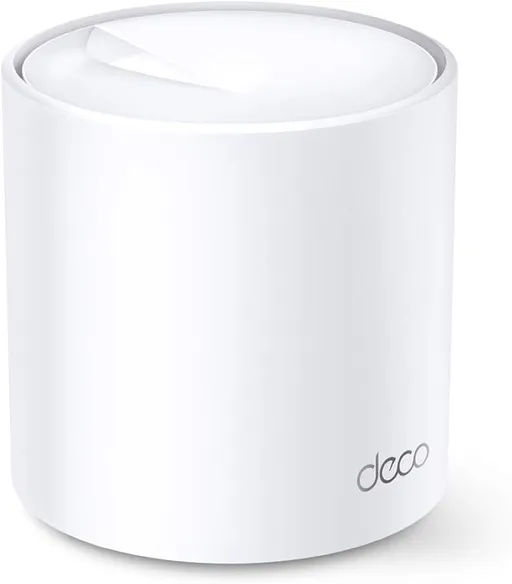
Idéal pour : Idéal pour étendre un réseau sur une grande surface avec des bornes toutes reliées en Ethernet.
En bref : Les utilisateurs Reddit jugent le TP-Link Deco X20 fiable, couvrant et performant, surtout avec un backhaul Ethernet complet. Les avis signalent toutefois des difficultés de configuration selon le routeur ou l’opérateur, ainsi qu’un fonctionnement problématique lorsque les liaisons filaires et sans fil sont mélangées.
Au-delà de ce modèle, la marque TP-Link (toutes gammes) recueille 46 % d'avis positifs sur 385 utilisateurs Reddit. Ce signal marque ne compte pas dans la note du modèle ci-dessus.
Points forts
Fiabilité éprouvée
4 0
« it works fine but note that i paid full price of my own router. » Voir l’avis
« I’ve got the X20s directly connected to Zen and they work perfectly. » Voir l’avis
« The X20s work well, but I could get the one I wanted to be the router to connect directly to the internet. » Voir l’avis
Points faibles
Aucun point faible notable.
| Critère | Note /10 | Ce qu'en dit le consensus |
|---|---|---|
| Installation | 5.1 | L’installation peut être simple, mais dépend fortement du routeur et des contraintes de l’opérateur. |
| Fiabilité | 9.5 | La majorité des témoignages décrivent un fonctionnement fiable malgré quelques difficultés de configuration. |
| Couverture | 9.1 | Les utilisateurs Reddit rapportent une couverture suffisante pour de grandes distances avec plusieurs unités. |
| Backhaul | 5.0 | Le tout-Ethernet fonctionne bien, mais le mélange de liaisons filaires et sans fil est déconseillé par les retours. |
| Prix | 0.0 | Un utilisateur indique qu’une autre solution remisée lui revenait moins cher que le X20. |
| Fonctions | 5.1 | Le contrôle du DNS et du réseau est apprécié, tandis que le double NAT suscite des réserves. |
| Débit | 9.8 | Un câblage Ethernet complet procure un débit homogène sur chaque borne selon un utilisateur. |
| Stabilité | 9.5 | Le réseau câblé est décrit comme stable, sans effet perceptible sur la latence. |
Avis Reddit
9 avis analysés · Positifs 5 Neutres 1 Négatifs 2
avis pertinents ·
-
Beastofhell 🇬🇧
4 commentaires analysés
-
saileshj 🇬🇧
1 commentaire analysé
-
_D3Ath_Stroke_ 🇬🇧
2 commentaires analysés
r/mauritius · I finally got the TP Link Deco X20 (not X10) from MyT as part of their special smart wifi package for Rs3000 if you have 200Mbps or more internet subscription with them. it works fine but note that i paid full price of my own router. you got a sweet deal. got the deco for 8k and axe75 for 10k. someone brought it from abroad for me.
r/mauritius · I finally got the TP Link Deco X20 (not X10) from MyT as part of their special smart wifi package for Rs3000 if you have 200Mbps or more internet subscription with them. I have my own tp link axe75 and TP-Link deco x20 connected to the my.t shit router. My brother uses the deco since we use the 3 units to extend the network to his house next to mine. I use my own axe75. On 100mbps my.t broadband.
-
shk2096 🇬🇧
1 commentaire analysé
r/homeoffice · best mesh wifi system for dealing with dead zones in a concrete house setup? Best is wired APs - nothing beats this. But I'm assuming that's not an option since re-wiring is not something you're keen to explore? If it's your home and budget permits, this is the way. Next option ==> Consumer grade mesh routers. I have 1 in my bedroom in AP mode connected to a UniFi UCG ultra gateway. The other mesh node is in the living room. You can add as many nodes as you want since they just need power and no cabling. TP-Link (though Chinese) is probably your best bet in terms of price and availability. If you're concerned about telemetry etc (Like I am), all my traffic is routed via Pi Hole + comprehensive firewall rules on the gateway. Not all TP-Link mesh routers are the same. Get the newer ones with stronger signals/ gain and try it out. E.g., I have the older models (X20), but they work for me. There are many newer ones including the Omada range. You will need to do some research/ speak to your local micro center/ equivalent.
-
sundowner777 🇬🇧
1 commentaire analysé
r/Zen_Internet · Using TP-Link Deco X10 AX1500 with the fritz!box 7530 ax? I’ve got the X20s directly connected to Zen and they work perfectly. The Fritzbox is gathering dust - I don’t need it as opted not to have a landline.
-
UNSW_PCSoc 🇬🇧
1 commentaire analysé
r/TpLink · Deco ethernet backhaul megathread indeed, putting the Decos in AP-only mode is a key step in troubleshooting decos. because you're removing features to narrow down the issue. so this is a seal of approval from me. this proposed layout would almost certainly be labelled OK by tp link customer support (i.e. there will be \*some\* connection) but the two potential problems I can see are: 1. your non deco router potentially being an issue. to confirm it is OK, use only Office and 3rd Floor Deco for 1-2 weeks in the configuration shown and if it's still stable, it's confirmed good. 2. the bonusroom Deco being wirelessly backhauled to the Office deco, while it will definitely have \*some\* connection, I have seen from our own testing that it will choke the whole network. Decos (at least the ones we own, X20, X50, X90) seem to hate having some wired backhaul, some wireless backhaul, regardless of what TP link says. If test #1 is good, experiment with this and see how to go from there. I'd be interested to see if you manage to get it working
-
Affectionate-Cook843 🇬🇧
1 commentaire analysé
r/Zen_Internet · Using TP-Link Deco X10 AX1500 with the fritz!box 7530 ax? Hi. I recently had Zen / City Fibre installed (was with Virgin) and bought a pack of X20s with the intention of replacing the Fritzbox, as well as improving coverage (we had been paying for a Virgin Mesh extender). The X20s work well, but I could get the one I wanted to be the router to connect directly to the internet. I ended up plugging it into the Fritzbox, which is fine, but should be unnecessary. Do you know what the issue might be? Thanks.
-
Independent_Gur_7118 🇬🇧
1 commentaire analysé
r/Zen_Internet · Using TP-Link Deco X10 AX1500 with the fritz!box 7530 ax? Yeah, after looking into it furter, I think that's what im going to do. I went with the X50 in the end. After discounts, it worked out cheaper than buying the X20 for me.
-
Repulsive-Cable9081 🇬🇧
1 commentaire analysé
r/mauritius · I finally got the TP Link Deco X20 (not X10) from MyT as part of their special smart wifi package for Rs3000 if you have 200Mbps or more internet subscription with them. I bought a set of three x20s from MyT but without the subscription but I am quite startled that the installation is limited to something you could do yourself given the monthly fee. I installed mine myself and wired them all with ethernet resulting in a homogeneous bandwidth in any node with no latency impact. Some times back My.T announced FTTR (Fiber to the room) for optical backhaul but it seems to have been abandoned.
Aucun avis pour ce filtre.
Souvent comparé à
Questions fréquentes
Le Deco X20 couvre-t-il une grande maison ?
Le consensus Reddit est positif sur la couverture. Un utilisateur indique que trois unités étendent même le réseau jusqu’à une maison voisine.
Le backhaul Ethernet améliore-t-il les performances ?
Oui, un réseau entièrement câblé est associé à un débit homogène sur chaque borne et à l’absence de latence perceptible. En revanche, plusieurs modèles Deco, dont le X20, semblent mal gérer un backhaul mêlant liaisons Ethernet et Wi-Fi.
Le Deco X20 est-il facile à installer ?
Les expériences sont partagées. Certains utilisateurs l’installent eux-mêmes ou le connectent directement à leur accès Internet, tandis que d’autres doivent conserver leur routeur existant ou reprendre une configuration imposée par l’opérateur.
Le Deco X20 permet-il de mieux contrôler son réseau ?
Les utilisateurs Reddit apprécient notamment la possibilité de choisir le serveur DNS et de reprendre le contrôle de certains réglages. Ils cherchent toutefois à éviter une configuration en double NAT.
Yeah i know the deal seems sweet, even a bit too sweet. That's why i can't wait for that bill to come to know for sure what's what. Either the deal is real and MyT is already screwing me over with the price of my internet subscription at home or there has been a big f*** up and they will ask me to pay more or increase my subscription or something. Anyway for me its better control over my network and better privacy since those people at MyT can just get in your router and do whatever they want.
Thank you. I looked up what it means and why I would not want the double NAT. Indeed i do not want it. Thank you for the work around. I'll set the DMZ up asap.
I tried to let them install myself but they insisted it has to be installed from them. Once they left i had to reconfigure it to my liking. May i ask how much you paid? I got my next bill and it still not on the bill.
Well considering that at MyT they can get on your router and configure stuff remotely, they can therefore see a list of all my devices connected. I also cannot change the DNS server on the myt router i have but with the deco, I now can.