Asus ZenWiFi ET12
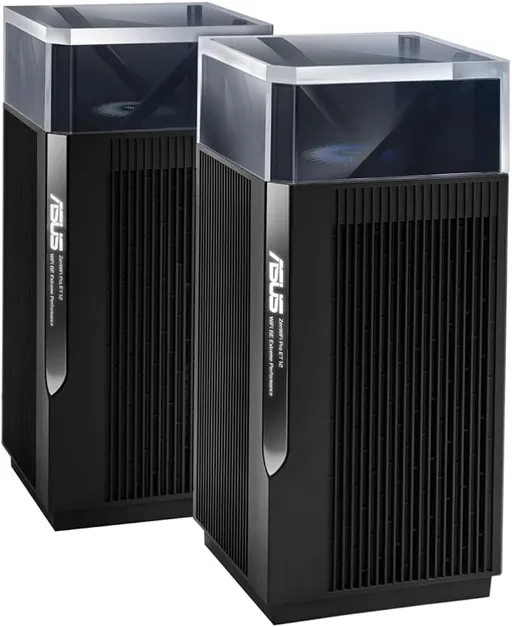
Idéal pour : Idéal pour qui privilégie les fonctions de sécurité sans abonnement et accepte de différer les mises à jour.
En bref : Le consensus Reddit est partagé, les fonctions sans abonnement et de bonnes performances dans certains usages sont appréciées, mais les baisses de débit, les déconnexions et les firmwares problématiques pèsent lourd.
Au-delà de ce modèle, la marque Asus (toutes gammes) recueille 47 % d'avis positifs sur 205 utilisateurs Reddit. Ce signal marque ne compte pas dans la note du modèle ci-dessus.
Points forts
Fiabilité éprouvée
3 2
« I would suggest sticking with ET12, and taking out the 1000mbps line. » Voir l’avis
« Keep the asus router, the new hubs are such a downgrade its unreal. » Voir l’avis
Points faibles
Connexion instable
0 3
« I tagged this as support problem solved. » Voir l’avis
« Yes best thing to do is wait up to 2 months before installing updates on Firmware. » Voir l’avis
« Over the last few months, I've started having issues with my setup as the connection drops and I'm getting a lot of buffering on video. » Voir l’avis
| Critère | Note /10 | Ce qu'en dit le consensus |
|---|---|---|
| Fonctions | 4.4 | Les fonctions sans abonnement sont appréciées, mais les VLAN et le mode AP présentent des réserves. |
| Prix | 9.4 | L'absence d'abonnement de sécurité supplémentaire est perçue comme un avantage économique. |
| Fiabilité | 5.8 | Certains utilisateurs restent satisfaits, mais des retours, un support silencieux et l'inquiétude liée aux firmwares nuancent le bilan. |
| Stabilité | 0.0 | Les déconnexions et problèmes de firmware conduisent plusieurs utilisateurs à différer les mises à jour. |
| Débit | 0.0 | Le débit peut rester bon en usage simultané, mais plusieurs témoignages rapportent des chutes sévères. |
Avis Reddit
11 avis analysés · Positifs 4 Neutres 1 Négatifs 6
avis pertinents ·
-
Rag_kirk 🇬🇧
1 commentaire analysé
-
DrWhatNoName 🇬🇧
1 commentaire analysé
r/youfibre · WIFI 7 Hub VS ASUS ZenWiFi Pro ET12 (2000 gbps) Keep the asus router, the new hubs are such a downgrade its unreal.
-
voipgv123 🇬🇧
1 commentaire analysé
r/HomeNetworking · Best mesh WiFi system for a large house with dead zones and multiple floors? If you already have Cat 5e or better in the home, it is best to get cheapest PoE+ switches (two PoE+ ports or more) and distribute them throughout the home along with either APs or Mesh infrastructure that work with wired or wireless backbone. I have five VLAN PoE+ eight-port switches along two SFPs ports on two of the switches. This allows me to get wired connections on many of the nearest switches. The reason for VLAN switches so I can separate the homeowner LAN from my infrastructure. The switches are configured the same way so one does need to know what port belongs to switch VLAN LAN. - Ports 1-4 are 1st VLAN and PoE+ - Port 5 for the 2nd VLAN - Port 6-7 are 1st VLAN - Port 8 is the trunk - Ports 9-10 (SFP) - 2nd VLAN - The ASUS ZenWifi ET8 mesh devices are on 2nd VLAN with four ports each and USB-A port. I use USB-A port to charge devices or it could be use as cellular backup. - The ASUS ZenWifi ET12 mesh devices are on 1st VLAN with four ports each. I also have Cradlepoint to allow multiple ISPs or cellular backup via SIMs or cellular router. I pick ASUS so I did not need to pay for additional security services subscription unlike other vendors. Additionally, if the Internet went down, one could still get into the devices. Amazon EERO were problematic, with the above, since it is associated with cloud configuration. The above is overkill but if one wanted to leave with existing equipment particular to a VLAN LAN, one does not need to reconfigured the switches or devices but replace the switches with low end PoE+ switches that were put in storage. Lastly, there are two ISP (cable and fiber) so each VLAN has primary and backup to which the other VLAN has different primary and backup. The only major issue is when switch fails (goes back to factory default or dies), I have to reconfiguring a new switch and powercycle all the devices to forget seeing the other VLAN devices. So each switch location has 1st vlan - mesh device with three ports - four PoE+ and two ports from the VLAN switch 2nd VLAN - mesh device with three ports along with one USB-A port - one port from VLAN switch Yes, I have a lot of interference in 2.5Mhz range with this and my neighbors. Only my low-end devices (irrigation, garage doors, some security devices) use this. I would rather have hardwired connections to avoid wireless jammers trying to block security solutions. NOTE: Having separate LAN help many times when ISP fails and the routers do not always switch over correctly. I also added a power strip with external cable on/off switch so I do not need to open the screwed in wall panel. Occasionally, the ISP fiber to ethernet adapter doesn’t cooperate if their router is powercycled.
-
CaptainkyleCDXX 🇬🇧
1 commentaire analysé
r/ASUS · Zenwifi Pro ET12 Do you have anything of relevance to add to this post are you just wanting to post for the sake of posting? I tagged this as support problem solved. To just let people know that if they have this issue that it’s the firmware. Also so ASUS see it and can patch / fix it.
-
AImusubi 🇬🇧
1 commentaire analysé
r/ASUS · Zenwifi Pro ET12 I am still running the beta as I use the VLAN tags for my SSIDs. I'am guessing 36698 still does not have support for VLANs as it did in the beta does it?
-
Such_Ingenuity4002 🇬🇧
1 commentaire analysé
r/ASUS · Zenwifi Pro ET12 Yes best thing to do is wait up to 2 months before installing updates on Firmware. Let other people find the glitchs for you then check online for possible issues from other people that installed the new Firmware have been having
-
daironin 🇬🇧
1 commentaire analysé
r/ASUS · Zenwifi Pro ET12 any others having similar issues? my mesh is connected hardline via ethernet; but I'm always hinky every time a new FW drops for ZenWifi; infrequent as it is...
-
Fezous 🇬🇧
1 commentaire analysé
r/youfibre · WIFI 7 Hub VS ASUS ZenWiFi Pro ET12 (2000 gbps) looks like i’ll keep the ET12 hub. i did ask the live chat and they said they wouldn’t change it anyway as its only for new customers the wifi 7 hub. happy to keep it! thanks everyone for the feedback.
-
Fit_Vermicelli537 🇬🇧
4 commentaires analysés
r/HomeNetworking · ASUS ZenWiFi Pro ET12 wireless dropping out when Xbox Series X is on So based on a suggestion from another forum I tried disabling 2.4 GHZ on the AP. Now I can use the Xbox and still keep speeds up. So it seems that my wireless controller theory was right. Thanks for all your help!
r/HomeNetworking · ASUS ZenWiFi Pro ET12 wireless dropping out when Xbox Series X is on There does not seem to be one in AP mode. A little later I am going to disable the 2.4 GHZ band on the AP and see if that doesn't fix things. I really need to run hard lines up to my wife's office but running Cat6 up two stories is a little daunting.
r/HomeNetworking · ASUS ZenWiFi Pro ET12 wireless dropping out when Xbox Series X is on So I did a little more experimenting. I moved the xbox next to the core. Here’s what I got: Wired: PING ms 6 DOWNLOAD Mbps 725.70 UPLOAD Mbps 945.63 \#No real change Wireless: PING ms 7 DOWNLOAD Mbps 354.94 UPLOAD Mbps 763.45 \#faster but still decreased. The basement room with the core and now xbox are above the TV room with the first node so if it is some kind of interference that it is still might be somewhat present in TV room… Now just for “fun” I tried a wireless test in the same room as Node 2: Near the second node w Xbox On: PING ms 7 DOWNLOAD Mbps 734.39 UPLOAD Mbps 902.24 \#The speeds here are good Due to network design changing the position of the Xbox or Node 1 would require rewiring that would be problematic at this time. Ideally I’d like to figure out what the Xbox is sending that is fouling up the AP. Based on what I’ve read when wired the Xbox turns off Wifi thus that leads me to believe it’s something in the wireless controller signal. Solutons I have right now are: \-My wife’s home office is upstairs of all of this. Trying to figure out a way to force her PC to connect to Node 2. \-Figure out what frequency band is in conflict and seeing if I can disable it on the AP. Thanks for your continued help!
r/HomeNetworking · ASUS ZenWiFi Pro ET12 wireless dropping out when Xbox Series X is on Hi, I have Verizon Fios, 1G. Here are my results: No Xbox: Wireless: PING ms 7 DOWNLOAD Mbps 486.78 UPLOAD Mbps 924.61 Wired: PING ms 5 DOWNLOAD Mbps 694.36 UPLOAD Mbps 944.90 Xbox Idle: Wireless: PING ms 9 DOWNLOAD Mbps 35.64 <-- Notable speed drop UPLOAD Mbps 73.55 Wired: PING ms 5 DOWNLOAD Mbps 711.65 UPLOAD Mbps 946.32 I know the Xbox isn't 100% idle but I'm not asking it to do anything. I have a whole collection of Blu-ray's that I can't even let my kids watch because of the phenomena. Blu-ray's don't need the network. A bit about my network topography. I have the FIOS connected to a mini PC running Pfsense that's my DHCP server/gateway. This is connected to a gigabit switch. The ASUS ZenWiFi Pro ET12's first node is connected to the "core" switch. It is set to AP mode. The second node connects to the first with Cat6 via a direct connection (doesn't touch the core). The Xbox is also connected to the core. The core and gateway are in the basement. The Xbox and first node are in my TV room on the first floor. The second node is on the opposite side of the house. Thanks for any and all help!
-
Tosan25 🇬🇧
1 commentaire analysé
r/ASUS · Asus ZenWiFi Pro ET12 firmware [3.0.0.6](http://3.0.0.6) is supposed to be based on AsusWRT 5. I can't say I've had great luck. Over the last few months, I've started having issues with my setup as the connection drops and I'm getting a lot of buffering on video. Shouldn't be happening with a 5gb connection. I'm replacing it with an Ubiquiti setup and going to wipe and sell the ET12.
-
frippilin 🇬🇧
1 commentaire analysé
r/ASUS · Zenwifi Pro et12 won’t reset I contacted support and got no reply. I returned the unit. Very annoying.
Aucun avis pour ce filtre.
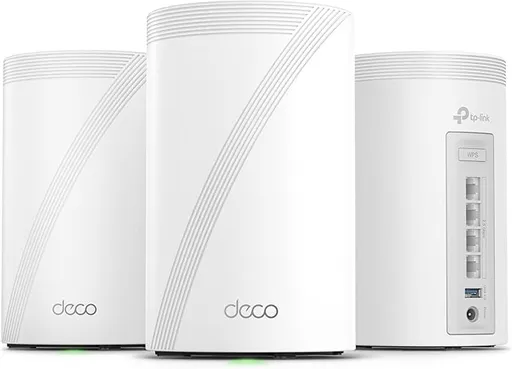
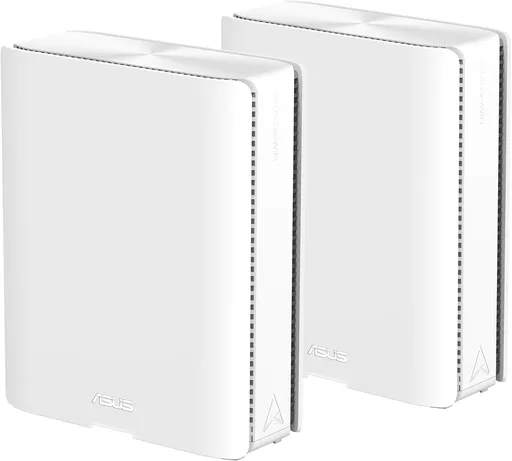
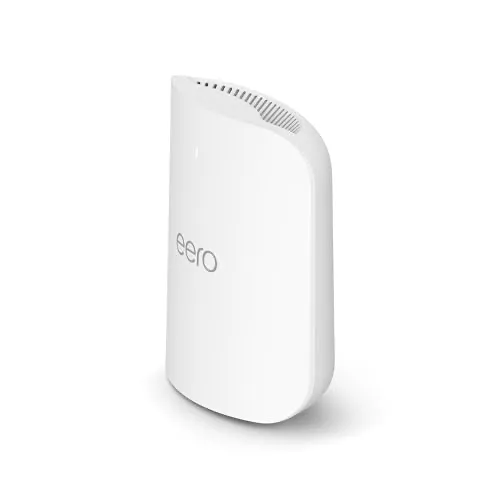
Souvent comparé à
Questions fréquentes
Le ZenWiFi ET12 est-il stable ?
Le consensus Reddit est défavorable sur ce point. Plusieurs utilisateurs signalent des déconnexions, de la mise en mémoire tampon et des problèmes liés au firmware.
Le débit est-il satisfaisant ?
Les avis Reddit sont contrastés. Certains conservent de bons débits pendant l'utilisation d'une Xbox, tandis que d'autres constatent des chutes importantes et des difficultés en lecture vidéo.
Faut-il installer immédiatement les mises à jour ?
Les utilisateurs Reddit conseillent plutôt d'attendre les premiers retours. Des dysfonctionnements ont été attribués à certaines versions du firmware.
Les fonctions de sécurité exigent-elles un abonnement ?
Un avantage souvent relevé est l'absence de service de sécurité supplémentaire payant. L'administration locale resterait aussi accessible lorsque la connexion Internet tombe.
I got a YouFibre Hub Pro on the 2000mbps in December, but the website does now say it's the dual band YouFibre Hub on the 2000mbps. I would suggest sticking with ET12, and taking out the 1000mbps line. They have the policy "You can upgrade at any time during your contract and when your new speed goes live you’ll start a new contract from that date, and your monthly price may change too." So if you find it slow or they change the price / router you can upgrade at that point with no penalty.