Amazon Eero Max 7
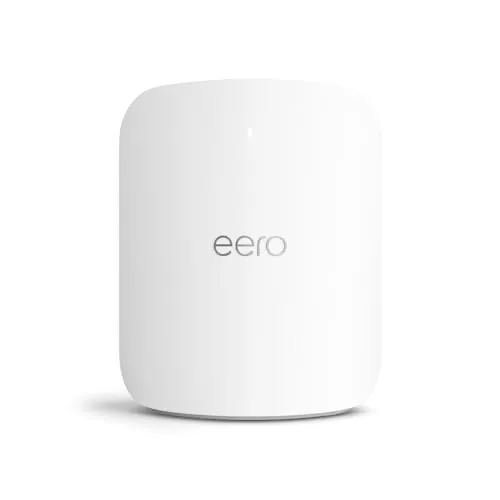
Idéal pour : Idéal pour les grandes habitations, les connexions multigigabit et les utilisateurs voulant un mesh simple avec un excellent backhaul sans fil.
En bref : Le consensus Reddit décrit un mesh très rapide, couvrant et généralement fiable, surtout avec des appareils Wi-Fi 7 et un backhaul sans fil. Son prix élevé, ses réglages limités et des régressions de firmware parfois sévères tempèrent nettement ce bilan.
Au-delà de ce modèle, la marque Amazon (toutes gammes) recueille 51 % d'avis positifs sur 520 utilisateurs Reddit. Ce signal marque ne compte pas dans la note du modèle ci-dessus.
Points forts
Fiabilité éprouvée
53 5
« People complain on the internet, they don’t post about how the product the got worked as expected. » Voir l’avis
« Mine works great and has since it was released. » Voir l’avis
« I have 5 of them and they are superior to any consumer system I've installed and equal or better than most commercial. » Voir l’avis
Backhaul efficace
25 6
« I have a pure wireless backhaul and consistently get over 900Mbps download on my 1.4 gig service. » Voir l’avis
« The patio max shows a full bar 6ghz connection to my great room max. » Voir l’avis
« I recently added “wired backhaul” to my Eero Max 7 mesh setup. » Voir l’avis
Débits élevés
62 19
« Turns out I made the correct decision because my network has never been more stable and the speeds are great. » Voir l’avis
« Max7 is a significant improvement in performance and range, highly recommended. » Voir l’avis
« To my firewalla gold + right now I'm getting 1600 down and 1700 up. » Voir l’avis
Excellente couverture Wi-Fi
54 17
« I have zero issues, I get exceptional wifi everywhere in a 6400 sq foot 3 floor home. » Voir l’avis
« Not regretted it for one moment, in my case the network is far more stable and coverage much better. » Voir l’avis
« The max 7 is solid and has extremely good coverage. » Voir l’avis
Installation facile
21 9
« I decided to give the Max 7s a shot almost solely because the upgrade process is so easy and pain free, and when you’ve got a lot of WiFi connected smart devices you really want zero pain. » Voir l’avis
« Set the bbox to bridge mode, connect eero to the bridge port, done. » Voir l’avis
« If you have no complicated settings like port forwarding etc. then it really makes no difference, either will be quick. » Voir l’avis
Connexion stable
31 25
« Not regretted it for one moment, in my case the network is far more stable and coverage much better. » Voir l’avis
« Turns out I made the correct decision because my network has never been more stable and the speeds are great. » Voir l’avis
« I’ve gotten better Speedtest latency results compared to both the TP-Link GE800 and the UniFi Express 7 that I had previously. » Voir l’avis
Points faibles
Prix élevé
21 33
« Spent a fortune buying 3 of them for my 3300 square foot house. » Voir l’avis
« They're great - they're just not a good value at full price » Voir l’avis
« It's not just interesting, it was an unacceptable outcome for $1800 worth of routers / APs. » Voir l’avis
| Critère | Note /10 | Ce qu'en dit le consensus |
|---|---|---|
| Couverture | 7.1 | La couverture est généralement très forte, avec des résultats variables selon les murs, le placement et le nombre de bornes. |
| Fiabilité | 8.5 | La majorité des utilisateurs rapporte un fonctionnement fiable, malgré quelques pannes matérielles ou mises à jour problématiques. |
| Prix | 3.7 | Le tarif est largement jugé excessif hors promotion, surtout pour les besoins ordinaires. |
| Fonctions | 4.0 | L’usage est simple, mais les options avancées, le contrôle radio et certains outils sont jugés insuffisants. |
| Stabilité | 5.0 | La stabilité est souvent excellente, mais certaines versions du firmware ont provoqué déconnexions et baisses de débit. |
| Backhaul | 7.6 | Le backhaul sans fil est très apprécié, mais l’Ethernet reste le meilleur choix pour des performances maximales. |
| Débit | 7.3 | Les débits rapportés sont souvent excellents, surtout avec le Wi-Fi 7 et les connexions multigigabit. |
| Installation | 5.4 | La configuration est souvent rapide, à condition de bien espacer les bornes et de respecter la topologie réseau. |
Avis Reddit
227 avis analysés · Positifs 146 Neutres 31 Négatifs 42
avis pertinents ·
-
GamesnGunZ 🇬🇧
1 commentaire analysé
-
xxBogeyFreexx 🇬🇧
1 commentaire analysé
r/amazoneero · Is the Eero Max 7 as bad as people say they are? Mine’s been great. People complain on the internet, they don’t post about how the product the got worked as expected.
-
thinkthis 🇬🇧
1 commentaire analysé
r/amazoneero · Is the Eero Max 7 as bad as people say they are? Mine works great and has since it was released. Zero issues.
-
markwid 🇬🇧
1 commentaire analysé
r/amazoneero · Is the Eero Max 7 as bad as people say they are? You got the 2 max for almost nothing so why not experience it first and come to own opinion. If not good you can get something else like ubiquiti.
-
Fresh_Inside_6982 🇬🇧🌐
17 commentaires analysés
r/amazoneero · Is the Eero Max 7 as bad as people say they are? Who says? I have 5 of them and they are superior to any consumer system I've installed and equal or better than most commercial. I have zero issues, I get exceptional wifi everywhere in a 6400 sq foot 3 floor home.
r/amazoneero · Eero Pro 6e or Eero Max 7 Max7 is a significant improvement in performance and range, highly recommended.
r/amazoneero · Existing 6+ user - upgrading to Max 7......start as new or replace? Because during the replace of the Primary you will lose internet access but your phone will remain connected to the other units that are still transmitting; your phone needs to be in contact with Eero servers during the replace so it needs to be on cellular until the replace of the primary is complete.
r/amazoneero · Eero 7 or Eero pro 7 Max7 if you want to do it right. Double the power and range.
r/amazoneero · Existing 6+ user - upgrading to Max 7......start as new or replace? Max is awesome, it's an extremely significant improvement in range and speed. I went from Pro6e to Max7. The difference is really dramatic despite what anyone else may claim.
r/amazoneero · Existing 6+ user - upgrading to Max 7......start as new or replace? If you have no complicated settings like port forwarding etc. then it really makes no difference, either will be quick. When I got Max 7s I started with a replace on the primary. Remember to turn \*off\* wifi on your phone during the replace.
r/amazoneero · Eero 7 or Eero pro 7 As well they should be, they are pro grade equipment and make a dramatic difference; each one also takes the place of 2-3 Pro7 units.
r/amazoneero · Eero Pro 7 or 6E as the head of my mesh network. If you want an upgrade in range and power get a Max7 otherwise you won't feel any difference.
r/amazoneero · 3 story townhome - 3x 6's, 2x 7 Pro's, 1x Single 7 Max? -- Tips needed! Get Max7 100%, major upgrade from all other Eero devices. You will probably be ok with one but I would get two for solid coverage; don't cheap out and get the lower units, you'll regret it.
r/amazoneero · Researching Buying Eero System 6400 Sq ft house, 3 floors, 3x Max7, full coverage.
r/amazoneero · Is it worth upgrading from 6E pro to 7 You won't feel a difference unless you go to Max 7.
r/amazoneero · 2,100 sq foot 2 story house, 9,000 sq foot lot. 1 Eero Max 7? Get a Max7 3 pack if you want superior coverage, they are worth every dime.
r/amazoneero · Eero max 7 WIFI 7 MLO STR Are you trying to download 8k video via wifi on 50 WiFi 7 devices simultaneously in a dense environment? If not then stop worrying about it, you would not feel the difference.
r/amazoneero · will replacing gateway Pro 6 with Max 7 improve set up if there are older Pro 6 connected by wireless Max 7 will always be an improvement to both backhaul and any connected devices.
r/amazoneero · How’s your eero Max 7 working on the latest firmware? Five Max7s for 2 years now, never had anything but stellar performance.
r/amazoneero · Existing 6+ user - upgrading to Max 7......start as new or replace? Everytime you encounter a deadspot, a slowdown, etc., you will wish the network was pure Max7s.
r/amazoneero · Anyone gaming on the eero Max 7? What’s your real-world experience? All good no bad
-
ashpole_uk 🇬🇧
1 commentaire analysé
r/amazoneero · Would you recommend moving from Eero Pro 6 -> Eero Max 7? I went from 3 x Pro 6 to 3 x Max 7. Not regretted it for one moment, in my case the network is far more stable and coverage much better. I use only wireless backhaul.
-
ltdansicecream 🇬🇧
1 commentaire analysé
r/amazoneero · Would you recommend moving from Eero Pro 6 -> Eero Max 7? I upgraded from Pro 6 to Max 7 last January. My Pro 6s was mostly stable, but when I started having dozens of devices suddenly dropping off randomly and having to reboot everything multiple times, I had enough and even considered switching brands. I decided to give the Max 7s a shot almost solely because the upgrade process is so easy and pain free, and when you’ve got a lot of WiFi connected smart devices you really want zero pain. Turns out I made the correct decision because my network has never been more stable and the speeds are great. I have a pure wireless backhaul and consistently get over 900Mbps download on my 1.4 gig service. Be aware that the Max 7 units are significantly larger than the Pro 6 units.
-
Wrxloser1215 🇬🇧
2 commentaires analysés
r/amazoneero · 6E>7 Pro or 7 Max setup Max has the best range. It also has a 4x4 5ghz radio. When I went from a 4x4 to 2x2 in the Pro 7 my speeds halved on the 5ghz band. Has other benefits as well that would work well with wifi 7. Definitely pricey though. I just went from pro6 to pro6e for a few weeks and now I'm trying the pro 7. The pro6e put out a faster 5ghz speed than the 7 interestingly. The range on both were good but the 7 is better for 6ghz. If you already own the 6e I'd just keep it Unless you have a few wifi 6e/7 products for the 6ghz. My pro6 is the best for 5ghz which blows my mind but they are fantastic little routers.
r/amazoneero · 6E>7 Pro or 7 Max setup No the range between the models definitely changes. The max has the best range and speeds with their 4x4 radios for 5ghz and 6ghz compared to 2x2 for the rest of the models on everything. Plenty of individuals have tested it out to confirm that. I personally have seen a huge decrease in range speeds when they use 2x2 radio vs a 4x4. The pro 6 had 2 5ghz bands and one was 4x4. Still the strongest performer for me today under a gig.
-
purespeed44 🇬🇧
7 commentaires analysés
r/amazoneero · Is the Eero Max 7 as bad as people say they are? Eero has had a lot of firmware issues the last couple of months. The max 7 is solid and has extremely good coverage. Once eero gets there firmware figured out things will be back to normal normal
r/amazoneero · Eero Max 7 vs Pro 7 - speed and range on 5ghz Max 7 has the better radios at 4x4 whereas the pro is only 2x2 and the max 7 has more ports and can do 10gig and 2.5 gig where as the pro 7 has only 2 5gig ports
r/amazoneero · Almost ready to throw in the towel - Eero Pro Max 7 Turn off client steering and see if you get better performance
r/amazoneero · Is the Eero Max 7 as bad as people say they are? Agreed firmware on them lately has been ridiculous. They fix something and break something else.
r/amazoneero · Eero 7 Pro Max - constant disconnects! Every layout is different It also goes by building materials and so on 35 feet apart in one house is ideal and in another house It’s too close. Now when Wi-Fi 8 comes out it’s going to be more focused on signal quality than speed, which is something that’s long overdue for and that is consistent signal
r/amazoneero · Eero Pro 7 (3) vs Eero Max 7 (1) 1 max 7 and 1 pro 7 will cover that sq footage plenty and there both on sale right now and your future proofing yourself with WiFi 7
r/amazoneero · Almost ready to throw in the towel - Eero Pro Max 7 Eero max 7 has very strong radios you shouldn’t need a 6E for your layout with eero less is better especially with the max 7. It also takes a few days to optimize and you should also turn MLO off as it’s very buggy so if it’s enabled shut MLO off.
-
natenate19 🇬🇧
4 commentaires analysés
r/amazoneero · eero Max 7 Updates? I wouldn't expect any updates to the Max until WiFi 8 is a thing, which will likely be a couple years. eero tends to do refreshes only when new WiFi generations become available. The Max 7 is still great hardware, and will last for many years to come.
r/amazoneero · Eero Max 7 vs Pro 7 - speed and range on 5ghz Max 7 5 GHz range is more or less equivalent to the 5 GHz high radio on the Pro 6, which is to say, very good. Performance is much better if using wireless backhaul, about the same for 80 MHz clients using wired backhaul, better for 160 MHz clients using wired backhaul. Skip the Pro 7, the hardware is not as good and it had had nebulous issues that never affected the Max 7. You might not even need a node in your basement, try it with just two Max 7 nodes initially and go from there.
r/amazoneero · WiFi 6 Performance on 7 Max That's the difference between 80 MHz 5 GHz and 160 MHz 6 GHz channels, much cleaner in 6 GHz and more bandwidth. The radios on the Max 7 are also just better.
r/amazoneero · How’s your eero Max 7 working on the latest firmware? It's a good release. Stable, performance on my wireless backhaul Max 7 network is consistently saturating my 1.5 gbps pipe with WiFi 7 devices, even 2 wireless hops away from the gateway.
-
IHaveABigNetwork 🇬🇧
3 commentaires analysés
r/amazoneero · Eero Max 7 with major range issues I have 5 maxes. 4 wired and 1 max 7 outside. I'm in the pool. To my firewalla gold + right now I'm getting 1600 down and 1700 up. The patio max shows a full bar 6ghz connection to my great room max. When connected to a wired max I normally get about 2100 on my Fold 7.
r/amazoneero · New Eero Max 7 network not behaving as I expect! As long as no devices are parallel in order to that first eero, yes.
r/amazoneero · Is the Eero Max 7 as bad as people say they are? I get 2100 mbps with los to my 7 maxs with my wifi 7 devices. Can't ask more than that.
-
ElderberryHamlet 🇬🇧
8 commentaires analysés
r/amazoneero · eero Max 7 Updates? the only hardware updates are new models to expand the available options. Max 7 remains the top model and will remain so until a WiFi 8 model is released Newest models are vanilla 7 (dual band), Pro 7, PoE 7, & Signal (cellular backup) eero PoE Gateway is a high performance 10 port multigig ethernet router or switch (no wifi) which can power up to three PoE 6 or PoE 7. I bought mine for half off through eBay
r/amazoneero · Eero 7 base gateway and node setup with wireless backhaul 25 feet with a standard drywall wall inbetween is a minor hiccup. 50 feet is the max distance
r/amazoneero · Upgrade to 6e Pro, Eero 7 or another 6+ node? The primary advantage of the "tall design" is ventilation, which favors perching on top of a high shelf or bookcase so it's out of immediate line of sight but still visible enough to see the LED in case of a hiccup. Cheap unmanaged switches at desk level or below or behind whatever are an easy addition for better, smoother throughput and multiplies your available ethernet ports within easy reach
r/amazoneero · Eero Pro 7 or 6E as the head of my mesh network. 7 pro is essentially the same specs as the 6E for all end devices with WiFi 6E or lesser capability. The only difference will be for end devices with WiFi 7 7 max is better overall because is has more antennas \~ 2x2 @ 2.4GHz, 4x4 @ 5GHz, and 4x4 @ 6GHz 7 pro & 6E has 2x2 array for each band
r/amazoneero · will replacing gateway Pro 6 with Max 7 improve set up if there are older Pro 6 connected by wireless Max 7 has 2x2, 4x4, & 4x4 broadcasting across three bands. Its one 5Ghz band is comparable to the dual 5Ghz bands of your Pro 6s.
r/amazoneero · will replacing gateway Pro 6 with Max 7 improve set up if there are older Pro 6 connected by wireless depending on where you connect to your ISP and lets say your living room where you're most likely to benefit from Max 7 features, you might want to keep Pro 6 as your gateway and place your Max 7 where it most likely to get used. Pro 6 won't reduce performance of your Max 7, it just won't have a partner for WiFi 7, 6GHz band, or 2.5 or 10 Gbps ethernet. Pro 6 will gain a partner for WiFi 1-6, 2.4 & 5 Ghz bands and gigabit ethernet.
r/amazoneero · New Eero Max 7 network not behaving as I expect! It depends on if any devices are connecting to the node by WiFi
r/amazoneero · Upgrading to Eero 7 Max Don't know how large your apartment is but 3 is probably gross overkill. 1 or 2 at most You're best deal will come from Amazon between 25th to 30th. Wait for at least 40% off. Trade in any old Amazon device for a gift card + an extra 20% off a new device If you do end up buying a 3-pack, you can sell the extra(s) on facebook or ebay
-
FireNinja743 🇬🇧
2 commentaires analysés
r/amazoneero · eero Pro 7 first impressions: super easy setup + 8.5Gbps speeds I'm confused how you're able to get speeds above 5Gbps? The Pro 7 only has 5 GbE ports? Only the Max has 10 GbE.
r/amazoneero · eero Pro 7 first impressions: super easy setup + 8.5Gbps speeds Well that's what I mean. The eero Pro 7 only has 5 GbE (5 Gbps) ethernet ports, so it's impossible to be getting speeds above that from the ISP unless you were using an erro Max 7.
-
rynep 🇬🇧
1 commentaire analysé
r/amazoneero · New to Eero 7 max Maybe they’re too close together.
-
tx_mn 🇬🇧
3 commentaires analysés
r/HomeNetworking · Unifi Express 7 + Eero 7 Max? The eero is tied to their Internet account with service provider
r/HomeNetworking · Unifi Express 7 + Eero 7 Max? Eeros like this are “fleet” managed devices. It’s likely tied to the account and expected to be returned if service cancelled early, at all, etc. Sell it without knowing the arrangement is not the right answer. Of course they aren’t forced to use it. They also may not be allowed to sell it. And it’s better radio equipment than their current Unifi device.
r/HomeNetworking · Unifi Express 7 + Eero 7 Max? The max 7 is more powerful and more expensive. Removed Unifi from your install and go with eero. You’re in an inbetween size SQ footage-wise where is likely makes more sense to just blast with a Max 7 and then possibly add another eero down the line. There is zero reason to use Ubiquiti given what you have explained for routing.
-
SmoothDamage9390 🇬🇧
1 commentaire analysé
r/amazoneero · Wired Eero Max 7 I recently added “wired backhaul” to my Eero Max 7 mesh setup. 4 units total. 3 indoor and one Eero outdoor 7. After testing and comparing speed, I replaced the outdoor unit with another indoor. After wired backhaul, about a 50% increase in Speed and maybe 10% increase in coverage. 😳 The app will let you know which devices are on which node. Both wired and wireless. I really recommend the wired backhaul option!
-
Timmy2Two 🇬🇧
4 commentaires analysés
r/amazoneero · Eero 7 vs Eero Pro 7 I have 3 maxes and 1 outdoor, works great.
r/amazoneero · Upgrade from Old Orbi to Eero Max 7 I switched from an RBK653 system to 3 Eero Max7 units and an Outdoor7, no extra equipment needed. Works way better than my Orbis.
r/orbi · Plz recommend between Orbi 870, 970 or Eero Max 7 I switched from an Orbi RBK653 system to 3 Eero Max7s and an Eero Outdoor 7, I no longer have to worry when I reboot my system (or the power goes out) that I have to factory reset everything to get internet again, like I did with my Orbis.
r/amazoneero · Is the Eero Max 7 as bad as people say they are? I have 3, I love mine. I did have to have tech support switch on Compatibility mode because they kept grabbing DFS channels and my Rokus don't work on them.
-
likenedthus 🇬🇧
1 commentaire analysé
r/amazoneero · Poe 7 or Max 7 mesh system All eero routers are mesh systems when using more than one unit. The eero PoE 7 and eero Pro 7 are the same in terms of performance. The PoE version is just flatter and able to be powered over ethernet, making it more suited for wall mounted installs. As for the eero Max 7, it has extra radios that allow it to reach higher maximum speeds and provide a slightly larger coverage footprint, but there still few consumer devices that take advantage of this (and even fewer that actually need it, imo). If I’m being honest with you, I can’t even tell the difference between my eero Pro 6 setup and my eero Pro 7 setup. My use cases simply don’t push these systems hard enough. I would say save some money and go with the PoE 6 if you’re not on a multi-gig fiber connection.
-
The_Phantom_Kink 🇬🇧
1 commentaire analysé
r/amazoneero · Should I get 3 eero max 7 or just 1 eero max 7 and 2 eero 7 pro? Depending on what your house is constructed of 1 max7 or pro7 in that flex room then 1 on the 2nd floor in bed 2 or 3 should be plenty. If you get too much wifi on your mesh you'll cause problems.
-
newellslab 🇬🇧
1 commentaire analysé
r/HomeNetworking · Fibre optic cable to Eero Max 7 ethernet solution? The eero max 7 has no way to connect to ISP fiber. Even if you could jerryrig a connector and adapter system, you most likely couldn’t get authenticated to the ISP network because the ISP will see that you are not using their gear, and eero offers no way to spoof your ISP router credentials.
-
3X7r3m3 🇬🇧
1 commentaire analysé
r/HomeNetworking · Fibre optic cable to Eero Max 7 ethernet solution? Set the bbox to bridge mode, connect eero to the bridge port, done.
-
navy4040 🇬🇧
1 commentaire analysé
r/amazoneero · Eero Max 7 with major range issues Mine has client steering on. Id try it on and see if it helps
-
ampx 🇬🇧
3 commentaires analysés
r/amazoneero · Would you recommend moving from Eero Pro 6 -> Eero Max 7? BE11000 at Costco is a great deal The latest firmware now also lets you choose wireless channels I prefer this kit strongly to the eero Max 7 based on experience with both
r/amazoneero · 5Gbps AT&T Fiber Build: 3,375 Sq Ft / 2-Story. Max 7 vs. Pro 7 vs. PoE Gateway topology? IMO, you're approaching the edge of what eero does well and inching towards what a more robust setup like Ubiquiti could better handle Of the two options you've described, I'd go with option B since putting a Max 7 in a metal enclosure doesn't make much sense since it'll still be broadcasting WiFi even if the signal is heavily attenuated by the enclosure and surrounding appliances Like others have mentioned here, most ports on the PoE Gateway are 2.5Gb which will limit PoE Gateway <> Max 7 speeds, but realistically you're very unlikely to notice this if you're primarily using WiFi devices vs having other devices wired through the "leaf node" Max 7s You could remove this bottleneck by connecting a second 10Gb capable switch to one of the 10Gb ports on the PoE Gateway In terms of how many eero wireless units you'll need, it really depends heavily on how your home is constructed and laid out. My home is effectively a big L with a basement so I get reasonable coverage with two access points upstairs at roughly opposite sides of the L and one in the basement You didn't mention a basement, but my hunch is that getting adequate wireless coverage with two units is likely a stretch
r/amazoneero · Upgrading to Eero 7 Max I have some of these Eero 7 Max units for sale, brand new in box and not ISP branded. Hit me up if you are interested, could save you some coin!
-
Illustrious_Burner 🇬🇧
1 commentaire analysé
r/amazoneero · Eero 7 base gateway and node setup with wireless backhaul You probably don't have to worry, my second node has been up for a few hours now and every so often I run a speed test on my phone and so far I haven't seen anything below 830 mbps
-
Unable-Ad8707 🇬🇧
1 commentaire analysé
r/amazoneero · Eero max 7 You have tooooo many max 7. You only need 2. 1 on each opposite of house
-
M-O-O-N_SPELLS 🇬🇧
1 commentaire analysé
r/amazoneero · Anyone gaming on the eero Max 7? What’s your real-world experience? I’ve gotten better Speedtest latency results compared to both the TP-Link GE800 and the UniFi Express 7 that I had previously. YMMV, but for me it’s been great for gaming.
-
MrJimBusiness- 🇬🇧
5 commentaires analysés
r/amazoneero · Is the Eero Max 7 as bad as people say they are? You're basically hearing none of the bad. I swear this subreddit is astroturfed by Amazon. They work great, until they push a major firmware regression and then you're stuck until they roll it back or you waste hours debugging it and hope to get in touch with TS that can roll you back. In my case, I didn't wait after a major regression that brought my WiFi network to its knees, and switched at that point. Just know this: firmware updates are compulsory. You can't easily roll them back when there's a major bug.
r/HomeNetworking · Unifi Express 7 + Eero 7 Max? And will brick itself at least once with a botched firmware upgrade you can't roll back without direct tech support intervention. Been there. Good riddance.
r/amazoneero · Separate 2.4 network? - eero Max 7 I did, they did not. It's not just interesting, it was an unacceptable outcome for $1800 worth of routers / APs. My network consisted of 2x Max 7 wired backhaul, one Outdoor 7 wired, one Outdoor 7 wireless backhaul. Similar scenarios can always happen with different topologies when firmware updates are forced. Acting like this never happens because you've had perceived solid stability for 5 years is confirmation bias. The way I monitor and use my connections picks up on things 99% of users don't notice. You can ask both engineering at Starlink and my ISP about the stuff I've brought to their desk they didn't even know about. Point is, almost all consumer grade Wi-Fi has regular regressions in firmware or major bugs from the beginning. Most users don't notice. Maybe you don't notice with how you use your network. Steering people to Eero, unless you're getting a kickback, isn't really something I'd do. The review consensus out there citing privacy concerns and concerns about forced firmware upgrades are pretty damn valid. It may work for you, but trust me, it's left plenty of people strung out when they simply need it to be reliable. For the pricetag of their flagship stuff, it's just totally unacceptable to ever have any major issues where you have to lose productivity / time / money / reputation to *maybe* resolve it with a firmware rollback.
r/amazoneero · Is the Eero Max 7 as bad as people say they are? This is incredibly misleading. The signal penetration and range of the Eero Max 7 and Eero Outdoor 7 are dogshit compared to the UniFi U7 Pro and XG lineup. Compare them one after the other in the same topology / env. The U7 Pro Wall I run consistently provides better signal range and wall penetration than the Eero Max 7 it replaced, albeit only 1200 Mbps on 6E vs 1400 on the Max. The U7 XGS (similar price range) blows it out of the water entirely in speeds and signal. If we're talking the same retail price, you'd be able to get an E7 and there's just no comparison in performance to an Eero Max 7 from that.
r/amazoneero · Separate 2.4 network? - eero Max 7 That's a false analogy. Eero is the Porsche in this case. Ubiquiti would be a tuning capable R35 GT-R. TP-Link would be Toyota. At this at the pricetag of their Max 7 and Outdoor stuff. It's premium gear, one should expect premium performance. And for the most part, it delivered that - so much so that I often championed it - until it didn't.
-
darkhelmet1121 🇬🇧
1 commentaire analysé
r/HomeNetworking · Unifi Express 7 + Eero 7 Max? Sounds like the eero is a freebie. It's not the ONT. So, you shouldn't be forced to use it. Lumos uses Calix ONT with integrated wifi6 router. It can't do 2gigs over wifi, only thru the 10gig ethernet port.
-
JusCuzz804 🇬🇧
1 commentaire analysé
r/amazoneero · Is the Eero Max 7 as bad as people say they are? Many people force install updates as soon as they are available. I have always just let them push them to my devices and self-install. I’ve never had a problem doing this. I think a lot of folks like to be the first to try new updates and bite the bullet for the rest of us.
-
tketch 🇬🇧
1 commentaire analysé
r/amazoneero · Is the Eero Max 7 as bad as people say they are? The Max 7 units are absolutely awesome.
-
portable_bones 🇬🇧
1 commentaire analysé
r/amazoneero · Would you recommend moving from Eero Pro 6 -> Eero Max 7? I went from 3 Pro 6E to 2 Max 7 and it’s amazing. I also have some wifi 7 devices so that was a huge payoff, and upgraded to 2gig internet
-
damianp67 🇬🇧
7 commentaires analysés
r/amazoneero · New to Eero 7 max Usually takes a bit for Eero to learn the best channels. Is your setup all wireless backhaul?
r/HomeNetworking · WiFi 7 Recommendations: TP-Link vs. Unifi vs. Others? I've been super pleased with my Eero Max 7 based network that I've had over a year now.
r/amazoneero · Researching Buying Eero System Similar config and size, works great for me.
r/amazoneero · Eero 7 Pro Max - constant disconnects! If you have an android device use one of the wifi analyzer apps to see if your 5ghz has enough seperation in terms of -db separation. I did a quick test and see a -20db seperation between my nodes. Not saying that is great, but I'm not seeing any issues between my floors.
r/amazoneero · Eero 7 max and bufferbloat I have PoE gateway with (4) Max7's with an A rating bufferbloat consistently with SQM off. - I have 2 gig Xfinity service.
r/amazoneero · New to Eero 7 max Depending on the location and house build material you may want to consider just one and see how that works. Each max 7 supports up to 2500sq ft(that's under ideal conditions). My guess is that the current 2 max 7s are too close. 1.I would remove one and test 2. Add second and move it farther from the original spot you had the second and test.
r/amazoneero · Is the Eero Max 7 as bad as people say they are? I love mine. Have had them since launch and replaced my older eero 6 pros. No regrets and been super stable for me.
-
zoiks66 🇬🇧
6 commentaires analysés
r/amazoneero · Eero Pro 7 vs Orbi 960 I moved from Orbi 970 to Eero Max 7. 1 of my Eero Max 7 satellites isn’t wired, and there’s very, very little difference in network speed. I’d sell the Orbi 960 and use only the Eero Pro 7 if I were you. It’ll save you money and decrease your network complexity by only using Eero.
r/amazoneero · Large New Construction home Max 7 placement Don’t stack Eero Max 7 satellites on top of each other, or from my experience you’ll have issues. I’d start by placing 2 on the main floor about 1/4 of the way away from opposite corners of the house (for example, 1 in the office near the wall shared with the bathroom and 1 in the sunroom near the wall shared with the kitchen). Then place 1 in the basement centrally located in the house, and 1 on the 3rd floor centrally located in the house. That way no satellites on adjacent floors are located right above or below another satellite. With those 4 satellites in place, you can check for WiFi dead zones, although I don’t think you’d have any.
r/amazoneero · Upgrade from Old Orbi to Eero Max 7 You don’t need an Eero PoE Gateway, as 1 of your Eero Max 7 could act as the router. I switched from Orbi 970 to Eero Max 7, and I found that for my house I needed 1 less Eero satellite than the number of Orbi satellites I’d needed. If WiFi 7 satellites overlap too much, it causes issues, so you may want to start with less Eero Max 7 satellites than your current Orbi setup.
r/orbi · Orbi 970 alternatives? If you want/need full features for a WiFi 7 router, Ubiquiti. If you want something that is easy to use and just works Eero 7 Max. I recently switched a 3-device Orbi 971 to 3 Eero 7 Max. I had a lot of issues with the Orbi 971 and immediately none after switching to the Eero 7 Max. Eero products are currently on sale on Amazon for their Prime Day sale.
r/amazoneero · Almost ready to throw in the towel - Eero Pro Max 7 If you can move the Eero Max 7 to the middle of the 1st floor, you’ll likely find it’s the only Eero you need and be able to get rid of the Eero 6E.
r/amazoneero · Plz recommend between Orbi 870, 970 or Eero Max 7 I had an Orbi 970 and had a lot of issues with WiFi 7 devices dropping connections. Netgear’s tech support proved to be useless. I switched to Eero Max 7 and haven’t had any issues since making the switch. I have a relative that has Orbi 970, and it works fine for them. The Orbi 970 has more features and networking options, while Eero is much easier to use if you’re a regular home user.
-
Effective_Worry4648 🇬🇧
1 commentaire analysé
r/amazoneero · Eero Max 7 frequently dropping connections, sometimes not all devices You may have already looked at this, but if not, it could be worth checking your Eero update schedule to make sure it isn’t overlapping with your meeting times. Every update causes a brief connection drop, and Eero pushes them pretty often.
-
cwarburton1 🇬🇧
1 commentaire analysé
r/amazoneero · Eero Max 7 with major range issues I'm really unhappy with my Max 7s. Spent a fortune buying 3 of them for my 3300 square foot house. When running 3 it created signal interference apparently so my devices went haywire and would disconnect constantly. After working with support they told me to drop to 2 but now I've got super weak signal in over half of my house. I really thought devices at this price point would work better for a large but not oversized home.
-
Downhill_Sprinter 🇬🇧
5 commentaires analysés
r/amazoneero · Eero Max 7 vs Pro 7 - speed and range on 5ghz I have 1 Max and 2 Pros. I believe the Max unit is better overall, but I only have 2x2 stream devices so it is hard to truly tell. Doing a Wi-Fi speedtest, it gets about 10% more throughput, but we do not do anything for that to actually matter in reality. I would always go for lower complexity, so if you have a situation where you can put one centrally on each floor, that is the route I would go.
r/amazoneero · Eero 7 Pro setting advices I no longer see the DNS caching within the settings on my Max 7. This is on v7.13.5-98
r/amazoneero · Eero Max 7 with major range issues I get greater distance than 15ft with mine, but notice that MLO will often force 2.4ghz where 5 works fine when disabled. Seems to prioritize stability over speed too aggressively.
r/amazoneero · Eero 7 Pro vs Max I think I would agree with your thoughts in that situation.
r/amazoneero · Eero 7 Pro vs Max I have a 17 Pro Max with an Eero 7 Max and two Pro 7s. The Max does seem to offer better WiFi 6 range, so the WiFi 6 speed have a wider area. General performance when in range is the same. For instance, I don’t receive higher speeds near one model over the other. Of your range is fine and you don’t have a ton of devices, you may notice little difference between the models.
-
Toneloc427 🇬🇧
1 commentaire analysé
r/amazoneero · Eero Max 7 with major range issues It might be your iPhone staying on 6Ghz instead of moving to 5Ghz as you move farther away. You can see the client connection stats in the eero app. If it's still clinging to 6Ghz, toggle the WiFi off for a couple seconds and back on, see if it hops to 5Ghz and gives you a better connection. If that's what's happening, update your phone and router OS, enable client steering, and forget/reconnect to the network if needed. Also make sure the eero logo is facing the living space, it's at least 6" away from the wall, not in a metal shelving unit, standing up not laying down, and all the other normal wifi stuff. If you still feel it's not performing properly, start with a soft reset and test, then hard reset as a last resort.
-
RealBlueCayman 🇬🇧
3 commentaires analysés
r/amazoneero · New to Eero 7 max How large is the space you're covering. The Max 7 is a beast in terms of coverage and too many can create interference.
r/HomeNetworking · OK to mix Eero Max 7 and dual-band 7? Yes, you can mix/ match Eero devices. Considering the size of your home and construction, and the location of the Max 7, you may be able to get away with one or two Eero APs. If you can connect the second via ethernet or MoCA, that's preferable. Devices will connect to whichever AP provides the best connection. If they connect to the Max 7 and support 6GHz, then you're going to see potentially better performance than the 7's. I'd recommend the Pro 7 over the Eero 7 if the budget supports it to get the third band.
r/amazoneero · Upgrade to 6e Pro, Eero 7 or another 6+ node? The higher the frequency range (ie: 2.4 > 5 > 6GHz) the more it is disrupted by walls and other obstacles. 2.4GHz is better to penetrate, but lower performance. 5/6GHz is better performance, but not as effective going through obstacles. So... in your case... depending on the size of your apartment, you probably only need one or two APs at most. The 6+ is woefully underpowered compared with the alternatives. My recommendation would be to take advantage of the sales currently going on and pickup a 2-node Eero Pro 6E setup. The Pro 6E is better than the Eero 7. Of course the Pro 7 and Max 7 would be better...but you've ruled them out. Even if you get two units, I would start with just one Pro 6E to start and see how that goes. IF you are still experiencing coverage issues after 24 hours, then add the second one to expand coverage.
-
adanderson1183 🇬🇧
1 commentaire analysé
r/amazoneero · Upgrade to 6e Pro, Eero 7 or another 6+ node? 7 max will solve it guaranteed but your wife isn’t a fan. 6e pro will be your best bet.
-
inc77 🇬🇧
1 commentaire analysé
r/amazoneero · Eero Pro 7 vs Orbi 960 lol same here. Had an Orbi 970 setup. It’s good when it’s working, but the consistency isn’t there. I get more nags from the wife whenever the internet is slow or not working on her phone. Switched to Eero Max 7, beyond stable and still fast, sometime faster than my Orbi on WiFi comparison.
-
citznfish 🇬🇧
1 commentaire analysé
r/amazoneero · Eero 7 vs Eero Pro 7 What is your current Internet speed? 1GB, get the 7. No need for anything more. If more, get the plus or max.
-
OpeningFeeds 🇬🇧
1 commentaire analysé
r/amazoneero · Planning to rearrange Eero 7 Max Curious what the sq ft of your home is as 3 MAX devices seems like it would be way more than enough. Are the walls sheetrock or something else? Honestly one in the middle might be really good. Plus, what is your ISP speed now?
-
opticspipe 🇬🇧
2 commentaires analysés
r/amazoneero · Eero max 7 No. Client steering first attempts to use the part of the WiFi protocol that’s made for client steering and simply tells the device which eero to connect to. If it doesn’t work, it will delay responses to encourage it to want to shop around (does the same thing to encourage a 5gig connection).
r/amazoneero · Is the Eero Max 7 as bad as people say they are? The most common complaint right now is artificially capped download and upload speeds, which is obviously a software bug. DNS has nothing to do with that.
-
rpmartinez 🇬🇧
1 commentaire analysé
r/amazoneero · Eero max 7 You honestly can’t. Only more advanced systems like ubiquiti’s UniFi have lock to access point features. Best thing you can do is from the eero app restart the eero they’re connected to and hope it picks the one closest to it.. or wait a few days and see if it the cameras move on their own.
-
Wsweg 🇬🇧
1 commentaire analysé
r/HomeNetworking · Unifi Express 7 + Eero 7 Max? If it’s truly free then go with the Eero, tbh, as long as it will cover the area you need. Just make sure you are able to change it to bridge mode because some ISPs have that locked down.
-
Aster007 🇬🇧
1 commentaire analysé
r/amazoneero · Eero Pro 7 (3) vs Eero Max 7 (1) Add to this is are you wanting to future proof. Basically go for a higher internet speed in the future. Then always go for the best (7 max or pro) if money isn’t your concern. I have 2 of the eero pro (2nd gen) and they are still good for me with a similar sqft. Since your speeds are low, you don’t typically need one that’s super fast. If you find these older gen eeros, that should work too since they will be super cheap in the used market. I have 1 gig speed from my ISP which gets dialled down to 200-400 mbps(true speed) coz of the eero pro (uses wifi 5 I believe) even though it supports 1 gig. I’m waiting out for next gen as I typically don’t need the higher speeds but just the range. My ISP router does give higher speeds and can connect directly to it in case I need to. Its range is good but not as great as having 2 eeros. If you get 2, the. Place one downstairs and one upstairs since you have 2 story house. If you get 3, then probably one on the stairs which can have less blocked paths to each of the other eeros.
-
harmonicpinch 🇬🇧
1 commentaire analysé
r/amazoneero · Is the Eero Max 7 as bad as people say they are? Max 7 coverage isn’t as good as Flint or long range Uniquiti. Plus you’re stuck on whatever channel they assign for you.
-
pdinc 🇬🇧
1 commentaire analysé
r/amazoneero · Is the Eero Max 7 as bad as people say they are? They're great - they're just not a good value at full price
-
UrCreepyUncle 🇬🇧
1 commentaire analysé
r/amazoneero · Is the Eero Max 7 as bad as people say they are? Usually people only speak up when they have a negative experience. So they would be the exception not the rule
-
ratherdisinclined 🇬🇧
5 commentaires analysés
r/amazoneero · Eero Max 7 with major range issues I had it on before this, but turned it off as I only have the one device. Range was still bad with it on, anyway.
r/amazoneero · Almost ready to throw in the towel - Eero Pro Max 7 Thanks everyone for the help and taking time to comment. I eventually did throw in the towel and bought a TPLink BE550, which has solved all of my issues, including range and dead zones. I'm disappointed. I was really hoping Eero would be plug and play with little fiddling, but the amount of time I spent trying to troubleshoot this issue (only to have it fully resolved with a different router) was frustrating. Anyway, so now I have a Eero Max 7 I need to sell, but that's another post. Thanks again all – appreciate this community.
r/amazoneero · Almost ready to throw in the towel - Eero Pro Max 7 Strong radios is what I assumed, but something isn't working. I've had this setup running for a month, so it should be stable by this point. The only advanced WiFi setting I've turned on is client steering. SQM, MLO, etc are all off.
r/amazoneero · Eero Max 7 with major range issues Thanks, I’ll give that a shot. This is my first WiFi 7 device, so the new frequency band might be messing with me. The Eero and the phone are fully up to date, though, so it’s not that.
r/amazoneero · Eero Max 7 with major range issues Just the one. My place is only around 800 sq ft, so anything more than the one max would be overkill.
-
Initial_Law_2461 🇬🇧
5 commentaires analysés
r/amazoneero · How Far Does the Max 7 Sustain 2gbps? Sadly you have zero chance. The range of 6ghz is extremely poor. Over 6ghz I can only sustain 2gig speeds when I’m stood next to the eero max 7. Of If I move to another room that’s literally the other side of the eeero speeds drop. I’m only 5 feet from the eero with a wall on the other side.
r/orbi · [Rant / PSA] €1,899 Orbi 970 System: EU owners abandoned on firmware v9 for a YEAR while US is on v12. I had the 970, but experienced the same symptoms being mentioned here. I moved to the eero max 7 and all my problems have gone away
r/amazoneero · Is it worth upgrading from 6E pro to 7 I’m running 3 eero 7 maxs on a 1.6gig connection. No issues not a single drop out or even any packet loss. Running everything via Ethernet bsckhaul and get gig speeds on every an gle device that supports it
r/orbi · Orbi 970 sucks, what to move to? Same boat as you had the 970 and it was a complete nightmare. In the uk we have to authenticate via pppoe and it seems like the 970 can’t deal with it. That was only one of the many issues I had. I built a full Unifi network including a cloud gateway fibre some u7 pro xg access points etc. it wasn’t the right solution for my use case. I only care about the fastest speeds and lowest latency possible in all parts of my house. I’ve installed the eero max 7 about a month or so ago and it’s been absolutely flawless. I’m running everything using Ethernet bsckhaul. I highly recommend the eero it just works.
r/amazoneero · How Far Does the Max 7 Sustain 2gbps? I doubt it. As soon as you introduce wireless bsckhaul you’ll lose speed as well as add latency. For the cleanest connection you need to hardwire directly to the gateway
-
jmbroady 🇬🇧
1 commentaire analysé
r/amazoneero · Almost ready to throw in the towel - Eero Pro Max 7 The eero Max 7 is toe band and uses 2.4, 5, and 6 ghz bands. No 7 ghz band on any eero yet.
-
threesixtyone 🇬🇧
5 commentaires analysés
r/amazoneero · Have 2nd gen eero’s - upgraded to gigabit fiber - Eero 6 Pro vs 7 Pro recommendations? You will notice a pretty substantial upgrade in terms of speed and stability going from a 2nd generation pro to Pro 7's or Max 7's. If I were you, because of the size of your home and construction, I would go Max 7s and call it a day. I have experience with both the Pro and Max's and there's a pretty substantial improvement in terms of range and overall speed with the Max 7's. Wait for them to go on sale and buy them in a bundle 2, 3 or 4 pack. If you can do wired backhaul, you be able to get the most out of any mesh system you buy.
r/amazoneero · Eero Max 7 vs Pro 7 - speed and range on 5ghz I've used both Max and Pro 7s. What's more important is whether or not you can do wired backhaul to your nodes. That will have much more impact on overall speed and stability than anything else. If the answer is yes, then I'd get the 3-pack of Pro 7's, hardwire and you'll be fine. For reference, I setup a 2-pack of Pro 7's in my parents' 3 level house, with 2 of them on the top + ground floor, and a 6+ in the basement. The coverage down in the basement is noticeably slower, but still stable. Everywhere else in the house is pretty solid. They hav 1GB fiber coming into the top floor -- they get 450-700 Mbps there, about 350-500 Mbps on the main floor and 100-170 Mbps in the basement. You'll have to play around with placement too. Moving a unit a few feet in different directions can have a pretty significant impact on speed. I'd give it a solid week or so of tinkering before the eero network optimizes itself. Once it's done, it's pretty much hands-off and you don't have to touch anything.
r/amazoneero · Large New Construction home Max 7 placement I echo everything said here. Speaking from experience, Max 7's are solid. While you have the opportunity, maximize the number of ethernet drops you have in each room. This will give you flexibility in the future. I also suggest putting some drops in hallway ceilings for eero PoE AP's. Also, dunno if you want security cameras, but perhaps consider ethernet drops for those as well.
r/amazoneero · Is the Eero Max 7 as bad as people say they are? I have 2 Max 7’s that have performed flawlessly. If you are a “set it and forget it” kind of person, the eero system is pretty solid. Note that you will likely loose some in depth control and features compared to Asus, but you will gain ease of use and reliability.
r/amazoneero · Upgrading to Max 7 advice needed Personally, I upgraded from very old WiFi 5 Eero's to the Max 7 and the process was pretty seamless. I don't have any niche use cases and my needs are pretty pedestrian. I went straight from the fiber ONT to the new gateway eero, then added a node. First did it wirelessly, but then now have it properly wired. Looks like you can wire from the outset, so you'll be taking advantage of all of the bandwidth the Max 7 offers, which is tremendous. FWIW, I upgraded my parents' house to Pro 7's and also mixed in a couple of older eero 6+ units in. No issues at all. They also had some older eero (WiFi 5) units that worked but I eventually removed them as they weren't really necessary. If you have the 3 x Max 7's doing most of the heavy lifting and an older Pro 6 also wired in, I don't think you'll run into any issues. Eeros generally play well with each other.
-
Electrical-Mud9771 🇬🇧
2 commentaires analysés
r/amazoneero · 2,100 sq foot 2 story house, 9,000 sq foot lot. 1 Eero Max 7? If I end up adding a second unit on the second, I’ll definitely look to hardwire it to the first unit.
r/amazoneero · 2,100 sq foot 2 story house, 9,000 sq foot lot. 1 Eero Max 7? Yeah. This is actually for my parents house. Max 7 is probably over kill, but I kind of just want this to be one and done. Future proof etc for them. There is no rush, so just going to keep my eye out on a good deal on a Max 7 unit. Trying to score one for around $200.
-
Fearless-Willow-1977 🇬🇧
3 commentaires analysés
r/amazoneero · 2,100 sq foot 2 story house, 9,000 sq foot lot. 1 Eero Max 7? For my 800-square-foot apartment, which has concrete walls and floors, + like 80 WiFi networks around me that I can see, 7 max, is WAY better than 2 x 7 Pros. YMMW
r/amazoneero · Eero max 7 I live in a concrete building and it’s got a kitchen and bathroom between the Max 7 and where I work - 800 square feet apartment. I’d say 2 or 3 depending if you’re doing wireless backhaul or wired
r/amazoneero · Planning to swap 2 eero 7 Pro’s to one 7 Max - thoughts? What I think is happening in my case is the cpu working overtime trying to automatically steer etc and the max has significantly more power
-
Individual_Wolf_3238 🇬🇧
1 commentaire analysé
r/amazoneero · Eero Max 7 frequently dropping connections, sometimes not all devices Thanks for this suggestion! I checked it last night and it's set for 2am. So that's probably not the culprit. Also, the disconnection isn't brief. The router generally stays disconnected until I restart it.
-
Yozakgg 🇬🇧
1 commentaire analysé
r/amazoneero · Eero Max 7 with major range issues Try disabling wpa3 for 2.4 and 5ghz. That finally solved it for me after years of issues
-
Worst_Choice 🇬🇧
1 commentaire analysé
r/amazoneero · Eero Max 7 with major range issues I just got it as well. 1 gb fiber - 555 mbs on wireless devices near the connection node, 280 mbs on the 2nd node, and 130 on the 3rd. Not great. Going any real distance for seating them or from them isn’t great for results.
-
furrynutz 🇬🇧
1 commentaire analysé
r/orbi · Plz recommend between Orbi 870, 970 or Eero Max 7 Either system is a solid system. Might base what you get based on home size.
-
mando1075 🇬🇧
4 commentaires analysés
r/amazoneero · Eero 7 vs Eero Pro 7 If you have AAA there’s a discount I got the Max 7 for 256 plus tax
r/amazoneero · Eero 7 vs Eero Pro 7 I have the Max as a gateway and some pro 7 as nodes. It’s been great so far
r/amazoneero · Eero 7 vs Eero Pro 7 If you’re a AAA member use the app and click on discounts. Then shopping and then Amazon. Click it and you will see it there.
r/amazoneero · Eero Max 7 Hardware Issue Return them! I recently bought a Max 7 as a gateway and have 4 other pro 7’s as nodes. No issues at the moment
-
FoundTheNarrowGate 🇬🇧
1 commentaire analysé
r/amazoneero · Eero 7 vs Eero Pro 7 Are you on a budget? If not, trust me and go for the max 7
-
Stellatank 🇬🇧
7 commentaires analysés
r/amazoneero · Eero Max 7, suddenly ports 1 and 2 are not working Haven't had any problems with my Max 7 but that's very handy to know. Thank you
r/amazoneero · Adding Eero Max 7 to an Eero Pro 6E? Good? Bad? Problems? I'm fairly new to the eero system but I love it already. I bought 1 eero Max 7 on sale for £420 from Amazon and have just bought another 2 eero Max 7's in their Black Friday deal for £800. So I am invested in the system. eero Pro 6E has 2 ports. One at 2.5 Gbps and the other at 1 Gbps so this may cause a bottle neck if you are doing wired backhaull from the eero Max 7 from a 2.5 Gbps port into your 6E 2.5 Gbps port. But then you'd only be able to come out of 2nd port to PC at 1 Gbps. So if you can afford it while Black Friday is still on at Amazon getting a 2 pack of eero Pro 7 with 2 x 5 Gbps ports. Wired backhaull to each from eero Max 7 10 Gbps ports then you would have a spare 5 Gbps port on each eero pro 7. Personally that would be my personal choice.
r/amazoneero · 1 or 2 max 7 If your IP uses a static IP address write this down before removing your gateway eero. Thats so you have the details to put into your new eero Max 7. I see a thread on here where a couple of people had to do that because the eero wouldn't find the static IP. Better to be safe and not need it than to need it and not have it written down.
r/amazoneero · Upgrade issues with Eero Pro 7 Update Version 7.14.0-8208 I haven't had any issues with my Max 7 after updating
r/amazoneero · Upgrade from Old Orbi to Eero Max 7 I upgraded from Deco and haven't looked back. Luckily i got all mine from Amazon in sale Max 7 £420 instead of £600 and 2 x 7 Pros for £440 instead of £550. All wired backhaull. Great system. Regular firmware updates and support for 5 years from when they stop selling them. I do miss the extra congratulations in a GUI but for ease and simplicity the app is fine.
r/amazoneero · will replacing gateway Pro 6 with Max 7 improve set up if there are older Pro 6 connected by wireless As I understand on wireless backhaull the speed is restricted by the weakest link. The eero Max 7 is a top spec 3 band and if you have a eero 6 that isn't 3 band then it will limit speed over wireless backhaull.
r/amazoneero · Eero Max 7 - UK version? If your in USA you want a eero Max 7 from USA for the extra bands which we are not allowed in the UK. Otherwise if you have other eero's it may not play well with them.
-
FickleOrganization43 🇬🇧
3 commentaires analysés
r/amazoneero · Bundle of 7 Eero Pro's (Second Generation) plus 3 Wall Mounts It really depends on your needs. I ran DD-WRT on an Asus when I wanted to do a lot of customization. Now, I have a large property.. and there are 7 adults (mostly non-technical) and over 100 devices. I need something that works reliably.. and when I am away.. I can provide instructions to my wife or sister in-law if we lose connectivity to essential systems due to a blackout.. Eero is great for that use case. My new WiFi 7 Max routers definitely are said to run “real” WiFi 7. Upgrading my network was extremely easy.
r/amazoneero · Eero Max 7 Hardware Issue I initially started moving some of my devices from a switch (1 gig ports) to the ports on the Eero. While the 10 gig ports worked, the devices plugged into the 2.5 gig ports did not. I could take a device plugged into the 2.5, move it to a 10 gig port and it was fine. Next, I tried using another one of my Max 7's .. and all 4 ports were fine. Tried with the others .. and thus I was pretty sure it was just this one unit. Finally, to be sure, I plugged my laptop into it using a 2.5 gig network adapter and a cat 8 cable. Once again .. the 10 gig ports were fine and the other Eeros were fine. I then tried to call Eero support. Could not reach a person and they did not get back to me .. so I called Amazon, and started an exchange. It will take a week for the replacement to arrive .. so I switched around the Eero units, putting the bad one in the garage, where I have no devices directly plugged into the ports.
r/amazoneero · Eero Max 7 Hardware Issue I spoke to Amazon .. will only exchange the defective one. They definitely greatly improve our WiFi
-
Fantastic-Buddy2069 🇬🇧
3 commentaires analysés
r/amazoneero · eero Pro 7 with dual 10 gbE ports Good news for you is....Unifi actually makes a 5G backup! Also, IIRC, you can get the starlink 100 meg as a backup option too if you so chose to. Yes, technically I do have it sitting flat and facing up actually, and that may be part of it for sure. Even then....Signal was fine with the Eero, but actual usability was kinda bad. Thing is, I can go into the basement and still get great signal and coverage, first floor is obviously great, third floor pretty much same thing. I mean....Its just one AP doing solid work lol. I dont even need extra APs at all. What really seemed crazy was the fact that I could still get near max speeds without fail. I think if youre someone who loves control and tinkering, yeah, the Unifi stuff is 100% the route to go. I have setup all kinds of security stuff too. Its also true they do have a camera system, which we have deployed out at a few smaller hotels, and some smaller businesses (one was actually a liquor store. Works amazing tbh.
r/amazoneero · eero Pro 7 with dual 10 gbE ports Yes. I have my UCG with the AP setup on the TV in the living room. Its about in the middle area of the house. I get great signal pretty much everywhere, great speeds everywhere. Obviously my setup is a bit more ideal for location wise since some people may not have their living room tv as centralized in the house. I guess im lucky in that regard. I had an Eero Max 7 in the EXACT same spot though. On the second floor coverage was "okay", but even with signal reflecting as being there on my phone, it was completely unusable, slow, just not good. Even near the Max 7 it was really the only time it seemed okay. Even then I was not hitting my max speeds or even near them. I get it its wireless, but a performant AP will 100% push out near max speeds if theres nothing else causing congestion etc. which there isn't here (no nearby neighbors or commercial site with multiple broadcasts overlaying). So realistically, it should have been just fine. Im literally on the second floor right now, and I am still getting near max download and upload no problem. Something the Eero just could not do. Maybe they just broadcast in a weird way compared to Unifi APs? I mean even on the first floor near the entrance, my Unifi AP has ZERO issues, offering a reliable connection and internet that works. The Eero would act like there was coverage, but internet would suck ass. Maybe its just not for me? Either way, I still think they are grossly overpriced unless you have no computer skills at all, and just wanna use an app to configure basic things (old people). But if you are young enough to be born into this era of computers....(I mean jesus im 35 so I still remember dialup), then Unifi is a no brainer lol. It just offers way more bang for buck, upgradability, and better security imo. More features too. Like...we have a busy household, so I setup VLANS and QoS policies that I can apply per device, app, VLAN, whatever. So even though we have realistically more than enough bandwidth, the policies assist in making sure the gaming devices arent facing issues with latency. Its great.
r/amazoneero · Anyone gaming on the eero Max 7? What’s your real-world experience? I have my Eero max 7 sitting in a drawer lol. Bought the UniFi Cloud Gateway Fiber and the U7 Pro Max. So far it’s been a better wireless and wired experience. Also more configuration freedom within the firewall itself. Tbh the Max 7 is grossly overpriced for the feature set offered. Scamazon should not be forcing you to pay a sub for those extra features if does also, it’s ludicrous.
-
docnsx01 🇬🇧
2 commentaires analysés
r/amazoneero · Eero 7 or Eero pro 7 i’m no expert but my close friend who is IT by career when i asked his suggestion said for me to get max 7 , i asked why i need this vs less expensive options like you are thinking about, we are pretty much wireless abd three pack and 1g fios and getting tremendous speed as compared to the verizon ext i had ! he said pay once cry once ! im sure the ones you are looking at are fine , he just is always newest and best guy lol
r/amazoneero · Poe 7 or Max 7 mesh system i’m a month into max 7 three oak system (larger home ) and have the gateway one in garage , one on main floor and one upstairs in hall and getting 849 to my bedroom wirelessly , 25% off now as we text go that way , room for growth and be done. buy once cry once
-
Thatgucgy86 🇬🇧
1 commentaire analysé
r/amazoneero · eero Max 7 Updates? Do you actually need 3 I find 2 is fine for my house 1980sqft one in the basement and one upstairs I replaced my 6 pros with the 7 max I have one 6 pro on the main floor still as well so 2 max 7 and 1 6 pro Just couldn't justify 3 when heard the max 7 is the best one you can get
-
kanti123 🇬🇧🌐
8 commentaires analysés
r/amazoneero · eero Max 7 Updates? I have 3 max 7 and I could not use it to its full potential since my internet speed is only 1Gig up/down. MLO works okay since iPhone 17 pro n1 chip is kinda meh. Apple dropped the ball for not implement the 320mhz lane and uses 160 instead.
r/amazoneero · How’s your eero Max 7 working on the latest firmware? Ah, I’m on the same one. Multi link is still broken got iPhone. I disabled it and get a pretty good signal strength. Speed is good so far
r/amazoneero · New to Eero 7 max Upon further investigation. It seem like MLO is not compatible with iPhone 17 pro. Not sure what I can do to fix it beside turning MLO on router off. Kind of defeats the purpose of having Eero 7 Max
r/amazoneero · New to Eero 7 max I wish I could run a wire back hall. It’s all good, my signal strength was between -21dBm to -75dBm. I was looking at noise floor
r/amazoneero · New to Eero 7 max Just to update you all. I was using Noise Floor dBm as my reading for WiFi strength. Not sure why eero decided to have only that on their Analytics. Anyways, I downloaded the WiFiman and use it to scan my signal strength. I was getting around -21 to -75ish depending on the location of the house. I am all good. I may tweak it abit, but overall I have strong connections with no drops
r/amazoneero · New to Eero 7 max For a better explanation. The house is made of concrete, the gateway sits in my media center, where the front is open, and the material is wood. Though they're thin plywood-like material. The second is in the kitchen, approximately 30-35ft away. The third is around 17ft away in another room. No matter what I did, the Noise floor remained around 93-102 dBm. I even moved the main gateway out of the media center and left it in the open. I even unplugged the closest one in the office, and the noise level remains the same. My internet connection is 1Gbps, and I get around 940Mbps down/up. Doing the speed test on my computer, which is wired into the second one (15ft from the main) I get roughly 900-940Mbps on speed test(with SQM off). The Ipad which sits next to my computer, gets around 825-840Mbps (with SQM on). I don't think I can get any better than this. Of course, I understand that the speed drops as you get further away from the routers.
r/amazoneero · New to Eero 7 max Yes it is wireless backhaul
r/amazoneero · New to Eero 7 max Weak signal then get stronger kind of weird
-
jhollington 🇬🇧
1 commentaire analysé
r/amazoneero · Eero 7 Pro nowhere near wired speeds This. It also reflects the speeds I’m getting on an iPhone 17 Pro Max: 1.8 Gbps right at the Eero Max 7, around a gigabit at the Eero Pro 7 nodes. It’s theoretically possible to break 2Gbps on other smartphones that offer wider 320 Hz Wi-Fi 7 channels, but the iPhone is capped at about 1.8Gbps or so due to its 160 Hz channels.
-
jgstew 🇬🇧
4 commentaires analysés
r/amazoneero · Makes sense to mix pro 7 and a max 7? It does help to have a Max 7 as the gateway. Best bet would be to only have Max 7 but next best is to use it as the gateway eero.
r/amazoneero · Eeros 7 Max intermittently switches from wired backhaul to wireless This can happen if you have the topology wrong like others have pointed out. It can also happen if you have loop detection turned on on any managed / smart switches, which is often on by default. This actually relates to the topology requirements and how the Eeros communicate with each other. It looks like a loop even though it isn’t. I have also discovered that this seemed to happen to me if I used a 10gig only switch (a switch that can only do 10gig or 1gig) to connect an Eero 7 max to its 10gig port instead of a multi gig switch that supports everything including 10gig. If any of these 3 things are the case, then what you are describing can happen, which then results in flaky and slow wifi on the eero 7 maxes.
r/amazoneero · Poe 7 or Max 7 mesh system The best case is to get the Max 7s and then run Ethernet between them where you can, but that is optional and you can use mesh. The only thing the PoE stuff adds is a different way to power it and form factor. Technically you could run only power over PoE and it would just mesh, but that would be a waste of ethernet. The only PoE ones I use are the outdoor ones because I don’t have an issue placing eeros around and I like the flexibility of not requiring PoE. Another use case is you can have an eero that connects to the network over mesh, but you can Ethernet devices to them and the devices will use the eero as a wifi bridge. This means any device connected to a Eero 7 Max via Ethernet and using the mesh does get the full benefit of the extra radios. I like this option because the less devices you have connected to WiFi the more free the airwaves are for devices that must use WiFi.
r/amazoneero · Is the Eero Max 7 as bad as people say they are? I use a POE Gateway and 2 Eero Max 7s and have had no issues. I have 2 gig fiber. I think there have been some firmware regressions but things generally get steadily better and better over time.
-
kidyus 🇬🇧🌐
3 commentaires analysés
r/amazoneero · Eero max 7 I use one in a 2,750 sqft single story home.
r/amazoneero · Eero max 7 Seems like way too many to me
r/amazoneero · Eero max 7 Agreed. 4 is too many.
-
Canebrake15 🇬🇧
2 commentaires analysés
r/amazoneero · Eero max 7 With clients controlling their destiny, how does this even work reliably?
r/HomeNetworking · Eero Max 7 [[US]] Firmware is lacking, but hardware is superior to UDR 7 & most Unifi APs. It's down to your use case.
-
kelleycfc 🇬🇧
1 commentaire analysé
r/amazoneero · 7 Pro or Max any more stable than 7? I have ATT 2.5 gig fiber and Eero 7 Max and the PoE Gateway. No issues. I have disabled all the services in the ATT router and put it into IP Passthrough.
-
phnoon 🇬🇧
1 commentaire analysé
r/orbi · Orbi 970 sucks, what to move to? I wrote a post recently on the Orbi 973. Good hardware, absolutely woeful software. I have been using Orbi for years, but as someone said, their newer models are terrible. I lived through the instabilities and dropouts, but what pushed me over was when the 2.4GHz band died, despite running a dedicated IoT 2.4GHz network. Devices wouldn’t connect at all. I moved to the eero Max 7 and everything started working beautifully again. Wifi stable, great speeds in the entire house, all IoT devices connected and stable, couldn’t be happier. So glad I am done with Netgear and Orbi!
-
Moms_New_Friend 🇬🇧
2 commentaires analysés
r/HomeNetworking · eero 6+ triple mesh or eero Max 7 One node in the center should do the trick. So I guess the single 7, unless you want to get a since 6.
r/HomeNetworking · Eero max 7's and thick walls Generally, having multiple incompatible mesh systems means that that nodes will fight instead of work together. Not ideal. All standard WiFi models use the same frequencies and power. No model or brand will perform significantly differently than another given the m identical physics.
-
Corey_FOX 🇬🇧
2 commentaires analysés
r/HomeNetworking · Eero max 7's and thick walls imma be honest imo i think both options are a waste of money and you should rather spend it on getting ethernet run for a wired backhaul, as just throwing more wifi on a this is probably just gonna make things worse. or MoCa if your place has coax.
r/HomeNetworking · Eero max 7's and thick walls well you still need someting to acually broadcast the wifi, so id still get one for each room, or ateast floor (if the floors are thick, but walls are managable). then they use the wired backhaul to talk to the main unit instead of trying to go though multiple thickwalls wirelessly.
-
Just_Cupcake_4669 🇬🇧
1 commentaire analysé
r/HomeNetworking · Best Wifi mesh system for 2000+ sqft. multifloor home? +1 for UniFi or Eero Pro 7 if you just want to set it and forget it without any customization or advanced features for free. However, I really came to say, if you have regular cable coax in your house, don't discount the possibility of using MoCA adapters to get wired connectivity between your mesh nodes. I will say, if you truly can't do wired over MoCA, then Eero 7 Pro or Max give you better wireless backhaul than most other options, whereas other someone would eat into your usable bandwidth.
-
BYack 🇬🇧
3 commentaires analysés
r/amazoneero · 3 story townhome - 3x 6's, 2x 7 Pro's, 1x Single 7 Max? -- Tips needed! I personally would do 1, Max 7 on the second floor. Then, if you need more in the future you can get a a second. I have the three pack of the Max 7 in our two story house and it’s incredible. I also love that the Max come with two 10Gbps and two 2.5Gbps ports which I’m currently using in my office. Wireless speeds on WiFi 6 devices around 1.1Gbps down and full 350Mbps up.
r/amazoneero · 3 story townhome - 3x 6's, 2x 7 Pro's, 1x Single 7 Max? -- Tips needed! No, I over saturated my last house and going with less was more. I think you’ll be shocked how well a single Max 7 will perform.
r/amazoneero · 3 story townhome - 3x 6's, 2x 7 Pro's, 1x Single 7 Max? -- Tips needed! He won’t need two, trust me.
-
arrecebx 🇬🇧
2 commentaires analysés
r/amazoneero · New to Eero 7 max I think it’s overdone for 3 pack too much overlap so it will struggle to roam to a new AP maybe, I have a single centrally placed one in 3000 sqft and it works perfect for me
r/amazoneero · New to Eero 7 max You need a strong mesh connection for mesh to work, you adding more points doesn’t change that so you need wired backhaul
-
oneKev 🇬🇧
1 commentaire analysé
r/amazoneero · New to Eero 7 max Sounds like near field interference. Meaning the devices are close together. Test with one. Then add the second as far away as possible. Test again. Move second device if needed
-
Uplink0 🇬🇧
2 commentaires analysés
r/amazoneero · Would you recommend moving from Eero Pro 6 -> Eero Max 7? I went from 3x Eero Pro 6’s to 2x Eero Max 7’s. I don’t feel the need to get a 3rd max, I sometimes wonder if 1 max is enough as it’s centrally located, and so much more powerful than the pro 6’s. Huge upgrade in performance and speed. The wireless backhaul is so much better, it’s so nice to get 1Gbps speeds all around my house at this point, on 6Ghz/wifi 7 devices.
r/amazoneero · New Eero Max 7 network not behaving as I expect! This ^ 4x Max’s should be for 10,000sq ft home…. I have 2 Max’s in my 3500sq ft home, and it also covers my pool area and 3 car garage without any issues.
-
Cockney_Gamer 🇬🇧
1 commentaire analysé
r/orbi · Brand new Orbi 970 3 Pack Kit Constant Crashing and Dropping Connections. I just returned by double pack of Orbi 970 after two years. I still had my bestbuy total tech and they gave me a refund. I kkkw they are supposedly more versatile, and whilst I got good speeds on my 2gb line?m, I stayed to get random drops here and there and just couldn’t fix it. So I moved to the “simpler” eero max 7, but a triple pack. I was concerned that maybe the low-fi app and lack of features would be worse. But my god, this thing is insane. Absolute rock solid 2.3gb uo and down. Devices just connect. No need for an iot band. App is supremely easy. I think if you wanted a reliability but not all the nerd function, then just go with Eero max 7…. I couldn’t be happier.
-
magicbusdriver 🇬🇧
1 commentaire analysé
r/HomeNetworking · Unifi Express 7 + Eero 7 Max? Eero will be faster on its own, cheaper and more straightforward.
-
Silent-Art4378 🇬🇧
1 commentaire analysé
r/amazoneero · Adding Eero Max 7 to an Eero Pro 6E? Good? Bad? Problems? I have a max7 as my gateway to FIOS (7gb, bidirectional internet connection), and 3 Pro 6es as APs. I pulled cat6e to hardwire 2 of the three back to a 2.5ghz switch which is connected to the max7, the third connects wirelessly to the max7. Have had no problems so far other then the fact is the max speed I get to the internet is 5gbs (from the gateway) and the max wireless speed i have seen is 3 gbs on wifi 7 when I'm about 4 feet from the Max7. Overall the network has been rock steady though.
-
N0M0REG00DNAMES 🇬🇧
1 commentaire analysé
r/HomeNetworking · Unifi Express 7 + Eero 7 Max? I mean, that eero is closer in capacity to an e7 than what you’ve got…
-
TreyAllDay 🇬🇧
1 commentaire analysé
r/amazoneero · 6E>7 Pro or 7 Max setup I went from 6 pro to 6e. Dramatic difference for me. Im just not ready to pay 7 max prices…
-
Extreme-Nerve3029 🇬🇧
3 commentaires analysés
r/amazoneero · Existing 6+ user - upgrading to Max 7......start as new or replace? So just an update. I removed old 6’s and added as new the 3 Max 7. Wow what an upgrade. I’m getting between 700-900 mb WiFi throughout the house except the basement Thinking of adding another one there. Not sure if it will need up the others or not
r/amazoneero · Question on Max 7 Placement No kidding, I had the eero 6+ nodes - 4 of them and it wasn't cutting it - as soon as I added the Max7 bam - silence from the natives.
r/amazoneero · Existing 6+ user - upgrading to Max 7......start as new or replace? Yah I have nothing really special setup - just eero 6+ as gateway and 3 other nodes throughout house. I will be using the same ID and Password so all my smart devices line back up.
-
SmurfyPop 🇬🇧
1 commentaire analysé
r/amazoneero · 6E>7 Pro or 7 Max setup It's really a question of price...of course Max is better but it's really expensive. We just replaced 3 6Pros with 3 7 pros and the coverage is perfect and the speeds (which we were paying for but not getting) are now insane.
-
locks66 🇬🇧
1 commentaire analysé
r/amazoneero · Is the Eero Max 7 as bad as people say they are? I did a 3 pack at my new house. Super happy with it
-
taylorwilsdon 🇬🇧
1 commentaire analysé
r/amazoneero · Is the Eero Max 7 as bad as people say they are? I have a full UniFi setup with u7 pros and a 6e enterprise in wall in one house and got two free eero 7 max from frontier in the other, figured what the heck might as well give it a try until I have time to get UniFi all set up - I’ve been blown away by the eero performance. Noticeably faster than the UniFi APs, dead simple management and I haven’t had to tinker with it once since standing it up. I’m very impressed, and agree with this commenter - I read a bunch of reviews when I first set them up and only saw positive things.
-
NJRonbo 🇬🇧
1 commentaire analysé
r/amazoneero · Is the Eero Max 7 as bad as people say they are? Where are people saying the Eero 7 Max is bad? The only person who badmouths Eeros is DONG KNOWS TECH, and I don't know what kind of stick is up his butt. Those, like me, who actually own the Max love it. I went from an Eero Gen 2 to a Max, and the difference is night and day. I temporarily switched to TP-LINK, and it was garbage. It made me realize just how well everything works under Eero without any tinkering. I get fantastic coverage across my home and have had no issues.
-
data4u 🇬🇧
1 commentaire analysé
r/amazoneero · Is the Eero Max 7 as bad as people say they are? This was the best decision I could have made for a router.
-
Final-Dinner3867 🇬🇧
1 commentaire analysé
r/amazoneero · Is the Eero Max 7 as bad as people say they are? Seriously these go from the best to the worst on each firmware update. Feels like once it's fixed the next one comes out and breaks my phone connection again
-
jvdubz 🇬🇧
1 commentaire analysé
r/amazoneero · Is the Eero Max 7 as bad as people say they are? Have 2 and they are awesome. No idea what you are talking about
-
Th3_Child 🇬🇧
1 commentaire analysé
r/amazoneero · Is the Eero Max 7 as bad as people say they are? It’s great. Basically a multi gig switch and router blended into one.
-
dwittherford69 🇬🇧
1 commentaire analysé
r/amazoneero · Is the Eero Max 7 as bad as people say they are? It’s pretty much the top WiFi7 router in the market right now. Are these people saying “it’s bad” in the room with us right now?
-
SnooPuppers9481 🇬🇧
1 commentaire analysé
r/amazoneero · Upgrading to Max 7 advice needed Connect 3 Max 7, skip basement bedroom if possible to get away with 2 or 3 units. Do not mix and match Eero 7 and 6 (or older).
-
Equivalent-Travel712 🇬🇧
1 commentaire analysé
r/amazoneero · Upgrading to Max 7 advice needed Your old eeros have a coverage area of 1500 sqr ft, the max is 2500 sqr feet. I recently upgraded mine as well (eero pro 7 2000 sqr ft coverage) and old setup i had 2 upstairs and 2 downstairs and 1 in the garage all wired backhaul. But the increased coverage made my 2.4ghz other device interfierence insane with too many eeros. I ended up doing 1 central in the basement, 2 on the main floor on opposite sides of the house and 1 in the garage. By having them on opposide sides of the house on the main leve,l this gave me great outdoor coverage for my 5 ring cameras, along with the one in the garage. And get great signal at the pool too. So be aware you may have to move them farther apart from each other since they are much stronger than your current setup. 1 max basement, 1 living room and 1 garage should be an amazing setup. I woukd only need 3 as well if I didnt need signal outside and have my 2 on the upper level on sides of the house to push signal out. But ring cameras, esp the 2k ones need very good 5ghz signal.
-
GG_Killer 🇬🇧
2 commentaires analysés
r/HomeNetworking · Eero Max 7 [[US]] Yeah, it is down to use case, price, and if the OP wants a simple plug in solution or wants something with more features.
r/HomeNetworking · Eero Max 7 [[US]] I'd rather go with UniFi equipment for that price. If it doesn't support VLANs, then it's a hard no. If it did support VLANs and was like $80, then maybe. I currently have a Cloud Gateway Fiber, some random managed Cisco switches, and a single AeroHive AP.
-
TrankDart89 🇬🇧
1 commentaire analysé
r/orbi · Orbi 970 randomly drops Exactly the same. I had 960 & 2 satellites, would drop internet at random. A couple of years, very frustrating. Switched in Eero Max 7 + 2 Eero Pro 7’s, one with wired backhaul, one wireless. Not a whisper of a problem since then except for a power outage that wasn’t Eero’s fault. Couple of auto firmware updates, but no problems before or after.
-
avguyy 🇬🇧
1 commentaire analysé
r/AmpliFi · Alien Setup Replacement I replaced my Alien last year with the new Eero Max7 (x2) and have had no issues at all. Definitely reminds me of the Alien with no issues. Wish it gave me as much detail as the easy to use Alien. I will miss it.
-
butterwm 🇬🇧
1 commentaire analysé
r/amazoneero · Researching Buying Eero System Thank you for the reply. I read a bunch of reviews comparing the 6E to the new 7. While I won’t get the advantage of the WiFi 7 speeds with a 1GB home service people are saying that there is a big difference in the hardware. They say the increased processor speeds in the new 7 unites provide a much smoother and more stable experience. They also say the whole 6 series units suffer from poor cooling and run very hot which slows them down and decreases their life span. Apparently the 7’s have a robust cooling fan to address this issue. Any thoughts on that? Having owner Orbi’s before they were probably the worst of the ones I have owned in the past. I realize that was many years ago and the equipment has evolved and improved but I am still a little turned off by the brand.
-
icy1007 🇬🇧
4 commentaires analysés
r/amazoneero · Eero 7 Pro Max - constant disconnects! I have two Eero Max 7 that are maybe 35 feet apart in separate rooms. I haven’t had any issues.
r/amazoneero · Eero 7 Pro Max - constant disconnects! Is it a Pro or a Max? I have a network with two Eero 7 Max and haven’t had any issues for a long time. There was a previous firmware that I think was causing some momentary issues, but that’s been fixed in 7.16. 7.16.1 has been solid so far.
r/amazoneero · Is the Eero Max 7 as bad as people say they are? The eero Max 7 is amazing. I’ve got 2 of them. 1 is just about 2 years old and the 2nd is a couple months. Who are saying they’re bad?
r/amazoneero · Eero 7 or Eero pro 7 Also much more expensive.
-
ksbytke21 🇬🇧
1 commentaire analysé
r/amazoneero · Eero 7 Pro Max - constant disconnects! What do you feel the signal should be below? Mine have Ethernet backhaul, so curious your thoughts on what eero another eero signal strength should be at the other node
-
Defiant_Reference295 🇬🇧
1 commentaire analysé
r/HomeNetworking · Reccomend me a router with wifi 7 and a parental control app. for your use case the parental control app experience matters more than raw specs. before committing, check if any alternatives match that app simplicity your parent relies on, most fall short in that department. wifi 7 is also still overkill for most households right now, so dont overspend chasing it
-
fat-jez 🇬🇧
1 commentaire analysé
r/HomeNetworking · Reccomend me a router with wifi 7 and a parental control app. Eero Pro 7. Almost as good as the Max but a lot cheaper. Single router is £300 or you could get a pair for under your budget. The advantage being you don’t need to set up everything again in terms of parental controls. I have 2 Max’s and a Pro and had the Pro been available when I bought the Max version I’d have saved the money and gone with that.
-
Available_Forever303 🇬🇧
2 commentaires analysés
r/amazoneero · Almost ready to throw in the towel - Eero Pro Max 7 It has to be a defective unit. I’ve had them since they came out. Never had even a blip. They’re amazing. I don’t know about fiber though. I do know when you start fooling with settings, things kind of fall apart. I never touch any of the settings anymore. It’s plug and play. I have 3 units for 4500 sq ft single story and I get wifi 150’ outside the house- 6x6 wood frame with metal roof. One thing that I’ve found over the years, whenever I think it’s the eero, it’s my internet provider. I’ve had to have Comcast out because the signal to noise was awful. I logged into the modem and found that Xfinity was causing loss of signal. Turns out one of their amplifiers on the road was cooked by lightning, then one was flooded, then the one on the pole was old. Once they switched them out I got much better signals. Also, someone put in a bad coax cable connector and it was causing all sorts of noise. Once I figured out where all of the issues were, I haven’t had any issues in 2 years. There’s a lot that can be wrong and it’s usually not the eero max 7.
r/amazoneero · 2,100 sq foot 2 story house, 9,000 sq foot lot. 1 Eero Max 7? One will work. One on each floor will work better. I’ve had the max 7’s since day one. They’re amazing but not magic. Sending a signal up through floors/ walls etc definitely degrades the signal.
-
Berries-A-Million 🇬🇧
2 commentaires analysés
r/amazoneero · 2,100 sq foot 2 story house, 9,000 sq foot lot. 1 Eero Max 7? Due to two eero Pro 6 dying on me, I am stuck with one main one in the center of the house lower level covering it all. It covers the whole house and outside about 10 feet or so. The upstairs in one corner its weak. I would think the Max would cover it all just fine with this smaller unit doing that well of coverage. This house is around 2k as well sq ft.
r/amazoneero · Almost ready to throw in the towel - Eero Pro Max 7 Ok didnt look at spec so assumed it was 7. Either way still stands. Higher frequency lesser range.
-
Simpleman618 🇬🇧
1 commentaire analysé
r/amazoneero · Almost ready to throw in the towel - Eero Pro Max 7 Tl;Dr Same issue. Bought eero 7 and switched my gateway to my other Max7. No issues for a days now. I have had similar issues with my Max 7. I have a 2800sq ft two story home. I had my gateway in my office and less than 20 ft away (granted through a closed door) my Apple TV 4K would have connection issues. My switch 2 similar issues in that area. It was a dead zone. I moved my other Max 7 around to offsite the eero bubble and to get better coverage with no luck. Turned off and on various settings. Still nothing. So I wired the two eeros together running Ethernet. Didn’t improve. I bought a eero 7 and put it next to my Apple TV and eero app says it’s a great spot (strange for a dead spot but I’m not an expert) so I wired my Apple TV to that eero to stop the connection issues. Eero 7 started to have weak signal….. so I switched my gateway to the other Max 7 that was upstairs. Haven’t had an issue for days now. Eero 7 is full signal. Other max 7 is wired upstairs. I only have a small dead zone on the stairs.
-
spaceballs_xbox 🇬🇧
1 commentaire analysé
r/amazoneero · 2,100 sq foot 2 story house, 9,000 sq foot lot. 1 Eero Max 7? I'm at 2900 sq feet and I have 2, 7 maxs hardwired in the main level and upstairs. I also have a 6 pro hardwired in the basement. I have coverage all thru the house and on my property which is right at 3 acres. My biggest appreciation is that my wifi enabled cameras, tvs, doorbell, etc never go down or have issues unless it's their own software or hardware issue.
-
BrownHornet42 🇬🇧
2 commentaires analysés
r/amazoneero · 2,100 sq foot 2 story house, 9,000 sq foot lot. 1 Eero Max 7? Great. I did place it by a window and range has dramatically improved outside (in prep for a soon-to-arrive EV that needs WiFi for updates).
r/amazoneero · 2,100 sq foot 2 story house, 9,000 sq foot lot. 1 Eero Max 7? One Eero Max 7 covered our 2,000 sq foot house just fine. But I found coverage outside to be poor compared to when I had a previous 3-node mesh. After a year of dealing with a single Eero Max 7, I purchased a second one on Prime Day to improve coverage outside of the house.
-
BlueSkys8 🇬🇧
1 commentaire analysé
r/orbi · i just bought an orbi 970 (no satellite) I’m listening to this because I bought the 970 and Best Buy came out and talked me out of it to buy the eerie. I think we are needing another satellite because we’re not getting a clean powerful connection as they promised. They were right, it was easy to set up and the app is simple compared to our ex- Orbi. But I still have time to exchange but hesitant when I read this as I’m not understanding any of what you’re all talking about when it comes to troubleshooting.
-
Efficient-Impact-651 🇬🇧
1 commentaire analysé
r/amazoneero · Tested from same spot in the house, but switched from two 6+ to two Max 7. The 6+ was giving me 3-5 Mbps on the mesh router side of the house. Max 7 gave me 410mbps on the first test. 1gb cox cable. I use a unifi gateway max with 1 eero max 7 in bridge mode n it’s probably the best internet my 3 bedroom apartment ever had 😅
-
dy-dx 🇬🇧
1 commentaire analysé
r/amazoneero · Eero Max 7 with major range issues I had a similar issue after the latest eero update. Try disabling "wi-fi 6e" mode on your iphone, that helped a ton for me.
-
LabPrudent8555 🇬🇧
1 commentaire analysé
r/amazoneero · Eero Max 7 with major range issues I have a Max 7 placed in the center room of my apartment and the signal drops just one room over. And that's on the 5GHz! The 6GHz isn't even showing up because the signal is so weak. I didn't experience this with other brand routers. Luckily, I can still return the Eero and I think I probably will.
-
BeagleTheDog 🇬🇧
1 commentaire analysé
r/amazoneero · Eero Max 7 with major range issues Same here. We have a pretty open floor plan and it's unusable on the other side of the house. I had a speed test that wouldn't even reach 1mb down and got 0 up. TV is unwatchable. I had my Xfinity router tucked in the corner of my office with way more obstructions and it ran our whole house fine.
-
wibzoo 🇬🇧
1 commentaire analysé
r/amazoneero · Eero Max 7 with major range issues I have a three level house with the 1gb internet drop in a downstairs utility room, radiant heat (adds thickness/density to each floor), and no wiring for backhaul. The old eero pro system (router in basement, beacon on each upper floor) delivered 120mbs to the top floor. I almost bit the bullet to try running wire, but instead replaced with Max 7s. I now get 700mbs on the top floor. Signal levels of each client device (personal devices, smart home accessories, electric car, etc) used to be all over the place. Now every device has full bars connectivity. Yesterday I had my car in the neighbors driveway and still had full bars. I’m super happy.
-
Neither_Contest4041 🇬🇧
1 commentaire analysé
r/amazoneero · Eero Max 7 with major range issues I was having the exact same problem in my apartment with one Max and I disabled WPA3 for 2.4 and 5ghz and so far it’s solved
-
Powerful_Cellist148 🇬🇧
1 commentaire analysé
r/amazoneero · Eero Max 7 with major range issues If your apartment had no interior walls you might get away with just one unit, but if it had no interior walls then you wouldn’t need a mesh system and you would just get a single standard router. The eero is designed to work in a group that “meshes” together to hand off coverage seamlessly as you move around your apartment. With just one unit, you are not giving it any place to pass off to. You should try adding at least a second unit before you give up on the Eero. I have a 5,000 square foot 5 bedroom home all on one level. I have four max 7’s and I get excellent coverage throughout the house.
-
AgitatedDirector339 🇬🇧
1 commentaire analysé
r/amazoneero · Eero Max 7 with major range issues It’s def not a setup and done. It’s been 4 months of tweaking and they keep changing it. ESP. Now with the advanced hybrid/ standard modes for band steering. You just have to place it closest to the ceiling and midway off the house / place for it to work. Also, they don’t tell you unless you call. You have to unplug all cords from modem before connecting to the eero wait again ten then go through setup. It’s a very different system
-
Certain_Cap_5027 🇬🇧
1 commentaire analysé
r/amazoneero · Eero Max 7 with major range issues One eero max 7 in a 2200 square foot house. Just ran a speed test , a floor and a half above and about 10 feet over from where the router is and pulled down 892 mg on a 1 gig connection on my iPhone 17.
-
Charming_Leather3631 🇬🇧
1 commentaire analysé
r/amazoneero · 5Gbps AT&T Fiber Build: 3,375 Sq Ft / 2-Story. Max 7 vs. Pro 7 vs. PoE Gateway topology? I would pick up a ubiquity WiFi man Wizard for $99. Then use it along with the WiFi Man app to map out where you need to place your Eeros. Then you’re dropping nodes based on real WiFi performance data. Equipment? Since your ethernet backhauled I would use Eero pros for the sweet spot for price vs performance. Amazon prime day is in 2 weeks. Pick up a 3 pack and go from there with your WiFi man wizard. If money is no object, and you want to maximize performance of your 5gig fiber go with the Max’s
-
BackgroundNotice7267 🇬🇧
4 commentaires analysés
r/Zen_Internet · Just received my eero pro 6e device and need advice It is a far more powerful device than the 6e (in addition to the two faster ports) so you will likely be very happy. 🤞🏻
r/Zen_Internet · Just received my eero pro 6e device and need advice How many ports do you need for wired devices (only 1 or more than 1)? That is important to decide what to replace the Pro 6e with. An eero Pro 7 (which I much prefer over the 6e if the Max 7 is too expensive) has two 5Gbps ports). But if you need to connect via ethernet more than one device you can do it with the Max 7 (2 10Gbps ports and 2 2.5Gbps ports) or a multi-gig switch off the Pro 7 port you use for your LAN.
r/amazoneero · Plz recommend between Orbi 870, 970 or Eero Max 7 I’ve never tried Orbi but can highly recommend eero Max 7.
r/amazoneero · Eero Max 7 - UK version? The only concern I would have is fewer broadcast bands are allowed in the UK versus the USA. Whether eero makes versions that are region specific or they are the same but have some bands geofenced I do not know. The fact it has UK and EU references on the identification plate would give me pause.
-
stephendavies84 🇬🇧
2 commentaires analysés
r/Zen_Internet · Just received my eero pro 6e device and need advice Thanks for answering yes I got in touch with them and I have a max 7 coming thankfully. I only need the one ethernet port which can handle the 2.5Gbps. The rest of my devices will connect wirelessly.
r/Zen_Internet · Just received my eero pro 6e device and need advice Ok thanks for the help yea I wish I'd just gone for the eero max 7 now. Maybe they will let me add it to the package.
-
Healthy-Ad4191 🇬🇧
1 commentaire analysé
r/amazoneero · Eero Max 7 vs Pro 7 - speed and range on 5ghz I have both and am getting great speeds and coverage throughout my entire house when connected to either
-
Big_Rig369 🇬🇧
1 commentaire analysé
r/amazoneero · Eero 7 vs Eero Pro 7 Ah I see, I think your houses are larger than my small apartment so max is probably overkill for me
-
Prior_Housing5266 🇬🇧
2 commentaires analysés
r/HomeNetworking · Constantly having to reboot Orbi https://eero.com/eero-plus https://support.eero.com/hc/en-us/articles/115002766063-What-is-eero-Plus It bugged me initially, but I’ve come to not care at this point. I may go with a different edge router and pivot the eero to bridge mode.
r/HomeNetworking · Constantly having to reboot Orbi I really like my Eero Max 7 setup and have previously used the original Orbi systems. I certainly can say the Eero's rub is limited settings as things are behind a paywall. That said, I have not needed any of those settings and will likely pivot to a different edge appliance with the Eero's in bridge mode given they are now all hardwired. I did have 2 of my units in wireless backhaul mode for a while and the system worked well, I just wanted to free of the Wi-Fi radios for clients only.
-
Unusual-Citron-2460 🇬🇧🌐
2 commentaires analysés
r/amazoneero · 1 month with eero Pro 7 on a 10Gbps isp line , honestly didn’t expect this My isp provides 500 MB (mbps?) from AT&T and my Samsung from gets 605 mbps via my Eero wifi (Max 7 and Pro 7). AT&T usually exceeds what I pay for which is nice.
r/amazoneero · Eero Max 7 Speedtest Heck even Netflix on my TV reports better speeds.
-
fuzzywuzzywuzzafuzzy 🇬🇧
1 commentaire analysé
r/HomeNetworking · Constantly having to reboot Orbi What kind of Eero settings are behind a paywall? That's very interesting they would do that. I do have around 5 wifi 7 devices, 3 floors usable, 3200 sq ft. Wood construction.
-
Fluffaykitties 🇬🇧
1 commentaire analysé
r/amazoneero · Eero 7 and issues with iPhones and Echo Show just wanted to echo that I'm currently getting random drops now but it was fine before. I really hope they update soon.
-
raed87 🇬🇧
1 commentaire analysé
r/amazoneero · Eero 7 and issues with iPhones and Echo Show Same here. This sucks. Just random drops. Works so much worse. iPhone seems to be the worse but tvs also buffering all the times. And always same download speed on the test. I guess I have the most consistent isp in the world.
-
DarkHawk77 🇬🇧
1 commentaire analysé
r/amazoneero · Inconsistent speeds with Eero Max 7 I tried, no change unfortunately.
-
HOOK_EM_HORNS_BABY 🇬🇧
1 commentaire analysé
r/amazoneero · Eero 7 and issues with iPhones and Echo Show Multiple Eero Max 7s owner here. You, me, and a lot of other people are experiencing the same problems. Unfortunately the new update is so bad, the previous one was so much better. I should have known better than to update seeing as how the previous update finally fixed the disconnects and poor service that’s been plaguing Eeros for the previous couple of months but this one has made things even worse than before. Slow connections, disconnects randomly like whole internet goes down for a few seconds. Restarts and speed tests take 3x as long. The speed test isn’t even a test as it’s just spits out the same numbers every time. This is ridiculous. And yes I’ve restarted everything multiple times over the past couple of days and the problems still persist. Best bet is to wait until they release a new update that fixes the problems, then never update it. I learned that although Eero “forces” their updates, they actually don’t for a long time (1-2 weeks after release, if ever). When a new update comes out it resets the timer so it doesn’t force the update. When/if it IS forced, the Eero app will send you a notification that it will update at your preferred time (default is 2-3am). What I discovered is you can literally just change the preferred time then the forced update goes away. Boom. Done. You just reset the timer. It’s what I did this last update and the forced update went away and didn’t force itself. I decided to update it myself and now I’m paying for it. They update their equipment constantly like a phone app every 1-2 weeks so that gives them many opportunities to screw things up, which is what has been going on for months now starting back last year. All other router companies like Ubiquiti don’t even update their equipment that much and you can actually turn off auto updates. I’m ready to ditch Eero altogether and I don’t ever recommend them to anyone anymore because they’ve been such a headache at such a premium price for a long time now.
-
RaiKyoto94 🇬🇧
1 commentaire analysé
r/HomeNetworking · If anyone can help, I'd like some advice please! your consoles aren't WiFi 7 or PC then you won't see the benefits of reduced latency from 6G band. You would be wasting your money. if you want a more stable connection, cable wins.
-
ThereRnoIDs 🇬🇧
2 commentaires analysés
r/HomeNetworking · Thinking of the ASUS RT-BE88U (AUS) – Need advice on Mesh nodes for a wired backhaul setup Have 2 eero, 2 Asus, and 1 ubiquiti. I ended up using 1 of each instead of a mesh system based on how the ports were laid out. Mine ended up looking like this due to the 2x10gb port on the Max 7 and the amount of available ports in the ceiling. WAN <-10gb-> MAX 7 <-10gb-> ASUS <-1gb-> UBIQUITI
r/amazoneero · eero Pro 7 with dual 10 gbE ports I'm on the Max 7 with a pro 7 in the bedroom. I literally torrent on my phone and havn't had any hiccups with flud, never needed to reboot or crash etc. But I'm not too hardcore enough to stress test it to the extreme since they Uhhh all finish within minutes lol.
-
FRAB13 🇬🇧
1 commentaire analysé
r/amazoneero · Planning to rearrange Eero 7 Max What is the app to get the same picture? How many square feet is your home? The picture almost show my downstairs area, I have 1 eero 7 pro to cover the area and I have full speed almost everywhere. Downstairs I around 1,000 sqft. I would put one in the laundry room. But again, 3 eero seems overkill.
-
Wide-Feeling6422 🇬🇧
1 commentaire analysé
r/amazoneero · Eero pro 7 on 8gb plan I'm having the same issue paired with bad wifi speed consistency. I have a 1gb up/down plan. The hard wired is fine (close to 1gb normally). But the wireless is boggling my mind. My house is 6,000sqft across three floors. I have my Comcast router and then four eeros max 7 in bridge mode as extenders. One is outside with POE providing wifi to the pool and when we are using the patio. Then one max 7 on each floor. The one in the basement is ethernet backhauled but the other two are not. When in the room with the basement max 7, I get average speeds around 500mbps. That seems slow to me considering I am in the same room as the eero and have a 1gb up/down plan. And the speeds are significantly slower in every other single part of the house. I would say an average of 200ish mbps in any other part of the house. Sometimes it's faster, sometimes is slower. I do not understand why it is not faster. I'm having the guys who installed it for me come out again and serif we can do something about it. I feel like I'm not expecting much, I mean we have a very expensive wifi 7 system, a 1gb up/down plan, and can't even get a decently stable 500 mbps up/down throughout the house? Any thoughts would be helpful.
-
AwestunTejaz 🇬🇧
1 commentaire analysé
r/amazoneero · Eero Pro 7 or 6E as the head of my mesh network. always put the better/faster as the head
-
liftbikerun 🇬🇧
7 commentaires analysés
r/amazoneero · Is the Eero Max 7 as bad as people say they are? Oddly they've been fantastic for me. I wasn't sure how it would all play out, but they've been rock solid for the 4 months or so I've had them installed. By far and away the most reliable and stable mesh system I've used so far. I've had Zenlink, Deco, and now Eero. The Deco's were easier to set up than the Zenlink, but the Zenlink definitely had better range and performance. Deco's had to be rebooted every few days. The Zenlink I was afraid to reboot because holy hell were they difficult to get to pair and stay paired. Eero has been rock solid software and hardware wise. My only gripe which isn't exactly small, for this price point there *really* should be more settings available to the end user. You're getting near commercial hardware pricing levels and you're limited to a phone app with less settings than Gmail. That's my biggest gripe. I've found work arounds, I host locally, run pihole and I've toyed with having it run my dhcp which would end up fixing all the issues I have.
r/amazoneero · Is the Eero Max 7 as bad as people say they are? Hey buddy - I've had it for a couple months now, I started at 5Gbps, but there was zero chance I'd saturate that with the usage we have, no kids, only two of us and we mainly surf, stream, and game a little. That said, every test I ran pulled over 5Gbps on Max over the course of the month I had the 5Gbps service, I did downgrade to 2, but for the system itself it's been 100% rock solid. I've had no slowdowns, no issues with reception anywhere around the house or outside, etc. I have the two units wire backhauled and not a single time have they had a disconnect or issue. Honestly, I've almost forgotten about them because they've been so good. While I'm the first to spend money on upgrades that I don't really need, I'm glad I didn't waste my money on anything Ubiquiti like I had intended to do, it would have been a complete waste. I have worked around having very little control on the Max's themselves. I have a couple Proxmox servers set up in the house along with an adblocker and other things and nothing has really thrown a hiccup into things. Anyway, long story short they are great and being that they were included with my Fiber service, I really *really* can't complain.
r/amazoneero · Is the Eero Max 7 as bad as people say they are? I had the ASUS XT8S, 2 of them did better than 4 Decos I had in the same spots in the house. I also had issues with the firmware, I ended up using WRT Merlin on them which helped but I still had to set them to reboot nightly to forego issues, but again the wifi signal definitely was stronger and more reliable than the Decos. The 2 Max 7s I have are miles better as mentioned already. So far im surprised by them, disappoined in the lack of control I have over them, they have very few options, I can't even sort by IP address in the eero app, so I'll probably set up an external DHCP server and run them on bridge mode but we shall see.
r/amazoneero · Is the Eero Max 7 as bad as people say they are? I have two and from what I can tell everything is getting great reception and I have a rather large house. Even my cams that I have out in my barn which is a good 100ft away from the house are loading faster and are more stable than before. So far I'm happy with them. I suppose we shall see if that continues, the one complaint I saw is regarding firmware updates messing things up, and we have a new one available as of today. Holding off as long as I can lol.
r/amazoneero · Is the Eero Max 7 as bad as people say they are? So far the two 7 Max's are doing very well. I had an annoying time with more advanced changes, but thst was partially my servers issue. All my devices including every single 2.4ghz security camera and device I have connected within seconds of renaming the network. Speeds are pretty great so far.
r/amazoneero · Is the Eero Max 7 as bad as people say they are? They've been out quite a while. I got them set up, they have a couple setup quirks due to being so locked down, and my pihole/unbound box is having issues that I didn't run into before. I don't know if it's issues with the routers or the CGNAT the new carrier uses. I'll figure it out. Overall I have two of them in identical locations as my old ASUS XT8 mesh system and reception is better than it was before. Time will tell.
r/amazoneero · Is the Eero Max 7 as bad as people say they are? The need for speed. Jokes aside, I may downgrade to 2Gbps after it's all said and done. The difference was $10 a month for 5 vs 2, and 2gbps came with much slower Eero routers where the 5 came with the Max.
-
Ok-Peach-7881 🇬🇧
1 commentaire analysé
r/amazoneero · Is the Eero Max 7 as bad as people say they are? It's terrible. All my devices want to connect to the 2.4 ghz band rather than the 5 ghz band and you cannot create separate wifi networks for each band. You cannot change which wifi channel either and it has a tendency of selecting the most congested channel.
-
JL2483 🇬🇧
1 commentaire analysé
r/amazoneero · eero Max 7 Updates? It's 3 levels and big enough that we need 3 units to cover everything properly. We also have dozens of connected devices (TVs, lights, alarms, cameras, shades, irrigation, etc.) so having something that is a little overkill and we can grow into makes sense.
-
cmb93x 🇬🇧
1 commentaire analysé
r/amazoneero · Eero 7 Pro vs Max Seems like a great price! It’s not over here in US
-
iTzHazZx 🇬🇧🌐
2 commentaires analysés
r/amazoneero · Eero 7 Pro vs Max Thanks that helps. Range is fine although in my office my iPhone does switch between 6ghz and 5ghz all the time. Seems like I’m on the edge but having said that the router is under the stairs which will play a part in that. Given I picked up a 7 Pro for £209 new seems like it’s worth sticking where I am for the moment if you have not noticed much of a difference aside from range. If range is an issue I should probably pick up another 7 Pro and get a little more range for the money opposed from having just one 7 Max
r/amazoneero · Eero 7 Pro vs Max It’s on Amazon for £419.99 from £599.99
-
GreatTelephone6719 🇬🇧
1 commentaire analysé
r/amazoneero · Wired connection degrades over time on Pro 7 I have a max 7 gateway and a 7 pro back haul wired and my wifi goes down to 400 on a 2gb connection . Terrible
-
phraxos 🇬🇧
1 commentaire analysé
r/amazoneero · Wired connection degrades over time on Pro 7 Yep. I upgraded my Eero Pros from 2020 with two brand new Eero Max 7s. The wi-fi from the Maxes is incredible, but now I’m dealing with wired client drops that I never had to deal with before. Incredibly frustrating.
-
eprisencc 🇬🇧
1 commentaire analysé
r/amazoneero · Is the Eero Max 7 as bad as people say they are? 2100Mbps to iOS? I call bs. I can barely get 1500Mbps on my 2Gbps connection using iOS. A wired connection was fine. I don’t think anyone is getting more than 1500 until Apple releases a WiFi 7 iPhone that supports the 320Mhz band.
-
Aggressive_Goal7747 🇬🇧
1 commentaire analysé
r/amazoneero · Is the Eero Max 7 as bad as people say they are? I have a Max 7 gateway and two pro 7's and I'm still learning after 4 months and have not really got past the basics yet all is well and I'm satisfied..... They work really well. If you like to tinker you will outgrow them. I think.
-
eoddc5 🇬🇧
1 commentaire analysé
r/amazoneero · Makes sense to mix pro 7 and a max 7? If you’re interested… I’m switching to asus (like you I switch a lot), and I’m selling my eero units. I have 3 pros and 1 max 7 if you’re interested in the max It’s a great system. I use the max as my main router and the pros as my satellites
-
InterestingParking12 🇬🇧
1 commentaire analysé
r/amazoneero · Eero max 7 It clearly states on the eero website "up to" 4.3 gbps
-
Inside-Interest2226 🇬🇧
2 commentaires analysés
r/amazoneero · Eero max 7 Well I hate to break it to you. You’ll not get that speed. Especially on an iPhone doing a short burst speed test.
r/amazoneero · Eero max 7 Nobody will ever advertise WiFi speeds “around” 4gbps. It’s always going to be “up to”. Even if that 4gbps is the theoretical max there are so many factors that will prevent you from ever seeing that on WiFi.
-
xbirdmanhdx 🇬🇧
1 commentaire analysé
r/amazoneero · Eero max 7 My fastest on wifi has been 3693 down 1890 up. About 5 ft from the router. Tested on an OnePlus 15
-
SpecialistLayer 🇬🇧
3 commentaires analysés
r/amazoneero · Eero max 7 Yeah the max 7's have incredible wifi strength. But the client also has to be able to talk back to it so for 2700, I could see 2 being used but it depends on the house layout and inside materials in the walls.
r/amazoneero · Eero max 7 You have too many. The fact that the client is choosing a different one tells this. The client itself is what chooses which AP to connect to and when roaming actually occurs. I would re-evaluate your house structure and remove or move 1 or 2 of your Max 7's. For that sq footage and considering you're using max 7 devices, you should only need 2 max.
r/amazoneero · Eero max 7 You're not going to hit anything more than what you're getting over wifi. Also please point to where to where eero supposedly advertises wifi speeds of 4gbps??
-
Sufficient_Water_326 🇬🇧
4 commentaires analysés
r/amazoneero · Eero max 7 I think it’s within range. Wirelsss connections you take up to a 50-60 % hit on speed
r/amazoneero · Poe 7 or Max 7 mesh system Max 7, future proof yourself for the next ten years.
r/amazoneero · Eero max 7 Go to eero app and make sure client steering is enabled in advanced settings
r/tmobileisp · Internet mesh extender question You need to get one that at least suooorts 6e WiFi, preferably WiFi 7. I just got an eero 7 max that should cover the whole house
-
iCode_For_Food 🇬🇧
2 commentaires analysés
r/amazoneero · Poe 7 or Max 7 mesh system I think that is the direction I am leaning
r/amazoneero · Poe 7 or Max 7 mesh system i like this option. can you wall mount the Max 7's? I ask because at least two of the current PoE devices are not in deal spots. One is on ceiling, the other is on the side of a wall.
-
hitek_Rdneck 🇬🇧
2 commentaires analysés
r/amazoneero · Poe 7 or Max 7 mesh system In my research it seems the POE 7 and Pro 7 have about the same performance and specs, with the POE 7 being able to power with POE they can be mixed and matched. If I was in your situation I would use the POE 7’s in the locations that are mounted and needing to be powered with POE and in any location that would work for not needing mounted using a Max 7 for the benefit of the extra output and extra antennas.
r/amazoneero · will replacing gateway Pro 6 with Max 7 improve set up if there are older Pro 6 connected by wireless The processing power of the max 7 is significantly better than the pro six so I would venture to say it would definitely be an upgrade, I would replace the beacon with the existing pro six did you will be replacing.
-
Equivalent-Use-7432 🇬🇧
1 commentaire analysé
r/amazoneero · Poe 7 or Max 7 mesh system It's my understanding that the Max 7 additional antennas are for improved wireless mesh (eero max 7 <<>> eero max 7 communication). If you have wired infrastructure from eero to eero you won't need the extra radios in a Max 7. I went with PoE so I could have a UPS and keep the whole system up. We don't lose power often but we have brownouts that would force the system to reboot.
-
yohalmojc2013 🇬🇧
2 commentaires analysés
r/amazoneero · Eero max 7 Yes very nice system wonder if they ever going to fix that
r/amazoneero · Eero max 7 Wahuu i really like the system sadly is the only problem
-
KnowbodyYouKnow 🇬🇧
1 commentaire analysé
r/amazoneero · Anyone gaming on the eero Max 7? What’s your real-world experience? We've installed a hybrid network on the property of a working ranch, consisting of 4 eero Max 7s and an eero Outdoor 7. Three of the eero 7’s are wired, the rest of the eero devices are wireless mesh. It's only been running for 768 hours, but there's been no issues whatsoever. The coverage is impressive, & the WAN is Gigabit, with little speed loss observed with modern Wi-Fi 7 devices (iPhone 16 & later) & Wi-Fi 6E devices (M3 MacBook Air & later). Older devices tend to connect at lower rates, which is expected for multiple reasons. Not a lot of gaming is going on at the ranch, so I have no opinion on that specifically. But a fair amount of VoIP and video conferencing is going on, and multiple streaming TVs & security cameras on the network as well. Another advantage of this site is that there are no competing networks in the vicinity taking up valuable Wi-Fi channels. In many ways, it's the perfect environment for the product.
-
ImakeHW 🇬🇧
2 commentaires analysés
r/HomeNetworking · Eero max 7's and thick walls I just did this in late December. It’s been fantastic. If you need help, DM me. Happy to give you some pointers.
r/HomeNetworking · Eero max 7's and thick walls MoCA an option? If so you MoCA backhaul connect 2-3 eero Max 7 and you’ll be in great shape
-
superhappykid 🇬🇧
2 commentaires analysés
r/HomeNetworking · Eero max 7's and thick walls Yer I get what you mean, I am worried by the time I get to lower downstairs the internet will be at a crawl with frequent disconnects. I'll have a think about it and see what it costs to do it in my country.
r/HomeNetworking · Eero max 7's and thick walls I think the issue is the walls are thick too. So for example the main level would need 2, the top level would need one and bottom level would need one. So I'm still out for 4 of them plus the cost for the wired backhaul lol. Which is why I just thought 5 satelites of sorts may be the cheaper option since I have 2 already.
-
offlineon 🇬🇧
1 commentaire analysé
r/amazoneero · Max 7 warranty failure The follow up from Eero ended up being pretty damn good. I put in a complaint. They acted quickly to stop the wrong power supply from being shipped. Plus I ended up getting the correct unit delivered yesterday. It looks brand new and works as intended. My faith in Eero has been restored. Now could they please have an "advanced mode" where we can split frequencies and maybe even change a few extra settings?
-
DifferenceNo4900 🇬🇧
1 commentaire analysé
r/amazoneero · Eero Max 7 - UK version? I bought an Eero7 Max from the US for $120 on eBay over a year ago and it works fine with my four other UK models. I took the risk as it was covered by the money back guarantee and the seller had 100% feedback on hundreds of sold items.
-
SelectConsequence600 🇬🇧
1 commentaire analysé
r/amazoneero · How’s your eero Max 7 working on the latest firmware? My eero Max 7 are working great in my house with v7.12.4-106 firmware. Using an iPhone 15 Pro Max. Realistic possible top speed (1.5 - 1.7 Gbps). I’m getting 1.4-1.5Gbps. My wife gets 4Gbps WiFi on her RedMagic Astra Ultra (2025 model) gaming tablet with WiFi 7 module. Background: I pay for a 5Gbps Frontier Fiber connection, from a 10Gbps capable Frontier ONT. I have no patches in my fiber line it’s pure fiber clean to the Frontier trunk line box, (I helped Frontier install it to the trunk line because of this…. I incased the entire line in 1/4 thick 1-1/2 inch wide PVC the entire run to help prevent future cuts or accidents. I am running a 10Gbps TP Link unmanaged switch for backhaul (Amazon link: https://a.co/d/dQDZZ2p) to a central Media (in-wall) hub. I have 3 eero Max 7 in my large house and 1 additional on my pool Lanai in south Florida cover the whole Lanai, backyard, and pool. Could eero make it better? Maybe…am I scared they will break something with the next firmware…yeah…will I upgrade anyway? Yeah, Phuck it, send it!
-
bootz-pgh 🇬🇧
1 commentaire analysé
r/amazoneero · How’s your eero Max 7 working on the latest firmware? Yeah it is just the latest v7.12.4-106 firmware. I haven’t had the chance to test recently. Performance had been disappointing from my phone a few months ago.
-
OhBaby1028 🇬🇧
1 commentaire analysé
r/amazoneero · 3 story townhome - 3x 6's, 2x 7 Pro's, 1x Single 7 Max? -- Tips needed! 2x 7 pro on 1st and 3rd or max on 2nd. 3 may or may not be too much depending on your layout and interference situation so i’d stick to no more than 2 well spaced nodes. good luck!
-
clayfu 🇬🇧
1 commentaire analysé
r/amazoneero · 3 story townhome - 3x 6's, 2x 7 Pro's, 1x Single 7 Max? -- Tips needed! I run a 7 pro max and 6e pro in a 1700 sq ft one story and it sucks :( Any tips? The 6e (in kitchen) is less than 50 feet from the pro max (in and office)
-
ApprehensiveOrchid88 🇬🇧
1 commentaire analysé
r/amazoneero · New to Eero 7 max For a better explanation. The house is made of concrete, the gateway sits in my media center, where the front is open, and the material is wood. Though they're thin plywood-like material. The second is in the kitchen, approximately 30-35ft away. The third is around 17ft away in another room. No matter what I did, the Noise floor remained around 93-102 dBm. I even moved the main gateway out of the media center and left it in the open. I even unplugged the closest one in the office, and the noise level remains the same. My internet connection is 1Gbps, and I get around 940Mbps down/up. Doing the speed test on my computer, which is wired into the second one (15ft from the main) I get roughly 900-940Mbps on speed test(with SQM off). The Ipad which sits next to my computer, gets around 825-840Mbps (with SQM on). I don't think I can get any better than this. Of course, I understand that the speed drops as you get further away from the routers.
-
BiggB20042001 🇬🇧
1 commentaire analysé
r/amazoneero · New Eero Max 7 network not behaving as I expect! IDK I would try running 2 see how that works out. If not good enough you could try adding the 3rd just try separating them as much as possible. Having them too close is were I was having problems with the 2 6Es I previously had.
-
hitlicks4aliving 🇬🇧
1 commentaire analysé
r/amazoneero · How Far Does the Max 7 Sustain 2gbps? If I wireless backhaul two of them together and Ethernet out to the desktop it might work
-
Desperate_Exercise13 🇬🇧
1 commentaire analysé
r/HomeNetworking · Wifi 7 Routers - reviewed & compared Eero offers a subscription but absolutely is not required. I ended up getting the nw eero max 7 mesh system for only $5/month from my internet company. Really nice, stable, huge jump up from my Asus mesh 6 system. I have a large 2 story house with lots of walls. No wired backhaul yet.
-
Curious_Party_4683 🇬🇧
1 commentaire analysé
r/HomeNetworking · Home network refresh recommendations it does not matter what you buy, they are all the same. what matters is that all of those mesh or AP have ethernet backhaul as mentioned in this video [https://youtu.be/ooGnTxTXmRg](https://youtu.be/ooGnTxTXmRg)without ethernet backhaul, wifi from any companies will suck big time.
-
Necessary-Tea-8867 🇬🇧
1 commentaire analysé
r/amazoneero · Eeros 7 Max intermittently switches from wired backhaul to wireless Thanks so much for this. In my case, the upstream end of the managed switch was SFP+/DAC and putting the eero there wasn't an option (I know they have RJ45 transceivers, but they get incredibly hot and I strongly prefer not to use them). As such, I disconnected two of the eeros from the switch and plugged them into the 10Gbe ports on the third eero. So far, things have been reliable and my ping times to speedtest went up 50% (previously I was getting \~600mbps over wireless and now I'm getting \~900mbps, which is roughly the limit of my broadband). Can't believe I've been leaving this performance on the floor for months. Doh!
-
Former-Location-6236 🇬🇧
1 commentaire analysé
r/amazoneero · Eero Pro 6e or Eero Max 7 Max 7 has more antennas and better range. Key here vs the rated 2500 square feet range is this is a uk home I’m guessing with solid walls which greatly reduce the range vs stud walls and plaster. I’m using 2 eero pro 2nd gen and an eero pro 6 to cover my house, eero pro 6 and pro are wired backhall with one pro as a satellite. I’ve done testing around the house, turning off the satellite or wired pro and coverage drops heavily in some rooms. I’m also wondering if the eero max 7 would be enough of an upgrade to allow me to replace all these with 1 device with coverage at the far end of the house
-
kloakndaggers 🇬🇧
1 commentaire analysé
r/amazoneero · Eero Pro 6e or Eero Max 7 both are fine I had 6e and now Max 3200 sqft house
-
Few_Consideration96 🇬🇧
1 commentaire analysé
r/amazoneero · Should I get 3 eero max 7 or just 1 eero max 7 and 2 eero 7 pro? I’m not opposed to it I just figured having the eero max 7 would be better as my gateway. The 3 pack pro would be a lot easier on the pockets so I may just go with that!
-
harry_dangler808 🇬🇧
1 commentaire analysé
r/HomeNetworking · Unifi Express 7 + Eero 7 Max? Yeah so my brother recommended the unifi but he does more advanced networking configs than me. Might just give the eero 7 a chance. Just hate cringy, limited UX when logging into the console. I feel more at home with the laggy, complex unifi portal.
-
swbrains 🇬🇧
1 commentaire analysé
r/HomeNetworking · Unifi Express 7 + Eero 7 Max? AI says yes, but it also says the Eero uses "bridge" mode for this, rather can having a dedicated "access point" mode like other routers I've used. Here's what AI said: "Yes, the **Eero Max 7** can be connected to a UniFi router, but it does not have a traditional "Access Point Mode." Instead, you must use **Bridge Mode**, which disables Eero’s routing features and allows the UniFi router to handle DHCP, NAT, and firewall functions." In this configuration the Eero will still send out wifi signal so you'll continue to benefit from its better range.
-
Mediocre_Blueberry50 🇬🇧
1 commentaire analysé
r/amazoneero · Existing 6+ user - upgrading to Max 7......start as new or replace? Just got on this thread and reading through it. Glad I got here. I have 2 eero Pro 6’s and 3 eero Pro’s. I replaced my Gateway eero Pro 6 with eero Pro 7 Max and saw a huge degradation to devices connecting to the second eero Pro 6 node down to 2 MBPS! I will now remove all nodes and clean install eero Pro 7 Max as the new Gateway. Hoping that will help.
-
dalecor 🇬🇧
1 commentaire analysé
r/amazoneero · Upgrading to Eero 7 Max If you have BoA credit card, these are 58% off ($500 for 2, $750 for 3) on the deal page (amzn device offer on BoA)
-
Blackdogaudio 🇬🇧
1 commentaire analysé
r/amazoneero · Existing 6+ user - upgrading to Max 7......start as new or replace? Both methods have their advantages. A "clean" install guarantees no glitches are brought over from the old backup and a replacement keeps all custom settings intact and minimizes family member's devices from dropping offline during the swap.
-
ExiledMafia 🇬🇧
1 commentaire analysé
r/amazoneero · Eero Pro 7 (3) vs Eero Max 7 (1) That’s what I am thinking currently
-
ixloc 🇬🇧
1 commentaire analysé
r/amazoneero · Is the Eero Max 7 as bad as people say they are? Mine also work great. Never had any issues with performance or speed.
-
StBernardFan 🇬🇧
1 commentaire analysé
r/amazoneero · Is the Eero Max 7 as bad as people say they are? I also have a Eero max 7 and it’s the best one i’ve had. I had an Asus mesh one years ago and it was the worst by far. Kept having to reset it to defaults to get it to work. Had so many complaints online about it. So many firmware updates trying to fix the problems. Biggest waste of money on a wifi system.
-
gaetanzo 🇬🇧
1 commentaire analysé
r/amazoneero · Is the Eero Max 7 as bad as people say they are? I have three and they're fantastic.. fast, no issues, they just work.
-
throw-away6738299 🇬🇧
1 commentaire analysé
r/amazoneero · Is the Eero Max 7 as bad as people say they are? I mean even if you don't use the WiFi (and I totally would it is some of the best in class) they are worth it for the switches alone.... a 4 port switch in a 2x10Gbp and 2x2.5Gbps aren't cheap.
-
jsigna 🇬🇧
1 commentaire analysé
r/amazoneero · Is the Eero Max 7 as bad as people say they are? Best routers I've ever owned by far.
-
The_Tripper 🇬🇧
1 commentaire analysé
r/amazoneero · Is the Eero Max 7 as bad as people say they are? I'm getting solid coverage inside a Florida house (they're built with concrete, cinder block, and steel). It's essentially a giant Faraday cage, I have to have one in line of sight with some Blink cameras. I get steady, clean transmission between the nodes, 2.5 Gb up, 2.5 Gb down on Frontier Fiber.
-
anthonydbaldwin 🇬🇧
1 commentaire analysé
r/amazoneero · Is the Eero Max 7 as bad as people say they are? I've been using mine for a year and it has worked flawlessly the entire time
-
Oly-OM 🇬🇧
1 commentaire analysé
r/amazoneero · Is the Eero Max 7 as bad as people say they are? Had mine since the day they were available and they are rock solid. Now have 5gig Frontier FiOS and I get every bit of it up and down. Up to 4gig on WiFi. Won’t budge to anything else.
-
Tee-hee64 🇬🇧
1 commentaire analysé
r/amazoneero · Is the Eero Max 7 as bad as people say they are? I can only afford a 100 mbps up and down connection maybe 300 mbps tops. So the Eero Max 7 makes no sense for me and many others.
-
stealthgeekjim 🇬🇧
1 commentaire analysé
r/amazoneero · Is the Eero Max 7 as bad as people say they are? Bought a max and 3 pro 7 to replace the 4 eero 6+, performance was same so started a return and boxed everything back up. Left it a few days and had a niggling doubt I’d missed something, unboxed them again and set them up, but this time disabled WiFi on the router. Difference was noticeable, 60-70mb upstairs to 200-300mb, and all the way to the roof (4 floors). 700mb if in the same room as the max (900mb connection). Couldn’t go back.
-
Particular-Break-205 🇬🇧
1 commentaire analysé
r/amazoneero · Is the Eero Max 7 as bad as people say they are? You NEED the eero 7 max with 1 gbps internet speed to fully enjoy your YouTube 1080p video /s
-
FrivolousCommenter 🇬🇧
1 commentaire analysé
r/amazoneero · Is the Eero Max 7 as bad as people say they are? I have yet to have any firmware issues. Many of the problems people complain about on here could be fixed with better DNS settings.
-
netninja100 🇬🇧
1 commentaire analysé
r/amazoneero · Is the Eero Max 7 as bad as people say they are? I have eero max 7 from day one released Got it half price from my provider Never seen issues rock solid 24/7 Very rare to restart it
-
LenardH 🇬🇧
1 commentaire analysé
r/amazoneero · Is the Eero Max 7 as bad as people say they are? They are set them and forget
-
LovitzG 🇬🇧
1 commentaire analysé
r/amazoneero · Eero Max 7 / Pro 7 Intermittent Issues After the 7.12.1 update my Nest doorbell went offline. After a lot of water time troubleshooting I checked my other devices and many wireless devices had the wrong IP addresses. I have 3 eero Max 7 devices running in bridge mode. My OPNsense firewall/router provides static DHCP addresses that were not honored. My basic LAN is on a 192.168.0.0 network and at least one device had a 192.168.10.27 address but was correctly routing. On a whim, I turned off the eero "guest" network and restarted the network. Lo and behold, my devices all now had their correct static IP addresses and my doorbell cam was back online and remains so! BAD FIRMWARE FOR SURE.
-
EljayDude 🇬🇧
1 commentaire analysé
r/amazoneero · Is the Eero Max 7 as bad as people say they are? I like mine. When they very first came out they definitely needed some software refinement (that's nice way of putting it) but that was a long time ago. They're mature at this point.
-
tm34fun 🇬🇧
1 commentaire analysé
r/amazoneero · Is the Eero Max 7 as bad as people say they are? Mine are running great as APs behind Firewalla. Had some Aliens however Ethernet ports are 1G and my ISP is 2G. Nothing but happy with eero 7 Max.
-
Krellan2 🇬🇧
1 commentaire analysé
r/amazoneero · Is the Eero Max 7 as bad as people say they are? Works for me. I get about 8500 down and 6500 up, on a 10 Gig connection from Sonic fiber optic.
-
katspike 🇬🇧
1 commentaire analysé
r/amazoneero · Separate 2.4 network? - eero Max 7 You can only disable 5ghz for 30 minutes during initial setup. I have several 2.4ghz devices that I’ve managed to connect this way. Sometimes they lose connection, but there are so many factors at play… so I can’t definitively say dual-band is good or bad… it works fine, most of the time.
-
MacBrained 🇬🇧
3 commentaires analysés
r/amazoneero · Upgrading to Max 7 advice needed 11-9-2025 follow-up: The changeover from four eero Pros to three eero Max 7 routers went as smoothly as I could have hoped for. It took about 30-40 minutes to do it and most of that was waiting for firmware updates. I had a few smart home in-wall light switches that required a reboot to make them work as before. Otherwise, the bulk of my wifi network devices haven't noticed a change. At the gateway eero, the speed test went from 800-some to 1.25 Gbps which was a pleasant bump-up in speed! (All eeros are on a wired back haul, by the way.) I have two cameras in my "wifi shadow" that are getting a weak signal from the new Max 7 mesh, so I turned my Basement Bedroom eero Pro back on since it is the one that best reaches those cameras. We'll see if that positively or negatively affects the rest of the network...
r/amazoneero · Upgrading to Max 7 advice needed Yes, I wondered if having a single really old eero with these brand new Max 7s would cause a problem. I'll just experiment for now to see how things work with just the three Max 7s, but if I need another one for coverage for my difficult-to-reach cameras, I might be best off to bite the bullet and buy a 4th Max 7.
r/amazoneero · Upgrading to Max 7 advice needed Thank you -- you brought up some of the exact concerns I have been thinking about. I think I'll try with just the three Max 7s and see how the cameras in the "shadow" work. If necessary I might turn the Basement Bedroom eero back on to pick up the cameras in the shadow. (By "shadow" I mean there are significantly thick walls and building materials that have in the past caused really weak wifi for three of my cameras on the North side of my house.) Golly I hope I don't have to move the Max 7s further apart since I've got all my eeros on a wired backhaul...
-
CitizenDik 🇬🇧
1 commentaire analysé
r/HomeNetworking · How would you setup this mesh network in my house? The general layout sounds solid. Everything is Ethernet backhauled. MoCA works fine/probably won't be a bottleneck in your setup. Think about placing the 7 in the living room or on the second floor. That prob gives you the best chance at Wifi 7-ish speeds. Apologies if I'm telling you stuff you already know, but it'll be hard for devices in the living room or second floor to hit 7 speeds if you put the 7 in the basement. Reducing the # of walls and obstructions gives you the best shot at fast speeds. Hitting max speeds gets even trickier with wider channels b/c that further reduces range and increases potential interference when you have multiple APs in a small-ish space. Same is true of 5 and 6. All three specs are built more for multi-channel and low-interference and not so much for range. Said another way, don't get too caught up in the theoretical speeds of WiFi 7 (or 6 or 5). Unless you've got a really open floorplan and you hang out close to the APs and you can place the APs far enough apart, you'll probably end up ~200-800 Mbps on any of the specs that use 5 or 6 ghz. Another 6+ probably gets similar throughput and saves some coin.
-
sadge_luna 🇬🇧
1 commentaire analysé
r/HomeNetworking · eero 6+ triple mesh or eero Max 7 Honestly either would be fine. It's a small house and FTTN has a maximum of 100/40 currently. They both would probably be decent even if you upgraded speed plans and got the FTTP later on. The 100/20 plan is getting upgraded to 500/50 in sep this year but I don't know if that would automatically make you eligible for FTTP. However WiFi 7 has a couple advantages like MLO allowing you to connect to multiple bands at once and channel puncturing to allow higher throughput with interference on the channel but honestly if you are keeping a 100mbit plan then you most likely won't know the difference.
-
prajaybasu 🇬🇧
1 commentaire analysé
r/HomeNetworking · Anyone using Eero Max 7 with SQM for bufferbloat mitigation? SQM is for the WAN link, it won't help with Wi-Fi latency issues. The Eero Max 7 does have one of the best wireless backhaul options due to the 240MHz channel on 5GHz and/or 320MHz channels on 6GHz which is possible due to Wi-Fi 7, but you're better off asking about latency in /r/amazoneero Wi-Fi latency won't be very stable for long distances or high bandwidth until Wi-Fi 8 at least. Wi-Fi does have a bufferbloat fix for this called AQL, [more info here](http://flent-newark.bufferbloat.net/~d/Airtime%20based%20queue%20limit%20for%20FQ_CoDel%20in%20wireless%20interface.pdf), which basically allows fq_codel to be optimally used for the Wi-Fi buffers, however the support for this would need to be part of the Wi-Fi driver (from Qualcomm/MediaTek/Broadcom) and to prioritize lower latencies over bandwidth, the default limits won't work. I don't know if any of the proprietary systems include it and use it with reasonable or configurable settings, but it has helped me maintain stable latency for wireless VR. It does limit the bandwidth though so it's not free.
-
Any_Rope8618 🇬🇧
1 commentaire analysé
r/HomeNetworking · Anyone using Eero Max 7 with SQM for bufferbloat mitigation? I am skeptical that this will solve your issues because the SQM QoS is based on the WAN port and you seem to be talking about your LAN WiFi backhaul. Just to be sure is MoCA 2.5 an option?
-
Dinkeyess 🇬🇧
1 commentaire analysé
r/HomeNetworking · Mesh recommendations and technical question Well my main concern is the Asus setup dropping devices from wifi for 30 seconds frequently once it's in a mesh configuration. I'm wondering if that could have anything to do with the poor signal going to my ISP modem that's in bridge, but thinking on it further after posting this, I don't so. I'm pretty certain I'd stay connected to the routers on WiFi just with actual WAN connectivity hiccups, not get dumped right off the mesh network. So I think for me, Asus is out. So now I'm teetering between 2 x Eero 7 Max over wired backhaul, and potentially adding a third later Vs 2 x TP-Link BE85 same configuration but also $200 CAD more, and seems that connectivity drops are reported with them too. Honestly I have a feeling the 5ghz issues with Eero 7 Max might have been fixed in firmware updates due to how much positive reports I read everywhere, so it's likely a fine option for me to not have to worry about the family losing Internet when I'm away at work for 21 days, and it has enough ports to keep my server using 2.5 and potential future speed upgrades if my ISP ever goes above 2.5 (probably not anytime soon)
-
Logical-Holiday-9640 🇬🇧
1 commentaire analysé
r/HomeNetworking · Mesh WiFi if you'll have wired backhaul for both nodes, those are pretty overkill but they'll work fine. Also, most of the consumer mesh packs like that are technically all routers. Only one will be setup as a router when you hook them up though.
-
Head-Humor-3823 🇬🇧
1 commentaire analysé
r/amazoneero · Eero 6+ and Pro 6E Thoughts? That’s the max 7. Which is twice the price of the pro 7 which is more then the 7…..there are three 7’s and 3 6’s. Max 7 if can afford. I have 6e pro with a eero PoE gateway. Love it. No need for me to upgrade and I’m over 2500 sqft with just 2 devices (and the PoE gateway which is right next to my main device). Looking to save go 6e pro. Wanna future proof go Max 7
-
kschang 🇬🇧
1 commentaire analysé
r/amazoneero · Eero 6+ and Pro 6E Thoughts? I thought 7 Pro is being launched at $399? It's 7 Max that's cost prohibitive.
-
pagemap1 🇬🇧
1 commentaire analysé
r/amazoneero · Eero 6+ and Pro 6E Thoughts? Yes. Looks like you need to go with the Eero Pro 7 or Max 7 to get 6GHz band.
-
w1ck3djoker 🇬🇧
1 commentaire analysé
r/amazoneero · Researching Buying Eero System So as for cooling yes the 6pro and 6e yes they get warm I would say that it lowers the life span my 6 pro I had have been going for 4.5 years and now they went to my neighbors house and they are still going very strong. The 7s definitely are way better and if I had the money to drop on them I would in an instant.
-
YeahNoDerp 🇬🇧
1 commentaire analysé
r/amazoneero · Single Max 7 and 6 Pros or TP-Link Deco BE63/65? I returned my Decos to Amazon when I found out they broadcast the 6GHz band separately by default and won't automatically switch devices from the two lower bands to the 6GHz band or vice versa. TP-link only handles automatic switching between the 2,4 & 5 GHz bands. You can rename the 6GHz band to the same as the lower two bands but your end devices will always regard them as two separate networks. Also, Decos won't mesh with TP link Archer which won't mesh with TPlink Omada and vice versa. All three TP link WiFi brands are incompatible with each other. eero 6E & 7 handle automatic switching between bands without any hassle. One network to rule them all and in the darkness bind them. 6E comes with a 1GHz dual core cpu with no fan or ventilation whereas 7 comes with a 2.2GHz quad core cpu with a built in fan. 6E makes a good access point for low priority areas but definitely go for the 7 as your primary router However, TP link security cameras & other IoT devices don't require any subscription for full features
-
ALee-8108 🇬🇧
1 commentaire analysé
r/amazoneero · Would you recommend moving from Eero Pro 6 -> Eero Max 7? I've used eero Max7 on 10G fiber and a wired backhaul. Able to get ~3Gbps wifi and max 8.14Gbps Internet speed. No problem with connection on TV, aircon, Google Home/mini, Chrome cast Google TV, media streamers, monitor cameras, electronic cooker, etc. Enjoy your seamless network.
-
svenz 🇬🇧
1 commentaire analysé
r/amazoneero · Would you recommend moving from Eero Pro 6 -> Eero Max 7? The WiFi is way better. Upgraded from Pro 6.
-
poops__everywhere 🇬🇧
1 commentaire analysé
r/amazoneero · Would you recommend moving from Eero Pro 6 -> Eero Max 7? YES. The 7's are a much superior device in just about every single way.
-
d19dotca 🇬🇧
1 commentaire analysé
r/amazoneero · Would you recommend moving from Eero Pro 6 -> Eero Max 7? Yes when on sale, I just went from the Pro 6E to the Max 7 and it is precociously better in my house with wireless backhaul. I had the Pro 6E just a bit ago but returned it to try the Max 7 with the early black Friday sales on Amazon.ca, and I’m glad I did. Still pricey but I think for anyone especially who requires wireless backhaul, it’s worth it.
-
TaskClassic8603 🇬🇧
1 commentaire analysé
r/amazoneero · Would you recommend moving from Eero Pro 6 -> Eero Max 7? I have 3 Gigabit fibre, an eero PoE Gateway (same SoC as a Max 7), and two Max 7’s. One wired at 10 GbE and the other at 2.5 GbE. eero Pro 6 is my second favourite eero to the Max 7. They’re both the best of the good/better/best offerings of their respective eero generation.
-
capecodcaper 🇬🇧
1 commentaire analysé
r/amazoneero · Eero 7 pro download speed much slower than upload Basically: I spoke to 2 people and 1 said its either your ISP or the hardware is broken on the pro 7. I told them I found like 4 or 5 threads about people having similar issues with fiber internet and pro 7s on here and they said they knew nothing about it. So basically it boiled down to having my ISP come out and tell me what I already knew, that its a router issue OR return the router. I guess my options are: 1. Return router and buy another hoping it doesnt have same issue 2. Spend 2x the price and get the 7 max 3. Get away from Eero which would probably be more than the 7 max
-
ArtisticArnold 🇬🇧
1 commentaire analysé
r/amazoneero · Eero max 7 It keeps kicking them off until the client makes the desired choice. Yep, it can make it so the client never connects. Lowering the power is the best way, so there's hardly any coverage overlap. Eero is supposed to do does behind the scenes.
-
Due_Language_778 🇬🇧
1 commentaire analysé
r/amazoneero · New Eero Max 7 network not behaving as I expect! Yes, 4 x Max 7s. The reason is the house is quite large, but mostly because it is split over 3 floors, and has concrete or stone between some floors and between the old/new halves of the house. With 3 Apple Airports it worked quite well; I added the 4th Max 7 in an attempt to get the external heat pump to connect. I could try removing that one, but the others are necessary.
-
FunAccess3090 🇬🇧
1 commentaire analysé
r/HomeNetworking · Fibre optic cable to Eero Max 7 ethernet solution? Yes, I've seen that as an option but wouldn't the ISP provided router ( Wifi 6, 2gbps) potentially slow down the Eero 7 max just by virtue of the Eero not being directly able to connect to the ONT?
-
ABNRanger1971 🌐
1 commentaire analysé
r/amazoneero · Tested from same spot in the house, but switched from two 6+ to two Max 7. The 6+ was giving me 3-5 Mbps on the mesh router side of the house. Max 7 gave me 410mbps on the first test. 1gb cox cable. I have metronet 5 gb fiber. 5.23 gbs down, 5.13 gbs up. Eero Max 7
-
jackdicker5117 🌐
1 commentaire analysé
-
robbydek 🌐
1 commentaire analysé
r/amazoneero · How’s your eero Max 7 working on the latest firmware? No issues for me.
-
CitizeninWonderland 🌐
1 commentaire analysé
r/amazoneero · Eero 7 Pro setting advices its under advanced networking in settings
-
TurbulentMall2901 🌐
1 commentaire analysé
r/amazoneero · Eero max 7 Yes wired is 5 plus
-
Flat-Pound-2774 🌐
1 commentaire analysé
r/amazoneero · Is the Eero Max 7 as bad as people say they are? Three J1s…never an issue.
-
bethanyazaria 🌐
1 commentaire analysé
r/amazoneero · Is the Eero Max 7 as bad as people say they are? Zero issues with mine
Aucun avis pour ce filtre.
Souvent comparé à
Questions fréquentes
L’Eero Max 7 couvre-t-il une grande maison ?
Les utilisateurs Reddit rapportent souvent une excellente couverture, parfois avec moins de bornes que sur leur ancien système. Les murs épais, les étages et le placement restent déterminants, tandis qu’un excès de bornes peut créer des interférences.
Le backhaul sans fil est-il performant ?
Le consensus Reddit le classe parmi les principaux atouts du Max 7, avec des débits élevés même sans câblage Ethernet. Un backhaul filaire reste toutefois préférable pour maximiser débit, latence et stabilité.
L’Eero Max 7 vaut-il son prix ?
Reddit le juge difficile à rentabiliser à plein tarif, surtout avec une connexion modeste ou peu d’appareils Wi-Fi 7. Les avis deviennent plus favorables lorsqu’il est soldé, fourni par un opérateur ou destiné à une connexion multigigabit.
Convient-il aux utilisateurs avancés ?
Plutôt non. Les utilisateurs apprécient l’application simple, mais critiquent le peu de réglages, l’impossibilité de contrôler finement bandes et canaux, ainsi que certaines fonctions payantes.
what people are saying it's bad? i have not seen these comments. i have 2 of them and they're awesome