ASUS ZenWiFi BT10
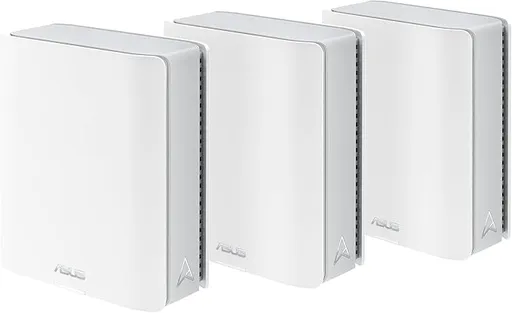
Idéal pour : Idéal pour une grande habitation exigeant couverture et hauts débits, avec un utilisateur prêt à ajuster la configuration et le firmware.
En bref : Les avis Reddit convergent sur d’excellents débits, une large couverture et un backhaul sans fil très performant lorsque le système est bien configuré. La stabilité reste toutefois inégale selon le firmware et les fonctions activées, notamment le réseau IoT, le MLO et parfois le backhaul Ethernet 10G.
Au-delà de ce modèle, la marque ASUS (toutes gammes) recueille 55 % d'avis positifs sur 131 utilisateurs Reddit. Ce signal marque ne compte pas dans la note du modèle ci-dessus.
Points forts
Débits élevés
11 3
« The whole house is covered and speeds are fantastic! » Voir l’avis
« Very close to as fast as when I used wired backhaul via MoCA. » Voir l’avis
« I get full 3gigs over wire snd 2500+ up and down over wireless. » Voir l’avis
Excellente couverture Wi-Fi
6 1
« I have the base in our loft and the node down in the kitchen. » Voir l’avis
« And have been stable and have provided whole house wireless coverage. » Voir l’avis
« A second access point might be useful if the 2 wireless device systems don't serve the second floor well. » Voir l’avis
Backhaul efficace
8 4
« I have an ASUS BT10 as my primary router and BT8 as a node. » Voir l’avis
« I'm using an Asus ZenWiFi BT10 mesh with wireless backhaul, and it works really well. » Voir l’avis
« That now seems to work and be stable, all nodes LED are showing white ! » Voir l’avis
Points faibles
Connexion instable
11 16
« The high wireless ping variance (3ms min vs 122ms max) with 0% packet loss is a classic Wi-Fi 7 MLO scheduling issue. » Voir l’avis
« Ran into the same thing and using a 2.4Ghz guest network lol » Voir l’avis
« I've had the dedicated 2.4GHz IoT network drop constantly that I ended up having to use the main SSID for everything for now. » Voir l’avis
Fiabilité à surveiller
7 10
« opened up a thread on snbforum to see if I can finally sort things out.. » Voir l’avis
« Only issue I've noticed is they can be quite finicky after a power outage, being difficult to get it to reconnect with the modem and internet, sometimes having to reset the router. » Voir l’avis
« I’m trying to upload the video but in short, what happens is I will see the splash screen of the app, like Disney app and Apple TV app, and it’ll not go past the splash screen. » Voir l’avis
Fonctions limitées
9 11
« Another cheap thing ASUS did with the BT10 is remove a LAN port. » Voir l’avis
« I could never get the MLO to work properly so I turn that off so the MLO failure is the only issue I have found to be flaky so far. » Voir l’avis
« From the success I figured they'd also have handle the "bad" IoT secondary wifi network, but no luck there... when I create another network for my IoTs, they struggle connecting, wifi comes in and… » Voir l’avis
| Critère | Note /10 | Ce qu'en dit le consensus |
|---|---|---|
| Fonctions | 4.2 | La personnalisation est riche, mais l’interface, le réseau IoT, les VLAN et le MLO restent parfois bogués ou incohérents. |
| Stabilité | 3.1 | Les firmwares récents ont amélioré la stabilité chez beaucoup d’utilisateurs, mais des coupures de nœuds et du 2,4 GHz persistent dans plusieurs témoignages. |
| Backhaul | 6.4 | Le backhaul sans fil MLO reçoit d’excellents retours, tandis que le backhaul Ethernet 10G a connu des problèmes variables selon le firmware et l’installation. |
| Fiabilité | 3.5 | La fiabilité à long terme divise fortement les utilisateurs, avec des systèmes durables et sans incident face à d’autres nécessitant réinitialisations ou retours. |
| Prix | 4.4 | Le prix est majoritairement perçu comme élevé, même si les promotions et l’absence d’abonnement améliorent sa valeur. |
| Installation | 4.0 | Certains utilisateurs trouvent l’installation simple, tandis que d’autres décrivent des heures de réinitialisations et des difficultés à connecter le modem ou les nœuds. |
| Couverture | 7.3 | Les utilisateurs Reddit relèvent une excellente couverture dans les maisons à plusieurs niveaux, jusque dans le jardin, mais un 6 GHz plus faible sans AFC. |
| Débit | 7.8 | Les débits sont généralement jugés excellents, y compris depuis les nœuds distants, malgré quelques ralentissements liés aux clients ou aux réglages. |
Avis Reddit
56 avis analysés · Positifs 24 Neutres 6 Négatifs 25
avis pertinents ·
-
LulzMcGullz 🇬🇧
1 commentaire analysé
-
iveseensomethings82 🇬🇧
1 commentaire analysé
r/HomeNetworking · Mesh systems for stronger home internet coverage in 2026? Seconding the BT 10. I also cannot run Cat cable through my home due to having 2 stories and nothing lines up for a drop. I have the base in our loft and the node down in the kitchen. The whole house is covered and speeds are fantastic! I also like Asus for their free software to block malicious attacks that other companies don’t offer.
-
sunrisebreeze 🇬🇧
2 commentaires analysés
r/HomeNetworking · Asus Zenwifi BT8 vs BT10 I would NOT buy the BT10. I think $999 for mesh is way too costly. I'm a bit of a frugal person, so even $549 seems like a lot for three BT8 units. Interesting that Best Buy doesn't call it BT8, but if you compare the specs to ASUS's website for the BT8, it looks like it's the BT8 at Best Buy for $549.99 (3-pack). ASUS link: [https://www.asus.com/networking-iot-servers/whole-home-mesh-wifi-system/zenwifi-wifi-systems/asus-zenwifi-bt8/techspec/](https://www.asus.com/networking-iot-servers/whole-home-mesh-wifi-system/zenwifi-wifi-systems/asus-zenwifi-bt8/techspec/) The BT10's differences are 10GB WAN/LAN and 10GB LAN port (those are 2.5GB on the BT8). Another cheap thing ASUS did with the BT10 is remove a LAN port. BT8 has 4 ports (1 WAN, 3 LAN) and BT10 only has 3 ports (1 WAN, 2 LAN). Why pay $450+ more and get one less port? BT10 also has twice as much RAM (2GB vs 1GB) and a slightly faster CPU (as far as I can tell, 2.0ghz vs 1.8gz; ASUS specs don't tell you but AI thinks it's 1.8ghz). BT10 also has a bit more spatial stream support (4x4 on 5ghz & 6ghz; BT8 has 3x3 on those bands), but I don't think that's a big deal. In summary, no, I don't think BT10 is worth \~$450 more than the BT8. 1GB of RAM on BT8 is fine. I have an ASUS XT8 mesh (WiFi 6), and it only has 512MB of RAM & works fine with nearly 100 clients. As long as your internet service is 2.5GB or less the BT8 will work fine and won't throttle (limit) your connection. If you had 5GB internet service then buying the BT8 would limit your internet speed to 2.5GB-ish. At that point you may wish to consider other options, rather than dropping nearly $1K on a mesh system. You can get it done for much less by buying a nice router and wireless access points. Hope that helps, good luck!
r/HomeNetworking · Asus bt10 wifi stability issues You've done much of the stuff I would have tried. If you changed nothing and it suddenly started having issues, it may have been a firmware update. Do you have automatic updates enabled? After you get it working, if auto updates are on I recommend turning them off. The last 3 firmware updates for BT10 were 10/31/25, 2/2/26 and 4/2/26. I got that info from the ASUS website: https://www.asus.com/us/supportonly/zenwifi%20bt10/helpdesk_bios/ Check if your system has the latest firmware. If not, upgrade it and see if that fixes it. Have you tried just using the router by itself? Turn off the 2nd mesh node/satellite. Do devices near the router connect/stay connected? If so maybe the 2nd unit failed and ASUS could replace it under warranty. After trying the above steps contact ASUS tech support. They will ask you to send them logs etc to help troubleshoot and recommend a fix for you. If a component failed they will exchange/repair under warranty. If that doesn't work: You could also sell the system on eBay to try to get some money back, then buy something else. Maybe Netgear, since ASUS didn't work for you. Good luck
-
MrDoh 🇬🇧
5 commentaires analysés
r/HomeNetworking · Mesh systems for stronger home internet coverage in 2026? I'm using an Asus ZenWiFi BT10 mesh with wireless backhaul, and it works really well. The wireless backhaul uses wifi-7 MLO (despite whether you use MLO for clients or not), and this really ups the wireless backhaul game for a mesh. Very close to as fast as when I used wired backhaul via MoCA. So no, wired backhaul is not necessary to see great speed from your mesh.
r/HomeNetworking · Mesh systems for stronger home internet coverage in 2026? I didn't pay $600 for each BT10. I paid about $600 for both BT10's. Stll a lot of money, but they perform better than any wifi-6 mesh that I've had due to the MLO wireless backhaul.
r/HomeNetworking · I don't think any mesh networks are reliable. I've had several meshes, all using wireless backhaul. First I had the Netgear Orbi mesh (wifi-5) that worked well for a few months, then Netgear made firmware upgrades mandatory, and put out some really bad firmware. Went to eero (wifi-5) after that, and that one never did work well for me. It worked, but not as well as I thought that it should have. I tried the eero Pro 6 mesh (wifi-6), and that was never stable. After that it was the Asus ZenWiFi AX (wifi-6), which worked really well here. The mesh that I'm using now, the ZenWiFi BT10 (wifi-7) is also working really well...the wireless MLO backhaul is very fast and has been stable. About as close to wired backhaul as I've seen, the speed at the remote node is very close to my ISP's provisioned speed. The latest firmware for the BT10 mesh has been great, but it took a few versions to get the degree of stability that I want. So, for me, yes, there have been ups and downs, but the Asus ZenWiFi meshes have been the best that I've had. Both have worked great with wireless backhaul, which is what I need. And have been stable and have provided whole house wireless coverage.
r/HomeNetworking · Is ASUS ZenWifi bad, or is my house impossible? There were stability issues with the BT10 before the last 2 or 3 firmware releases. The current (latest) firmware release that I'm using now has been up for over 2 weeks here, with no problems. As I said, best wireless coverage and speed ever here.
r/HomeNetworking · Is ASUS ZenWifi bad, or is my house impossible? I've had 2 Asus ZenWiFi meshes, the XT8 and now the BT10, used with wireless backhaul. Both have been great, but we have sheetrock walls and hollow doors :-). About the only good thing with the flimsy construction in our house. The current ZenWiFi BT10 works exceptionally well, with MLO backhaul "channel". Very fast. However, if you have walls that are thick or have metal in them, you're going to need to wire your backhaul or use MoCA if you happen to have coaxial cable in your walls from having cable TV installed. That's just physics, wifi signals are attenuated by thick walls, or walls made of lath and plaster, etc. And if you're going to wired backhaul for a mesh, you might consider using wired AP's instead of a mesh. Just a thought :-).
-
Armoury-crate 🇬🇧
1 commentaire analysé
r/ASUS · ASUS ZenWifi BT10 - AP Mode Configuration Settings The high wireless ping variance (3ms min vs 122ms max) with 0% packet loss is a classic Wi-Fi 7 MLO scheduling issue. In AP mode, ZenWifi BT10 sometimes struggles with multi-link operation prioritization. Try going into the ASUS AP settings and manually set the 6GHz band as primary for that device. Also disable **Airtime Fairness** in concrete buildings it causes exactly this kind of jitter as the router keeps waiting for weaker signals
-
Ramblim 🇬🇧
1 commentaire analysé
r/HomeNetworking · Please share your experience with the Asus ZenWiFi BT10 Ran into the same thing and using a 2.4Ghz guest network lol
-
hocuspocus4201 🇬🇧
3 commentaires analysés
r/HomeNetworking · Please share your experience with the Asus ZenWiFi BT10 Yeah it works pretty well. They have had a few firmware updates since then and it's been stable as ever. I could never get the MLO to work properly so I turn that off so the MLO failure is the only issue I have found to be flaky so far.
r/HomeNetworking · Please share your experience with the Asus ZenWiFi BT10 MLO is a feature of WiFi 7 where you could potentially connect to multiple bands simultaneously like 2.4+5+6ghz in order to make the connection more reliable. With BT10, I'm not sure where the issue is (at the router side or the client/laptop/phone side) so best to keep it off. By the way MLO is turned off by default so no need to turn it on if you don't want to.
r/HomeNetworking · Please share your experience with the Asus ZenWiFi BT10 I got BT10 about a week ago. I got a 2 pack and the node is wired. I have 3gbps internet and need to connect using PPPoE. Works well for the most part. I get full 3gigs over wire snd 2500+ up and down over wireless. Still playing around with some of the advanced features like fronthaul MLO. Only turn on MLO if you have WiFi 7 devices that support it and create a separate network for it.
-
CitizenGris 🇬🇧
16 commentaires analysés
r/HomeNetworking · First time Asus ZenWifi user - absolutely HORRIBLE HORRIBLE experience - new BT10 Not really… still experiencing issues.. opened up a thread on snbforum to see if I can finally sort things out..
r/HomeNetworking · First time Asus ZenWifi user - absolutely HORRIBLE HORRIBLE experience - new BT10 You’re welcome… FYI don’t get your hopes up… I’ve been using it for ~6 months and I am still experiencing issues :( If I was still during the return period I probably would at this point…
r/HomeNetworking · First time Asus ZenWifi user - absolutely HORRIBLE HORRIBLE experience - new BT10 Had the same issues. Keep your modem off power for a few minutes, then reboot both bt10 and modem. Apparently there is some element of caching with the router that are known to cause issues.
r/HomeNetworking · First time Asus ZenWifi user - absolutely HORRIBLE HORRIBLE experience - new BT10 Not entirely… still have the 2.4ghz network crashing…
r/HomeNetworking · First time Asus ZenWifi user - absolutely HORRIBLE HORRIBLE experience - new BT10 Very surprising to me… i have 2 network, and the IoT 2.4ghz band keeps crashing…. Disabling the 2.4 and 6ghz band on the main network helped stabilize it, but it still crashes once in a while…
r/HomeNetworking · First time Asus ZenWifi user - absolutely HORRIBLE HORRIBLE experience - new BT10 Unstability of the 2.4ghz wifi networks for the IoT devces
r/HomeNetworking · First time Asus ZenWifi user - absolutely HORRIBLE HORRIBLE experience - new BT10 Still not great, more stable, but not what I would consider commercially ready.
r/HomeNetworking · First time Asus ZenWifi user - absolutely HORRIBLE HORRIBLE experience - new BT10 What do you mean ? This by the way has mostly disappeared with the latest firmware update.
r/HomeNetworking · First time Asus ZenWifi user - absolutely HORRIBLE HORRIBLE experience - new BT10 Are any of you having pings all over the place ? This is from a wifi connected laptop to the main router ? 64 bytes from 192.168.50.1: icmp\_seq=110 ttl=64 time=4.224 ms 64 bytes from 192.168.50.1: icmp\_seq=111 ttl=64 time=4.418 ms 64 bytes from 192.168.50.1: icmp\_seq=112 ttl=64 time=4.294 ms 64 bytes from 192.168.50.1: icmp\_seq=113 ttl=64 time=5.328 ms 64 bytes from 192.168.50.1: icmp\_seq=114 ttl=64 time=6.401 ms 64 bytes from 192.168.50.1: icmp\_seq=115 ttl=64 time=4.269 ms 64 bytes from 192.168.50.1: icmp\_seq=116 ttl=64 time=72.910 ms 64 bytes from 192.168.50.1: icmp\_seq=117 ttl=64 time=171.054 ms 64 bytes from 192.168.50.1: icmp\_seq=118 ttl=64 time=481.410 ms 64 bytes from 192.168.50.1: icmp\_seq=119 ttl=64 time=4.466 ms 64 bytes from 192.168.50.1: icmp\_seq=120 ttl=64 time=47.894 ms 64 bytes from 192.168.50.1: icmp\_seq=121 ttl=64 time=314.319 ms 64 bytes from 192.168.50.1: icmp\_seq=122 ttl=64 time=5.871 ms 64 bytes from 192.168.50.1: icmp\_seq=123 ttl=64 time=9.582 ms 64 bytes from 192.168.50.1: icmp\_seq=124 ttl=64 time=6.241 ms 64 bytes from 192.168.50.1: icmp\_seq=125 ttl=64 time=105.758 ms 64 bytes from 192.168.50.1: icmp\_seq=126 ttl=64 time=7.680 ms 64 bytes from 192.168.50.1: icmp\_seq=127 ttl=64 time=4.162 ms 64 bytes from 192.168.50.1: icmp\_seq=128 ttl=64 time=6.004 ms 64 bytes from 192.168.50.1: icmp\_seq=129 ttl=64 time=3.967 ms 64 bytes from 192.168.50.1: icmp\_seq=130 ttl=64 time=4.561 ms 64 bytes from 192.168.50.1: icmp\_seq=131 ttl=64 time=20.729 ms 64 bytes from 192.168.50.1: icmp\_seq=132 ttl=64 time=67.234 ms 64 bytes from 192.168.50.1: icmp\_seq=133 ttl=64 time=113.233 ms 64 bytes from 192.168.50.1: icmp\_seq=134 ttl=64 time=6.828 ms 64 bytes from 192.168.50.1: icmp\_seq=135 ttl=64 time=12.836 ms It's been happening a lot recently - no new firmware - rebooting the entire system alleviate the issue for a few hours and then it comes back...
r/HomeNetworking · First time Asus ZenWifi user - absolutely HORRIBLE HORRIBLE experience - new BT10 Yeah, that was the problematic firmware.
r/HomeNetworking · First time Asus ZenWifi user - absolutely HORRIBLE HORRIBLE experience - new BT10 Ah ! Same ! I haven’t reverted back the firmware yet… was trying to find a stable point. Spend hours with Asus on chat and phone today - the only thing they can suggest is send the unit for repairs… so frustrating !! Really tired of being a Guinea pig here….
r/HomeNetworking · First time Asus ZenWifi user - absolutely HORRIBLE HORRIBLE experience - new BT10 Ok, I have updated my system... was not a straight line. When I upgraded the main AP to the new firmware, all the 3 nodes (all connected as an ethernet backhaul) went red and were no longer connected. Nothing I did (reboot, remove ethernet cable, etc.) made them reconnect. So I had to resort to: - removing them from the network (iphone app) - deactivate ethernet backhaul only (web interface) - disconnect all nodes from their respective ethernet cables - hard reset each nodes individually - re-add each node one by one to the network (wireless) - re-connect all ethernet cables on the 10gb port - go back into web admin to re-enable internet backhaul only That now seems to work and be stable, all nodes LED are showing white ! Throughout this process, I noticed also that they have added "10G Ethernet priority" for backhaul configuration as an option in the web interface (not on the iPhone app though). From the success I figured they'd also have handle the "bad" IoT secondary wifi network, but no luck there... when I create another network for my IoTs, they struggle connecting, wifi comes in and out, etc. So I guess, we'll be waiting for another firmware update...
r/HomeNetworking · First time Asus ZenWifi user - absolutely HORRIBLE HORRIBLE experience - new BT10 Ok, I may have spoken a bit too soon when describing my "stable" 10G backhaul setup. Because I had been mostly focused on the main AP and a single node doing all my test, but I realized last night that both of the other AP had turned RED and marked as disconnected from both app and web admin. I reseted them and re-added them while on 10G eth, they would add fine, but then I started having wifi problems again - seemingly any devices trying to connect to those 2 Node's wifi network would not get connected to the actual network. Tried everything I could think of (reboots, resets, syncs, optimization, etc.) but nothing... so I did what you did and moved them to 1G eth and within seconds they turned white and connected fine. The weirdest part to me is that 1 of the node is working just fine on 10G eth backhaul, but the 2 others want nothing to do with it... Also even for the node that is properly working off 10G eth backhaul, in the admin it says that it is connected to "1G WAN Only" - I think Asus is missing a "10G Wan Only" option in there... But I know it works on 10G because of the speeds I get, there is no question. Really feels like a rushed product at this point... let's hope for a firmware upgrade soon... Asus if you are listening...
r/HomeNetworking · First time Asus ZenWifi user - absolutely HORRIBLE HORRIBLE experience - new BT10 Have you had any luck with VLAN for an IoT network ? I have been trying to setup a different VLAN for my IoT but give the main network visibility over those devices (but not the other way around of course), but I have not been able to ! Additionally, the second the IoT network is spread over multiple nodes, the DHCP stops working and I cannot get an IP or a connection from the IoT devices (works well if I segregate the IoT network to just the main AP)
r/HomeNetworking · First time Asus ZenWifi user - absolutely HORRIBLE HORRIBLE experience - new BT10 Thx for replying and sharing your experience. I have mostly gotten mine to a stable state now - it took a LOT of trial and error. Here are a few more things that I noticed while testing: - Everything worked mostly fine in Wireless backhaul (mostly MLO) - but I didn't test long enough with a single setup to really see if things were dropping or not - whenever I plugged one of the nodes on ethernet (1gbps Wan or 10gbps) things would get horrible (dropped packets, lost internet connection, etc.) - if I had setup the Main with 1gbps Wan to the modem, and I wanted to change it to the 10gbps Wan (doing that many tests makes you do weird stuff :P) it would send the Main in a crashing cycle, almost constantly rebooting and being unable to get connected to Internet via the modem Now this is more of less what I did to get things "correct" - remember I am personally interested in getting a 10Gbps ethernet backhaul. - Factory reset the main and make sure it's connected to the 10gbps Wan port. Nothing else connected ! All nodes off. - Once the main is setup with wifi networks and basic config, go to the web portal and disable auto-wan selection and force it to select 10gbps Wan as the default Wan (for now left Dual Wan off - I intend to test that later - but I am afraid) - will require a reboot (or 2) if I remember - but from then one Internet has been really stable (at least at the main) - Turn on one of the node (after factory reset) and get it added to the AiMesh, connected through MLO - things still stable - Plug the 10gbps ethernet Wan on the node with an ethernet cable (cat 7 in my case) to the 10 Gbps Lan of the main (through a 10Gbps switch in my case) - things just got immediately super bad: lots of dropped packets, horrible ping and jitter from Node to Main, loss of all internet connection via Wifi - Very patiently (due to dropped packets and what not) go back to the web admin and enable Ethernet Backhaul Mode (from AiMesh > System Settings). The light on the Node will try almost everything from Yellow (weak connection) to Red (unhappy ?!). But with a reboot of both main and node (when the settings have been configured) it found stability again with the node weirdly showing yellow LED !?! - From then I added my 2 other nodes (after individual factory reset) directly via Ethernet. Same process really, turn on the node, plug the ethernet cable (still via Switch) on 10 Gbps Wan and within the iPhone app, add node to AIMesh. Both will do the same for a bit a show yellow or red LEDs. - To note: even though all 3 nodes were ethernet connected to the main, on the web admin they all showed as "offline", even tough the seemed online on the iPhone app and showing ethernet connected !?! - I added the MAC addresses of each nodes to the static list of the DHCP so they each have a fixed IPs, took a restart of the nodes to get that properly setup. - To my big surprise this morning, this morning the first node I connected turned his LED white and it now shows connected even on the web admin !?! - it only took > 48 hours for that to happen... still waiting for the other 2 nodes to do the same. Ultimately with those steps (hopefully I remembered everything more or less correctly in the right order) the system is stable and the performance is here: - Wifi to my 6E devices is =\~ 1600 Mbps (both ways) - Ethernet to my wired devices is =\~ 8500 Mbps (both ways) I am luck enough to have a Xfinity 2M connection and I get (on wired) the full \~2350Mbps down and \~350Mbps up (slightly less on wifi: \~1400 Mbps / \~350Mbps). Things have been super stable since. I think that covers it... since then I have been fine tuning all the BT10's settings (QoS, DHCP stuff, IoT networks, etc.) I have been sure to make saves of the settings in case I need to reset it all (again !?) to hopefully be able to restart where I left off - so far I didn't need to restore - I don't even know if that works. If you have any questions, I am more than happy to try to provide some answers (if I have them), I have played so much with those things that I have started to dream about them... #need a new life
r/HomeNetworking · First time Asus ZenWifi user - absolutely HORRIBLE HORRIBLE experience - new BT10 I appreciate you chiming in on the conversation. But I can't accept that answer, this is not a betting tester program, it's a full fledge commercial product - even top of the line I would add, there is no reasons for things to be that broken. Is that were we are now, were everything new product is a beta version ? And in this case I would say even alpha... Additionally the part that seems to be the underlying problem of it all is really the ethernet backhaul, because when all the APs are connected though wifi mesh, things are working decently... but the second the ethernet backhaul is enable it all goes to shit.
-
tostitobanditos 🇬🇧
4 commentaires analysés
r/HomeNetworking · First time Asus ZenWifi user - absolutely HORRIBLE HORRIBLE experience - new BT10 Good to know it wasn't my hardware. Yeah if you just download the 35440 firmware from Asus and manually load it to each node it should be ok. I had to unplug the cable from the modem from my primary router in order for it to stay up long enough for me to do that. Then I brought my other node downstairs next to it and after resetting it I was able to detect it and manually load the firmware on it too through the administration menu.
r/HomeNetworking · First time Asus ZenWifi user - absolutely HORRIBLE HORRIBLE experience - new BT10 Looks like last night's firmware (35462) was a disaster, at least for me. Put both my BT10's into a reboot loop of death instantly as of a few minutes after they updated at 4am. Had to manually load the 35440 firmware onto both to restore function.
r/HomeNetworking · First time Asus ZenWifi user - absolutely HORRIBLE HORRIBLE experience - new BT10 I actually figured out how over wifi as well. The primary device MAC is listed at the top of the right hand pane in the AIMesh page when you have a node selected. I used that and was able to get an IP assigned to my node while using MLO backhaul.
r/HomeNetworking · First time Asus ZenWifi user - absolutely HORRIBLE HORRIBLE experience - new BT10 Similar issues with mine. It mostly works ok, but I have seen the main router partially or fully crash more than once, and the satellite loves to disconnect from the main router all the time which is annoying. It says my backhaul signal is “great” and my 5ghz and 6ghz signals are typically 50 and 60 respectively, yet it will just randomly drop. I just turned MLO off for the backhaul to see if that helps. Hopefully more firmware is coming too.
-
RockxRolla 🇬🇧🌐
4 commentaires analysés
r/HomeNetworking · First time Asus ZenWifi user - absolutely HORRIBLE HORRIBLE experience - new BT10 Very similar experience. I've had the dedicated 2.4GHz IoT network drop constantly that I ended up having to use the main SSID for everything for now. Also the 10GB WAN port on the satellite doesn't show up as an option to do the ethernet backhaul which is infuriating. Plugging it in does all sorts of weird things like yellow lights and partially offline node. Here's hoping there's a new FW update soon that sorts out these first world problems!
r/HomeNetworking · First time Asus ZenWifi user - absolutely HORRIBLE HORRIBLE experience - new BT10 The speeds were great on the new iPhone (which has WiFi 7) but I had to turn off MLO for now because that cripples any legacy devices trying to connect. Separating to legacy SSID should work in theory if the whole thing wasn't broken
r/HomeNetworking · First time Asus ZenWifi user - absolutely HORRIBLE HORRIBLE experience - new BT10 Not yet. The seperate IoT is still unreliable sadly
r/HomeNetworking · First time Asus ZenWifi user - absolutely HORRIBLE HORRIBLE experience - new BT10 Update: well looks like the 10G backhaul issue is sorted
-
rrh_01 🇬🇧
2 commentaires analysés
r/HomeNetworking · Best for mesh? Put it k on the first floor. if the speeds on the second floor are too slow, you will need a third device on the second floor try and make them all placed high and as close to the center of each floor as possible
r/HomeNetworking · Best for mesh? i’d go with theb t10. A second access point might be useful if the 2 wireless device systems don't serve the second floor well. I went to slightly different route, because be 98 pro allows for two Wi-Fi seven networks. I used one for my kids gaming and a second one from my wife and my work from home. Your second one would be used for Backhaul. I found life situation faster, but my home is closer to 3900 ft.² and we need coverage and a large backyard, side yard and front yard as well.
-
Puzzled-Science-1870 🇬🇧
7 commentaires analysés
r/HomeNetworking · Wanting to upgrade from my eero 6 and move away from Amazon for privacy reasons I have two asus bt10's. I have them backhaul hardwired with MoCA. They work pretty well. Been overall happy with them. I only used them with wireless backhaul for a short time while I was positioning them around the house in different places, trying to find the best spots to place them. Didn't have any major issues with wireless backhaul that I recall just limited by distance you separate them, as the mesh node needs to be placed where there is still good signal. I've had no issues with Iot devices. Placing the two BT10's on opposite sides of the house, connected hardwired backhaul with MoCA, provides excellent wifi coverage throughout the house and most of my yard. Only issue I've noticed is they can be quite finicky after a power outage, being difficult to get it to reconnect with the modem and internet, sometimes having to reset the router. So I just bought a UPS for each bt10 and MoCA adapter, and no issues since to be honest Lmk if any other questions
r/HomeNetworking · ASUS ZenWiFi AXE7800 I have asus zenwifi BT10'S and only ever had issues when power went out, so I got UPS for each BT10 and javent jad any issues since
r/HomeNetworking · best mesh wifi system for a medium size house in 2026 what should I get? I have asus bt10 x 2, hardwired backhaul via MoCA. I have some IoT like thermostat x 3, robot vacuum x2, outdoor camera x4, dishwasher, oven, etc all wifi and don't seem to have any problems with IoT connectivity. I wonder if there is a cause for your connectivity issues.
r/HomeNetworking · ASUS ZenWifi BT10 Vs Tp-Link Deco BE65 Paid for Internet speeds are 400 mbps. Obviously it's dependent on many factors but I frequently get 400-500 mpbs throughout my entire house. Sometimes I'll get 300-400 mpbs. I've got wireless camera outside in my yard and they all had adequate reception with wifi, even put one into the forest edge as a wildlife camera. We frequently catch turkey and deer on the camera. I think the furthest camera I have is about 100 ft from the house.
r/HomeNetworking · ASUS ZenWifi BT10 Vs Tp-Link Deco BE65 I've had the BT10'S for a while now, maybe 6 months, I can't quite remember. They have worked pretty well so far. The router and node have always been hardwired backhaul via MoCA. I found when the router and node were a little too close, devices like our cell phones would temporarily disconnect from one and then a second later reconnect to the other node. I had the router on the first floor and node on the 2nd floor. I moved the router to the basement, directly under the living room and that disconnect/ reconnect problem resolved. Moving around the house while on zoom switched from router to node without any appreciable interruption/ lag. The BT10'S don't like power outages or blips. We have a standby generator, so when the power goes out, a couple seconds later the generator kicks on and we have power again. This happens like once every 2-4 months for us. Everytime the power went out (even just for the couple of aeconds till the generator kicked on), it always seemed to screw up the router, such that I'd have to do a factory reset of the router to get it working again. Happened maybe 3 times. Was frustrating, so I went out and bought a battery backup UPS for the modem & router and a 2nd one for the node. Since I've had them on the battery UPS, we lost power once & generator kicked on. The UPS kept the modem, router and node all working and online and no issues. So I think that fixed that issue. If you lose power frequently, may want to consider UPS battery backup. Wifi coverage is great all throughout the house and the yard too. Overall, been pretty happy with them.
r/HomeNetworking · ASUS ZenWifi BT10 Vs Tp-Link Deco BE65 Yep! They are still working fine! I have had no issues with any devices connecting. I know others on this thread will throw some hate but I have my IoT and regular devices on the same network, selected so the router will choose 2.4/5/6 ghz for the device. And have had no issues with any device connecting and staying connected. I've got them hardwired via MOCA and on opposite sides of the house and due to this, I get good signal everywhere, including the garage and into most of my yard. Been very happy with them still.
r/HomeNetworking · ASUS ZenWifi BT10 Vs Tp-Link Deco BE65 I have the BT10's for a few months now and haven't had any issues 🤷♂️
-
InvisiBillnet 🇬🇧
1 commentaire analysé
r/ASUS · ASUS ZenWifi BT10 mesh question Yes, it has an "AP Mode" that you can select with one click.
-
Achemidies 🇬🇧
1 commentaire analysé
r/ToobBroadband · Moving from the latest WiFi 7 Toob mesh to an ASUS mesh setup. I'm probably not the best person to ask for suggestions as I just went straight for the most overkill option. I've heard the TP-Link Deco BE65 is solid, that will give you a bit of headway if you ever increase beyond 900mbit, and it supports proper MLO and wireless backhaul. It would set you back £380 for a two pack. You could also look into the ASUS ZenWifi BT10, which is around £480 for a two pack. Check out Dong Knows Tech, he's done a lot of reviews on mesh systems.
-
97zx6r 🇬🇧
2 commentaires analysés
r/homeoffice · What’s the best overall WiFi router for home use these days? I have two of the BT10 mesh units and it has been rock solid using wired backhaul. Highly recommend. Have about 50 devices on the local network.
r/HomeNetworking · best mesh wifi system for a medium size house in 2026 what should I get? I also have the BT10x2 system with wired back haul. Rock solid with 50+ devices on my network.
-
Leonidas3182 🇬🇧
1 commentaire analysé
r/orbi · Plz recommend between Orbi 870, 970 or Eero Max 7 Also switch to Asus. I’m using a Unifi ultra wired router to Asus BT10 (2 of them) in AP mode. Def a smidge more involved than what Orbi gives you but seems to be doing much better so far.
-
jnyfive 🇬🇧
2 commentaires analysés
r/Roku · Roku and Asus BT10 mesh issue I’m trying to upload the video but in short, what happens is I will see the splash screen of the app, like Disney app and Apple TV app, and it’ll not go past the splash screen. With Plex it will load and show me my available digital videos, and it will allow me to select one, but it will never play and tell me that media cannot be found. It is consistent across all of my Plex devices, which includes two streaming sticks and one ultra. Whenever on my mesh app, it will act the same across each device.
r/Roku · Roku and Asus BT10 mesh issue Thank you. I have had the issue with two streaming sticks and my ultra. I will get a video of the occurrence but will give you the ultra system info. 4800X - Roku Ultra. This happens with every app, on every Roku device, when I am on my mesh.
-
nobody1701d 🇬🇧
2 commentaires analysés
r/HomeNetworking · Mesh systems for stronger home internet coverage in 2026? Don’t mistake my recommendation of wired WiFi6 routers for complete non-envy of your WiFi7 setup — it’s just that mine cost about half as much but still perform the same at the expense of having an Ethernet wired connection. Not everyone here has money to spare, even for smoking hot equipment. There’s hardly any WiFi7 equipment so most consumer-level hardware will connect using WiFi6 anyway.
r/HomeNetworking · Mesh systems for stronger home internet coverage in 2026? Both my two WiFi-6 routers are far cheaper than your $600 BT10 router though. Assumed cost might be an object
-
cute_polarbear 🇬🇧
1 commentaire analysé
r/ASUS · ZenWiFi BT10 What does AiMesh "Optimization"do? got it. thank you. not exactly great but better than simply based on proximity to individual devices I guess.
-
kimputer7 🇬🇧
1 commentaire analysé
r/ASUS · ZenWiFi BT10 What does AiMesh "Optimization"do? It will just advise you. It will say something like, better use Ethernet Backhaul on Device X, or set Device Y closer to Device X.
-
purespeed44 🇬🇧
1 commentaire analysé
r/ASUS · Owners of the Zenwifi BT10, got a auestion. I have them they are slowly getting better having MLO off on the fronthaul seems to make it more stable. I got mine recently and it’s been fairly solid
-
Asen1923 🇬🇧
1 commentaire analysé
r/ASUS · ASUS ZenWifi BT10 - AP Mode Configuration Settings Okay, I went into Wireless -> Professional setting on the WebGUI and manual set everything I could. It really didn’t make a difference. Turning things on and off in those settings didn’t seem to help. Any other advice?
-
RkOShea 🇬🇧
1 commentaire analysé
r/orbi · Orbi 970 sucks, what to move to? I have a WiFi7 Asus (2) BT10 + (1) BT8 mesh network to cover my 3600 sqft 4-floor townhouse. I can get 800 Mbps - 1 Gbps WiFi speeds everywhere in the townhouse. The basement BT10 router connects to the top floor BT10 satellite via WiFi7's new MLO functionality, and gets me a 3500 Mbps wireless backhaul connection. This let's me get solid 1 Gbps DL/UL speeds at my satellite that is 3 floors above my router My Asus WiFi7 mesh network will be the last home network I will buy (unless something breaks, of course).
-
evang0125 🇬🇧
2 commentaires analysés
r/orbi · Orbi 970 sucks, what to move to? Interesting. That version must handle the VLAN differently. I have my IoT set up on the main 2.4 ghz network. When I set up my IoT and guest networks as separate VLANs it made the 2.4ghz main network almost unusable (slow and spotty internet connection). I read that Asus is addressing VLAN support on this model in an upcoming firmware update.
r/orbi · Orbi 970 sucks, what to move to? I did the BT10. All good but dedicated IoT network doesn’t work with the current firmware. Otherwise super stable and a much better experience than our old orbi. Q: did you do a dedicated VLAN for your IoT?
-
22hand 🇬🇧
1 commentaire analysé
r/HomeNetworking · Please share your experience with the Asus ZenWiFi BT10 I’m in fact doing this. Bought a 2.5G switch and run Ethernet backhaul, all good. One thing need consider if you are running IoT devices mostly use 2.4Ghz you need check your WiFi7 suitably or not as wifi7 is too advance for those legacy IoT devices
-
Legal_Art6210 🇬🇧
1 commentaire analysé
r/HomeNetworking · ASUS ZenWifi BT10 Vs Tp-Link Deco BE65 Got the BE65 Pro then returned it also tried eero 7 pro also returned now looking at bt10 have heard mixed reviews but will give it a go
-
Odelay_gavacho 🇬🇧
1 commentaire analysé
r/HomeNetworking · Please share your experience with the Asus ZenWiFi BT10 I’ve spent the last couple days trying to get the BT10 to have a stable signal. Like clockwork it drops out every ~15 minutes. Finally gave up and went back to my old velop which is rock-solid. Back to the store with this one.
-
Hopeful-Lion-7581 🇬🇧
1 commentaire analysé
r/HomeNetworking · Please share your experience with the Asus ZenWiFi BT10 Replaced my WiFi 5 system with asus bt10 and working great so far. Getting 800+ download on WiFi. I replaced 7 WiFi 5 nodes with 4 asus bt10s. Very easy setup
-
Avinin1 🇬🇧
1 commentaire analysé
r/HomeNetworking · Please share your experience with the Asus ZenWiFi BT10 Thanks again. sounds quite a troublemaker for oldies-clients/devices
-
Shot-Muscle-5427 🇬🇧
1 commentaire analysé
r/HomeNetworking · Please share your experience with the Asus ZenWiFi BT10 hope you have not bought it, it is the lousiest mesh system ever, less stable than even my spare mesh using ax3000p and AX55. node disconnect once a month, after reconnect sometimes upload speed stuck at 0.0x mbps. then you have to reboot the whole mesh. i rate it 3/5. random node disconnect, blinking blue light, sometimes light is white, but no internet over lan at the node. very disappointed for such expensive product i used it for 6 months.
-
hyena-a 🇬🇧
1 commentaire analysé
r/HomeNetworking · ASUS ZenWifi BT10 Vs Tp-Link Deco BE65 Just returned my BE65 today after discovering you cannot disable remote management across the Deco range (I.e TP-Link always has access to the router, so if they ever get hacked, my own network would been vulnerable too). Couldn’t be bothered to buy another FW appliance to block this from happening. Looking to buy the BT10 now given ASUS gives you much more flexibility / customisation. Still going well on your end, any issues with 2ghz devices? Lastly, would you say your 2ghz/5ghz performance is better than your old router?
-
Rocky73021 🇬🇧
4 commentaires analysés
r/HomeNetworking · Please share your experience with the Asus ZenWiFi BT10 The worst router system I’ve used. I’ve had a few orbi systems but their WiFi 7 versions were prohibitively expensive so I got this set. Worked excellent during my return period and gave me my full 1gig spectrum service over WiFi. It started randomly disconnecting around April(bought in dec 24) and it’s a b***h and a half to get this thing to connect to my spectrum modem. I will spend hours resetting both the router and my modem in the hope that there will be a connection at some point. I’ve spent hours and I can’t tell what is the issue that prevents this thing from picking up a connection from my modem. New Ethernet cables didn’t fix it. It’s great when it’s working, even impressively so, but the amount of times I want to hurl this thing at the wall is ridiculous. I don’t recommend.
r/HomeNetworking · First time Asus ZenWifi user - absolutely HORRIBLE HORRIBLE experience - new BT10 3 hours of “troubleshooting” mostly factory resetting each router and unplugging multiple times. Finally just unplugged both routers and the modem. Set a timer to stick the 5 minutes….and voila….it worked. Easily the worst electronic set up I’ve had but I’m hoping it’s smooth sailing from here. Thank you again!!!
r/HomeNetworking · First time Asus ZenWifi user - absolutely HORRIBLE HORRIBLE experience - new BT10 I’ve tried at this for 2 hours resetting and restarting modem. Can confirm that Ethernet to Apple TV works just fine but both routers don’t seem to pick up connection…. Anything else I can try?
r/HomeNetworking · First time Asus ZenWifi user - absolutely HORRIBLE HORRIBLE experience - new BT10 Help!!! I can’t even get the damn routers to connect to my modem. Tried both routers and I keep getting no internet connection. (BT10). Tried rebooting modem/ routers and updating software on both models.
-
olsookie 🇬🇧
1 commentaire analysé
r/ASUS · First time Asus ZenWifi user - absolutely HORRIBLE HORRIBLE experience - new BT10 don't do it! so much flakiness in the product, considering returned it already and I've only had it for 4 days for something different.
-
olivierRTINGS 🇬🇧
1 commentaire analysé
r/HomeNetworking · Please share your experience with the Asus ZenWiFi BT10 I just finished testing the BT10 and really enjoyed my time with it. Setup was straightforward, it stayed stable throughout testing, and I saw consistent speeds with good range. In our tests we push coverage out to about 30 meters from the base, with the satellite placed in two different locations, and it held up very well. One thing you might appreciate compared to something like the Eero is that the BT10 gives you access to a lot more settings and customization options without the need for a subscription or an account. I can’t speak directly to long-term reliability, but I haven’t run into many issues with Asus routers overall, so I feel confident it should hold up well. Check out our full review if you’d like more detailed results and info: [https://www.rtings.com/router/reviews/asus/zenwifi-bt10](https://www.rtings.com/router/reviews/asus/zenwifi-bt10)
-
INeedMuscles 🇬🇧
1 commentaire analysé
r/HomeNetworking · ASUS ZenWifi BT10 Vs Tp-Link Deco BE65 Thanks for noticing us and I am sorry for what they have caused. Thanks god I decided to go with the BE65 instead so far after 5 days I have experienced no issues. I have seen that the BT10 have multiple issues
-
raftard999 🇬🇧
1 commentaire analysé
r/ASUS · Asus ZenWifi BT10 - System log filled with MLO ERROR Solved! I was able to solve the issue, the unknown MAC was from a vacuum robot that was trying to connect to my home network without success. So, i created an IoT network with WPA/WPA2 as auth method and i was able to connect the vacuum to my WiFi and resolve the syslog as well.
-
real_hairybizrat 🇬🇧
1 commentaire analysé
r/amazoneero · Single Max 7 and 6 Pros or TP-Link Deco BE63/65? old reply here but the Asus ZenWifi BT10 was and still is a buggy mess. Horrible system
-
SiliconSentry 🇬🇧
1 commentaire analysé
r/HomeNetworking · Asus BQ16 Pro or Netgear 970 Sounds good, I have a BT10, range is okay, but no AFC, one less band compared to BE 98 pro, so BQ 16 pro could use all of the bands for mesh.
-
abstractedBliss 🇬🇧
1 commentaire analysé
r/HomeNetworking · First time Asus ZenWifi user - absolutely HORRIBLE HORRIBLE experience - new BT10 Just got the bt10 and I can't get the node to connect. I connected directly to the computer and I see it on the airmesh via app and gui page, but it says it offline. I was able to update the main router's firmware to the latest, but have no idea how I can do it with the node.
-
Howie411 🇬🇧
1 commentaire analysé
r/HomeNetworking · First time Asus ZenWifi user - absolutely HORRIBLE HORRIBLE experience - new BT10 I know this post is a little old but the 2 pack is on sale for $599 in Amazon right now. Have the connection issues got any better? Looking to replace my Alien Amplifi with a wifi 7 mesh system.
-
mkazen 🇬🇧
1 commentaire analysé
r/orbi · Worth Upgrading my Orbi RBR750 to 770? Yeah, that's an option and less expensive than the Orbi...
-
Timmy2Two 🇬🇧
1 commentaire analysé
r/orbi · Worth Upgrading my Orbi RBR750 to 770? I have a RBK653-100NAS which is WiFi6, so I was comparing the BQ16 but I need 3 for where I want wired devices to hook in. BT10 2 pack may be another option for you to more future proof. 2 pack is $599.99 on Amazon and it has 2 10g ports.
-
xzonek 🇬🇧
1 commentaire analysé
r/HomeNetworking · First time Asus ZenWifi user - absolutely HORRIBLE HORRIBLE experience - new BT10 Got the 3 pack yesterday (on sales for £700) to replace my xt8 3 pack. So far: 1. The UI is still buggy, when I navigate to "Wireless", sometime it will direct me to a page of "Smart connect" . which should be replaced by the new "Network" setting page. 2. As you said , "IOT network" isn't working good. It is a new guest network feature. I tried to setup a single SSID for main network 2.4+5+6 GHZ (with MLO Fronthaul enabled), and a guest network 2.4GHz IOT network SSID for IP Cam & EV charger. But the IOT network is highly unstable. In order to make it more stable , I have to remove the guest network, and separate the 2.4GHz SSID in main network. 3. Even after the Roaming assistant is disabled in 2.4GHz and devices was binded to specified node, aimesh still decide to route the device to other node with weak signal. I just don't understand why. 4. Without AFC, the signal strength of 6GHz is noticably weaker than 5Ghz. So if your primarily reason for upgrading is 6Ghz, you should probably wait. (And it seems that only US and Canada could benefit from it due to the current law? I don't know becoz I wasn't expected to upgrade until I saw the deal of 3 packs) I will say it is not unusable, but there is still many bugs in the latest firmware. I will give it a try for 1-2 week and decide to keep it or not.
-
DTangas 🇬🇧
2 commentaires analysés
r/HomeNetworking · First time Asus ZenWifi user - absolutely HORRIBLE HORRIBLE experience - new BT10 Good to know. I'll probably hold out till next year then.
r/HomeNetworking · First time Asus ZenWifi user - absolutely HORRIBLE HORRIBLE experience - new BT10 Thanks. I guess I'll hold off for price drops and additional fixes.
-
cheddarbo46 🇬🇧
1 commentaire analysé
r/HomeNetworking · First time Asus ZenWifi user - absolutely HORRIBLE HORRIBLE experience - new BT10 I bought one with the Amazon sale for 699. Had been rolling with older Ubiquity equipment, but wanted to take advantage of new multi-gig fiber speeds in my area. So frustrated with the AsusZenBT10 I'm returning it already. The IoT and the 2.4 channels dropped constantly all night. The MLO connection for the 2nd node also dropped/reconnected frequently interrupting anything that was connected to that node.
-
PristinePilot1 🇬🇧
1 commentaire analysé
r/HomeNetworking · First time Asus ZenWifi user - absolutely HORRIBLE HORRIBLE experience - new BT10 I bought these when the sale hit on Amazon. I set them up tonight. So far they've been working flawlessly. It applied the most current firmware update immediately. I'm not really well versed on networks, but there's a lot of settings in here that I've been playing around with. One weird thing is the node that's in my family room. Every device that connects to it gets great speeds except I have a Google tablet. For whatever reason it's super slow when it's connected to this node. There is a setting, I think it's called AP Binding and I connected it to the basement main router and the speeds took off. I have no idea why this tablet won't work properly with this node but there's a solution for it so I guess it's okay. Okay, long-winded aside, speeds are fantastic. Keeping my fingers crossed that this thing stays stable considering I've read so many horror stories about this. So I have a lot of settings to play around with and learn about on this device.
-
blwagner 🇬🇧
1 commentaire analysé
r/HomeNetworking · First time Asus ZenWifi user - absolutely HORRIBLE HORRIBLE experience - new BT10 Amazon has a 2 pack on sale for $699. Thinking of giving it a go. Is 2.4Ghz instability for IOT the only major open issue?
-
shyguytim 🇬🇧
1 commentaire analysé
r/HomeNetworking · First time Asus ZenWifi user - absolutely HORRIBLE HORRIBLE experience - new BT10 did you end up choosing? I’m between ZenWifi BT10 (good RECENT reviews) and one of the Eero solutions (family member has crazy discount)
-
Diligent_Expert 🇬🇧
4 commentaires analysés
r/HomeNetworking · First time Asus ZenWifi user - absolutely HORRIBLE HORRIBLE experience - new BT10 One last thing to check: The Wireless Security in the IoT network should be WPA2 Personal (or WPA2/WPA3 personal) Also, there seems to have been shipments of Asus routers with pre-production hardware. I have wondered if they may have been shipped with pre-preproduction (faulty) hardware as well. If none of the configurations work, and after checking on snbforums - I would suspect defective hardware. Mine's working flawlessly thus far, with the Nov 6 '24 Firmware. I'm just wishing for Merlin's FW for it, which refines the Asus FW further.
r/HomeNetworking · First time Asus ZenWifi user - absolutely HORRIBLE HORRIBLE experience - new BT10 I keep 2.4 GHz completely on the IoT/Guest network - with no other (5 or 6 GHz) band on it. Keep Wifi 7 switched off on that IoT network. None of the IoT devices need anything other than legacy 2.4 GHz band. And its not crashing at all for me - tested for about 5-6 days now, continuously. Folks here can consider snbforums under Asus BE router subforum - lots of technically knowledgeable people gather and chat there. Merlin is there too - it may help tremendously with FW stability if Merlin adopts the BT10 in his stable of Asus-certified FW. We can request Merlin there for releasing refined Asus FW for the BT10. [https://www.asuswrt-merlin.net/](https://www.asuswrt-merlin.net/)
r/HomeNetworking · First time Asus ZenWifi user - absolutely HORRIBLE HORRIBLE experience - new BT10 The latest Nov 6 FW update has complete stability for all bands for me. Including IoT devices on the 2.4 GHz.
r/HomeNetworking · First time Asus ZenWifi user - absolutely HORRIBLE HORRIBLE experience - new BT10 I have a single BT10 - and its perfectly stable with the latest firmware you noted - all 3 bands. Using without MLO
-
That-Heart8142 🇬🇧
1 commentaire analysé
r/HomeNetworking · First time Asus ZenWifi user - absolutely HORRIBLE HORRIBLE experience - new BT10 Remote connection works fine for me, and has done even on previous firmware?
-
Richard1864 🇬🇧
1 commentaire analysé
r/amazoneero · Single Max 7 and 6 Pros or TP-Link Deco BE63/65? Take a look at the Asus RT-BE88u (https://www.asus.com/us/networking-iot-servers/wifi-routers/asus-gaming-routers/rt-be88u/) and the Asus ZenWifi BT10 (https://www.asus.com/us/networking-iot-servers/whole-home-mesh-wifi-system/zenwifi-wifi-systems/asus-zenwifi-bt10/). Both are better than the eero and TP-Link routers, and are in your budget. Better firmware updates and security too.
-
Complex-Catch-9533 🇬🇧
2 commentaires analysés
r/HomeNetworking · First time Asus ZenWifi user - absolutely HORRIBLE HORRIBLE experience - new BT10 latest version [3.0.0.6.102\_36758](http://www.asusrouter.com/Advanced_FirmwareUpgrade_Content.asp) did solve me lots of issues . now i can turn on/off the bands independently, and the switch is really fast (few seconds) - as its should. still cannot do remote connection though.
r/HomeNetworking · First time Asus ZenWifi user - absolutely HORRIBLE HORRIBLE experience - new BT10 I also can confirm several issues, running on the latest software: [3.0.0.6.102\_35462](http://www.asusrouter.com/Advanced_FirmwareUpgrade_Content.asp) 1. The ui is very unstable, even the user manual have different screenshots. 2. no ability to changes security type, wpa2 for example. only wpa3. 3. under 'professional' mode, in 6 ghz (or any other band) - there's no 4kQAM, only 1024 (mcs11) or mcs 9 - its clearly advertised to support this! - the consequence - getting approx - 4.3gb on 6ghz -320w channel (at max 4kQAM@320MHZ = 5750mbit) 4. under pro' mode, clicking enable and disable radio - only then it shows "enable scheduler" 5. enable disbale radio from web gui doesnt reflect on mobile gui 6. just like number 5, but vise-versa (changing in app doesnt reflect in ui) 7. wifi issues! closing 2,4, and 5 bands, the 6 ghz band cannot connect! 8 long reboot times!
-
castillofranco 🇬🇧
1 commentaire analysé
r/HomeNetworking · First time Asus ZenWifi user - absolutely HORRIBLE HORRIBLE experience - new BT10 It doesn't have to be a bad thing. Maybe it's the energy mode acting up.
-
kyyla 🇬🇧
1 commentaire analysé
r/HomeNetworking · First time Asus ZenWifi user - absolutely HORRIBLE HORRIBLE experience - new BT10 >I ended up having to use the main SSID for everything for now. So this means you can't use wifi 7 currently, right?
-
brotkel 🇬🇧
2 commentaires analysés
r/HomeNetworking · First time Asus ZenWifi user - absolutely HORRIBLE HORRIBLE experience - new BT10 Ah, that’s a shame. I haven’t seen any change in the last 10 hours, so I’ll set them back to the 1G ports. Any recommendations for contacting ASUS, since they seem to be unaware of this problem?
r/HomeNetworking · First time Asus ZenWifi user - absolutely HORRIBLE HORRIBLE experience - new BT10 I'm having pretty much the same experience with trying to get the 10g WAN/LAN port to work for wired backhaul. I have a ROG BE-98 as the main router. Previously, I was using ET-8s as AiMesh nodes, connected over wired backhaul while I waited for the BTs to come out. I got two BT-10s in today and added them in place of the ET-8s. Initially, I connected them on the 1G WAN port and they worked fine, even updated the firmware. But as soon as I switched them to the middle port, they started showing as failing to connect. I factory reset them and went through setup again with the same result. At the moment, both nodes have red lights on the front. In the BE-98 web interface, they both show as disconnected, but I can get stats on them. It'll show clients connecting and then disconnecting from them, though, strangely, only clients on ethernet, which are not connected to the nodes. In the phone app, it shows both nodes with a Great connection and a green line to the main router, but still no clients staying connected to them. The other annoying thing is that if I try to add an MLO network under Guest Network profiles, only the main router allows itself to be checked for the MLO network. Both nodes say MLO Unsupported. This also happened before I switched them to 10g backhaul and started having connection problems. Both 10g backhaul and MLO are advertised features on these devices. I don't understand why neither are working as advertised. I'm going to try leaving them overnight to see if they manage to resolve themselves the way they did for you, otherwise, I'll probably just put them back on 1G backhaul and make do until there's a firmware update.
-
KeyChampionship8133 🇬🇧
2 commentaires analysés
r/HomeNetworking · First time Asus ZenWifi user - absolutely HORRIBLE HORRIBLE experience - new BT10 Check out snbforums. They have a forum dedicated to Asus routers and is very active with a high level of expertise. For example though, your router upgraded to the initial release firmware, which means it shipped with a preproduction firmware. In instances like this it’s often recommended to do a factory reset after the firmware update and manually re-enter the settings you want.
r/HomeNetworking · First time Asus ZenWifi user - absolutely HORRIBLE HORRIBLE experience - new BT10 This is a completely brand new router released to the market less than a month ago working on a completely new WiFi (7)technology that isn’t even fully supported by Windows. Return the device and let other beta test the device and help make it more stable.
Aucun avis pour ce filtre.
Souvent comparé à

Questions fréquentes
Le ZenWiFi BT10 est-il stable ?
Le consensus Reddit est partagé. Plusieurs utilisateurs trouvent les firmwares récents parfaitement stables, tandis que d’autres signalent encore des déconnexions de nœuds, des pannes du réseau 2,4 GHz ou des redémarrages nécessaires.
Le backhaul sans fil est-il performant ?
Les utilisateurs Reddit rapportent généralement un excellent backhaul sans fil MLO, parfois proche d’une liaison filaire. Le résultat dépend toutefois du placement des nœuds, et certains témoignages font état de déconnexions.
Convient-il aux objets connectés ?
Les retours sont contradictoires. Certains réseaux accueillent plus de 50 appareils sans difficulté, mais le SSID IoT séparé et le 2,4 GHz sont souvent cités parmi les fonctions les moins stables.
Le prix du BT10 est-il justifié ?
Les utilisateurs Reddit reconnaissent ses débits, sa couverture et ses nombreuses options de configuration. Beaucoup le jugent néanmoins cher, surtout face à des systèmes WiFi 6 moins coûteux ou au BT8.
I have an ASUS BT10 as my primary router and BT8 as a node. I think it’s an excellent system, especially if you can hard wire the two together. I personally switched from TP-Link due to the possibility of security concerns, and also there was some discussion around possibly banning TP-Link sales in the US for the same reason (which seems to have evaporated?). But beyond that, TP-Link has far fewer advanced options from what I’ve seen, or if they do offer them, they’re locked behind a subscription. ASUS gives you all the settings for free.