Amazon Eero Pro 6E
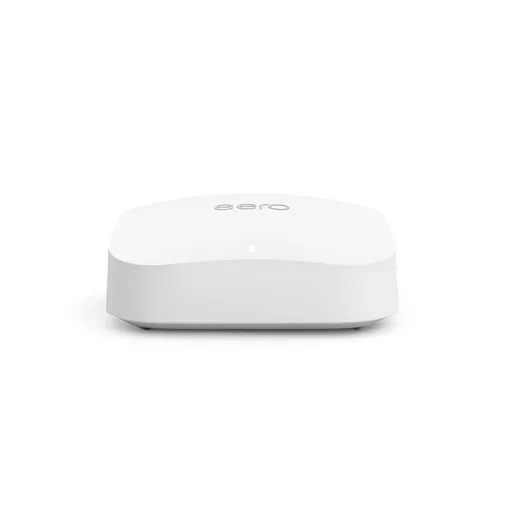
Idéal pour : Idéal pour un grand logement avec appareils Wi-Fi 6E, surtout si les bornes peuvent être reliées en Ethernet.
En bref : Les utilisateurs Reddit apprécient surtout les débits élevés, la couverture étendue et la simplicité de gestion de l’Eero Pro 6E, particulièrement avec un backhaul Ethernet. Les avis restent toutefois très partagés sur la stabilité, certains signalant des déconnexions après des mises à jour, ainsi que des limites Ethernet et une portée réduite en 6 GHz.
Au-delà de ce modèle, la marque Amazon (toutes gammes) recueille 51 % d'avis positifs sur 520 utilisateurs Reddit. Ce signal marque ne compte pas dans la note du modèle ci-dessus.
Points forts
Fiabilité éprouvée
14 5
« +1 for eero. Pro 6e setup has been flawless. » Voir l’avis
« Alternatively, you could look at Eero as a one-stop solution using the Eero Pro 6 or Pro 6E. » Voir l’avis
« Worth paying more for the 7 Pro, or falling back to the 6E Pro, which I use and is fantastic. » Voir l’avis
Backhaul efficace
10 5
« i would get eero 6e with wired back haul. one on each floor or as needed. » Voir l’avis
« I actually game on my pc connected via lan cable to the furthest wireless node and feels like it’s connected directly to the router as far as packet loss & jitter go. » Voir l’avis
« I would suggest an Eero Pro 6E, if the mesh is going via each device I would set them up: Eero Pro 6E - Eero Pro 6E - Eero 7 » Voir l’avis
Bon rapport qualité-prix
7 4
« If you are looking for the best value, wait for discounts on Amazon. » Voir l’avis
« My recommendation would be to take advantage of the sales currently going on and pickup a 2-node Eero Pro 6E setup. » Voir l’avis
« I got 2 eero 6E and then let me keep it and only paid $45 reason why it cost more the amazon products to get returned so they either let u keep it or get a replacement and keep it so u might get… » Voir l’avis
Excellente couverture Wi-Fi
17 12
« The range on both were good but the 7 is better for 6ghz. » Voir l’avis
« I have three of the 6Es for 3,500 sqft house, with 20-30 devices consistently using it, and it works amazing. » Voir l’avis
« i would get eero 6e with wired back haul. one on each floor or as needed. » Voir l’avis
Points faibles
Installation complexe
3 4
« I suspect that two will be quite sufficient for your property. » Voir l’avis
« Start with one and if speed drop in certain areas you now know where to place it » Voir l’avis
« You need it away from anything that impedes signal. » Voir l’avis
Connexion instable
8 17
« Keep trying to walk me through troubleshooting steps while still not acknowledging that none of this happened until the 7.13 update. » Voir l’avis
« I still think in this scenario your just oversaturating the area with signal that will drive you crazy and causes eero to have all sorts of issues because it’s hopping from eero to eero constantly so… » Voir l’avis
« If I read and interpreted your description clearly, it sounds like you have two EEROS next to each other. » Voir l’avis
Débits décevants
16 22
« Otherwise, the 5 GHz hardware in the Pro 6 is superior to the 5 GHz hardware in the Pro 6E. » Voir l’avis
« Currently, not matter what node you connect to, you are limited by the speed of your pro 6e due to wireless backhaul. » Voir l’avis
« Granted my gaming pc won’t max out my fiber connection in terms of MB/sec but the only drawback of that is waiting a few extra minutes on 100gb+ steam downloads. » Voir l’avis
| Critère | Note /10 | Ce qu'en dit le consensus |
|---|---|---|
| Backhaul | 6.4 | Le backhaul Ethernet est largement recommandé, tandis que le sans-fil peut bien fonctionner avec un placement soigné. |
| Couverture | 5.6 | La couverture est souvent jugée bonne, mais le 6 GHz porte moins loin et traverse mal les obstacles. |
| Débit | 3.6 | Les débits peuvent être très élevés à proximité, mais varient fortement selon la distance, les appareils et la liaison entre bornes. |
| Prix | 6.0 | Le rapport qualité-prix est jugé intéressant en promotion, mais trop élevé au tarif fort par plusieurs utilisateurs. |
| Fiabilité | 7.2 | De nombreux utilisateurs le trouvent fiable, mais certains rapportent des redémarrages et déconseillent ce modèle. |
| Fonctions | 4.1 | La gestion automatique et l’application plaisent, mais l’écosystème fermé et la connectique limitée sont critiqués. |
| Stabilité | 3.0 | La stabilité divise fortement, avec des réseaux impeccables chez certains et des déconnexions persistantes chez d’autres. |
| Installation | 2.9 | La configuration est simple, mais le placement et l’espacement des bornes demandent de l’attention. |
Avis Reddit
111 avis analysés · Positifs 52 Neutres 11 Négatifs 47
avis pertinents ·
-
Wrxloser1215 🇬🇧
1 commentaire analysé
-
Silbylaw 🇬🇧
1 commentaire analysé
r/amazoneero · Eero pro 6E - just not worth the $$$$ Try removing an Eero. I suspect that two will be quite sufficient for your property. I think that they're too close to each other.
-
thesis_st8mint 🇬🇧
1 commentaire analysé
r/amazoneero · 6E or 7 or 7 Pro ???? I have three of the 6Es for 3,500 sqft house, with 20-30 devices consistently using it, and it works amazing. I have Xfinity 1GB down/150 up
-
redditkilledmyavatar 🇬🇧
1 commentaire analysé
r/sonos · Tried to upgrade my wifi. Didn’t go well +1 for eero. Pro 6e setup has been flawless. I left Google WiFi for my current sitch
-
Canebrake15 🇬🇧
1 commentaire analysé
r/amazoneero · Pro 6 or Pro 6e? The Pro 6E will not get you better range, even with your client device & use case otherwise unknown. IF you have 6E/6 GHz clients, and IF you'll be very close to the Pro 6E gateway (same room with zero obstructions), you may benefit from a Pro 6E. Otherwise, the 5 GHz hardware in the Pro 6 is superior to the 5 GHz hardware in the Pro 6E. With the processor implementation overall being superior in the Pro 6 as well.
-
RealBlueCayman 🇬🇧
4 commentaires analysés
r/amazoneero · Is it worth upgrading from 6E pro to 7 I would argue that moving from the Pro 6E to the 7 (not Pro/ Max) would be a step backwards, not forward. The Eero 7 is a dual-band device. You would gain wifi 7, but lose 6GHz. I would wait until the budget can support the 7 Pro or 7 Max. Alternatively, you could look at cabling (vs wifi) for those devices that need additional bandwidth.
r/Ubiquiti · Is Unifi Express a good replacement for Google WiFi Mesh Router? There was someone that recently posted either in this sub or r/HomeNetworking that they were using two Express routers in a similar configuration to what you're asking about. I suspect it depends on the devices, applications, network usage requirements, etc to truly know whether it will work. The Express are really meant for a smaller footprint, lower usage that some of the other alternatives like the UCG-Ultra and UCG-Max. Alternatively, you could look at Eero as a one-stop solution using the Eero Pro 6 or Pro 6E. I'd avoid the 6 and 6+. Too many issues with those models. And it should fit your budget.
r/amazoneero · Eero Pro 6E VS Eero Pro 7 This. And it is easy to swap. Unplug both Eeros. Turn off your ISP router/ modem/ ONT. Disconnect, swap and reconnect both Eeros where the Pro 7 is in the gateway position. Now turn everything back on and plug both Eeros back in. They will take several minutes, but will automatically realize that the gateway has changed and swap.
r/amazoneero · Upgrade to 6e Pro, Eero 7 or another 6+ node? The higher the frequency range (ie: 2.4 > 5 > 6GHz) the more it is disrupted by walls and other obstacles. 2.4GHz is better to penetrate, but lower performance. 5/6GHz is better performance, but not as effective going through obstacles. So... in your case... depending on the size of your apartment, you probably only need one or two APs at most. The 6+ is woefully underpowered compared with the alternatives. My recommendation would be to take advantage of the sales currently going on and pickup a 2-node Eero Pro 6E setup. The Pro 6E is better than the Eero 7. Of course the Pro 7 and Max 7 would be better...but you've ruled them out. Even if you get two units, I would start with just one Pro 6E to start and see how that goes. IF you are still experiencing coverage issues after 24 hours, then add the second one to expand coverage.
-
jeff77k 🇬🇧
1 commentaire analysé
r/amazoneero · Is it worth upgrading from 6E pro to 7 If it ain't broke don't fix it.
-
IglooDweller 🇬🇧
1 commentaire analysé
r/amazoneero · Eero Pro 6E VS Eero Pro 7 You should put the pro7 as the gateway. Assuming the ISP is fast enough to exceed pro6e limitations. The reason is simple. Currently, not matter what node you connect to, you are limited by the speed of your pro 6e due to wireless backhaul. Also, the Pro7 has a more powerful antenna, which means that some devices might choose it for that reason, even though it’s an extra hop to the outside. Having the Pro7 as the gateway might make a couple of devices connect to the gateway instead of the remote node, reducing latency.
-
adanderson1183 🇬🇧
1 commentaire analysé
r/amazoneero · Upgrade to 6e Pro, Eero 7 or another 6+ node? 7 max will solve it guaranteed but your wife isn’t a fan. 6e pro will be your best bet.
-
dwightsilverman 🇬🇧
1 commentaire analysé
r/amazoneero · Eero 7 vs 7 pro Eero 7 is kind of WiFi 7 "lite." No 6-GHz band, which is part of the 7 spec. There are other benefits, but lack of the 6-GHz radio is showstopper. If your smartphone is relatively new, chances are it supports WiFi 7, or at least WiFi 6E, which also has the 6 band. Worth paying more for the 7 Pro, or falling back to the 6E Pro, which I use and is fantastic.
-
Siertes 🇬🇧
1 commentaire analysé
r/amazoneero · Eero Pro 6E Connectivity Issues After 7.13.0 Firmware Update I've been emailing with support for a couple days. Keep trying to walk me through troubleshooting steps while still not acknowledging that none of this happened until the 7.13 update. Have told them that many others are experiencing this too.
-
CockringWarehouse 🇬🇧
1 commentaire analysé
r/amazoneero · Anyone gaming on the eero Max 7? What’s your real-world experience? I’ve got an eero pro 7 with two 6e pros with wireless backhaul. I actually game on my pc connected via lan cable to the furthest wireless node and feels like it’s connected directly to the router as far as packet loss & jitter go. Reading any history of this sub almost makes it seems like a requirement to go wired backhaul but wireless has been exceptional for me for gaming concurrent with streaming 4K on 3 different tvs. Granted my gaming pc won’t max out my fiber connection in terms of MB/sec but the only drawback of that is waiting a few extra minutes on 100gb+ steam downloads. If it matters, here’s GeForce Now (notoriously sensitive) network test from the wireless backhaul https://i.imgur.com/1TRNSUf.jpeg Locally installed online games have seen <10ms ping so. Idk, if you don’t live in a crowded apartment building or microwave shop, wireless is sensible from my anecdotal experience. 👍
-
kboogie_ 🇬🇧
1 commentaire analysé
r/amazoneero · Eero 6+ and Pro 6E Thoughts? I have 4 Pro 6E’s using a mix of wired and wireless backhaul. The are my third set of Eeros. I’ve been using Eero for close to ten years. I’m not happy with theses. They randomly reboot (not for updates). They also have slow downs and don’t distribute devices well. Have 200 devices on my network and I’ll sometimes have almost half the devices on a single node. I also have zero coverage outside even though one of the nodes is next to a window. I wish I went with a different solution.
-
Jor3lBR 🇬🇧
1 commentaire analysé
r/amazoneero · Pro 6 or Pro 6e? 6 Pro hardware >>> 6E well documented
-
manicrebirth 🇬🇧
1 commentaire analysé
r/amazoneero · Is it worth upgrading from 6E pro to 7 No the 7 is not an improvement over the 6e Use one of the spare 6es you have and replace one of the 6s and then wait till you have the budget for a 7 pro or 7 max
-
purespeed44 🇬🇧
3 commentaires analysés
r/amazoneero · Pro to Pro 7 "upgrade" has been a disaster I still think in this scenario your just oversaturating the area with signal that will drive you crazy and causes eero to have all sorts of issues because it’s hopping from eero to eero constantly so try just the two pro 7’s and one echo I know that the echoes enable Wi-Fi when they need it also don’t add that 6e unless it’s absolutely necessary. One thing about Eero’s , especially the new ones less is better.
r/amazoneero · Eero Pro 6E VS Eero Pro 7 Pro 7 should be the gateway here as that’s the newest model and have the 6E as a satellite which is the same for most mesh systems as the newest model should be the main unit. The pro 7 does have a bit of a stronger antenna array over the 6e but it’s not a massive gain if it was a max 7 that’s a different story. Are you going to see better overall WiFi coverage with another pro 7 probably yes but speeds are really dependent on isp and home layout. But definitely swap them around and have the pro 7 as your main unit
r/amazoneero · 6E or 7 or 7 Pro ???? The 6E and pro 7’s will give the best coverage out of the 3 you listed as they are tri band but if you have WiFi 7 devices I would go with the pro 7 if not the 6e is very good as well.
-
Consistent-Can7823 🇬🇧
1 commentaire analysé
r/Zen_Internet · Just received my eero pro 6e device and need advice you could use a switch to get more ethernet ports but you are still limited to a 1gbps connection to the eero
-
ATXSmart 🇬🇧
2 commentaires analysés
r/HomeNetworking · ~950sqft house (6300sqft property) - tired of Eero 6e Pro's and need guidance on how to move to a better system. If I read and interpreted your description clearly, it sounds like you have two EEROS next to each other. This will cause issues (two radios side by side is a no-no), With the wiring you have, spread out your EERO's. Plug them in, instead of relying on their mesh capability. On the First EERO, Get it up and out of the way of anything metal, the higher the better. As for the remaining errors, plug them in. That said, that's too many for such a small space. I'd suggest the Office EERO (up higher perhaps on a shelf and one in the carport. Your coverage should be great. We typically look for a 30 foot radius to overlap coverage for the 5g and above band's.
r/HomeNetworking · ~950sqft house (6300sqft property) - tired of Eero 6e Pro's and need guidance on how to move to a better system. You need it away from anything that impedes signal. Either as High up as possible, or in a different spot. Looking at your diagram shows a cat 6 port near the front door/tv...The adjacent bedroom is too close for two EEROS, I would have one in the back bedroom even if it's Mesh, but the other that can be wired should be wired. On the main one, get a couple long patch cables if necessary but get it up and way from equipment. You might not need a EERO in the TV room if you do. There is a point where too many access points, too close will kill your wireless speeds as the signal is too strong and too close to each other, causing poor handoffs and equipment to (phones, tablets etc...) to have issues negotiating what Ap to associate with)
-
geomachina 🇬🇧
1 commentaire analysé
r/HomeNetworking · ~950sqft house (6300sqft property) - tired of Eero 6e Pro's and need guidance on how to move to a better system. I’ve actually tried that but I basically got the same results. Funny enough, the AT&T provided ONT modem/router had pretty good speeds when it was first installed and I didn’t use the eeros. But I’d rather use my own equipment.
-
Rag_kirk 🇬🇧
2 commentaires analysés
r/youfibre · WIFI 7 Hub VS ASUS ZenWiFi Pro ET12 (2000 gbps) I would suggest an Eero Pro 6E, if the mesh is going via each device I would set them up: Eero Pro 6E - Eero Pro 6E - Eero 7 If the main Eero Pro 6e is central it won't matter, but you don't want the mesh to go Eero Pro 6E - Eero 7 - Eero Pro 6E
r/youfibre · WIFI 7 Hub VS ASUS ZenWiFi Pro ET12 (2000 gbps) 1000mbps or 2000mbps won't change anything. You have a bit of a mismatch of Eero's, so they are not going to be able to talk efficiently to each other on the mesh. If that's an Eero 7 it's a dual band router with 2.4 and 5 Ghz channel, it can use 160mhz channels. The Eero Pro 6e is a tri band with 2.4, 5 and 6 Ghz it's using 160mhz channels, the Eero 6 is 2.4 and 5 Ghz, but only 80mhz channels. I would suggest swapping the Eero 7 and Eero Pro 6e to see if that helps. Changing the Eero 6 to an Eero 6+ would allow 160mhz channels. Or preferably an Eero Pro 6e. I had an Eero 6+ and 2 x Eero 6, then 3 x Eero Pro 6. Now I have 3 x Eero Pro 6e. Currently the gateway Eero Pro 6e can manage around 1400mbps to a device with Wi-Fi 6e capability, and the mesh nodes manage around 400mbps, which is plenty fast enough for everything that connects to them.
-
JustSomeBigBlackDude 🇬🇧
1 commentaire analysé
r/amazoneero · Eero Pro 6E Connectivity Issues After 7.13.0 Firmware Update Literally update the firmware a couple days ago and started experiencing issue with one of my eeros and I work from home lol. This cannot be happening
-
Major_Management5180 🇬🇧
1 commentaire analysé
r/amazoneero · Eero 6 pro e or eero 7?? If you are looking for the best value, wait for discounts on Amazon. The 3-pack 6e Pro was $330 and the 7 was $350 back in December. I got the 6e Pro and I've been pleased with the wireless backhaul and wifi performance around my house on my newer iPhone and iPad. I think the 6GHz band on the 6e helps. The 7 might be better if you plan on wired backhaul. It lacks the 6GHz band but it has 2.5 Gbps wired output compared with the 1 Gbps output on the 6e.
-
Excellent-Catch-2814 🇬🇧
1 commentaire analysé
r/amazoneero · Eero Pro 6E Connectivity Issues After 7.13.0 Firmware Update Just happened to me again.
-
Silent-Art4378 🇬🇧
1 commentaire analysé
r/amazoneero · Adding Eero Max 7 to an Eero Pro 6E? Good? Bad? Problems? I have a max7 as my gateway to FIOS (7gb, bidirectional internet connection), and 3 Pro 6es as APs. I pulled cat6e to hardwire 2 of the three back to a 2.5ghz switch which is connected to the max7, the third connects wirelessly to the max7. Have had no problems so far other then the fact is the max speed I get to the internet is 5gbs (from the gateway) and the max wireless speed i have seen is 3 gbs on wifi 7 when I'm about 4 feet from the Max7. Overall the network has been rock steady though.
-
Stellatank 🇬🇧
1 commentaire analysé
r/amazoneero · Adding Eero Max 7 to an Eero Pro 6E? Good? Bad? Problems? I'm fairly new to the eero system but I love it already. I bought 1 eero Max 7 on sale for £420 from Amazon and have just bought another 2 eero Max 7's in their Black Friday deal for £800. So I am invested in the system. eero Pro 6E has 2 ports. One at 2.5 Gbps and the other at 1 Gbps so this may cause a bottle neck if you are doing wired backhaull from the eero Max 7 from a 2.5 Gbps port into your 6E 2.5 Gbps port. But then you'd only be able to come out of 2nd port to PC at 1 Gbps. So if you can afford it while Black Friday is still on at Amazon getting a 2 pack of eero Pro 7 with 2 x 5 Gbps ports. Wired backhaull to each from eero Max 7 10 Gbps ports then you would have a spare 5 Gbps port on each eero pro 7. Personally that would be my personal choice.
-
TreyAllDay 🇬🇧
1 commentaire analysé
r/amazoneero · 6E>7 Pro or 7 Max setup I went from 6 pro to 6e. Dramatic difference for me. Im just not ready to pay 7 max prices…
-
jackal406 🇬🇧
1 commentaire analysé
r/altafiber · Eero 6E Pro Upgrade Offer Thanks for your experience, as you can see no one else shared. I had reached the conclusion that this free upgrade was not for me. What I have works, and I know how to administer it. I would probably research and buy my own replacement before accepting the Eero 6.
-
NeatPsychology2681 🇬🇧
1 commentaire analysé
r/altafiber · Eero 6E Pro Upgrade Offer I know this post is three months old, but I'll jump in with my experience. I had an old zyxel router with four ports, and it did the job. About a month ago, I got the free upgrade to the Eero 6e and brought it home. You're right, it only has one port, which sucks if all of your devices, such as printers or desktop computers, don't have wireless capability. (More on that later.) One thing to know about 6 GHz is that it has higher speeds and lower latency. When I started using it with my Roku TV and Sling, I didn't see much buffering or stuttering. The main issue is that 6 GHz is that it has a shorter range and can't penetrate through surfaces as well. If your gateway is in the basement of a multi-level house, it's definitely not going to work as well. Now, I have two older but still vibrant printers. For the longest time, I couldn't get them to work with the new Eero. I talked with an engineer from altafiber about my issues, and he suggested that I get a switch from altafiber so that I could hardwire them directly into the Eero. He told me it would be free. Nothing in life is free. He flat out lied to me, because when I went to the altafiber store at Jungle Jim's they told me the five-port tplink switch would be $29.99 plus tax. I finally got the printers working. I contacted altafiber trying to get the switch taken off of my account, but I didn't have any luck. They didn't care that the engineer lied to me, and even tried to upsell me to boot! Fiber optic Internet has been great for me, and I have no complaints about that. I do have complaints about being lied to, and I had serious problems with them nickel-and-diming me on their TV service. I hope you've had a better experience.
-
NothingHealthy7920 🇬🇧
3 commentaires analysés
r/amazoneero · Eero pro 6E - just not worth the $$$$ Yeah, the eero 6E is absolute trash. Amazon does not know how routers work. I was getting constant dropouts with the eero until I switched back to my old and extremely reliable TP Link AX1800. Problem solved. I initially bought the eero as I wanted extra range, but it turns out eero can't even do that. What a waste of money. All it can do is constantly drop out and then have you thinking your ISP is at fault.
r/amazoneero · Eero pro 6E - just not worth the $$$$ Eero is dumb expensive for what it delivers; unstable and half baked, that I can absolutely agree with. I can’t speak for Orbi, but I did try a Netgear RAX70, and that was just as bad. My TP-Link AX1800, a budget router, outperforms them both and has been rock solid. Sometimes, the “simple” option is the best one. They probably expect Jeff Bezos to throw in a free lifetime of Amazon Prime by the end of it 😅
r/amazoneero · Eero 6+ and Pro 6E Thoughts? I'd avoid the eero pro 6E/ netgear nighthawk RAX70. These routers are overpriced and expensive junk that do not deliver on their promises. I can't believe my $50 TP-Link AX1800 far exceeded both of these routers in terms of stability and performance. Eero and netgear gave me constant dropouts in WiFi signals. Save yourself the expensive regret and just avoid eero/ netgear as a whole, and stick to TP-Link/ other reliable manufacturers. Even a used TP-Link older model will be better for your household.
-
AlteredLogic 🇬🇧
2 commentaires analysés
r/HomeNetworking · Help With Picking a New Router I guess an example would be a eero pro 6e and a eero pro 7, you get the eero 6e you get 500 down but you have a gig, you get the pro 7 you get real close to a gig on wifi most everywhere, that's what I mean. Good Wi-Fi I guess with one device
r/HomeNetworking · Help With Picking a New Router I gotcha, I was referring to a video I watched on youtube, the video was comparing the two and the Pro 6E was limited on the wifi and the Pro 7 did way better. Seems like you have an optimal setup though, unfortunately for me I have to use a very basic setup, you did surprise me though about the 6E.
-
revolevo 🇬🇧
1 commentaire analysé
r/amazoneero · Eero pro 6E - just not worth the $$$$ What? Are your walls made out of cotton? How many TV’s are in your house? That’s crazy good. I wanna be like you. 30 feet away from my 6E is ~100 mbps
-
ImmediateArtichoke81 🇬🇧
1 commentaire analysé
r/amazoneero · Eero pro 6E - just not worth the $$$$ You have too many eero. Start with one and if speed drop in certain areas you now know where to place it
-
CuzFeeshe 🇬🇧
1 commentaire analysé
r/sonos · Tried to upgrade my wifi. Didn’t go well My Eero Pro 6e works great.
-
holmesersimpson 🇬🇧
1 commentaire analysé
r/sonos · Tried to upgrade my wifi. Didn’t go well I’ll add that when you set the network up you should unplug all your Sonos devices. Even with the same network name and password, there can sometimes be hiccups when the router changes. When they’re unplugged they should just search for the same SSID and be none the wiser, but I’ve had to restart a lot of devices at home when I make router upgrades, not just Sonos.
-
kschang 🇬🇧
2 commentaires analysés
r/amazoneero · Eero 6+ and Pro 6E Thoughts? Most people don't need 7 or 6e. If your pipe is less than 1gbps you're fine with 6 or 6 pro, maybe even 5 or 5 pro (not called that but you know which one I mean)
r/amazoneero · Eero 6+ and Pro 6E Thoughts? Forget 6E when 7 series are available. If you want to tinker with network settings, forget Eeros. A lot of the extended management featuress are only available in Eero Plus, which cost extra 100+ a year (but it also comes with VPN and 1password manager, so it kinda washes out), and some detailed settings like setting channels, transmission power, and so on are simply UNAVAILABLE.
-
pagemap1 🇬🇧
1 commentaire analysé
r/amazoneero · Eero 6+ and Pro 6E Thoughts? Yeah, unless you need the extra 2.5Gb port on the Eero 7, you should be just fine on the 6E.
-
w1ck3djoker 🇬🇧
2 commentaires analysés
r/amazoneero · Researching Buying Eero System I had the 6pro and just upgraded to 6e I personally love the speed. Personally I would stay away from anything below the 6e you won’t like the speeds over WiFi. I am wired back haul and for me it feels better than wireless backhaul. With that being said I also set up my buddy’s house with eero 7 three pack he is at about 5k sq ft he upgraded from eero 6e but also upgraded from 1gb internet to 2gb. He also had the same issue with being finished on his house build so we used MoCA adapters and utilized his tv coax to get hard lines for a wired backhaul. Last as much as I like eero and the simplicity of there devices you should also check out Orbi they will be comparable in this space.
r/amazoneero · Researching Buying Eero System So as for cooling yes the 6pro and 6e yes they get warm I would say that it lowers the life span my 6 pro I had have been going for 4.5 years and now they went to my neighbors house and they are still going very strong. The 7s definitely are way better and if I had the money to drop on them I would in an instant.
-
sk3tchcom 🇬🇧
2 commentaires analysés
r/amazoneero · Would you recommend moving from Eero Pro 6 -> Eero Max 7? Yes and that is it. 4x4 at 5GHz is a lot more useful for the majority of devices.
r/amazoneero · Would you recommend moving from Eero Pro 6 -> Eero Max 7? Probably the better radios. They nerfed the 6E in that regard.
-
TaskClassic8603 🇬🇧
1 commentaire analysé
r/amazoneero · Would you recommend moving from Eero Pro 6 -> Eero Max 7? It runs the bulk of eeroOS in software, not offloaded on hardware. When hardware offloading there is a much more dramatic performance cliff on busy networks. It’s result of them needing to use older/slower chips that were readily available during the silicon shortage during COVID. To be clear though, the radios on the eero Pro 6E are superior, but the SoC is lacking. Avoid using them as your gateway node where possible.
-
binarybrewery 🇬🇧
1 commentaire analysé
r/amazoneero · Pro 6 or Pro 6e? Do you have any 6E devices? If not you’re likely not going to benefit and may see worse performance.
-
FilterJoe 🇬🇧
1 commentaire analysé
r/amazoneero · Is it worth upgrading from 6E pro to 7 What is the purpose for you of getting higher speeds? Very few households have a reason to go beyond 1 Gbps. Very few even have a reason to do more than half of that. Are you a professional video editor? Do you have several 8k televisions around the house streaming simultaneously? I’m not even sure what other scenarios would require such high speeds. If the problem is extreme interference that causes dead spots in parts of your house, you’ll get much better bang for your buck by using ethernet to wire the eero units together. I have just 2 6e eeros. One covers the 1500 square-foot house. The other is for the backyard office shed. It is connected by ethernet so she’d gets 1 Gbps.
-
Mac5889 🇬🇧
1 commentaire analysé
r/amazoneero · Is it worth upgrading from 6E pro to 7 If you go on amazon and see if you have the option to do monthly payments thru amazon like for me just for 1 erro pro 7 its $25 a month for 12 months but there is a down payment you can try it out and see if you like it. Fyi if you get lucky and get an indian guy and just say its not connecting to my internet after like 1-2 weeks they legit let you keep it and get a refund. I got 2 eero 6E and then let me keep it and only paid $45 reason why it cost more the amazon products to get returned so they either let u keep it or get a replacement and keep it so u might get lucky and get 2 or how much u ordered. yes i know its scamming but its a billion dollar company who cares.
-
iiPanda0615 🇬🇧
5 commentaires analysés
r/amazoneero · Is it worth upgrading from 6E pro to 7 I just removed both of the 6+ only 3 Pro 6e. Did speed test on eero app. It runs out 2.4g which I dont think is true.
r/amazoneero · Is it worth upgrading from 6E pro to 7 when I was using the 1GB I had that issue. But when I change to 2GB when fios first released it I had that issue until I change the router to 6+, and the 6+ i couldn't take advantage of the 2G speed. And last year I change to Pro 6E. I was just wondering if upgrading to 7 would allow me to take advantage of the 2G. But I know the Pro 6E is capable of 2.3G/S.
r/amazoneero · Is it worth upgrading from 6E pro to 7 And when I did the purchased last year july/august I spoke to a best buy rep about me having a 2G internet. They still recommend me for Pro 6e and not regular 7
r/amazoneero · Is it worth upgrading from 6E pro to 7 Yeah I see that the 7 is dual band comoare to the Pro 6e being tri band. But i see that the Pro 6E is capped at 2.3G/S, if the Ont cable is connected to the 2.5g behind the 6e, would that be best benefits for it now? Because I have allot of ring devices, the 1G had hard time for it. Some devices drop
r/amazoneero · Is it worth upgrading from 6E pro to 7 Nooooo. I ran speed test and it was at 2.4GB/S. Which i dont think thats true because the 6e is capped at 2.3G/S 😂
-
hparker95 🇬🇧
1 commentaire analysé
r/amazoneero · Is it worth upgrading from 6E pro to 7 There is likely something else causing your troubles that an upgrade would not solve. Each Eero 6e node can handle dozens of devices at a time. Most of your devices don’t use a ton of bandwidth, so that wouldn’t likely cause your connectivity issues.
-
zoiks66 🇬🇧
1 commentaire analysé
r/amazoneero · Almost ready to throw in the towel - Eero Pro Max 7 If you can move the Eero Max 7 to the middle of the 1st floor, you’ll likely find it’s the only Eero you need and be able to get rid of the Eero 6E.
-
Humble-Entrance4003 🇬🇧
1 commentaire analysé
r/amazoneero · Have 2nd gen eero’s - upgraded to gigabit fiber - Eero 6 Pro vs 7 Pro recommendations? Consider the Pro6E which is what I use. I get 1gb optical and get WiFi speeds close to that on my faster devices, like my iphone 17 pro. You could spend more for the 7 series eero but it's not going to do more for you
-
jaydeebee1984 🇬🇧
1 commentaire analysé
r/amazoneero · 2,100 sq foot 2 story house, 9,000 sq foot lot. 1 Eero Max 7? My house is 3000 sq ft and I have two Eeros (Eero Pro 7 and an Eero Pro 6e) hardwired in my office and one (Eero Pro 6e) upstairs in the hallway. Download - 984 Mbps Upload - 374 Mbps
-
Kitt9000 🇬🇧
2 commentaires analysés
r/amazoneero · Pro to Pro 7 "upgrade" has been a disaster I went from the Eero pro 6e I’ve had for years to the deco pro 7, be 13000 from Costco but also tried the be63…and the decos in terms of stability and speed have been much better than my eeros ever were. I tried the Eero pro 7 to take advantage of the Amazon trade-in deal as well with the pro 7s and I had similar issues as you, plus the speeds were quite erratic. I have no experience with deco’s prior to this but so far enjoying the stability. Further more if you have a wireless backhaul, you can in the deco software specify which node should connect to which and which decides (especially for static devices) should connect to which node if you want to override the automatic settings. This is a great feature that the eeros never had.
r/HomeNetworking · Can't decide between EERO 7 or TP-Link Deco 7 Pro BE63 mesh wifi I just switched from the Eero 6E pro that had a mix of wireless and wired backhaul and I was dealing with the wired node disconnecting randomly at times. I bought the be63 and eero pro 7 to try compare the two routers, esp with the discounts on the eero pro 7 with trade in, however I found the eero pro 7's speed to be quite inconsistent and slower whereas the be63 had remarkably good speeds, reliablity, and connection stability so far. I also apprecaite being able to change the setting of which node a static device should connect to if I choose. In the end I returned the eero 7 pro and be 63 and bought the deco be13000 at costco since that was on sale. The be13000 appears to have just as great performance as the be63 for me, perhaps slightly better range, but otherwise very similar. I dont think I'll purchase into the Eero experience again after the instability I experienced for many months on my 6e pro.
-
jkudlacz 🇬🇧
2 commentaires analysés
r/amazoneero · Pro to Pro 7 "upgrade" has been a disaster So now after removing eero 6E Pro one Echo stays active to feed the room where eero 6E Pro was - rest seems stable so far. It does feel like this improved stability and other echos are no longer being used. Our home is one story 2840 square feet + garage 700 square feet so very spread out, but so far so good.
r/amazoneero · Pro to Pro 7 "upgrade" has been a disaster I removed one Eero 6E, we shall see how it goes, I am definitely having an issue in master bedroom, way too much jumping around there. I do have few devices outside that need good signal, so hopefully those don’t complain now right past the master bedroom. Thank you for your advice, will play around and see.
-
GladSoup4783 🇬🇧
1 commentaire analysé
r/amazoneero · Pro 6E (x2) and 6+ (x2) - worth $200? I second the deco product I work for an ISP we use eero I was an early adopter pro 5 (i would use the pro 5 over any of the 6e 6+ ) but since I switched to the TP link Deco I have had zero drops or wifi issues every eero update and they happen non stop causes issues with every customer
-
SirSurboy 🇬🇧
1 commentaire analysé
r/amazoneero · Upgrade to 6e Pro, Eero 7 or another 6+ node? Best way to solve this is getting additional 6+ node. Single router will not work that well.
-
BackgroundNotice7267 🇬🇧
2 commentaires analysés
r/Zen_Internet · Just received my eero pro 6e device and need advice It is a far more powerful device than the 6e (in addition to the two faster ports) so you will likely be very happy. 🤞🏻
r/Zen_Internet · Just received my eero pro 6e device and need advice How many ports do you need for wired devices (only 1 or more than 1)? That is important to decide what to replace the Pro 6e with. An eero Pro 7 (which I much prefer over the 6e if the Max 7 is too expensive) has two 5Gbps ports). But if you need to connect via ethernet more than one device you can do it with the Max 7 (2 10Gbps ports and 2 2.5Gbps ports) or a multi-gig switch off the Pro 7 port you use for your LAN.
-
stephendavies84 🇬🇧
1 commentaire analysé
r/Zen_Internet · Just received my eero pro 6e device and need advice Ok thanks for the help yea I wish I'd just gone for the eero max 7 now. Maybe they will let me add it to the package.
-
PhilosopherLow9098 🇬🇧
1 commentaire analysé
r/Zen_Internet · Just received my eero pro 6e device and need advice yea if u connect to the 2.5gbps port then use the 1Gbps port anything hard wired will be limited to 1gb, now if u have any device on Wifi that support 6ghz the u will see faster speeds,
-
Tywysog85 🇬🇧
1 commentaire analysé
r/Zen_Internet · Just received my eero pro 6e device and need advice Yes you are correct, you are limited to 1Gbps
-
famousblinkadam 🇬🇧
1 commentaire analysé
r/HomeNetworking · Recommendation for a new mesh wifi system The Pro 6E at the very least. The Pro 7 would be a good choice.
-
LetterheadClassic306 🇬🇧
1 commentaire analysé
r/Ubiquiti · Express 7 speeds surprisingly slow ngl that's frustrating when newer hardware underperforms. what helped me when i setup my express was forcing 5ghz only and setting channel width to 80mhz or 160mhz. also check if your express is running the latest firmware - the early ones had weird speed caps. you could test with a [wifi analyzer tool](https://featherab.com/shopit?wifi+analyzer+tool) on your phone to see if interference is an issue. the eero might be better at auto channel selection.
-
Lopsided_Activity980 🇬🇧
1 commentaire analysé
r/amazoneero · 1 month with eero Pro 7 on a 10Gbps isp line , honestly didn’t expect this I'm with Ezee Fiber in Houston on a 1 gig plan and consistently get way over that hardwired though my Pro 6e gateway (2.2 down 1.2 up) and get a bit over a gig on Wi-Fi (1.3 down 1.3 up) when I run Ookla.
-
tx_mn 🇬🇧
1 commentaire analysé
r/HomeNetworking · Poor WiFi signal throughout house (NEED HELP) You need to pull out the extenders and put in an Eero system. Remove ALL of the extenders and replace your router with an eero unit. There should be no extenders. It’s your only option to fix the issue. Check out online on eBay for units, just make sure they are unlocked / not locked to an ISP Pro6Es are pretty cheap and read this first: https://support.eero.com/hc/en-us/articles/207624886-How-many-eeros-do-I-need
-
Prestigious_Reward81 🇬🇧
1 commentaire analysé
r/amazoneero · 6E or 7 or 7 Pro ???? Sounds like I need either the tri band 6E or 7Pro. Not sure I will reap the benefits of the 7 Pro right away but get some future proofing.
-
Architekt52 🇬🇧
1 commentaire analysé
r/HomeNetworking · Mesh network comparison From that lineup, I'd lean toward the TP-Link Deco XE75 or Asus ZenWiFi XT8 if you want WiFi 6E future-proofing, but honestly the Eero Pro 6E is probably the most plug-and-play reliable option with excellent app management. The Orbi systems are solid performers but Netgear's firmware updates can be hit-or-miss, and at that price point you're better off with Asus if you want more advanced features. One thing to watch: make sure whatever you pick has wired backhaul capability since you'll be on fiber—running ethernet between nodes will dramatically improve performance over wireless mesh hopping.
-
Bkfraiders7 🇬🇧
1 commentaire analysé
r/amazoneero · New Eero 7 Pro - Half Speeds… Oops, yeah meant comparing the 6E to 7 Pro. 6E is on a good discount right now across marketplace and eBay which makes the decision harder.
-
maiircos 🇬🇧
1 commentaire analysé
r/amazoneero · New Eero 7 Pro - Half Speeds… I got the 7 pro to pair with a 6E pro. Because they are both tri band. The regular 7 is dual band. I got a 6E pro on marketplace for 50 bucks new(ish)!
-
Conscious_Lock6301 🇬🇧
1 commentaire analysé
r/amazoneero · 6E or 7 or 7 Pro ???? Three Pro 6E devices here to cover 2800 square feet and roughly 80 devices. Wired backhaul. 1Gbps down, 40Mbps up through Spectrum cable modem. Works perfectly. Wired backhaul is the secret sauce if you can make it happen. I also added the Eero Signal 4G LTE for backup. No complaints.
-
ked913 🇬🇧
1 commentaire analysé
r/amazoneero · 6E or 7 or 7 Pro ???? My advice is the same, wifi 7 or 7 pro is overkill for you. You would be better off with the 6 pro if you can get it, 6E may not be too bad, and you would be best trying to wire upstairs/office to basement.
-
jinntoniks 🇬🇧
1 commentaire analysé
r/amazoneero · 6E or 7 or 7 Pro ???? I have 6E and 7 in a house in similar size. I’d say 6E
-
rklug1521 🇬🇧
1 commentaire analysé
r/amazoneero · 6E or 7 or 7 Pro ???? I'd pass on the 7 since it's only dual band. The 7 Pro is basically the newer version of the 6E. You might want to make sure your issue isn't your Internet provider first.
-
ItsNotNot 🇬🇧
1 commentaire analysé
r/amazoneero · Eero 7 or Eero pro 7 I have a Pro 7 connected to main router, a Pro 6E in the office connected to PC with ethernet. The 6E is on the opposite side of the house and I get a great connection with low latency.
-
flatpetey 🇬🇧
1 commentaire analysé
r/HomeNetworking · ~950sqft house (6300sqft property) - tired of Eero 6e Pro's and need guidance on how to move to a better system. Well the Eeros shouldn’t be that bad. Something is up for sure. Maybe your wiring was poorly terminated? Did you try one plugged directly into your modem? Also is your modems wifi still on? Is it in bridge mode or doing routing? Anyway I prefer Ruckus for my wifi. I used to use Unifi but honestly Ruckus has just been way more solid.
-
ElderberryHamlet 🇬🇧
1 commentaire analysé
r/amazoneero · Eero Pro 7 or 6E as the head of my mesh network. 7 pro is essentially the same specs as the 6E for all end devices with WiFi 6E or lesser capability. The only difference will be for end devices with WiFi 7 7 max is better overall because is has more antennas \~ 2x2 @ 2.4GHz, 4x4 @ 5GHz, and 4x4 @ 6GHz 7 pro & 6E has 2x2 array for each band
-
Interesting_Owl8733 🇬🇧
3 commentaires analysés
r/youfibre · WIFI 7 Hub VS ASUS ZenWiFi Pro ET12 (2000 gbps) Sound mate. Will keep a lookout for another Eero 6 pro e 👍 Thanks again
r/youfibre · WIFI 7 Hub VS ASUS ZenWiFi Pro ET12 (2000 gbps) Thanks for getting back to me mate. I changed around the Eero 7 and using the Eero 6 pro e for router. I switched off the Eero 6 and put the Eero 7 there instead of Livingroom. Still got the eero 6 extender connected to them in the hut. It’s definitely helped with the coverage but would still like more coverage (speeds) in hut. Should I try getting another Eero 7 or am I best to get another Eero 6 pro e???
r/youfibre · WIFI 7 Hub VS ASUS ZenWiFi Pro ET12 (2000 gbps) Could be a silly question mate but I’m not getting good coverage on the 1000 contract. Am wireless with eero 7 as main router, eero 6 pro e in livingroom and a eero 6 in kitchen and in hut in manhunt in garden. I’ve got an engineer to come have a look on Friday. Would I be aswell asking about putting me onto the 2000 contract?? Would that definitely help with the coverage for the rest of the eeros??
-
dontplay88 🇬🇧
2 commentaires analysés
r/amazoneero · Eero Pro 6E Connectivity Issues After 7.13.0 Firmware Update Try emailing redditsupport@eero.com. They rolled mine back to 7.12 and it’s been working.
r/amazoneero · Eero Pro 6E Connectivity Issues After 7.13.0 Firmware Update I work from home too. It’s been rough!
-
JSHOX 🇬🇧
1 commentaire analysé
r/amazoneero · Eero Pro 6E Connectivity Issues After 7.13.0 Firmware Update I’m having the same issue and they won’t revert me to 7.12.
-
KnowbodyYouKnow 🇬🇧
1 commentaire analysé
r/amazoneero · is it worth it to upgrade to Eero 7 Pro, I currently have the Eero version 2 Do you currently have, or planning on purchasing within the next year, any devices that take advantage of the 6 GHz band? If so, you may wish to spring for the eero Pro 6E.
-
Different-Wave5589 🇬🇧
2 commentaires analysés
r/amazoneero · Eero Pro 6E Connectivity Issues After 7.13.0 Firmware Update Yep, having the same. Very frustrating
r/amazoneero · Eero Pro 6E Connectivity Issues After 7.13.0 Firmware Update Had the same issue since Jan 8th when the first version on 7.13 was released. I am now up to version 7.13.3-26 and the issue still persists. Disabled IPV6, rebooted modems and routers etc but still the same issue. I called support but they are refusing to roll me back to 7.12
-
NoneOfYoBusinezz 🇬🇧
1 commentaire analysé
r/amazoneero · Eero Pro 7 v. Schlage Home, Resideo, AlladinConnect and Molekule I have a 2 unit eero pro 6e setup and have no issues with my schlage lock and liftmaster garage door opener connecting to their apps on my phone. I have my phone connected to the main SSID and the schlage lock and liftmaster garage door opener connected to the guest SSID. Might consider returning the pro 7s & get the pro 6es. Additional details: IPv6 is ON, default DHCP, automatic DHCP & NAT, 1 IP reservation used for a pihole device, custom DNS for pihole device using Google (ECS, DNSSEC), local DNS caching is OFF, UPnP is ON, SQM is OFF, client steering is ON, thread is ON, WPA3 is ON. One other thing to try is delete all the pro 7s from the eero app and start setup over again, but check your IoT devices for app access after setup is complete for each eero pro 7 unit. Start with the gateway, then try to add your IoT devices to wifi and if they connect, then see if the IoT device can access their app. Add the next pro 7 unit and repeat the process again until you've got all your pro 7s back online. There is such a thing as having too many eero mesh units in a home where they start to effect network performance.
-
okwellactually 🇬🇧
1 commentaire analysé
r/amazoneero · Eero Pro 6E Connectivity Issues After 7.13.0 Firmware Update I had this issue on my 6EPro. Turns out I was double-NAT'd. So it was my fault. (not saying this is the same for other folk). I'd just installed the system and neglected to go back into my AT&T Modem and set the EERO as my Passthrough Fixed MAC address. Since then I've not had any issue. I will say this, my email to support via the app was responded to promptly and they identified the issue, verified it was fixed and kept the ticket open for a couple of days to ensure the problem didn't reoccur.
-
Camburgerhelpur 🇬🇧
1 commentaire analysé
r/amazoneero · Eero Pro 6E Connectivity Issues After 7.13.0 Firmware Update I had issues and fixed mine with some DHCP, DNS and Subnet Mask tweaks. Both my Ethernet and wifi connections on the desktop were throwing nonstop errors in the event viewer and it took some time to fix.
-
Either-Degree3495 🇬🇧
1 commentaire analysé
r/amazoneero · Eero 6 pro e or eero 7?? I got the 6e pro mesh with 2 extenders to replace my older google nest and it is killing it. (4,100 sq ft home). Pulling about 988 mgps on downloads and close to that on downloads. Really like it so far.
-
clayfu 🇬🇧
1 commentaire analysé
r/amazoneero · 3 story townhome - 3x 6's, 2x 7 Pro's, 1x Single 7 Max? -- Tips needed! I run a 7 pro max and 6e pro in a 1700 sq ft one story and it sucks :( Any tips? The 6e (in kitchen) is less than 50 feet from the pro max (in and office)
-
kloakndaggers 🇬🇧
1 commentaire analysé
r/amazoneero · Eero Pro 6e or Eero Max 7 both are fine I had 6e and now Max 3200 sqft house
-
6969TacoLover6969 🇬🇧
1 commentaire analysé
r/amazoneero · Adding Eero Max 7 to an Eero Pro 6E? Good? Bad? Problems? I'd read some reports of that. Would I be better off just using the Eero 6+ on the Wired backhaul? (Instead of the Pro 6E?)
-
FuckinHighGuy 🇬🇧
1 commentaire analysé
r/amazoneero · Adding Eero Max 7 to an Eero Pro 6E? Good? Bad? Problems? The 6E will hamper your 7 max…
-
Goodspike 🇬🇧
2 commentaires analysés
r/amazoneero · Eero Pro 7 (3) vs Eero Max 7 (1) Well my choice then would be the Pro 6e because you get the three channel backhaul and the nodes for device connection, but you don't need that fast of speeds. I wouldn't go with a single node due to your range concerns. Note you cannot put the nodes all that far apart or performance drops as the backhaul starts having issues. 30' may be the limit in you situation, but you'd have to play with it.
r/amazoneero · Eero Pro 7 (3) vs Eero Max 7 (1) The Pro 6e uses three bands for backhaul, so if those are your three choices I'd go with that unless you have a very fast ISP. Over a gig. But it also depends on what your devices are and where they are located relative to your modem. You may be able to get by with even less since likely only your desktops and laptops could benefit from the speed of faster wifi (unless you want to connect them to a node via Ethernet.
-
SchemeNervous2712 🇬🇧
1 commentaire analysé
r/amazoneero · Eero Max 7 / Pro 7 Intermittent Issues It’s funny you mention this. With the October eero update my whole network has been a disaster since. I was running a pro 6e network with about 6 nodes and my network was perfect for years. After that update in early October it’s been crap. I upgraded to pro 7’s and upgraded my internet itself from cable 500 mb to fiber 2 gig and the network still sucks. Sonos, which has been crap for years but solid for me now crashes every 24-48 hours. Ring and blink are horrible and I never had any issues with them. Brilliant tech that worked well with Philips hue refuses to reconnect to my network and I have devices here and there such as a Samsung smart tv that won’t join at all since the update. I am at my last nerve with eero and looking for another alternative at this point. It sounds exactly why you just described. My ring has not given me any substantial service since the update. The other day my doorbell rang ten minutes AFTER the person left. It’s unreal. I had a perfect network prior to their garbage firmware update.
-
WhamBamHairyNutz 🇬🇧
1 commentaire analysé
r/HomeNetworking · Help with wired/wifi setup at home - should I go to mesh or other? Judging by the absolute monstrosity in that server rack I’d suggest calling someone who knows what they’re actually doing to set it up for you. If it’s too much of a hassle running at minimum a Cat 6 cable (or a Cat 8 jf you want it to be future proofed) then look into mesh WiFi. If you’re not going to be fiddling with your network settings much (which, lets face it, by the the look of that server rack, you won’t really be doing much) then something like a Google Nest Pro will suffice. If you want more control of your network settings and better security then look at something like the Netgear Orbi system or if you want maximum speed then the Eero Pro 6E js a great choice…
-
DogManDan75 🇬🇧
1 commentaire analysé
r/HomeNetworking · Best mesh WiFi system for a large house with dead zones and multiple floors? I am going to suggest looking at EERO pro 6e which is sold on Amazon in multiple configurations of 2,3,4,5 units etc. Easy to setup and configure thru the app. SImple management as well. Install these all the time with customers to match there needs when I cannot put hardwired APs in. Very solid.
-
DefinitionChemical75 🇬🇧
2 commentaires analysés
r/amazoneero · Eero pro 6E - just not worth the $$$$ Pretty much. This sub is all Jeff bezos fan boys, protecting eero at all costs. It’s not worth the money. Straight up. It’s dumb expensive for a half baked product. Netgear orbi is miles better. I continue to post and comment in this sub to warn others.
r/amazoneero · Eero pro 6E - just not worth the $$$$ Not everybody wants to run a 100’ cable through their house. Not everybody knows how to run it through the ceilings and walls. Nor do people wanna pay out of the ass to have it installed. A mesh system is what made sense. I saw claims of eeros pushing near gateway speeds over WiFi. That’s why I went with it. I was getting 70mbps download over WiFi…. With gig fiber.
-
Purple_Common7527 🇬🇧
1 commentaire analysé
r/altafiber · Eero 6E Pro Upgrade Offer Very overpriced. It has a very closed ecosystem As you noted the WAN is limited at 2.5 GB, which doesn't matter unless your plan is above this Wi-Fi 7 seems to be very spotty with coverage constantly falling back the Wi-Fi 6
-
Resident_Swimmer_953 🇬🇧
1 commentaire analysé
r/HomeNetworking · Help With Picking a New Router I had an all pro 6E system (mistake in original post) but realized those Ethernet ports only handled 1 gig so upgraded the gateway and bought a multi gig switch. Even with the WiFi connection, I get 1gig on an iPad connected to a satellite.
-
Fast_Combination2412 🇬🇧
1 commentaire analysé
r/amazoneero · Eero pro 6E - just not worth the $$$$ If you are savy enough I would run ethernet cables on the walls. You can use cable management clips to tuck the cables around the corners or down low against the floorboards. It might not be the first choice, but a good alternative for not being able to drill into the walls. I don’t see why you couldn’t get a spool of CAT 6 Ethernet and make your own runs. This would fix all your issues and you would have the highest speed available at every EERO. I just ran Ethernet through my walls and it has been great. Too bad your landlord does not allow it.
-
OkraThis 🇬🇧
1 commentaire analysé
r/amazoneero · Eero pro 6E - just not worth the $$$$ Your placements shouldn't be where the signals are weak, but approx halfway between weak and the source router.
-
Adventurous_Fox_6498 🇬🇧
1 commentaire analysé
r/amazoneero · Eero pro 6E - just not worth the $$$$ I have a single eero 6e pro for my 3 story home, placed on the main floor. 3/3 fiber plan. I get 1.5 gig on 6ghz and 900 mbps on 5ghz. Lowest speeds at the furthest point is 500-600mbps. 42 devices. Don’t think the eero is your problem.
-
Atrixyt2 🇬🇧
1 commentaire analysé
r/amazoneero · Would you recommend moving from Eero Pro 6 -> Eero Max 7? I use a 6e and one extender w/1 ethernet connect (for now), mix of wired and wireless backhand, 1 gigabit. It's great, getting 850+ mbps!
-
Ceve 🇬🇧
1 commentaire analysé
r/amazoneero · Eero 6+ and Pro 6E Thoughts? I was a fan of my 6+’s and found a good deal on 6e’s. I’m starting to have more 6e devices and upgraded my home network backbone to 2.5 so it made sense. Very happy so far but agree with others, may want to look into the new 7’s for future proofing. Keep in mind the newest router gens are always super inflated price wise, so I always buy a little behind and it’s worked well for me.
-
Head-Humor-3823 🇬🇧
1 commentaire analysé
r/amazoneero · Eero 6+ and Pro 6E Thoughts? That’s the max 7. Which is twice the price of the pro 7 which is more then the 7…..there are three 7’s and 3 6’s. Max 7 if can afford. I have 6e pro with a eero PoE gateway. Love it. No need for me to upgrade and I’m over 2500 sqft with just 2 devices (and the PoE gateway which is right next to my main device). Looking to save go 6e pro. Wanna future proof go Max 7
-
amorde5 🇬🇧
1 commentaire analysé
r/amazoneero · Eero 6+ and Pro 6E Thoughts? Pro 6E might be overkill if you only have 500mb service. 6+ is only dual band. So the Regular Eero 6 Pro might be the sweet spot. Because it's discontinued, you'll likely buy it second hand at a discount. Just make sure it's not an ISP locked unit. Otherwise, if you're tech savvy, you can install OpenWrt on the TP routers and bypass their firmware.
-
shawnshine 🇬🇧
1 commentaire analysé
r/amazoneero · Eero 6+ and Pro 6E Thoughts? Gotcha. I feel like sticking with my Pro 6E is the way to go right now, tbqh?
-
therewillbelateness 🇬🇧
1 commentaire analysé
r/amazoneero · Eero 6+ and Pro 6E Thoughts? I would avoid them and get 7 or 7 Pro
-
shiteposter1 🇬🇧
1 commentaire analysé
r/amazoneero · Eero 6+ and Pro 6E Thoughts? With less than a gig service the 6+ is fine. I have it on my backup cable service provider which is 400/10 service and consistently get 300 plus down with wireless backhaul on a 3 unit set up in a two story 2800 sf house. When I had it on my symmetrical gig service the loss from the wireless backhaul was nearly half the speed. There I would qnd did opt for 6E with the tri band.
-
Ok-Job-9640 🇬🇧
1 commentaire analysé
r/HomeNetworking · 3500sqft 3 level home - 2gbps fiber plan. What WiFi system should I get? You might be able to get by with something like a NETGEAR Nighthawk RAXE500 standalone router if it was on the main floor. Has a 2.5Gbps WAN port, amazing range and supports wifi 6e. To get the highest speeds though you'll need to be fairly close to the router while using the 6Ghz band. The folks at [RTINGS.com](http://RTINGS.com) like the [eero Pro 6e](https://www.rtings.com/router/reviews/eero/pro-6e) for its range if you want a mesh system. In my experience mesh systems really only work well when you can do wired backhaul.
-
LetsGetCloudy 🇬🇧
1 commentaire analysé
r/amazoneero · Researching Buying Eero System Heads up. The pro 6e really needs to have good placement in your home to prevent interference. I have a pair and the Wi-Fi speed has not been all that consistent because of this. The 6ghz to support the 6e also doesn’t have good range. Get too far away and it’s going to drop to 5ghz. I’m actually considering returning them for a 3 pack of the 6+ as I don’t ever see me subscribing to anything over the 1gig fiber I have now.
-
YeahNoDerp 🇬🇧
1 commentaire analysé
r/amazoneero · Single Max 7 and 6 Pros or TP-Link Deco BE63/65? I returned my Decos to Amazon when I found out they broadcast the 6GHz band separately by default and won't automatically switch devices from the two lower bands to the 6GHz band or vice versa. TP-link only handles automatic switching between the 2,4 & 5 GHz bands. You can rename the 6GHz band to the same as the lower two bands but your end devices will always regard them as two separate networks. Also, Decos won't mesh with TP link Archer which won't mesh with TPlink Omada and vice versa. All three TP link WiFi brands are incompatible with each other. eero 6E & 7 handle automatic switching between bands without any hassle. One network to rule them all and in the darkness bind them. 6E comes with a 1GHz dual core cpu with no fan or ventilation whereas 7 comes with a 2.2GHz quad core cpu with a built in fan. 6E makes a good access point for low priority areas but definitely go for the 7 as your primary router However, TP link security cameras & other IoT devices don't require any subscription for full features
-
CandyFromABaby91 🇬🇧
2 commentaires analysés
r/amazoneero · Would you recommend moving from Eero Pro 6 -> Eero Max 7? 6GH is useful for wireless backhaul
r/amazoneero · Would you recommend moving from Eero Pro 6 -> Eero Max 7? Pro 6E has a 6GHz radio that the Pro 6 does not have.
-
d19dotca 🇬🇧
1 commentaire analysé
r/amazoneero · Would you recommend moving from Eero Pro 6 -> Eero Max 7? Yes when on sale, I just went from the Pro 6E to the Max 7 and it is precociously better in my house with wireless backhaul. I had the Pro 6E just a bit ago but returned it to try the Max 7 with the early black Friday sales on Amazon.ca, and I’m glad I did. Still pricey but I think for anyone especially who requires wireless backhaul, it’s worth it.
-
wldemon78 🇬🇧
1 commentaire analysé
r/HomeNetworking · Home mesh WiFi recommendation - narrowed to 2 options Thanks for the info. I did notice that and both the 770 and XE70 have multiple ports on them as I did have that as a requirement when looking. How do you like your eero? I had them as my 3rd option but the pro 6e says the 3 pack only covers 6000 sq ft and I’d be concerned that’s not enough range to get to the outdoor cameras. My MR60 is supposed to be 5400 sq ft and I had to add an extra satellite in the garage (20 feet from the one inside) just to keep a stable connection
-
MrPractical1 🇬🇧
1 commentaire analysé
r/HomeNetworking · Wanting to upgrade Mesh system, everything I look at either has bad reviews or is like $700 for 3 units. The Pro 6E? When I click on the low reviews for that it scares me off (I usually click on most 1star/2star reviews to see check for any consistency in issues) https://www.amazon.com/product-reviews/B091G64GVK/ref=cm_cr_unknown?ie=UTF8&filterByStar=one_star&reviewerType=all_reviews&sortBy=recent&pageNumber=1#reviews-filter-bar
-
AwestunTejaz 🌐
1 commentaire analysé
r/HomeNetworking · Best mesh WiFi system for a large house with dead zones and multiple floors? i would get eero 6e with wired back haul. one on each floor or as needed.
-
Princ3Ch4rming 🌐
1 commentaire analysé
r/Zen_Internet · Just received my eero pro 6e device and need advice A different router
-
natodu 🌐
1 commentaire analysé
r/amazoneero · Eero Pro 6E Connectivity Issues After 7.13.0 Firmware Update Just had to reboot on eero pro 6e on 7.13 2-50
-
BYack 🌐
1 commentaire analysé
r/amazoneero · 3 story townhome - 3x 6's, 2x 7 Pro's, 1x Single 7 Max? -- Tips needed! Take the 6e out and I bet your speeds improve.
Aucun avis pour ce filtre.
Souvent comparé à

Questions fréquentes
L’Eero Pro 6E couvre-t-il une grande maison ?
Le consensus Reddit est globalement favorable avec plusieurs bornes bien espacées, certains utilisateurs couvrant de grandes maisons et de nombreux appareils. Le 6 GHz traverse toutefois moins bien les obstacles, et multiplier les bornes trop proches peut dégrader les performances.
Le backhaul Ethernet est-il recommandé ?
Oui, de nombreux utilisateurs Reddit le considèrent comme la configuration la plus performante et la plus régulière. Le backhaul sans fil reçoit aussi des avis positifs, mais sa qualité dépend davantage du placement et de la distance entre les bornes.
Les débits sont-ils vraiment élevés ?
Les appareils compatibles Wi-Fi 6E peuvent atteindre des débits très élevés à proximité, selon plusieurs témoignages Reddit. Les résultats chutent parfois nettement à distance, et le port Ethernet à 1 Gbit/s peut devenir un goulot d’étranglement dans certaines installations.
L’Eero Pro 6E est-il stable ?
Les retours Reddit sont contradictoires, certains décrivent un réseau très stable, y compris pour le jeu et le streaming. D’autres rapportent des redémarrages, des pertes de connexion ou des problèmes apparus après des mises à jour du micrologiciel.
Max has the best range. It also has a 4x4 5ghz radio. When I went from a 4x4 to 2x2 in the Pro 7 my speeds halved on the 5ghz band. Has other benefits as well that would work well with wifi 7. Definitely pricey though. I just went from pro6 to pro6e for a few weeks and now I'm trying the pro 7. The pro6e put out a faster 5ghz speed than the 7 interestingly. The range on both were good but the 7 is better for 6ghz. If you already own the 6e I'd just keep it Unless you have a few wifi 6e/7 products for the 6ghz. My pro6 is the best for 5ghz which blows my mind but they are fantastic little routers.