Asus ZenWiFi XT8
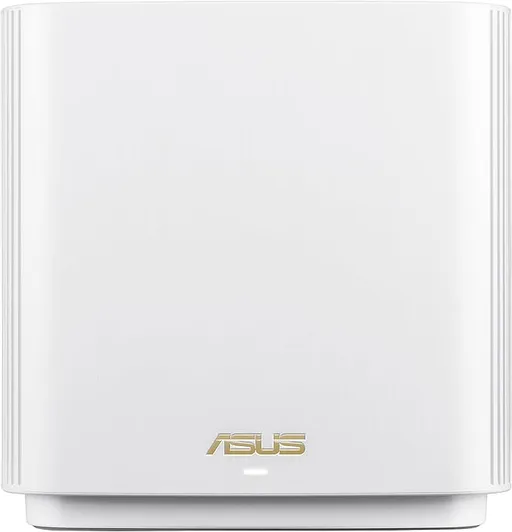
Idéal pour : Idéal pour couvrir plusieurs étages sans câblage Ethernet, à condition d’accepter quelques réglages réseau.
En bref : Les utilisateurs Reddit apprécient surtout le backhaul sans fil performant, la couverture étendue et les nombreux réglages de l’Asus ZenWiFi XT8. Les avis sur la stabilité restent toutefois très partagés, certains signalant des déconnexions de nœuds ou d’appareils IoT.
Au-delà de ce modèle, la marque Asus (toutes gammes) recueille 47 % d'avis positifs sur 205 utilisateurs Reddit. Ce signal marque ne compte pas dans la note du modèle ci-dessus.
Points forts
Fiabilité éprouvée
6 2
« I have an ASUS XT8 mesh (WiFi 6), and it only has 512MB of RAM & works fine with nearly 100 clients. » Voir l’avis
« Thanks for the recommendations! I got the BE86u and I am using it with the older XT8's as mesh nodes and it's all working great. » Voir l’avis
« I've been using two Asus XT8 units for about 5 years now, absolutely rock-solid and great range. » Voir l’avis
Backhaul efficace
4 1
« For example I have the ASUS ZenWiFi XT8 WiFi 6 mesh system and it works very well for me (wired ethernet backhaul setup). » Voir l’avis
« They are all Ethernet backboned to avoid latency and bandwidth issues. » Voir l’avis
« I've had 2 Asus ZenWiFi meshes, the XT8 and now the BT10, used with wireless backhaul. » Voir l’avis
Fonctions complètes
5 2
« I fixed this by modifying the ASUS router’s 2.4ghz WiFi network settings (change channel selection from Auto to channel 1). » Voir l’avis
« I'm using them with Asuswrt Merlin firmware. » Voir l’avis
« Hi, no need to apologise, this is no fault if the routers, it's because of the iPhone, I'll have a read if this thanks » Voir l’avis
Points faibles
Débits décevants
2 7
« 👍I'd prefer a bit more 2.4ghz speed, so my video doorbell would not be as janky at times. » Voir l’avis
« It now mostly works, and I stop doing speed tests and the like to stop being annoyed by it at this point. » Voir l’avis
« I found the high end processors in the 12 made a huge difference when I upgraded from the XT8. » Voir l’avis
Installation complexe
1 2
« I used to manage networks on top of sysadmin/ops and sw development, so generally not too concerned and don't prefer 'plug and play,' but this was messy. » Voir l’avis
« Was a nightmare tbh 😁 soon as I added another router, had loads of issues, wifi kept disconnecting, the xt8 reported low signal and my wifi 7 devices wouldn't connect, I gave up and factory reset my… » Voir l’avis
Connexion instable
5 8
« Mesh access points seemed to go offline sporadically, go from strong signal claimed to weak randomly in their app (which is half-baked, generally just better using the web interface, some of it is… » Voir l’avis
« Was a nightmare tbh 😁 soon as I added another router, had loads of issues, wifi kept disconnecting, the xt8 reported low signal and my wifi 7 devices wouldn't connect, I gave up and factory reset my… » Voir l’avis
« I can confirm ASUS AiMesh doesn't like IoT very much (I have an ASUS XT8 system, wired backhaul). » Voir l’avis
| Critère | Note /10 | Ce qu'en dit le consensus |
|---|---|---|
| Backhaul | 6.7 | Le backhaul sans fil est largement apprécié, mais l’Ethernet offre la stabilité la plus constante. |
| Débit | 2.1 | Les débits sont satisfaisants dans de nombreuses installations, mais peuvent baisser après un saut sans fil ou sur 2,4 GHz. |
| Couverture | 4.4 | La couverture est généralement jugée bonne, y compris entre plusieurs étages, malgré quelques comparaisons défavorables. |
| Stabilité | 3.2 | Les expériences vont d’un fonctionnement très stable à des déconnexions fréquentes nécessitant réglages ou redémarrages. |
| Installation | 3.1 | La mise en route peut être rapide après réinitialisation, mais l’ajout de nœuds et l’optimisation sont parfois laborieux. |
| Fonctions | 5.6 | Les utilisateurs apprécient les options avancées et les services inclus, mais trouvent parfois l’application inégale. |
| Fiabilité | 7.3 | Beaucoup rapportent quatre à cinq ans de service fiable, tandis qu’une minorité décrit une expérience durablement problématique. |
| Prix | 3.2 | Le rapport qualité-prix est souvent jugé correct, surtout pour les fonctions incluses, mais le coût devient pénalisant en cas de problèmes persistants. |
Avis Reddit
29 avis analysés · Positifs 11 Neutres 5 Négatifs 13
avis pertinents ·
-
ScandInBei 🇬🇧
1 commentaire analysé
-
sunrisebreeze 🇬🇧
24 commentaires analysés
r/HomeNetworking · Asus Zenwifi BT8 vs BT10 I would NOT buy the BT10. I think $999 for mesh is way too costly. I'm a bit of a frugal person, so even $549 seems like a lot for three BT8 units. Interesting that Best Buy doesn't call it BT8, but if you compare the specs to ASUS's website for the BT8, it looks like it's the BT8 at Best Buy for $549.99 (3-pack). ASUS link: [https://www.asus.com/networking-iot-servers/whole-home-mesh-wifi-system/zenwifi-wifi-systems/asus-zenwifi-bt8/techspec/](https://www.asus.com/networking-iot-servers/whole-home-mesh-wifi-system/zenwifi-wifi-systems/asus-zenwifi-bt8/techspec/) The BT10's differences are 10GB WAN/LAN and 10GB LAN port (those are 2.5GB on the BT8). Another cheap thing ASUS did with the BT10 is remove a LAN port. BT8 has 4 ports (1 WAN, 3 LAN) and BT10 only has 3 ports (1 WAN, 2 LAN). Why pay $450+ more and get one less port? BT10 also has twice as much RAM (2GB vs 1GB) and a slightly faster CPU (as far as I can tell, 2.0ghz vs 1.8gz; ASUS specs don't tell you but AI thinks it's 1.8ghz). BT10 also has a bit more spatial stream support (4x4 on 5ghz & 6ghz; BT8 has 3x3 on those bands), but I don't think that's a big deal. In summary, no, I don't think BT10 is worth \~$450 more than the BT8. 1GB of RAM on BT8 is fine. I have an ASUS XT8 mesh (WiFi 6), and it only has 512MB of RAM & works fine with nearly 100 clients. As long as your internet service is 2.5GB or less the BT8 will work fine and won't throttle (limit) your connection. If you had 5GB internet service then buying the BT8 would limit your internet speed to 2.5GB-ish. At that point you may wish to consider other options, rather than dropping nearly $1K on a mesh system. You can get it done for much less by buying a nice router and wireless access points. Hope that helps, good luck!
r/HomeNetworking · Moving from Asus XT8: eero Pro 7 vs. Deco BE11000 – Need 2.4GHz stability + Real-time stats! TL;DR: Change 2.4ghz band on the ASUS system to use a fixed channel, as auto selection may be contributing to client drops. That fixed a similar issue I was having. BTW I think WiFi 7 is still too expensive, and don’t think most folks really need to invest in WiFi 7 now (especially if a system costs $800!). Details: I have an ASUS XT8 mesh system and experienced the same issue: 2.4ghz IoT devices dropping and reconnecting, which caused havok with Home Assistant (automations would fail; walk into a room and a light switch doesn’t turn on as it should, because it dropped off network; very annoying). I fixed this by modifying the ASUS router’s 2.4ghz WiFi network settings (change channel selection from Auto to channel 1). To determine which channel to use (in USA 1, 6 and 11 are the ones to choose from as they are not overlapping), I used a WiFi scanner on my Android phone to evaluate the local area around my house. 6 and 11 were very crowded so I decided on 1. No channel was that great but 1 was the least busy. Since making the change it’s been 3+ months and I haven’t seen an IoT device drop again. My theory is the ASUS router (when set to AUTO channel selection) would perceive one channel being better than another, and would switch channels (as it was previously set to AUTO). And whenever this happened, clients would disconnect and need to reconnect. Anyway, before buying a new system, perhaps try this first. Ten minutes of your time could save you $399+. Best of luck!
r/ZenWiFi · ⭐⭐⭐⭐⭐ ASUS BQ16 Pro – Real-World Review 👍I'd prefer a bit more 2.4ghz speed, so my video doorbell would not be as janky at times. Other than that, nothing else really needs much bandwidth on 2.4ghz.
r/ZenWiFi · ⭐⭐⭐⭐⭐ ASUS BQ16 Pro – Real-World Review 2.4ghz on my router is set to 20MHz channel bandwidth. I’ve set a fixed channel of 1. When I had the router previously auto-select the channel, my “smart” devices (plugs, lights, doorbell camera) would drop off/reconnect to the network every week or two. Since setting a fixed channel, that doesn’t happen anymore and my clients stay connected. I used a WiFi scanner app on my Android phone to determine which 2.4ghz band was the least used (out of 1, 6 or 11 - I’m in USA) and based on that chose band #1 to be my fixed band.
r/ZenWiFi · ⭐⭐⭐⭐⭐ ASUS BQ16 Pro – Real-World Review That's great speed for sure, especially through a concrete floor. By comparison my ASUS XT8 on 2.4ghz (speed test) gets me about 113mbps about 6-10 feet from the router, and then it drops to 50-70mbps about 20 feet away. Enjoy your new mesh system.
r/ZenWiFi · ⭐⭐⭐⭐⭐ ASUS BQ16 Pro – Real-World Review Wow so you saved about $600 by buying used/like-new condition! That’s incredible. I think you’d agree even though it took an hour to set it up the deal was so worthwhile. That’s excellent!!! I think these “like new” devices are a great bargain. A router just sits on a shelf; it’s not like a laptop or some other physical device that sees a lot of use. So as long as the device still works and someone didn’t “brick” it with an update or do something physically to damage the device, it should be just like a new one. Only after many years of use could the device maybe start to break down after heating/cooling of components on the circuit board, but that won’t happen on a “like new” item that is a month or so old. And it would probably never happen anyway. I’ve had my router 4.5 years and it still works the same as when I got it. Enjoy your new system and glad to hear it is working so well. I have been tempted to upgrade, but think I will probably stick with my ASUS XT8 (WiFi 6) system until ASUS stops providing firmware updates. It is working well now and I only have a 400mbps internet plan, so I don’t need a very fast system anyway. Plus I only have a single WiFi 7 device (iPhone), and the XT8 is handling my device load fine right now.
r/ZenWiFi · ⭐⭐⭐⭐⭐ ASUS BQ16 Pro – Real-World Review Yup, I also saved on a used purchase. I got my ASUS XT8 mesh system 4.5 years ago via Amazon Warehouse ("Like New condition"). At the time it was a huge savings over a new system. When it arrived it was in brand new condition, looked like whomever set it up either didn't like it or couldn't figure out how to use it. I did notice it still had their wireless config on the device, but a quick factory reset took care of that. Have been using it ever since and it has been a reliable mesh system overall. I think you will have a similar experience as well, if B&H's used items are similar to Amazon Warehouse's quality.
r/HomeNetworking · Multiple asus zenwifi routers I had a quick look at ASUS's website to learn more about the BT8 set: [https://www.asus.com/networking-iot-servers/whole-home-mesh-wifi-system/zenwifi-wifi-systems/asus-zenwifi-bt8/](https://www.asus.com/networking-iot-servers/whole-home-mesh-wifi-system/zenwifi-wifi-systems/asus-zenwifi-bt8/) Looks like the BT8 uses MLO for backhaul? Not familiar with ASUS's WiFi 7 tech for mesh, but AiMesh (ASUS's mesh technology) works best when using products from the same WiFi generation. Not saying you couldn't use the XT8s (which are WiFi 6) with the BT8s (which are WiFi 7), but it's unknown how well the XT8 would work in a wireless backhaul AiMesh setup with the BT8s, until you try them. Since you have the XT8s already, try adding 1 to the existing BT8 mesh via AiMesh, wireless backhaul, and see how it works. If you see network slowdowns, bottlenecks, etc., then you know the XT8 isn't a good fit for your network with AiMesh. However you could also try adding the XT8s as wired Access Points ("APs"). The XT8 can be set up as "AP mode", which requires you to connect the XT8 to the BT8 via ethernet. Then each XT8 set up as an Access Point has 4 additional ethernet ports for nearby devices. You may be able to set up the XT8 in AP mode to also broadcast their own WiFi networks. I have not used an XT8 in AP mode but I'm sure it is covered in the manual. Anyway I think it's worth a try to use the XT8s, since there are two ways you could try to use them: Add to AiMesh (wirelessly, which may impact wireless client traffic) or add them as wired Access Points. Tell us how it turns out! Good luck.
r/HomeNetworking · Wifi 7 Routers - reviewed & compared Thanks for sharing! Yeah I don’t like the TP-Link subscription model for additional security. Looks like that adds about $54/year based on their website, so after 4 years that’s about $200. When people compare router prices they may not include any subscription fees in the calculation, but good to remember when calculating the cost difference. Of the ASUS BT6 and BT8, if I were shopping today, I would select the BT8, for these reasons: (1) BT6 only has 2.5GB WAN port; BT8 has 2.5GB WAN & an extra 2.5GB LAN port (rest of ports on both are gigabit). With the extra 2.5GB LAN port on the BT8 I could add a 2.5GB switch and plug NAS and other devices into that for faster 2.5GB speeds on my internal network. Plus if I ever upgraded to 2.5gb internet speed, the router (BT8) could handle it. (2) BT8 has 3x3 streams on 5GHz and 6GHz bands. The BT6 only has 2x2 on those bands. More streams = more data can move at once. I know you probably don’t want to read more reviews but if you do, these have some good technical info. Dong used to work for CNET and he rated the BT8 a bit higher than the BT6. https://dongknows.com/asus-zenwifi-bt6-review/ https://dongknows.com/asus-zenwifi-bt8-review/ Considering the last WiFi 6 generation of ASUS mesh (XT8), when that first came out in late 2020, it got great reviews at PC Magazine. It’s still their best rated WiFi 6 mesh system: https://www.pcmag.com/picks/the-best-wi-fi-mesh-network-systems However, it took a while for the firmware to solidify. Early versions were buggy and problematic. Now, it is rock solid. But everyone’s moved on to WiFi 7 now. And PC Mag thinks eero Pro 7 is the best WiFi 7 mesh system, but that’s got a subscription model for all security features, and I wouldn’t want to give any more data to Amazon, which owns eero (just my opinion…). I do like that ASUS gives you the full security feature set for free. So I’m not trying to steer you away from the ASUS WiFi 7 mesh systems, but just noting there could be issues. The only way to know really, if it will work, is to try it. And you could always return it if it doesn’t work out. Good luck and have fun!
r/HomeNetworking · ASUS ZenWiFi AXE7800 It's difficult to know until you test it in your own environment/residence. For example I have the ASUS ZenWiFi XT8 WiFi 6 mesh system and it works very well for me (wired ethernet backhaul setup). But if you read reviews on Amazon, they aren't great. Not sure if the negative reviews are because people don't know how to config the device, got a faulty unit, live in a concrete bunker (so no router will penetrate concrete effectively), or some other reason. I did some more research. The ASUS ZenWiFi AXE7800 looks identical to the ASUS ZenWiFi ET9. Not sure why there are different names, but compare and they seem to have the same specs: [https://www.asus.com/us/networking-iot-servers/whole-home-mesh-systems/asus-zenwifi/asus-zenwifi-axe7800/techspec/](https://www.asus.com/us/networking-iot-servers/whole-home-mesh-systems/asus-zenwifi/asus-zenwifi-axe7800/techspec/) and [https://www.asus.com/us/networking-iot-servers/whole-home-mesh-systems/asus-zenwifi/asus-zenwifi-et9/techspec/](https://www.asus.com/us/networking-iot-servers/whole-home-mesh-systems/asus-zenwifi/asus-zenwifi-et9/techspec/) I bought a pair of the ET9s when they were sold on the ASUS website for $99. Tested them out and noticed the 6ghz band does not travel far at all. In the same room or perhaps a room away (with 1 wall blocking signal), you get very good speeds. Beyond that it drops off very fast. 5ghz band travels further but speeds are not as fast as 6ghz. Of course 2.4ghz travels the furthest but it's slow and congested (lucky to get 100mbps on 2.4ghz). I tested them for a few days and they seemed to work OK. In wireless backhaul they functioned OK but for best reliability/consistent speeds ethernet connection/wired backhaul is a best practice. I see you plan to hardwire them so that would be the ideal config. Generally speaking you need to have these units config'd and set up for at least 2 weeks to evaluate them and see if they function well in your environment. Most review sites will test a system for maybe several days, so any sporadic issues (such as client disconnect/reconnect) probably wouldn't show up during such a short testing period. I decided to keep my ASUS XT8s setup since they are all config'd the way I like and are connected to my cable modem. It isn't worth the hassle to reconfig the ET9 with the cable modem and set up networks from scratch. I only have 400mbps internet service and the XT8s can handle that fine. Plan is to swap in the ET9s when the XT8s are moved to the ASUS end of life/no longer supported status. The XT8s have been in service over 5 years (4 of those in wired backhaul config; worked pretty good, once in a while needed to reboot a mesh node to reconnect it to mesh) and work very well in wired backhaul config. Wherever you purchase from, buy from a place with a good return policy. Then if they don't work well you could return & get your money back. Good luck.
r/HomeNetworking · Mesh setup for a 3 level home - recommendations I have the WiFi 6 version (older brother) of the ET9, called the ASUS XT8. It works great in wireless backhaul. Only need to reboot the mesh node once in a while (though it does disconnect once in a while). To make it bulletproof I had to use wired backhaul via ethernet. I don't have ethernet in the walls, but I do have cable TV (coax) drops in every room. So I used MoCA adapters to use the coax cable as ethernet, basically. Here is a good guide on setting it up: [https://github.com/Preston-Landers/MoCA-setup-guide](https://github.com/Preston-Landers/MoCA-setup-guide) Since using wired backhaul with the XT8s I have had zero mesh node dropoffs. Haven't had to reboot a node due to disconnection, since the upgrade to ethernet/MoCA. I also got a set of the ASUS ET9 (2-pack) when they were on a $99 special, just to test them out. I discovered while they are tri-band, you get 2.4ghz, 5ghz, 6ghz. One of each band. And 6ghz, while very fast when close to it (in same room, or maybe a room away), drops speeds very quickly once you are a couple of rooms away or get further away. 5ghz has much better range and maintains speed better than 6ghz. 2.4ghz has the best range (of course) but is also the slowest and most congested network. So if you can get the ET9 on a deal (like $99) it might be worth buying, as it's WiFi 6E and only a little behind WiFi 7. But the ET9 will work a LOT better in a mesh config if you use wired backhaul. If you have to use wireless backhaul, the ASUS XT8 mesh will work much better, as it has 2.4ghz and two 5ghz networks. The 2nd 5ghz network is 4x4 spatial stream & dedicated to the mesh communication for your network, so speeds stay very consistent. It's a very good mesh system, if you need to use wireless backhaul. Hope that helps and good luck!
r/HomeNetworking · best mesh wifi system for a medium size house in 2026 what should I get? Not sure why your comment was downvoted, but I tossed you an up-vote. I can confirm ASUS AiMesh doesn't like IoT very much (I have an ASUS XT8 system, wired backhaul). Smart plugs/switches don't stay connected, and other times they remain connected fine for weeks. Very aggravating. To fix this I dusted off the router I replaced the XT8 with, a Netgear Nighthawk R7000. I added it as a wireless access point (connected via ethernet to my XT8 via MoCA). I moved the IoT network for the "smart" things to the R7000. Voila, they stay connected. Months at a time, no issues. I guess IoT loves WiFi 5. Side note, the cool thing about the Nighthawk R7000 is you could install Fresh Tomato or DD-WRT on it (3rd party firmware) to create VLANs and breathe new life into a 10+ year old router. Great stuff!
r/HomeNetworking · best mesh wifi system for a medium size house in 2026 what should I get? Some mesh systems are better than others. In the days of WiFi 6, a tri-band mesh with 2.4ghz/5ghz/5ghz (a 2nd 5ghz band for mesh traffic) works pretty well, even wirelessly. An example of this is the ASUS XT8 mesh system. When used wirelessly, it's not going to be as good as a wired setup (such as a router with wireless access points, connected together via ethernet), but for those who can't/don't want to run ethernet or use MoCA, it's an appealing compromise.
r/HomeNetworking · Asus Zenwifi BT8 vs BT10 I just realized I did not answer your main question: "Is the BT8 a good product?" I am an ASUS fan (I have the ASUS XT8 mesh, WiFi 6) and it works quite well (have been using 5 years). I have some doubts about their WiFi 7 mesh systems though. Reviews are sometimes mixed. I'm not sure if ASUS has fixed all the bugs in their WiFi 7 firmware yet. You can check for other posts on Reddit for BT8, see what others have said in the past. Best Buy does have a return policy but it's rather short (14 days I think?). So if you want to try it, give yourself plenty of time to install it and test it. Make sure it works within the 14 day period, so if it's a big goose egg and doesn't function well, you could return it, get your money back to try something else.
r/HomeNetworking · myQ Garage Opener "Offline" on ZenWiFi ET9 Guest Network Did the myQ ever connect to Node 2? Or has this always not worked? I have an ASUS XT8 WiFI 6 mesh system. I recently tried updating the security from WPA2 to WPA2/WPA3. The myQ did not like that and refused to connect to the network (it looked like it would connect at first, but would always time out - frustrating issue to troubleshoot as it initially connected fine, but then refused to connect later). I discovered the issue by switching security for the WiFi network for the myQ back to WPA2, and voila, connection issues were resolved. Have you verified the IoT network is set to WPA2? I know for a fact my myQ will NOT connect to a WPA3 secured network. Have you verified the guest network is broadcasting on the mesh node as well? There is a setting in the ASUS config that allows you to limit a WiFi network to the router, or broadcast on all nodes. I'm sure you have checked that but something else to verify. Have you looked at the router logs by logging into the ASUS router? Can do so via web browser (I think it's easier to read, though can also access via the ASUS router app if you don't mind tiny type). There could be a clue or two there to indicate why the connection is failing for node 2.
r/HomeNetworking · Heads up- Asus zenwifi et9 on deep discount Thanks for the post! Great deal for the right scenario. If someone could use wired backhaul (ethernet) for connecting mesh nodes, I think this system would work well. Or if someone wanted to add WiFi 6E wired Access Points to an existing internal network, this is a fantastic option at only $99 for brand-new WiFi 6E hardware. But if the nodes need to use wireless backhaul (WiFi) then I'm not sure how well this system would work. If using 6ghz for the backhaul, 6ghz band doesn't travel very far. So if the nodes are a bit far apart client speeds could be slow. If the 5ghz band is used for backhaul (5ghz has more range), then the 5ghz band would be shared between clients and mesh traffic, so I would expect reduced client speeds on the 5ghz network. A better option for people who need to use a mesh system with wireless backhaul is the ASUS XT8 system. It is only WiFi 6, but it has 2.4ghz/5ghz-1/5ghz-2 bands. 2.4 & 5ghz-1 (both 2x2 spatial stream) are exclusively for clients, and 5ghz-2 (4x4 stream) is dedicated to wireless mesh traffic. This would increase client speeds if wireless mesh nodes are not very close together, and 5ghz band travels further than 6ghz. However XT8 = $199, twice the price, but better performance if using mesh wirelessly and nodes are a bit far apart. Could be worth the cost if better speed for the mesh node(s) is very important. Here is a great comparison/review of the ET8 to the XT8 (ET8 is very similar to ET9). [https://dongknows.com/asus-zenwifi-et8-wi-fi-6e-mesh-system-review/](https://dongknows.com/asus-zenwifi-et8-wi-fi-6e-mesh-system-review/) The ET8 seems to only support 80mhz channel bandwidth on 5ghz band (max 1201mbps) while the ET9 supports 160mhz channel bandwidth on 5ghz band (max 2402mbps). Whether or not that extra 5ghz channel bandwidth on the ET9 would allow the 5ghz band to better handle client and mesh traffic (if 5ghz is used as backhaul) is not definitively known. Since the 5ghz band still only supports 2x2 spatial streams, I don't think it would make a lot of speed difference (i.e. I think 5ghz may still be slow if 5ghz used for wireless backhaul). I think for $99 it's worth a roll of the dice to see how well it works in wireless backhaul. And if it doesn't work out you could always connect via ethernet, or add the ET9s as wired Access Points to add WiFi 6E to your existing network.
r/HomeNetworking · ASUS Mesh Fixed Dead Spots but Internet Is Still Slow and Dropping (Xfinity, 400 Mbps) Which "ASUS ZenWiFi AX mesh system" did you purchase? I have had an ASUS ZenWiFi XT8 (WiFi 6, tri-band) system for almost 5 years and it's been a very solid system via wireless backhaul. Once in a while (couple of times/yr maybe) a mesh node falls off the network, needing a reboot of the node to bring it back into the mesh. Otherwise it has been very reliable. It's got a dedicated 5ghz band for wireless mesh backhaul communications, so 2.4ghz and the other 5ghz band can be used exclusively for clients (PC, Xbox, cell phone etc...). I have 400mbps internet and get full speed everywhere in the house \*except\* for near the front door, as I have some HVAC equipment blocking the signal from the mesh router. I only get about 200mbps there. I am wondering if you bought the XD4 mini/plus system and are using it wirelessly. If so, that is a poor performer and you should return it. It's only dual-band (2.4/5ghz) and that means the mesh comms are shared w/clients.. slowing down the speeds and introducing speed bottlenecks/more lag. The only way to have good performance with a dual-band mesh system is to use wired backhaul (connect it all together with ethernet).
r/HomeNetworking · Looking for reliable mesh system recommendation with 3 access points for maximum of ~$350. Doesn't seem to be a lot of good choices? **TL;DR:** ASUS XT8 works well for me (over 4 years); the best way to learn if it works for you is to try it. If you hate it, return it and try something else. You'll see more negative than positive notes on Reddit/Amazon, because satisfied users generally don't share their experience (I guess I am bucking that trend by writing a positive post!). ASUS offers good value for the money and I think they're a solid option in the consumer router/networking market. **Details:** I've had an ASUS XT8 mesh system for about 4 1/2 years. It was problematic the first 6 months until ASUS fixed firmware glitches. Since then it has worked very well, whether in wired (ethernet) or wireless backhaul. A couple of times each year I may need to power cycle the mesh node to reconnect it to the network, as it sometimes falls off the mesh. Other than that, zero maintenance required aside from installing firmware updates whenever ASUS releases them (generally 2 or 3 each year; sometimes more, sometimes less). I prefer ASUS as the system has fantastic configuration capability (tons of options and settings; adjust to your liking or just leave it with default config) and you get security features/parental controls included for free. By comparison, Netgear (Orbi), TP-Link (Deco) and Amazon (eero) make you pay $$$ every month for subscriptions to access additional security/parental controls in their products. I already pay for a Netflix subscription; I'm not interested in doing that for my networking features. The XT8 system is well reviewed by PC Mag, a trusted resource (by me, and maybe others too). They consider it the best WiFi 6 mesh system. Based on my experience, I agree with their assessment. [https://www.pcmag.com/picks/the-best-wi-fi-mesh-network-systems#](https://www.pcmag.com/picks/the-best-wi-fi-mesh-network-systems#) And if you don't like ASUS, there are other options provided in that review summary. My apologies if that sounded like a commercial for ASUS. They are not perfect (according to many users, Ubiquity may win that crown 😇), but ASUS offers a good mix of products and supports their routers with firmware updates for several years, which I appreciate. Good luck with your decision!
r/HomeNetworking · Need a new mesh system. Which units did you have that didn't work? I have an ASUS XT8 mesh system (WiFi 6) that's been solid for over 3 years. Have used in wireless and wired backhaul cfgs and both are very solid. Not trying to defend ASUS AiMesh; just wondering what you used that didn't work, so I could avoid it. ☺️
r/ZenWiFi · ⭐⭐⭐⭐⭐ ASUS BQ16 Pro – Real-World Review Excellent, glad you know the tip! 😉 No one told me that, I had to figure it out myself after wondering for months why my clients weren't staying connected. I wouldn't worry too much about the speed difference for 2.4ghz. If you have a lot of interference in your area, it will impact speeds. I don't always get 113mbps but that's what I got when I tested it this week. The time of day of the test can also cause the speed to vary. According to ASUS this is the theoretical maximum speed of 2.4ghz on your mesh system: **WiFi 7 (802.11be) (2.4GHz): up to 1376 Mbps** If you ever see that, it will be a miracle! Mine "only" has a theoretical top speed of 574 Mbps. Again, if I saw that I would really be amazed. Especially since my internet service is only 400mbps. (I easily exceed 400mbps via WiFi when using 5ghz band though!) I wish all the stupid "smart" devices could use 5ghz instead.
r/ZenWiFi · ⭐⭐⭐⭐⭐ ASUS BQ16 Pro – Real-World Review Wow if my system lasts until WiFi 9 that would be amazing! I think by then my urge to upgrade would overtake my patience to wait for ASUS to stop supporting it with firmware updates. But yes, it’s nice not to be forced to upgrade, and to do so when I am really ready.
r/ZenWiFi · ⭐⭐⭐⭐⭐ ASUS BQ16 Pro – Real-World Review Thanks for sharing more info! By the way I have an ASUS XT8 mesh system (it's WiFi 6). It also has excellent wireless backhaul (XT8 has a 2nd dedicated 5ghz band with 4x4 spatial streams for backhaul). I have the router and mesh node two floors apart and still got excellent signal when they were using wireless backhaul. I now have them connected via wired backhaul (ethernet), but the performance via wireless backhaul was just as good. I am not as familiar with ASUS's WiFi 7 mesh products. Looks like they use MLO (multi link operation) for the backhaul. The BQ16 Pro states it has a 6ghz dedicated backhaul but the product page also mentions using MLO for backhaul (combining 2.4ghz/5ghz/6ghz-1/6ghz-2 bands). I looked up the tech specs of the BQ16 Pro and it's got 4x4 streams for all 4 bands: [https://www.asus.com/us/networking-iot-servers/whole-home-mesh-wifi-system/zenwifi-wifi-systems/asus-zenwifi-bq16-pro/techspec/](https://www.asus.com/us/networking-iot-servers/whole-home-mesh-wifi-system/zenwifi-wifi-systems/asus-zenwifi-bq16-pro/techspec/) This should give it more capacity for concurrent client connections, as average mesh systems (such as mine 😉) only have 2x2 streams for the 2.4ghz and 5ghz client bands. Only the XT8's dedicated 5ghz backhaul band is 4x4. Since 6ghz doesn't have long range I wonder if the system uses the 5ghz band for the majority of backhaul traffic and if this slows down 5ghz clients. Since you posted your review, **have you noticed any client slowdown** for any of the bands? Or is it all good regardless of whether client is using 2.4ghz/5ghz/6ghz? **BTW what speed do you get for the 2.4ghz client?** To help understand performance could you connect your mobile phone to the 2.4ghz wifi network and run a speed test in the same room as the router (maybe 6 feet away from it) and then 20 feet away, then share the results here? I would like to know how fast 2.4ghz is with this premium WiFi 7 mesh system. Another benefit over the Orbi is that ASUS gives you all the security features with product purchase. Orbi (Netgear), eero (Amazon) and TP-Link charge a subscription fee for additional security and parental control features, which is a terrible surprise for customers who do not realize this until after purchasing a device from Orbi/eero/TP-Link.
r/HomeNetworking · ubiquiti udr7 + U7 Pro or Asus BE-96U router for 3000 sq ft home? Wow that was a lot to read! 😂 But I got through it... and now I return the favor by giving you something to read. 😊 So my understanding after reading your post, is that you don't like the ASUS because it only has "gig-e" ports on it. Please take a careful look at the rear side of the BE-96U, because **it also has two 10GB ports!** I don't know how fast your internet service is, but if it's 1 gigabit or less then you can use one the 1 gigabit WAN/LAN port for the WAN, and then you'd have two 10GB ports for your network. One to direct-connect to a device, and another to connect to a switch (2.5GB or 10GB, whatever you like/need). Then you can connect several devices without a problem. Of course that is extra $$ for a switch but that's what you'd need to do to "make it work" with your existing ASUS router. If you have faster than 1 gigabit internet service, you should probably use the 10GB WAN/LAN as the WAN, so you don't throttle your internet speed. Then the other 10GB LAN port would need to connect to a switch (2.5GB or 10GB) so your multiple wired devices could take advantage of the speed. If that's the only issue with the ASUS, why not keep it? It's less expensive than Ubiquiti (though not as easy to expand/extend/customize). Shouldn't matter if AiMesh didn't work for you, since you don't need any additional coverage... or do you? I thought that was not an issue.. so why did you mention AiMesh not working well? Do you need mesh coverage? Unclear from your post. If you need more complexity/configurability, need more "meshability" and don't like AiMesh, sounds like a no-brainer: Keep the Ubiquiti stuff and return the ASUS router. But if the ASUS meets your current needs, costs less, provides all the coverage you need AND is faster, sounds like the decision would be to keep the ASUS. If you still feel conflicted, write down the lists of pros and cons for each device. Whatever has more pros, that's probably the winner and the one you should go with. Good luck! P.S.: Sorry you had a bad experience with AiMesh, but I've been using an ASUS XT8 (WiFi 6) mesh system for 4.5 years and it's been great the last 4 years. First half year there were firmware issues, but ASUS eventually fixed them. I just want to provide a balanced perspective and say that for some people, AiMesh works very well. Sometimes AiMesh doesn't work well because people pair the wrong routers together to build a mesh (such as WiFi 7 + WiFi 6, or a tri-band router with a dual band) and that can cause problems. Not the user's fault; I blame ASUS for over-hyping AiMesh as being "easy" and "simple." For full details on how to build an awesome AiMesh, you need to do some homework. This is a helpful resource: [https://dongknows.com/tips-and-rules-on-picking-the-best-asus-aimesh-combo/](https://dongknows.com/tips-and-rules-on-picking-the-best-asus-aimesh-combo/)
r/HomeNetworking · Best Wifi mesh system for 2000+ sqft. multifloor home? [https://www.pcmag.com/picks/the-best-wi-fi-mesh-network-systems#](https://www.pcmag.com/picks/the-best-wi-fi-mesh-network-systems#) I have the ASUS XT8 mesh system, works great. But it's older now, WiFi 6. There are other options listed.
-
WadeBoggssGhost 🇬🇧
2 commentaires analysés
r/HomeNetworking · Need recommendation for router with 2+ 2.5gbps LAN ports to replace ZenWifi XT8 Thanks for the recommendations! I got the BE86u and I am using it with the older XT8's as mesh nodes and it's all working great. 1200-1350 mbps throughout the house.
r/HomeNetworking · Need recommendation for router with 2+ 2.5gbps LAN ports to replace ZenWifi XT8 If I connect to the main one and I'm close, I get Wi-Fi speeds between 1600-1750 Mbps down. I realize it'll probably be slower than that with cat5e and not cat6 running through the house, and the nodes being a little older now, but I'm hoping i can get them around 1000-1500 Mbps without replacing all of them.
-
wegster 🇬🇧
1 commentaire analysé
r/HomeNetworking · I don't think any mesh networks are reliable. Pretty much Ethernet always > wireless. We've got an upstairs 'apartment' above our kitchen and garage which sees occasional use in a fairly big but not McMansion-sized house. The original router was reasonably centrally located (an ASUS, RT something, popular router, was probably wifi5) and did ok overall, but certainly slowed down upstairs and in the garage. So I decided 'let's go nuts' and bought a bunch of ZenWifi XT8s as more or less tri-band and not-quite-as-insanely-priced as Orbis were, and I used to generally like ASUS. I used to manage networks on top of sysadmin/ops and sw development, so generally not too concerned and don't prefer 'plug and play,' but this was messy. Mesh access points seemed to go offline sporadically, go from strong signal claimed to weak randomly in their app (which is half-baked, generally just better using the web interface, some of it is replicated across both, other bits only in the web app...I think the app was quicker initial setup or something..). Sometimes it would work well enough for a while then randomly, usually when wanting to do something relaxing like watch a movie before bed with the wife, - sorry, your connectivity now sucks. And of course in the course of trying to troubleshoot, I disabled smart roaming among other things. Fought back and forth with it for over a year, and was so very close to trying a TPLink setup, but being already $1k+ into this mess, I wasn't 'eager' to swap it all out, either. Went to MerlinWRT (GNUton), which seemed to be marginally better. Oh right, we live somewhat near an airport, so eventually found one of the band settings I needed to disable - that was probably the single best improvement overall. It now mostly works, and I stop doing speed tests and the like to stop being annoyed by it at this point. It's not terrible, but being on a mesh node is detectable. I've wanted to add some POE cameras but it's not particularly easy to wire this place - brick exterior, crazy truss roof, etc.). Any time I think of replacing the XT8 mesh with <something else> it just makes me twitch a bit thinking of the NEXT round of chasing issues with whatever the replacement is. Between work, wife and a toddler, plus a lot of smart home devices, I don't have time for endless network chasing any more. The house isn't newly built but it's not ancient being built in \~2001. So I have some phone and cable jacks in most rooms. I tried power line but it seems the garage and apartment are on a separate panel which seems like it has a separate ground or something - just poor connection, so now it's either sorting out a rats nest and trying MOCA, or biting the bullet and probably paying someone to run a bunch of cat6 for POE, probably running at the same time to eventually replace the current setup with commercial in-ceiling APs/mesh nodes, the future camera locations, etc.
-
ozthegweat 🇬🇧
1 commentaire analysé
r/HomeNetworking · Need a new mesh system. I've been using two Asus XT8 units for about 5 years now, absolutely rock-solid and great range. I'm using them with Asuswrt Merlin firmware.
-
Nij2021 🇬🇧
2 commentaires analysés
r/HomeNetworking · Multiple asus zenwifi routers Was a nightmare tbh 😁 soon as I added another router, had loads of issues, wifi kept disconnecting, the xt8 reported low signal and my wifi 7 devices wouldn't connect, I gave up and factory reset my xt8's and some then on eBay 😁
r/ASUS · Asus Zenwifi/parental controls Hi, no need to apologise, this is no fault if the routers, it's because of the iPhone, I'll have a read if this thanks
-
dmada88 🇬🇧
1 commentaire analysé
r/HomeNetworking · Is ASUS ZenWifi bad, or is my house impossible? WiFi Mesh in my experience is great if there are good sight lines and few thick walls! Can you wire the house for Ethernet backhaul? My wife won’t let me wire the flat (which twists and turns and has very thick 19th century walls - and has the internet intake in absolutely the farthest corner from where I’d want it) so I’ve finally just gotten a decent mesh going with two Asus BQ16s and two Zen XT12. I found the high end processors in the 12 made a huge difference when I upgraded from the XT8. The BQ16 are a really good upgrade but not absolutely necessary: I could have stayed with an all XT12 set up but the XT8’s were simply not powerful enough for my set up. Obviously I have a long daisy chain going but it now works well and is fast. In a consumer/prosumer set up you won’t get the monitoring/notifying you seem to want - they all are pretty much set it up and hold your breath.
-
GuySmiley369 🇬🇧
1 commentaire analysé
r/orbi · BEWARE: Orbi 770 is absolute trash. Netgear support is even worse. Way late to the party here, but this is my experience. I had 5 Asus XT8s and had worse coverage and speed than I do with 3 Orbi 770s. Network stability has been perfect. I had to reset my ASUS routers once a week minimum to maintain a stable connections.
-
FrequentWay 🇬🇧
2 commentaires analysés
r/HomeNetworking · Looking to purchase a new router and need recommendations/advice I use a bunch of Asus XT8s for my 2800 sq ft 2 story house. They are all Ethernet backboned to avoid latency and bandwidth issues. However I do get bufferbloat since it’s multiple hops. AT&T router to main Asus router then secondary router to office router to desktop.
r/HomeNetworking · I don't think any mesh networks are reliable. I experimented with multiple ZenWifi XT8 setups for my home setup. With 1 wifi hop using wifi backbone, my work office would have a max speed of 600 mbps while on etherent its about 985 mbps. I cared about download speeds then dealing with how my placed looked. So there's 100 ft ethernet cord strung around the long way to get to my home office mesh box.
-
TB04507 🇬🇧
1 commentaire analysé
r/HomeNetworking · Asus ZenWiFi XT9 latest firmware update failing Suffered intermitent internet crashing, like every other 4 days since the biosupgrade 05/18 for my XT8 mesh. Finally had to hard reset. Been stable so far. I will wait another 4 days and post. I did it thru the app. It did register in the gui but was having connectivity issues. Will do the manual upgrade if this keeps being unstable. Have 135 devices in my network
-
SolanaGuy19 🇬🇧
2 commentaires analysés
r/HomeNetworking · ASUS XT8 connect VPN and LAN Ok, I'll look there. The VPN seems to be working in so far as the VPN client can "see" all three IPs of the router - WAN, LAN, and VPN - but it can only see past the WAN, not the LAN. I had thought it was a router configuration issue (firewall, etc.), but you may well be right that it's a VPN conf issue. In general terms, is there anything I should be looking for there? For example there is an "allowed IP's (Server)" field that currently only contains the IP of the VPN client. I had tried to add the LAN IP (192.168.50.0/24) there, but that didn't seem to change the behavior. https://preview.redd.it/7i6p5bso5b2h1.png?width=799&format=png&auto=webp&s=a41c553e350bda64b4089bf2775597679f2a6ddd
r/HomeNetworking · ASUS XT8 connect VPN and LAN Thanks for the suggestion. I do currently have that on: https://preview.redd.it/hmqvup81z72h1.png?width=1609&format=png&auto=webp&s=31ed48b851714b6b5f16ca264f11000d4a290866 And I'm getting the behavior described. Is there something more I need to do to permit specific VPN clients to have permission? This is a direction I hadn't considered, but I'll poke there a bit...
-
TheEthyr 🇬🇧
1 commentaire analysé
r/HomeNetworking · ASUS XT8 connect VPN and LAN You need to enable 'Access Intranet' in the VPN Server settings on the Asus.
-
Architekt52 🇬🇧
1 commentaire analysé
r/HomeNetworking · Mesh network comparison From that lineup, I'd lean toward the TP-Link Deco XE75 or Asus ZenWiFi XT8 if you want WiFi 6E future-proofing, but honestly the Eero Pro 6E is probably the most plug-and-play reliable option with excellent app management. The Orbi systems are solid performers but Netgear's firmware updates can be hit-or-miss, and at that price point you're better off with Asus if you want more advanced features. One thing to watch: make sure whatever you pick has wired backhaul capability since you'll be on fiber—running ethernet between nodes will dramatically improve performance over wireless mesh hopping.
-
Aryndol 🇬🇧
1 commentaire analysé
r/HomeNetworking · Wi-Fi 7 router upgrade for specific type of house layout. Yeah, sorry. It's the XT8. I've had it for 5 years and it's just starting to get finicky. Still the best router I ever had.
-
Mysterious_Evening81 🇬🇧
1 commentaire analysé
r/HomeNetworking · Wi-Fi 7 router upgrade for specific type of house layout. Xt8? That's the mesh I have in my home. Pretty sure the 6600 in the model references the max wifi speed. I currently upgraded to 1gig service and over wifi 600 or so is the max I can get. If Asus is the brand you want you need ax11000 in the model name to reach your full speed potential over wifi.
-
BoutTime22 🇬🇧
1 commentaire analysé
r/youfibre · Best router/mesh setup with YouFibre? (2-floor house, WiFi weak upstairs) I also went for a Flint 2 recently after upgrading to You2000. It replaced an Asus XT8 two unit Mesh. It's faster and the coverage is arguably better. In fact I've set the 2.4Ghz radio to the lowest transmit power setting so my Pixel 9 hops to the 5Ghz band quicker. Our house is two storey and around 2000 sq ft and our outside security cameras haven't lost connection once. I highly recommend Flint 2.
-
DannyDaCat 🇬🇧
1 commentaire analysé
r/ZenWiFi · ⭐⭐⭐⭐⭐ ASUS BQ16 Pro – Real-World Review If it ain't broke, don't fix it, right? By the time your system starts to show it's age it'll probably be at WiFi9, and this system or something similar will be super cheap for sure! For those of you out there who aren't sure, I will hazard a guess that it'll be worth while to try it out.
-
liftbikerun 🇬🇧
1 commentaire analysé
r/amazoneero · Is the Eero Max 7 as bad as people say they are? They've been out quite a while. I got them set up, they have a couple setup quirks due to being so locked down, and my pihole/unbound box is having issues that I didn't run into before. I don't know if it's issues with the routers or the CGNAT the new carrier uses. I'll figure it out. Overall I have two of them in identical locations as my old ASUS XT8 mesh system and reception is better than it was before. Time will tell.
-
Stunning-Craft7186 🇬🇧
1 commentaire analysé
r/ASUS · ZenWiFi XT9 Devices losing connection? We have XT8s and second node/device lose connection several times a day. Im so tired of it. Been like this for years now and have not helped changing firmware updates etc.
-
DramaticBat3563 🇬🇧
1 commentaire analysé
r/HomeNetworking · Is ASUS ZenWifi bad, or is my house impossible? I replaced powerline (nightmare) with 3 ASUS XT8’s (been rock solid). I suspect my house is a lot smaller and newer but had similar challenges (thick wallls with steel beams…… bison slabs/concrete floor upstairs). The powerline never really worked 100% with intermittent dropouts and had to manually switch APs as we moved around the house. Even tried 2 brands separately; TP link and Netgear. My guess in OPs case is his setup might just be too complicated for ASUS and something like Ubiquity might be better. A mate of mine has it and he swears by it ……. but he’s over-provisioned IMO, slower broadband connection, smaller house, no concrete floor upstairs.
-
MrDoh 🇬🇧
1 commentaire analysé
r/HomeNetworking · Is ASUS ZenWifi bad, or is my house impossible? I've had 2 Asus ZenWiFi meshes, the XT8 and now the BT10, used with wireless backhaul. Both have been great, but we have sheetrock walls and hollow doors :-). About the only good thing with the flimsy construction in our house. The current ZenWiFi BT10 works exceptionally well, with MLO backhaul "channel". Very fast. However, if you have walls that are thick or have metal in them, you're going to need to wire your backhaul or use MoCA if you happen to have coaxial cable in your walls from having cable TV installed. That's just physics, wifi signals are attenuated by thick walls, or walls made of lath and plaster, etc. And if you're going to wired backhaul for a mesh, you might consider using wired AP's instead of a mesh. Just a thought :-).
-
YouInternational2152 🇬🇧
1 commentaire analysé
r/wifi · Wifi penetration in the steel-reinforced concrete jungle Stick with the Xt8 for now. Do not go with the BQ16. ASUS has sent it out with beta firmware. Once they update the firmware it I'll probably be okay based on past experience. Unfortunately, it's the same thing with the BE96 (wonderful throughput however). I tried the BQ16, the BE96 when I needed to upgrade my home system. I also tried the BE 98 Pro--expensive, but absolutely fantastic! I actually wound up buying a second BE 98 simply because it works so well without any issues.
-
darkveins2 🇬🇧
1 commentaire analysé
r/wifi · Wifi penetration in the steel-reinforced concrete jungle Ahh, a classic problem. When I was a network engineer, I also wrestled with a steel-reinforced concrete jungle for multiplayer simulations. The cause of your headache is the mesh network. These are notoriously unstandardized and unreliable. What you want are wifi access points, connected by ethernet cable to your primary router. You can use a specialized AP or a router in AP mode. The upgrade to WiFi 7 for MLO is questionable. Novel features often have buggy firmware implementations, until a sufficient period of stabilization has elapsed. If you need it, or are made of money, then I’d say go for it. Just remember to disable MLO if things get weird. If you’re not made of money, you can get a cheaper wifi 6 router. Remember that you’ll also need to get one or two APs.
-
spiffiness 🇬🇧
1 commentaire analysé
r/wifi · Wifi penetration in the steel-reinforced concrete jungle > The two ZenWiFi units are configured in mesh but connected with a dedicated 1G Ethernet backhaul. This doesn't make sense. If you're using a wired Ethernet backhaul, you're not using mesh. Mesh is a wireless backhaul scheme. Mesh is short for "wireless mesh topology". I think you might have been trying to say that you have them configured to act as a single roaming network, meaning they all publish the same SSID (network name) so that clients know they can roam between them. But that's not mesh, and doesn't require mesh. That's just a roaming network, and roaming networks far pre-date mesh topologies.
-
Packing-Tape-Man 🇬🇧
2 commentaires analysés
r/ASUS · First time Asus ZenWifi user - absolutely HORRIBLE HORRIBLE experience - new BT10 Feel free to DM me how much... I knew UbiFi had wireless backhaul now, I had just read in a few places that it wasn't something they were a leader in in terms of dedicated backhaul throughput. What was your experience? My XT8's have been pretty solid with all my IoT 2.4 only devices, but I did a dedicated SSID for it from day one knowing that issue. It even is part of why I went with ZenWifi previously since some of the competition, at least at the time, didn't allow a truly independent 2.4 SSID. Even some of the really off brand cheap IoT devices have been good. The exception is a plug switch that is outside and has weak reception and some of my Wiz Smart LED lights seem to lose connectivity sometimes but that may be a Wiz issue.
r/ASUS · First time Asus ZenWifi user - absolutely HORRIBLE HORRIBLE experience - new BT10 Unlike you, I was having similar stability issues with my 4 XT8's previously. I set up the software to do its own reboot every day at 4am and that seemed to help it quite a bit. Not perfect after that, but much more stable. Perhaps would help with the BQ16 too.
-
nateman99 🇬🇧
2 commentaires analysés
r/ASUS · First time Asus ZenWifi user - absolutely HORRIBLE HORRIBLE experience - new BT10 FWIW, their wireless products can do mesh or wired backhaul. In fact, when I was deploying it, it connected via mesh before I realized I had a wiring problem. And, UniFi Network (the management layer) has worked plug and play. Heck, adding nodes was VASTLY easier than the mesh node process on ZenWifi. You do have the power to tweak a lot of knobs and dials, but you don’t have to. I did create a dedicated SSID for the 2.4GHz dependent IOT devices. For the first time ever, I don’t have any cameras or devices as “not responding” in Apple Home. That has never happened on either the XT8 or BQ16 Pro. That being said, are you in the market for some BQ16 Pro nodes? I have three for sale. 😉
r/ASUS · First time Asus ZenWifi user - absolutely HORRIBLE HORRIBLE experience - new BT10 I'm experiencing the same issue, but I decided to invest in the VERY EXPENSIVE BQ16 Pro. Unfortunately, the problems are much the same. They do not LIKE mixed backhaul. They don't like Ethernet backhaul at all. They only stabilize when they're using MLO. I've unplugged the Ethernet to keep them stable (if you can call it that). And now, they are randomly rebooting. Just in the middle of the day, the main node craps the bed and starts over. And ASUS's solution is to reboot and perform a hard reset. I had three XT8s that served me well for YEARS with few problems. But these new Wi-Fi 7 models are just disappointing. I'm past my return period, or I'd have returned them to Amazon. DO NOT BUY ASUS's WiFi 7 products until they resolve their issues. They are not good.
-
Accomplished-Lack721 🇬🇧
1 commentaire analysé
r/techsupport · Why is my 200Mbps connection giving me only 60-70Mbps (ground floor) and 20-40Mbps (upstairs)? Need help fixing slow WiFi in 3000 sq ft home I can't speak for the built-in wifi on the ONT, but that's about what I'd expect from an N300 router. The "up to 300Mbps" is always going to be theoretical. You would typically only expect a fraction of that, especially across rooms. I would start with a single Wifi 6 or 6E router that is capable of being extended with mesh satellite units (I like my Asus AX11000, which I use in combination with XT8 satellites). Depending on the layout of your home, you may find that alone maxes out your Internet connection and then some. If not but it's helped on the floor it's on, I would then buy a single satelitte unit, connect it with wired backhaul to the router on the other floor. Connection quality will still depend on what wifi standards and how powerful the radios are in any devices you're using, but most phones or laptops made in the last several years will support at least Wifi 6. Make sure you're using the 5ghz bands for any devices that need high speeds. You can use the 2.4Ghz band for things like "smart" appliances that don't need a ton of bandwidth. 2.4ghz signals are generally slower and there's more competition on those bands to cause interference, but travel farther and more easily through obstructions. 5ghz signals are typically higher bandwidth but have trouble traveling as far (hence the possible need for repeaters or mesh units) Wifi 7 is still very new, extremely expensive and massive overkill for any concern you're looking to address. Don't bother with that. I would go with mesh instead of repeaters. The basic concept is the same, but it'll simplify your network considerably — repeater units essentially create their own separate networks, piggybacking off the primary one. That's fine if you already have a router that can't be extended with a mesh and don't want to overspend ... but if you're in for a router purchase, you might as well buy the best solution for your needs (within reasonable costs).
-
DTangas 🇬🇧
1 commentaire analysé
r/HomeNetworking · First time Asus ZenWifi user - absolutely HORRIBLE HORRIBLE experience - new BT10 Have they resolved the issues with firmware updates? Been looking at the BT10, but was burned in the past as an early wifi 6 xt8 adopter. Was such a headache at the start but through firmware updates it has been fairly solid.
-
DeliciousHunter836 🇬🇧
1 commentaire analysé
r/amazoneero · Single Max 7 and 6 Pros or TP-Link Deco BE63/65? Reviews only go so far. In my experience, you have to live with kit for weeks if not months to see how it’s truly going to perform for you. I banged my head on the wall for months with an ASUS XT8 setup. Most reviewers loved it. I won’t ever get an ASUS again. Regarding the paywall, do any consumer grade systems NOT have a paywall of some sort? If that’s a dealbreaker for you, consider Ubiquiti or Omada…but they too have their own issues.
Aucun avis pour ce filtre.
Souvent comparé à
Questions fréquentes
Le ZenWiFi XT8 est-il stable ?
Le consensus Reddit est contrasté. De nombreux propriétaires rapportent plusieurs années de fonctionnement fiable, tandis que d’autres subissent des déconnexions récurrentes, parfois atténuées par les mises à jour, un canal fixe ou un backhaul Ethernet.
Le backhaul sans fil est-il performant ?
Les utilisateurs Reddit le considèrent comme l’un de ses principaux atouts, notamment lorsque les nœuds sont éloignés ou séparés par plusieurs étages. Le câblage Ethernet reste néanmoins préférable pour maximiser le débit et limiter les déconnexions.
Le XT8 convient-il aux objets connectés ?
Les retours sont partagés, certains réseaux accueillent de nombreux appareils 2,4 GHz sans difficulté, d’autres connaissent des pertes de connexion. Plusieurs utilisateurs indiquent qu’un SSID 2,4 GHz séparé, un canal fixe ou le WPA2 peuvent améliorer la situation.
Les réglages sont-ils faciles ?
Reddit souligne une configuration très complète, avec contrôles parentaux, sécurité et nombreux paramètres. Cette richesse peut toutefois compliquer l’installation, et certains préfèrent l’interface web à l’application.
Not sure why you expect better penetration with MLO. I would expect the signal strength to be similar to what you have today. I am not convinced need to update at all, I would instead wire up as many devices as possible. You're talking about IPTV, and a TV doesn't sound like something that moves around alot so wire that. If you need improved signal for your mobile devices then you may need more access points, not replacing what you have.