Reolink Elite Floodlight WiFi
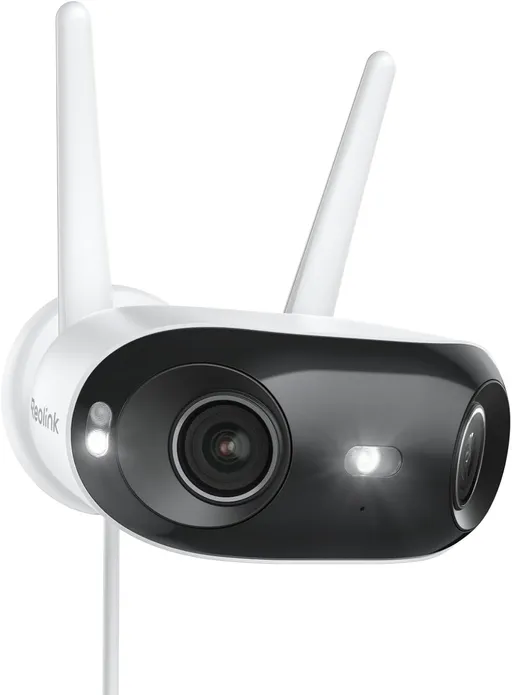
Idéal pour : Idéale pour remplacer un projecteur extérieur câblé et surveiller une zone large sans dépendre du cloud.
En bref : Les utilisateurs Reddit apprécient la couverture large, l’enregistrement local et une installation adaptée au remplacement d’un projecteur existant. Le consensus reste toutefois mitigé en raison d’une détection lumineuse parfois tardive, de logiciels inégaux selon le micrologiciel et d’un prix jugé élevé.
Au-delà de ce modèle, la marque Reolink (toutes gammes) recueille 34 % d'avis positifs sur 886 utilisateurs Reddit. Ce signal marque ne compte pas dans la note du modèle ci-dessus.
Points forts
Utilisable sans abonnement
8 1
« Are people really not willing to put in an extra 10 seconds of configuration for significantly increased privacy? » Voir l’avis
« You'd still be able to get the mobile app or desktop client elsewhere. » Voir l’avis
« I don't believe the mobile app requires any internet connection in the generation of the QR code or subsequent camera set up. » Voir l’avis
Points faibles
Application perfectible
12 25
« Unfortunately, I think HTTP/HTTPS are default off when you take it out of the box and I think ONVIF is off too. » Voir l’avis
« I know this should have been easy and a basic feature in the firmware itself. » Voir l’avis
« The in-app upgrade check very rarely works, don't even bother with it. » Voir l’avis
Qualité d’image perfectible
8 16
« I can appreciate the comparison but the level of blur here makes it kind of.... Difficult. » Voir l’avis
« So between the XPro and the Floodlight, I think it comes down to whether you'd rather have more of a deterrent (Floodlight) or if you'd rather have a better night image (XPro). » Voir l’avis
« I think I agree with everything you posted, particularly the vertical FOV, the Duo 2 is near perfect the "newer" Duo 3, Duo 2V, and Elite do not have sufficient vertical FOV. » Voir l’avis
Fiabilité à surveiller
19 38
« It's way too easy to knock WiFi devices off a network. » Voir l’avis
« Of course you won't have firmware update anymore, and sooner or later, the webcam will become a trash. » Voir l’avis
« Does it work with ONVIF and has an open API? » Voir l’avis
Prix élevé
1 3
« I wasted money returning two Reolinks before they let me know it could be the USB. » Voir l’avis
« Is the high current price due to tariffs factored in? » Voir l’avis
Détection peu fiable
11 20
« I also noticed the detection delay you can actually see the camera has detected you as the IR sensors change but the lights take SEVERAL seconds to come on, most of the time if I am approaching from… » Voir l’avis
« yep annoying isn't it? when mine turns off the light, the motion sensor kicks in and my automation turns it immediately back on again. » Voir l’avis
« I've said it here before about the lights but i think they come on too slow. » Voir l’avis
Installation contraignante
17 21
« Hopefully, I wish someone made more floodlights that where PoE (even if just a light, no camera). » Voir l’avis
« You have screwed the mounting in the hole through which the wires are coming out!! » Voir l’avis
« One hot wire looks damaged and may be arcing to ground. » Voir l’avis
| Critère | Note /10 | Ce qu'en dit le consensus |
|---|---|---|
| Application | 1.7 | Les réglages sont complets, mais leur disponibilité et leur emplacement varient selon le micrologiciel, le Hub ou le mode autonome. |
| Fiabilité | 2.2 | Les expériences vont d’un Wi-Fi stable à des déconnexions, problèmes de reconnexion et micrologiciels mal référencés. |
| Image | 1.7 | La couverture horizontale et le rendu nocturne plaisent, mais le champ vertical, le grain et le flou en mouvement divisent. |
| Prix | 2.3 | La majorité des avis cités trouve le tarif élevé face aux autres caméras Reolink ou Ring. |
| Détection | 2.9 | La détection est configurable, mais l’allumage nocturne peut rester lent ou perturbé par la lumière ambiante malgré les correctifs. |
| Installation | 2.9 | Le remplacement d’un projecteur secteur est pratique, mais la configuration USB-C et l’absence d’Ethernet peuvent compliquer le démarrage. |
| Utilisation sans abonnement | 6.9 | Les utilisateurs confirment l’enregistrement et l’accès local sans abonnement ni connexion Internet obligatoire. |
Avis Reddit
140 avis analysés · Positifs 36 Neutres 26 Négatifs 76
avis pertinents ·
-
PITCHFORKEORIUM 🇬🇧
1 commentaire analysé
-
thehighquark 🇬🇧
1 commentaire analysé
r/reolinkcam · Reolink Elite Floodlight WiFi tripping circuit breaker Maybe this was pinched during install https://preview.redd.it/0gkptce17dag1.png?width=1440&format=png&auto=webp&s=1fddf41a7f6ebb27c3e39ce2d9818011cce6333b
-
stephensmwong 🇬🇧
1 commentaire analysé
r/reolinkcam · If The Company Went Dark You should be able to use the HTTP/HTTPS interface, and you can also use 3rd video recorder, like Surveillance Station App in Synology DSM to record the webcam. Of course you won't have firmware update anymore, and sooner or later, the webcam will become a trash.
-
TroubledKiwi 🇬🇧
1 commentaire analysé
r/reolinkcam · Duo 3 (16mp) vs Argus 4 Pro (ColorX) vs Elite Floodlight (lights off) I can appreciate the comparison but the level of blur here makes it kind of.... Difficult.
-
mblaser 🇬🇧🌐
40 commentaires analysés
r/reolinkcam · Battle of these 3 cameras for front of house camera: Elite XPro POE (with wall sconces) vs. Elite Pro Floodlight POE vs. RP-PCT16MD Ooh I love these kind of posts. Hang on, let me get up on the pulpit lol... First thing I'll say is I can't speak much on the Pro camera since I haven't used one, but everything you said about it should be accurate. Second thing is... be aware of is the availability of the XPro. If you're in the US it's hard to say when it's going to be available. It was originally supposed to be October, then I was told *maybe* January. The maybe in there didn't instill confidence in me though. So who knows. I've had a test unit since April, so I'm not sure what the hold up is, but I can tell you it's a great camera. At least for me, because I have some ambient light in the form of a front door light and a few neighbors with the same. However, what's great about the XPro is that it's both IR **and** ColorX. It's the best of both worlds. So even if you don't have much lighting you still have the IR mode to fall back on. And it's much better IR than a non-CX camera because the 1/1.8" CX sensor helps with capturing more light even in IR mode. For example look at this comparison between the IR modes of the Duo 3 and the XPro: [https://i.vgy.me/6yAKfp.png](https://i.vgy.me/6yAKfp.png) Look at how much better the XPro's IR looks. And you're right about the XPro's spotlights, I think they made them so weak because the camera doesn't need a lot of light. Here's a recent example of mine switching from IR to color when its spotlight comes on: [https://www.youtube.com/watch?v=sTcPz5vOckM](https://www.youtube.com/watch?v=sTcPz5vOckM) Plenty of lighting from the spotlights. Again though, I have a front door light. It also might not be much of a deterrent. When I walk outside at night I often don't even notice that the XPro's spotlights came on. So the Floodlight model would definitely be more of a deterrent. In my case I use HomeAssistant to help me out there. When any of my front cameras detect a person then my front door light, which is smart, goes from the normal 30% brightness to 100% and some of my indoor smart lights come on as well. So I think I have the deterrent aspect nailed down. The only thing that I've been disappointed in with the XPro is that the image clarity isn't as good as it should be for a 16MP camera (technically an 8MP x2 camera). But even for an 8MP camera it's a bit disappointing, and I'll show you why... As an experiment I set my trash can in my driveway about 30ft away and had 4 different cameras set up. I digitally zoomed in on the lettering on the trash can on all 4 of them to compare the image clarity. See here: [https://i.vgy.me/xOMUiS.jpg](https://i.vgy.me/xOMUiS.jpg) Look at the phone number. Oof. The XPro and the Duo 3 weren't much better than the 4MP CX410, and the 8MP CX810 was clearly much better than all of them. Theoretically the Duo 3 and XPro should be about the same as the CX810. Now like I said, this was a test unit I've had since April. It wouldn't surprise me if it's taking so long to come out because they're making changes to it. In fact, when I showed Reolink that 4-way comparison they seemed surprised and wanted me to send them all my original photos. So maybe that prompted some changes and the final release will be different. So between the XPro and the Floodlight, I think it comes down to whether you'd rather have more of a deterrent (Floodlight) or if you'd rather have a better night image (XPro). By the way, I do have the wifi version of the Elite Floodlight. I have it mounted in a different area and mounting position, so it's not a 1:1 comparison, but you can see some examples in my review of it here: [https://www.reddit.com/r/reolinkcam/comments/1miildh/elite\_floodlight\_wifi\_review/](https://www.reddit.com/r/reolinkcam/comments/1miildh/elite_floodlight_wifi_review/) In fact, in the examples in that review the camera that's overlooking my driveway is the XPro. I didn't name it in the review because I was under an NDA at the time, which expired in October. Anyway, thanks for coming to my TED talk.
r/reolinkcam · Curious, why didn’t Reolink make the Elite Floodlight camera’s dual 180° image stitching pre-merged? I really can’t see the purpose of having it unstitched. Because it's going to vary depending on each user's situation. If you are watching a tighter closer area then you need a different stitching focus point than you would if you're watching a farther away area. For example my dual lens camera that's watching my front yard and 60ft long driveway is set to a stitch distance of 14. Meanwhile I have another dual lens camera watching my narrow side yard by pointing almost straight down. It's stitch distance is set to 3. If you look at the videos in [my review](https://www.reddit.com/r/reolinkcam/comments/1miildh/elite_floodlight_wifi_review/) of the Elite Floodlight, I'm not disappearing at the stitch point. Yeah, if you're trying to watch both a near area and a far area, then you'll have to decide which area you want the stitch to be focused for. If you focus it nearer then you'll have a small area farther away where it's seeing double. Honestly, I think you're overthinking this. I've been using their dual lens cameras since the Duo 1 came out 5 years ago and have now used 7 different dual lens models over that time, and it's never been a concern.
r/reolinkcam · No ethernet port for the new Reolink Elite Floodlight WiFi ? Looks like there's going to be a POE version: [https://www.reddit.com/r/reolinkcam/comments/1o25bkc/new\_nvr\_firmware\_adds\_features\_for\_elite\_pro/](https://www.reddit.com/r/reolinkcam/comments/1o25bkc/new_nvr_firmware_adds_features_for_elite_pro/) The wifi one is geared towards people that are wanting to replaced an old "dumb" floodlight. Which means they'd already have what they need at the location as far as wiring goes. They're also likely people that don't want to run ethernet, and probably don't even know what ethernet is lol. Not to mention that you shouldn't be running ethernet into the same junction box as 120v.
r/reolinkcam · If The Company Went Dark You'd still be able to get the mobile app or desktop client elsewhere. They wouldn't disappear if Reolink went away. I'm not sure if the mobile app would still work without their servers, but I'm pretty sure the desktop client would. Beyond that, it would be difficult because like you said HTTPS is off by default. StarkillerTR shared a way you might be able to do it with a Python script here: https://www.reddit.com/r/reolinkcam/s/puB0kmdyY2 That's a perfect example of why I don't think we'd be screwed if Reolink disappeared. There are a lot of very smart people in the community that can figure out things like that.
r/reolinkcam · Elite Pro Floodlight PoE stays in Black&White hours after sunrise? I did sometimes have this problem with my Elite Floodlight wifi, mainly on overcast days. I solved the problem by making a quick automation in my HomeAssistant that forces it to color/day mode when another one of my nearby cameras changes to color, and then back to auto at night. I know that doesn't help if you don't use HA, but just wanted to share what I did. I did report it to Reolink back then, so you may want to submit a help ticket as well, the more people that report it the likelier it is to get fixed: [https://support.reolink.com/requests/](https://support.reolink.com/requests/) (don't bother with chat, go right to submitting a ticket)
r/reolinkcam · If The Company Went Dark Hmm I just realized which camera you were talking about. The fact that it doesn't have an ethernet port is a big difference. It might be impossible to do in that case. Having an ethernet port opens up many possibilities, but without one I don't know how you would get it connected to your wi-fi. You need UID to start that process and UID relies on their servers. Although maybe in this case it doesn't actually reach out to their servers during setup. Who knows, the only way to know for sure would be to test setting one up without internet.
r/reolinkcam · Elite Floodlight WiFi: blinking, red lights The red lights aren't error lights, those are 100% the IR lights. After seeing your image below I guarantee that's the case. You said the IR lights are invisible, that's not true. I think what's happening is the floodlights are coming on and lighting up the area *so much* that the camera now thinks it's day (having so many nearby white colored objects isn't helping). So since it thinks it's day it turns the floodlights off. Well now it sees that it's night, so it turns them back on. Now it's in a loop. The way to test if this is the case is to temporarily set day and night mode to black and white (i.e. night mode). In the mobile app that's under settings>display>day and night. And if that does turn out to be the issue then you need to either keep the brightness lowered, or you can play around with the auto-switch threshold slider. Settings>display>advanced>threshold. That will maybe allow the light to be brighter before it switches
r/reolinkcam · Elite Floodlight Camera & Light angle question You should be able to point it down enough to see underneath it. The camera itself is on a ball joint that can point in pretty much any direction, then the lights themselves are on double-jointed arms that can be manipulated in pretty much any direction as well. You can see up close pictures of the joints in my review of the wifi version: [https://www.reddit.com/r/reolinkcam/comments/1miildh/elite\_floodlight\_wifi\_review/](https://www.reddit.com/r/reolinkcam/comments/1miildh/elite_floodlight_wifi_review/) And even though mine's mounted from above you can still see examples of the view you'd get when pointing it straight down. I couldn't find any examples of someone wall mounting it and pointing straight down, but I did come across this video that shows a side view of it: [https://i.vgy.me/FMI8T2.png](https://i.vgy.me/FMI8T2.png) There you can visualize how you should be able to tilt the camera's ball joint down enough that you should be able to see directly underneath it when taking the cam's vertical FOV into account.
r/reolinkcam · Floodlight setting I just checked my NVR with my wifi Elite Floodlight and I have the proper settings. I also have them in my mobile app. Have you tried via the mobile app or desktop client? What model, hardware version, and current firmware is your NVR?
r/reolinkcam · Reolink Elite Floodlight Firmware The in-app upgrade check very rarely works, don't even bother with it. Only use the download center. Just because your current firmware isn't listed there doesn't mean anything. If your hardware version matches up with the hardware version you're looking at on the download center then that's the firmware you want to get. Assuming your hw version is IPC\_NT15NA68MPW? Then you'd want to get the latest one listed there, v3.2.0.5607\_2511041996
r/reolinkcam · Purchased Elite Floodlight - How to get Smart Event Detection? Notice that has a 1 and a 4 beside it... >¹ The feature described is based on planned functionality. Actual features may vary. Please refer to the final product for confirmation. >⁴ Cloud-based feature. Subscription required. Learn more about [Reolink Cloud AI](https://support.reolink.com/hc/en-us/articles/48566734883481-Introduction-to-Reolink-Cloud-AI/). If you follow that link for Cloud AI you'll see the US isn't on there. At least not yet. I don't know why, but they've always had very sparse cloud support in the US.
r/reolinkcam · Duo vs Elite floodlight help Mine is the wifi version that's hardwired to AC 120v for power, so not only does it have much less cabling to hide, it has to go onto a junction box anyways. I haven't seen the poe version in person, but if it's like the rest of their cameras you're not meant to hide the cables in the camera base, it should all go into a junction box or into the wall it's mounted to.
r/reolinkcam · Review of Reolink Elite Floodlight Wifi Nice review, thanks for sharing. Just one thing to point out... the slow delay in switching over to the floodlights has been fixed in a recent firmware update: [https://www.reddit.com/r/reolinkcam/comments/1ozlsc6/fyi\_new\_elite\_floodlight\_firmware\_available/](https://www.reddit.com/r/reolinkcam/comments/1ozlsc6/fyi_new_elite_floodlight_firmware_available/)
r/reolinkcam · Duo vs Elite floodlight help On top of the things you mentioned... For me the looks of the Elite are worth it. I've always hated the design of the Duo cameras lol. The Duo has a larger vertical FOV. Even though the specs say there's only a 1° difference, it's more like 10° or so, which can make a big difference depending on your situation.
r/reolinkcam · Elite Floodlight WiFi Review >despite them teasing to several times What did they tease exactly? You lost me there. >Many have decided to go for other products elsewhere because of it. And many more *new* customers will come to Reolink because this floodlight is such an easy install for people wanting to upgrade their non-smart floodlights. Hey, I always want POE as well, but focusing on hardwired wifi first is a smart business decision because it's a large market and it's a relatively untapped market. POE users like us are a minority. It's the same reason they also focus on battery cameras a lot. A Reolink employee once said the percentage of cameras they sell that are battery cameras, and I forget the exact percentage, but it was the vast majority of their sales. The average consumer wants an easy install, not to have to run ethernet. Convenience always trumps quality when it comes to the average joe.
r/reolinkcam · Elite Floodlight WiFi Review Yeah, it would be interesting to see how much power this thing draws. I wish I had thought of that before I mounted it, I could have powered it with that cable it came with and checked it with my power draw meter. Too late now, I'm not disconnecting this thing, it was kind of a precarious install lol.
r/reolinkcam · Elite Floodlight WiFi Review It's not as big of a difference as it sounds. The regular price of the Duo Floodlight is $170. $220 is the regular price of this one, so $50 difference, but right now in the US it's up for preorder for $198. I expect that once it's fully released that it will probably sell for around $170-180 when on sale, which like all the rest of their cameras, is almost all the time. If I were shopping for one and choosing between the 2 and the difference was $50, it'd be well worth it to me. For all the reasons I listed in the pros section of my review. If I already had the Duo like you do? Yeah, maybe not. Ring? Yeah, I don't care what its cost is. Even if it were free I wouldn't take it. Not to mention that the one I think you're talking about is 1080p, not a dual lens, and only 2.4ghz wifi4. So... 10 year old tech. Not quite a valid comparison. It's kind of insulting that they charge $100 for it actually lol. It should be like $50.
r/reolinkcam · Am I screwed? Painted new Reolink Elite Floodlight WiFi and don't have QR code or UID. It should be on the box. I have the same model and it's on the back of my box.
r/reolinkcam · Am I screwed? Painted new Reolink Elite Floodlight WiFi and don't have QR code or UID. I'm 99% certain it's not. I've never specifically looked for it, but I've handled enough of their cameras that I think I would have noticed it at some point. I think your only hope is like you said in your other comment, seeing if Reolink support can match the serial number to a UID. I have no idea if they have a database of that though.
r/reolinkcam · Am I screwed? Painted new Reolink Elite Floodlight WiFi and don't have QR code or UID. Unfortunately that's one of the few wifi cameras of theirs that doesn't also have an ethernet port on it. If it did you'd just be able to plug it into your network to get it set up. However, that cam doesn't have that, and I can't think of any way to do it without the QR code or UID. I don't think I've ever seen the QR code be on an insert in the box, as the 1st commenter said, and I've opened at least 50 boxes of theirs lol. Even ignoring the QR/UID mistake, you should have set it up before having it painted. If there were something wrong with it and you had to send it back they're not going to take a return back now that you've painted it. Not to mention voiding the 2 year warranty.
r/reolinkcam · 24/7 NVR recording over Wi-Fi Wired Camera? It depends entirely on your wifi setup and signal strength. I currently have 16 cameras capable of recording 24/7. 5 of them are doing so over wifi, including that Elite Floodlight, and I have zero issues. I have a pretty beefy wifi setup though, all Omada gear with 4 APs around my house that are all wired backhaul to my main network switch. Mine are all close enough to be able to do it over 5Ghz, so I can't vouch for how they'll perform over 2.4Ghz. It sounds like you might want to upgrade your wifi for better coverage though.
r/reolinkcam · Elite Floodlight WiFi Review This install is on 110/120V in the US, but yeah, that's what it's meant for. The specs say "100V\~240V" so I assume it would work in your country as well.
r/reolinkcam · Elite Floodlight: lights don't turn on when detecting motion at night. In the current version of the app it's under Settings>Light Alarm: https://preview.redd.it/ad9i7quklzrg1.png?width=333&format=png&auto=webp&s=cdbc54b519b66829f997bb3fc4a5e0e70eae211f If you don't have that menu then share what firmware the camera is on and how you have it connected, because you're likely on old firmware or you're running it through an NVR with old firmware.
r/reolinkcam · Elite Floodlight WiFi Review I never really tested this because I have an outdoor AP located about 8ft away from the camera, so it's always at 100% signal. I did test it just now though. I unplugged that AP and let the camera connect to the next closest AP, which is about 30ft away and through 3 walls. It connected at 54% signal strength according to my network controller. That was still good enough for 2 high quality streams (1 back to NVR and 1 of me live viewing) with no issues . So it seems to have pretty good range.
r/reolinkcam · Elite Floodlight WiFi Review I didn't run it, but yes that's what it is, flexible conduit. That is attached to a sunroom we had built last year, and as part of the inspection the city required a light at that corner, so my contractor's electricians installed that junction box and ran the wiring through that conduit and put a dumb floodlight on the junction box to satisfy the inspector and pass inspection. It was great timing because less than a month later Reolink came out with this camera so I just swapped it in there.
r/reolinkcam · Elite Floodlight WiFi Yeah, the update button rarely works. You have to update manually, either via the PC client or the web UI. So if you can't use a PC you could technically do it in a browser on a mobile device. [https://support.reolink.com/hc/en-us/articles/34817575507481-How-to-Manually-Update-Firmware-for-Reolink-Devices/](https://support.reolink.com/hc/en-us/articles/34817575507481-How-to-Manually-Update-Firmware-for-Reolink-Devices/)
r/reolinkcam · Elite Floodlight WIFI Yeah, that camera uses their newer "advanced sharing" feature instead of simple user accounts. [https://support.reolink.com/hc/en-us/articles/360006916814-How-to-Share-Your-Device-with-Others/](https://support.reolink.com/hc/en-us/articles/360006916814-How-to-Share-Your-Device-with-Others/) I agree, even as someone that doesn't have a need for separate users, it's a downgrade.
r/reolinkcam · Purchased Elite Floodlight - How to get Smart Event Detection? Which features are you looking for exactly? The only two of the newer AI features it has are perimeter protections (line crossing, zone loitering, etc) and local AI video search. Are you talking about [this](https://i.vgy.me/rA8YRk.png) section of that page? That's the object removal and forgotten object feature, and according to the support article about it, only the Profession series cameras (ones starting with RP) support that: [https://support.reolink.com/hc/en-us/articles/43590651628697-Comprehensive-Guide-to-Reolink-Perimeter-Protection-and-Smart-Event-Detection/](https://support.reolink.com/hc/en-us/articles/43590651628697-Comprehensive-Guide-to-Reolink-Perimeter-Protection-and-Smart-Event-Detection/)
r/reolinkcam · Duo vs Elite floodlight help I haven't noticed any issues with the stitching. You can see some sample videos from my Elite in the [review](https://www.reddit.com/r/reolinkcam/comments/1miildh/elite_floodlight_wifi_review/) I did. And even if I did notice any stitching issues, that's very low on my list of things that would cause me to not like a camera. It's not going to affect being able to identify someone or anything like that, so I wouldn't really care if the stitching is bad.
r/reolinkcam · Elite Floodlight Wifi or the Elite Floodlight Pro POE? Well, compare the specs. The Pro POE is 16MP vs the wifi is 8MP. So it will give you a higher resolution image. That doesn't necessarily mean better night clarity though, that more comes down to lighting. Connectivity is always better with POE vs wifi. The Wifi one is 120v AC hardwired, not plug-in like your current one is (although you can buy a cable separately that would allow you to plug it into an outlet). Of course cost difference, I would assume the POE is more expensive, but that's region dependent.
r/reolinkcam · Elite Floodlight WiFi Review Yes, the only cameras that don't are battery cameras.
r/reolinkcam · Elite Floodlight WiFi Review Well, detection shouldn't be an issue, but viewing angle will be due to the vertical field of view. In my examples above it's at 10ft high, so yours will be like mine.... you have to choose whether you want to see farther out away from the building, but not close to the building... or vice-versa.
r/reolinkcam · Elite Floodlight Wifi, how to disable the strobe alarm option? What NVR do you have? Some models only just received a firmware update 1.5 weeks ago that gave the NVR the proper floodlight menus: [https://i.imgur.com/XV4sTdV.png](https://i.imgur.com/XV4sTdV.png) Some NVR versions haven't received that update yet (RLN36 for example) Otherwise you would need to access them as standalone devices, not through the NVR. Since it's a wifi camera you should have a 2nd standalone instance of the camera that's not under the NVR. There you'll have a second menu called Floodlight under Notification Settings where you can change it from Continuous Flashing to Stay On. [https://i.imgur.com/TA6x3VK.png](https://i.imgur.com/TA6x3VK.png) [https://i.imgur.com/UkU3B64.png](https://i.imgur.com/UkU3B64.png) It's confusing as hell to have 2 separate light menus and I told them that when I was beta testing that camera.,
r/reolinkcam · Elite Floodlight: lights don't turn on when detecting motion at night. >Notification Settings --> Floodlight ---> Detection (Human only) >It will work for what I'm trying to achieve (only turn on when there is motion) but the light flickers 10 times. >I cannot de select the flashing function. The alternative choice is to select Stay On instead. You can't do that? https://preview.redd.it/54ik50q8a9vf1.png?width=328&format=png&auto=webp&s=fea751b2584aac8462b79e18cf58992852d4e5b8
r/reolinkcam · Elite Floodlight WiFi Review Yeah, you can have it only turn on at night when the cam detects a specific smart motion type, which is how I think almost everyone will use it. Or you can do it by a schedule... have it always on during specific hours. There's also an auto mode where it will always be on at night, but it will auto adjust the brightness based on how dark it is. I haven't really played with that setting though.
r/reolinkcam · Elite Floodlight WiFi Review Well, it all depends on the area it's watching and the height you have it at. If the camera's not very high then the vertical FOV isn't an issue. Or if you're like me and have it up high, but pointed down then it's not an issue either. I'm happy with it for my situation. However, if I were wanting to watch a large area and not have a blind spot underneath the camera unless it's mounted only 7ft high.... yep, it sucks for that, and that's why I'm going to keep criticizing them about it.
r/reolinkcam · Elite Floodlight WiFi Review I talked about that in #3 under the Pros section of the review. Because it's not POE, many more *will* buy it. The average consumer doesn't know how to run ethernet and doesn't want to run ethernet to a mounting spot where they already have electrical wiring for their old non-smart floodlight. The average consumer doesn't even know what POE is. That's who is going to buy a lot of these.
r/reolink · Reolink Elite Floodlight WiFi (Hardwired) - pink video >better control over the auto-light feature (only for humans for example) It should have that, it has smart controls so it only turns on for people, vehicle, pets, etc, but it might depend on what firmware yours is on and if your mobile app is up to date (4.55). I didn't realize where the menu was at first because it's not intuitive, but this is what they told me... [https://imgur.com/a/gXTYf4D](https://imgur.com/a/gXTYf4D) The camera isn't even supposed to be out for another month (I think some regions screwed up by selling it early), so I don't think they're completely done with the UI for it.
r/reolink · Reolink Elite Floodlight WiFi (Hardwired) - pink video Yeah, they really should have a disclaimer on it about this because I feel a lot of people aren't going to want to waste the time mounting it if they think it's a bad camera. Mine was actually pink on both lenses so I was afraid it was bad. But then I also noticed that a lot of the settings were missing so I had a hunch it had something to do with how it was being powered. So I temporarily powered it with the bare wire power cord thingy it came with and then everything was normal. Speaking of that... did yours come with that bare wire extension cord? This thing? [https://i.imgur.com/T5PZFxn.png](https://i.imgur.com/T5PZFxn.png) Mine came with that, but it was outside the camera box. And it's not listed on the product page under "What's in the box", so I'm wondering if they're actually including that with all units, or it was just my test unit.
r/reolinkcam · Elite Floodlight WiFi Review Yep, you sure can: [https://i.imgur.com/mQVw4JK.png](https://i.imgur.com/mQVw4JK.png)
-
TheDeltaFlight 🇬🇧
2 commentaires analysés
r/reolinkcam · New NVR Firmware adds features for Elite Pro Floodlight POE? Hopefully, I wish someone made more floodlights that where PoE (even if just a light, no camera). It's so much easier to run a PoE cable than high voltage.
r/reolinkcam · Heads up the Elite Floodlight may not work at dusk in Close / motion only mode Man, I really like Reolink but I always feel like they miss the last 10% on all their products. Thanks for letting us know. Also, why do they call it Close lol
-
crocodilius29 🇬🇧
1 commentaire analysé
r/gadgets · Reolink Elite Floodlight WiFi Review: A Top-Tier Light and Security Camera Are people really not willing to put in an extra 10 seconds of configuration for significantly increased privacy? Staying out of the google/amazon/apple ecosystem is a massive benefit despite the average person clearly not being aware of that.
-
ElectroSpore 🇬🇧
15 commentaires analysés
r/reolinkcam · Elite Floodlight WiFi Review I think I agree with everything you posted, particularly the vertical FOV, the Duo 2 is near perfect the "newer" Duo 3, Duo 2V, and Elite do not have sufficient vertical FOV. This is particularly evident if you have it mounted pointing down a little to try and catch people directly below it it will cut them off at the top. The Duo 2 is MUCH better in this regard FOV wise. I also noticed the detection delay you can actually see the camera has detected you as the IR sensors change but the lights take SEVERAL seconds to come on, most of the time if I am approaching from around the corner I am almost at the light before they come on. I am still really Happy with them however, I have two and the style, install, and general features are great. One additional one for me is that fact it is a WPA3 / WiFI 6 device that works with DFS channels.. One of the reasons I have avoided past WiFi Reolinks is the "WiFi5 dual mode" cameras could not connect to WPA3 or DFS.. Now I just need them to release a wifi 6 doorbell.
r/reolinkcam · Elite Floodlight WiFi In Close mode (off unless there is motion detected) according to support the threshold setting does nothing and it doesn't come on at dusk at all until it is fully night / dark. Been trying to tell almost all cheap motion floodlights let you set the light threshold. I would report your issue in a ticket and see what they say.
r/reolinkcam · How can I replicate this plug-in cable for the Elite Floodlight? Amazon or home depot search for power tool cord or replacement NEMA 5-15 power cord rated as WEATHER RESISTANT for OUTDOOR USE Given its low power use nearly ANY 3 wire standard cord is fine.
r/reolinkcam · Elite Floodlight Wifi Firmware Won't Update I downloaded the firmeware file and noted it is not for the same hardware revision IPC_NT18NA68MPW but my camera is IPC_NT15NA68MPW Note the NT18 vs NT15.. Not sure if this is a bug in the home assistant updater or some incorrect info in the update package.
r/reolinkcam · Floodlight cameras vs the non Flood light counterparts - is it better to have the lighting be separate? The main advantage of flood lights is color.. Technically the IR and IR flood lights work better at night most of the time. There is always a few seconds of blinding of the camera when the floodlights kick in and the camera has to switch from IR to Color day. Unless the floodlight is on at all times at night.
r/reolinkcam · FYI: New Elite Floodlight firmware available This looks newer than the the firmware I currently run that fixes WiFi issues so I might give it a go since the slow activation is another issue I have. The improvements for dusk are also interesting as I ALSO have that issue.
r/reolinkcam · ONVIF for Elite Floodlight WiFi & Reolink Video Doorbell (Battery) -- (hooking it up wired) https://reolink.com/us/product/reolink-doorbell-battery/#specifications >Protocols & Standards SSL, TCP/IP, UDP, UPNP, SMTP, NTP, P2P Battery models don't support ONVIF or RTSP without the hub. Floodlight, assuming the android app is the same as the iOS app would be 1. Gear icon on the camera 2. Tap on camera name at the top 3. Tap on Network Information 4. Tap on Advanced 5. Toggle on ONVIF and RTSP, you may also want to turn on HTTP / HTTPS so you can view the camera directly via a webrowser.
r/reolinkcam · Elite Floodlight WiFi VERSION: 1 - Holding the power button does nothing... I don't have the device handy but check what the Power requirement is it should be labeled by the port. Not all USB C devices take the same amount of power. A brick that can charge an iphone can't run a laptop etc.
r/reolinkcam · Elite Floodlight WiFi VERSION: 1 - Holding the power button does nothing... I don't have the install guide handy, but IIRC it requires a fairly significant USB C power to complete setup and then is not fully functional till direct wired.
r/reolinkcam · Elite Floodlight WiFi VERSION: 1 - Holding the power button does nothing... > (I plug it into the USB on my computer...the blue light turns on) 99% sure your computers USB port will not output enough power
r/reolinkcam · Floodlight cameras vs the non Flood light counterparts - is it better to have the lighting be separate? As I said motion flood light has the disadvantage of basicly blinding the camera for SEVERAL seconds. An always on light is the BEST option.
r/reolinkcam · Hardware - IPC_NT18NA68MPW - newest Elite Floodlight wifi Given how far the flood light provides light I would expect detection to be WAY more sensitive and quick than it is. Even on NT15 hardware with the latest update the difference is something like 1s delay instead of 2s, which is still enough time to walk almost complete under it if it is on the side of a building and you are at the far edges of its FOV.
r/reolinkcam · Elite Floodlight: lights don't turn on when detecting motion at night. Open the reolink app and look at the camera view it should show an icon if a human is detected. Also the Close motion only mode only works when it is VERY dark it doesn't work at dusk and does not have an adjustment so if there is enough OTHER lighting it might not turn on.
r/reolinkcam · Elite Floodlight WiFi Question - Light control I just had to fiddle with this for a different reason around "when it thinks it is dark" 1. Set a schedule for scheduled mode with the widest possible times you want it on. 2. Now flip it to off/close mode when you want it off and scheduled when you want it on.
r/reolinkcam · Heads up the Elite Floodlight may not work at dusk in Close / motion only mode I have a dev firmware on them as well that fixes the issue of them not recovering from a WiFi outage, they are working on fixes. I would have already returned them due to the WiFi issue otherwise.
-
basement-thug 🇬🇧
1 commentaire analysé
r/reolinkcam · A couple questions before buying No WiFi. PoE is the way. Wifi isn't as stable, easily bypassed.
-
Jos_Jen 🇬🇧
1 commentaire analysé
r/reolinkcam · Reolink Elite Floodlight WiFi tripping circuit breaker You have screwed the mounting in the hole through which the wires are coming out!! If you undergo a license A exam you will fail.
-
MarvinStolehouse 🇬🇧
1 commentaire analysé
r/reolinkcam · How can I replicate this plug-in cable for the Elite Floodlight? It looks like a standard AC power cable. You could probably just lop the end off an extension cord and get the same thing, but you're probably better off, and safer, to find someone comfortable around electrical things to take a look at the camera and find a safe solution for you.
-
IndispensableDestiny 🇬🇧
1 commentaire analysé
r/reolinkcam · Reolink Elite Floodlight WiFi tripping circuit breaker One hot wire looks damaged and may be arcing to ground. Stuff your wires in the j-box before screwing on the mounting plate. Have the wire nuts pointing up. Hats not cups (that can hold water). Make sure you have a solid ground under that wire nut and behind the green screw. Clean the old wires. Like another said, hook up your Reolink to another circuit that is on a CAFCI, even with just a plug to receptacle.
-
BladeRunner26 🇬🇧
2 commentaires analysés
r/reolinkcam · Elite Floodlight WiFi: blinking, red lights yep annoying isn't it? when mine turns off the light, the motion sensor kicks in and my automation turns it immediately back on again. I've also had to introduce a delay too. also the motion sensor cannot be fully deactivated on this camera it seems!
r/reolinkcam · Incorrect Hardware Number on New Elite Floodlight WiFi mine is the same. we need Reolink to release the update so we can get faster light activation
-
Kirbieb 🇬🇧
1 commentaire analysé
r/reolinkcam · How can I replicate this plug-in cable for the Elite Floodlight? Thats how i did it, cut the end off the plug BPd the connections and taped to double up the weather proofing. Also make sure you've made it water proof on the outside.
-
ThunderboltsRock 🇬🇧
1 commentaire analysé
r/reolinkcam · Elite Floodlight WiFi This resolved my issue where it was not changing to night mode and therefore not triggering floodlights: Please adjust the black & white color threshold to -26. If the issue persists, try adjusting it further to -45 and see if it helps. https://support.reolink.com/hc/en-us/articles/14608263489945-Black-and-White-Color-Mode-Switching-Threshold-Guide/
-
ToMorrowsEnd 🇬🇧
1 commentaire analysé
r/gadgets · Reolink Elite Floodlight WiFi Review: A Top-Tier Light and Security Camera Does it work with ONVIF and has an open API? No? then it's not top tier, it's bottom tier. All this closed stuff is E waste.
-
No-Cantaloupe2149 🇬🇧
1 commentaire analysé
r/reolinkcam · Elite Floodlight WiFi Review So should I finally replace my Ring Floodlight Pro with this? All other cameras I have are Reolink and on my NVR. Ive been waiting for a duo cx for years at this point, but this seems like a decent option.
-
anclave93 🇬🇧
1 commentaire analysé
r/reolinkcam · Duo 3 (16mp) vs Argus 4 Pro (ColorX) vs Elite Floodlight (lights off) way too pixelated in the middle all 3
-
ouchmythumbs 🇬🇧
2 commentaires analysés
r/reolinkcam · Elite Floodlight Wifi Firmware Won't Update Replied to my original support ticket and here was their response: "Thank you for following up. I understand that you would like to know when this issue will be resolved. At this time, the concern is still under investigation by our Development Team. We are currently checking the behavior across different hardware versions after the file has been downloaded to determine the cause of the issue. We will provide you with an update as soon as we receive more information or confirmation from our Development Team. We appreciate your patience and understanding while we continue investigating this matter."
r/reolinkcam · Elite Floodlight Wifi Firmware Won't Update FWIW: I just got off with support to let them know of the issue (they published IPC\_NT18NA68MPW instead of IPC\_NT15NA68MPW). They said they're going to fix.
-
ian1283 🇬🇧
11 commentaires analysés
r/reolinkcam · Elite Floodlight Wifi Firmware v3.2.0.6530 2606232191 See [https://www.reddit.com/r/reolinkcam/comments/1uynoe0/elite\_floodlight\_wifi\_firmware\_wont\_update/](https://www.reddit.com/r/reolinkcam/comments/1uynoe0/elite_floodlight_wifi_firmware_wont_update/) Reolink need to correct the download site. My guess is the firmware is for the NT18 variant but incorrectly added for the NT15.
r/reolinkcam · Elite Floodlight Wifi Firmware Won't Update From what I can see Reolink have made an error. The download site implies its for IPC\_NT15NA68MPW whilst the contents say otherwise **IPC\_NT18NA68MPW**.6530\_2606232191.Elite-Floodlight-WiFi.8MP.WIFI19.REOLINK.pak It's best to hold pending a confirmation. This is NOT Home Assistant error.
r/reolinkcam · If The Company Went Dark An NVR would not help with a wifi camera as there is the chicken & egg problem. Until the camera is connected to a wifi access point the nvr cannot access the camera. The desktop client is available on a number of non-Reolink sites such as this reddit sub, likewise the mobile client can be retrieved from sites such as APKMIRROR for the android version. I don't believe the mobile app requires any internet connection in the generation of the QR code or subsequent camera set up. But it would be an interesting exercise to verify on a network without internet access to see whats possible.
r/reolinkcam · Help with Initial Setup Your first stage should be to add the cameras & doorbell to your Reolink app as standalone devices. If not already done I'd recommend installing a sdcard which can be used as a secondary recording location, a 32/64GB card is suitable for this. As for the process its better to complete as much of the initial setup of the devices on the kitchen table, its far easier to perform any reset/configuration/etc when everything is side by side. In the case of the doorbell plug an ethernet for the setup as that avoids the requirement to scan any qrcode, once the doorbell is on your network using the Reolink app add the wifi parameters. Then fit the cameras in their desired locations and verify all remains ok whilst using your eero network. The cameras work equally well (if not better) on your home network especially as you have mesh wifi. Now add the cameras to the nvr but leave them on your eero network. Note this requires use of a monitor/mouse - this step cannot be done via the apps. [https://support.reolink.com/hc/en-us/articles/900004614403-How-to-Add-Reolink-Cameras-to-Reolink-NVR-New-UI/](https://support.reolink.com/hc/en-us/articles/900004614403-How-to-Add-Reolink-Cameras-to-Reolink-NVR-New-UI/) Unfortunately there is no option to disable the onboard wifi on the nvr, best approach is don't connect the antenna to the nvr.
r/reolinkcam · Put the chicken before the egg. Need help making sure I stay compatible This outlines what is compatible with a Home Hub [https://support.reolink.com/hc/en-us/articles/32379509281561-Reolink-Home-Hub-Compatibility/](https://support.reolink.com/hc/en-us/articles/32379509281561-Reolink-Home-Hub-Compatibility/) Elite Floodlight - Yes Battery doorbell - Yes poe or plug-in wifi doorbell - Yes Argus 4 Pro - assuming the hardware version matches link, Yes You may need to update the Home Hub firmware to be fully compatible with the Elite Floodlight.
r/reolinkcam · AI questions You can but only when its not connected to the Home Hub.
r/reolinkcam · AI questions [https://support.reolink.com/articles/44949969778713-Introduction-to-Reolink-AI-Video-Search/](https://support.reolink.com/articles/44949969778713-Introduction-to-Reolink-AI-Video-Search/) Based on this it is supported for cameras running standalone or connected via selected NVR models and not an option using a homehub.
r/reolinkcam · Network error: unable to connect to device. I hope you were looking on the website, automatic checks via the app rarely work [https://reolink.com/download-center/](https://reolink.com/download-center/) IPC\_NT15NA68MPW v3.2.0.5607\_2511041996
r/reolinkcam · Elite Floodlight WIFI OK, On some devices such as the doorbell you cannot add a new user via the desktop client or mobile app but the browser path does allow. Perhaps that choice is not available on the ELITE Floodlight.
r/reolinkcam · Elite Floodlight and Home Hub question Neither the camera or Home Hub depend on a working internet connection. The camera can record to its onboard sdcard even if the in-house wifi goes down and recording back to a home hub or nvr just requires a working home network. So even if your connection to the internet proper goes down its the recording continues.
r/reolinkcam · Help with Initial Setup Was it just one of Elite floodlights that you had a problem with and the other two were fine? It was not clear from your post. Sometimes the initial setup can be a little confusing, that why its good to do this inside as it makes it much easier. I suspect with the Elite wifi you will need to temporarily connect the power connections for the initial setup, so if you have some terminal blocks to wire in the cables that should work ok although do note there will be 110-230V mains voltage on the connections so do take care :-)
-
bongopd 🇬🇧
4 commentaires analysés
r/reolinkcam · If The Company Went Dark Thank you so much for your response! Unfortunately, I think HTTP/HTTPS are default off when you take it out of the box and I think ONVIF is off too. I think if there were some way to both connect it to the wifi and then change those settings, that would be the answer, but I can't think of a way to do those.
r/reolinkcam · If The Company Went Dark Okay, for you and the benefit of anyone else who comes here in the future (note that this is for the REOLINK Elite Floodlight WiFi), I turned off my phone's sim card and unplugged the internet at my house. I then cleared everything that was set up on my desktop and my phone for Reolink and I hit the reset button on the camera itself until it was yelling at me to set it up in the app. I then used the app on my phone to get the camera connected to wifi and controlled through the app. I then connected the camera to my desktop program through it's IP address, all entirely without internet. So, worst case scenario if the company went dark, we should just need a copy of the mobile app to set everything up, which I'm told in the above comments is available through other sources than just the company. Also, this all strongly suggests that it could be entirely reverse engineered and setup if needed (as you suggested). This convinces me beyond a doubt that these will not be bricked if the company goes under, which makes me much more comfortable with purchasing more. Thank you so much for your help!
r/reolinkcam · If The Company Went Dark I can confirm that it does have a USB-C port and it does use bluetooth to connect. I was just unsure if it also had alternative methods. It is looking like it doesn't sadly.
r/reolinkcam · If The Company Went Dark I'm trying to test this with a new REOLINK Elite Floodlight WiFi. Are you sure the QR code thing works with that model? It's very possible I'm doing something wrong, but I can't get it to work.
-
StarkillerTR 🇬🇧🌐
4 commentaires analysés
r/reolinkcam · Heads up the Elite Floodlight may not work at dusk in Close / motion only mode I know it is not ideal, but you could solve this using HomeAssistant. Just leave the floodlight off and make a automation in HA to turn on the floodlight whenever a person is detected. Then In the condition you can do whatever you like (specific timing, sunset/sunrise with offsets, alleviation angle of the sun, brightness using a light sensor (or your solor production if you have solor panels, basically the biggest light sensor you could image)). You can be as creative as you want in the conditions. I know this should have been easy and a basic feature in the firmware itself. But at least you have a alternative if you are willing to setup HA.
r/reolinkcam · If The Company Went Dark I would not be too worried, bleutooth is a local protocol so we could always try to reverse engineer it.
r/reolinkcam · If The Company Went Dark Its possible withouth internet connection. You can generate the QR code yourself, instructions are here: https://www.home-assistant.io/integrations/reolink/#qr-code
r/reolinkcam · If The Company Went Dark I am 100% sure the setup process does not require any internet connection.
-
cajunjoel 🇬🇧
2 commentaires analysés
r/reolinkcam · A couple questions before buying For 6 cameras, I'd recommend running cable to their locations. (and run more extra cables while you're there for future use.) The reliability and the fact that you can stream the highest quality video makes it worthwhile.
r/reolinkcam · A couple questions before buying With four cameras, two on opposite corners, you will have blind spots under the cameras. Ideally, for a square or rectangular building, four cameras can cover all sides of the building with one on each corner. Like this Pic. https://preview.redd.it/mh3ie56mfukg1.jpeg?width=1300&format=pjpg&auto=webp&s=b7cde1da42d9fee9af572bc2a8c8f23e52eace98
-
Competitive_Star4026 🇬🇧
1 commentaire analysé
r/reolinkcam · Argus 4 Pro I use a mix of Poe and wired cameras. I noticed that the Poe cameras run warm which I think may be by design for colder weather as they don't build up any Frost or ice at all. I also have the new floodlight camera which while it is Wi-Fi it runs off a steady mains power source not batteries. Haven't had any issues with build up at all.
-
shadowmage666 🇬🇧
1 commentaire analysé
r/gadgets · Reolink Elite Floodlight WiFi Review: A Top-Tier Light and Security Camera Show me proof they are taking your private encrypted files? It stores the video locally on an sd card and it’s encrypted without the cloud feature
-
GrossmeisterT 🇬🇧
4 commentaires analysés
r/reolinkcam · Elite Floodlight Wifi Firmware Won't Update they still did not fix it 😔 Must be a hard task to do, lol.
r/reolinkcam · Elite Floodlight Wifi Firmware Won't Update lol I did exactly the same. After renaming the file the installation at least started but in the end there still is the older firmware on the device.
r/reolinkcam · Anyone have success with the REOLINK Elite Floodlight with synology surveillance station? Works for me. https://preview.redd.it/7n8lvimja07g1.png?width=639&format=png&auto=webp&s=0b7d6a4f75f47acb47fd8736f827521564233f37 But I had to select a different Reolink cam model as the rather new Elite Floodlight yet is not available in surveillance station.
r/reolinkcam · Elite Floodlight WiFi Review Very detailed and helpful review, thank you! I also have this camera for a while and I honestly love it. The design isn't the most attractive, that's true, but it serves its purpose perfectly. It also integrates wonderfully with Home Assistant (and somehow in Synology Surveillance Station). What I noticed with the current firmware v3.2.0.5607\_2511041996 is that the camera switches to day view significantly later and to night view significantly earlier than with the previous firmware. I compared it with a low-budget camera that is also in use here. With the previous firmware, both cameras switched to night mode at pretty much the same time. To confirm this, I reinstalled the previous firmware and you can clearly see the difference. I am in contact with Reolink support and hope they will fix the problem with the next version.
-
MintyRageCore 🇬🇧
1 commentaire analysé
r/reolinkcam · Reolink elite floodlight wifi initial setup error Oh I figured out my issue. I am trying to set it up stand alone with a sd card but I also have a NVR which had auto add on so it kept assigning it to my NVR after it connected to the WIFi. I turned off auto add and now it is working like it should
-
EdwardPotatoHand 🇬🇧
1 commentaire analysé
r/reolink · Does the Elite Floodlight WiFi (4K 180°) take 2 channels or just 1 channel and 2 display slots? I have that camera, but not that DVR. One channel on my dvr, i assume the same for you.
-
scurvy1984 🇬🇧
1 commentaire analysé
r/reolink · Does the Elite Floodlight WiFi (4K 180°) take 2 channels or just 1 channel and 2 display slots? I’m no expert but I have that and it only takes one. There’s two cameras in it, and you can tell when you’re looking at your viewer, but it only takes one slot. I have a front door reolink and they work fine together
-
AliveLettuce1415 🇬🇧
1 commentaire analysé
r/reolinkcam · Reolink Elite Floodlight Wifi Camera - 4K 180° Full Review I have two, thinking about getting two more. Only thing I don’t like is the app. Also… the cloud storage normally accepts 3 cameras EXCEPT for this model. Then it only accepts 1. Pricy….
-
Electrical_Match3673 🇬🇧
1 commentaire analysé
r/reolinkcam · Reolink Elite Floodlight WiFi tripping circuit breaker I question how you have the light's ground (green and yellow) wire installed. It appears to be tied to a brown(?) wire via a wirenut. The Romex ground wire is bare and can be seen in the photo without obvious connection to the yellow/green as should exist. Brown is not a typical wire color in 120 circuits but can be discolored old white wire (going to the other lights?).
-
Zyke92 🇬🇧
1 commentaire analysé
r/reolinkcam · Reolink Elite Floodlight WiFi tripping circuit breaker If it trips specifically when you connect the camera, I would say that's the culprit (considering it used to work). Could you test the camera powered somewhere else?
-
Idahoroaminggnome 🇬🇧
3 commentaires analysés
r/reolinkcam · Elite XPro vs Duo 3 vs Elite Floodlight vs Argus 4 Pro at Night All default settings, and all built—in lights are off. Duo 3 doesn’t have ColorX sensors or lenses, the Floodlight and A4P have half as many pixels, so the pixels on their sensors are larger and thus let in more light than the Duo 3.
r/reolinkcam · Elite XPro vs Duo 3 vs Elite Floodlight vs Argus 4 Pro at Night It’s the WiFi/120v version, non CX, and lower res, which is why it looks grainier. There’s not much light out front, but it’s still way better than the Duo 3. The Elite WiFi non-floodlight is basically the same.
r/reolinkcam · Reolink Elite Pro Floodlight PoE You'll have to report back if it has the same email alert bug as the Elite Wifi Floodlight, Elite Wifi, and Elite XPro POE where it only sends 20 to 50ish email alerts per reboot, which is annoying af.
-
Cytomax 🇬🇧
1 commentaire analysé
r/reolinkcam · Elite XPro vs Duo 3 vs Elite Floodlight vs Argus 4 Pro at Night i forgot to start by saying thank you for the review did you use the floodlight elite POE or the WIFI? The floodlight elite looks a lot more grainy than the xpro poe
-
ako_si_panday 🇬🇧
3 commentaires analysés
r/reolinkcam · Reolink Elite Floodlight Spotlight not working at night time I tried this but to no effect. I tried adjusting it to the left and restarting the floodlight and nvr ( I have the elite floodlight wifi version that records in my reolink nvr), still the same. I adjusted it to the right, restarted it and same result
r/reolinkcam · Reolink Elite Floodlight Spotlight not working at night time Yes, if I set it in “Auto”, it automatically switches to color mode at night time instead of its usual black & white night mode. Like what I mentioned before, the white snow reflects all the street light which makes the surrounding very bright !
r/reolinkcam · Reolink Elite Floodlight Spotlight not working at night time Also, another issue is, my floodlight is always defaulting to 4000k (warm white colour) even though it is set to the coolest white (5500k or 6000k) colour
-
nuclear-experiment 🇬🇧
2 commentaires analysés
r/reolinkcam · Elite Floodlight WiFi: blinking, red lights https://preview.redd.it/r1qbltfxgu4g1.jpeg?width=2796&format=pjpg&auto=webp&s=e0e75c0b2038afa37dc946c85e13ec81ce46991c It keeps flashing on and off regardless of the camera angle, I’ve flipped the left light straight up so not to blast the white fence panel, still the same. I might have just gotten a lemon
r/reolinkcam · Elite Floodlight WiFi: blinking, red lights The infrared lights are invisible, but after a series of the blinking fits an array of red lights appears around the lenses, looks like it’s indicating an error state. Blinding itself to a coma would be a big design flaw to be honest, I’m edging on returning it. Now it keeps reporting movement because the rain is quite heavy and the lights stay completely off, even though the mode is still always on at night
-
mm876 🇬🇧
1 commentaire analysé
r/reolinkcam · Elite Floodlight WiFi: blinking, red lights Red lights? Are you seeing the Infrared lights? What's it look like from the camera view? It may be reflecting off that white wall and blinding itself so it turns the lights off.
-
Sarcasmoverload007 🇬🇧
7 commentaires analysés
r/reolinkcam · Elite Floodlight WiFi I've said it here before about the lights but i think they come on too slow. Unless someone is crawling along the road like a snail it's ok, but if someone is loitering around between cars etc they need to switch on as soon as motion is detected. Not sure when they'll bring out an update either, because sometimes the camera is overly sensitive in my case and the lights won't stop switching on when nothing is there (my spotlights turn on for animals/people).
r/reolinkcam · Elite Floodlight WiFi - floodlight always on in the rain Try stopping it from recording any generic motion and just tick the boxes for people/cars or even animals if you want those events. Also adding an object size box helped me when rain kept setting mine off.
r/reolinkcam · Tips on getting better person detection (Elite Floodlight) Thanks for the info. I think i have fixed it now with a larger object square, i didn't need to use a smaller object square. Roadworks are happening so it assumed a temporary traffic light was a person, so i put a non-motion marker there and it hasn't happened since.
r/reolinkcam · Tips on getting better person detection (Elite Floodlight) I'll take a screenshot tomorrow and upload it here. My main issue is it thinks cars are people, so massive chunks of motion during the day on the "person" tab is just cars going by with no people in sight. I also have 0 clue how to do the object size, as I can't find a video that explains it properly.
r/reolinkcam · Tips on getting better person detection (Elite Floodlight) Unfortunately it's the WiFi Elite and it's obviously recording to a micro SD. My 811A on 40 sensitivity in general and 100 for people very rarely goes off in error, but I think that is because it's only looking at a small area. I might try turning off the "any motion" on the floodlight and keep it for people/cars to see what happens. It can behave weirdly though as sometimes it will not even notice a person right underneath it and it's counted as generic motion. Regarding object size I have a wall outside which makes the square size smaller when they walk past it according to the beta object setting that shows you what is going to be classed as motion. I'll have to keep trying different settings because it's tedious having cars set it off and it claims a car is a person🥲.
r/reolinkcam · FYI: New Elite Floodlight firmware available Been waiting a while for the lights to go on a lot quicker. 95% of the time for me even with a 1 second delay on people i am seeing the backs of heads before the lights decide to switch on lol and they aren't even walking that fast.
r/reolinkcam · Elite Floodlight WiFi Review Someone else here mentioned the floodlights coming on too late and i agree with that. I've got a 2 second delay at night (due to how blinding the lights are on even on low brightness) and if someone walks past my house quickly you just see the back of them, then the lights come on. At least my Ring floodlights came on instantly when motion was detected, but as you say i hope they fix it in a new firmware update. Apart from that it's a good camera and hopefully a POE version is released.
-
sirhcx 🇬🇧
1 commentaire analysé
r/reolinkcam · FYI: New Elite Floodlight firmware available Damn, I was hoping for the HUB controls to finally get updated...
-
PorkyBubs 🇬🇧
1 commentaire analysé
r/reolinkcam · How can I replicate this plug-in cable for the Elite Floodlight? I used the same cable you have linked. Get your self 3 wire connectors and it’s very simple. Test it before mounting it
-
tealdog 🇬🇧
1 commentaire analysé
r/reolinkcam · My Elite Floodlight stopped recording Not sure that's true. Mine does 5 days recording to SD card
-
z-vap 🇬🇧
1 commentaire analysé
r/reolinkcam · Elite Floodlight Wifi, how to disable the strobe alarm option? You’ll need to adjust the Light Alert settings in the app. Open the app and select your camera. Tap the gear icon to access the camera’s settings. Go to Floodlight Settings. Locate the Light Alert option. Toggle off. Make sure the app is updated. If you’re using the camera with an NVR or Home Hub, some settings might be managed through that interface instead.
-
PrettyAcanthisitta95 🇬🇧
1 commentaire analysé
r/reolinkcam · Elite Floodlight WiFi Review Sheesh, that vertical FOV is awful. SMH. I would love to replace my Ring Floodlight but the Ring’s vertical and horizontal FOV is what I’m use to.
-
welshmatt 🇬🇧
1 commentaire analysé
r/reolinkcam · Elite Floodlight WiFi Review I've had mine Installed just over a week now, been looking for something since our home was broken into a few months back. I also had a full home alarm installed at the same time but wanted a visible deterrent on the rear of the house as well, and the floodlight would be useful in the winter when I am sorting out our recycling. I liked the idea of easy Installation and setup using an on board memory card. Tested it out and my only initial concern was the vertical vision, as I can't cover both my rear doors/windows and the top of my garden (which is not a very big space). Other than that it seemed to tick all the other boxes I had. I'm currently out of the country so tweaked the settings to only detect humans as we have loads of foxes, cats and birds that were setting it off all day and night. Then late 2 nights ago had 3 notifications in quick succession but couldn't see any movement anywhere in the videos. Since then it's been fine only going off when my mum went round to water plants.
-
187hp 🇬🇧
3 commentaires analysés
r/reolinkcam · Elite Floodlight WiFi Review Thanks for the detailed write up! I agree regarding the pov, over a driveway - particularly two garages - this would be amazing, but the limited pov limits one's view to ask: do you want to see the garage door too or one car out into the driveway area. Hope to see more 120v cameras but agree, while I prefer poe wifi makes the most sense to launch with.
r/reolinkcam · Duo 3 (16mp) vs Argus 4 Pro (ColorX) vs Elite Floodlight (lights off) True, it's the usual small sensor size and nothing special f-stop lens. But checking the page for the details, doesn't look like it's ColorX either so I'll update my post above. Still cool Reolink is offering their floodlights camera with 120v support, finally.
r/reolinkcam · Duo 3 (16mp) vs Argus 4 Pro (ColorX) vs Elite Floodlight (lights off) The Elite has ColorX so it's clearly the best imo, however the highlights on the left looks blown out compared to the others. Are all three on default settings for brightness? I wonder if you did manually adjust each to their best would the results would be.
-
VivekMumbles 🇬🇧
2 commentaires analysés
r/reolinkcam · Am I screwed? Painted new Reolink Elite Floodlight WiFi and don't have QR code or UID. There is no ethernet port on this camera.
r/reolinkcam · Am I screwed? Painted new Reolink Elite Floodlight WiFi and don't have QR code or UID. Thanks for the response. I was hoping there would be a way to connect via bluetooth without the UID. I tried connecting it to my computer via USB-C but it seems to be power only and not data.
-
BLAKEdotIS 🇬🇧
1 commentaire analysé
r/reolinkcam · Am I screwed? Painted new Reolink Elite Floodlight WiFi and don't have QR code or UID. Reset the camera and plug the Ethernet in so your phone can see it on lan
-
ExcitingReading2240 🇬🇧
1 commentaire analysé
r/reolinkcam · Elite Floodlight Wifi Firmware Won't Update I'm having the same issue, also the audio seems to have crapped out on this camera, not sure if it's related or not. I can't hear any audio coming from it unless I spray the microphone with canned air, then I can hear the wind noise. But nothing else gets picked up by the mic. Hoping it's just a firmware bug and I don't need an RMA.
-
Mike_dodo 🇬🇧
1 commentaire analysé
r/reolinkcam · Elite Floodlight Wifi Firmware Won't Update I just noticed that as well but it’s the same file whether you download it using the home assistant link or directly from reolinks website. Out of pure frustration I actually tried renaming the file and uploading it (stupid I know…) but after it completed nothing changed lol. I submitted a ticket with Reolink so guess I’ll just have to wait for them to fix it on their end.
-
meowmick29 🇬🇧
4 commentaires analysés
r/reolinkcam · Setup Failure Elite Floodlight Glad this was helpful! I wasted money returning two Reolinks before they let me know it could be the USB. Maybe they should just provide it with the device if it’s so important 🤷♀️
r/reolinkcam · Setup Failure Elite Floodlight After a lot of emails back and forth, it was the usb-c block adapter that wasn’t providing enough power. I had tried two already but it was a third block (5V, 3A) that provided enough power to enable set up. A little disappointed that they wouldn’t provide the adapter with the device or provide clearer troubleshooting if it’s so important to set up.
r/reolinkcam · Setup Failure Elite Floodlight Nope, no audio coming from the first or second device when I plugged them in or ever
r/reolinkcam · Setup Failure Elite Floodlight I followed the instructions and plugged the provided usb cord into an outlet and into the usb-c port in the floodlight. I hold down the reset button and the light on the camera turns blue. After holding it down for a while, the blue light turns off and on. No sound comes out. The YouTube video skips right past the reset step and sound voice prompt part then jumps right into pairing. When I try to do that, the app can’t find the device for Bluetooth pairing
-
Mental_Tradition_786 🇬🇧
1 commentaire analysé
r/reolinkcam · Setup Failure Elite Floodlight Thanks for this. I had the same exact issue. I had to use a different block and used a fast charging USBC to USBC cord to get it to talk to me.
-
Joey-T99 🇬🇧
1 commentaire analysé
r/reolinkcam · Help Reolink Elite Floodlight WiFi won’t connect during setup – “Device not found. Please move closer to the device” I don't have a clue how to help. But Google AI searches bring up all sorts of good stuff. Here is what I got after I copied and pasted your post into Google AI. [Google AI Answer](https://www.google.com/search?aep=11&udm=50&q=I%E2%80%99m+trying+to+help+my+granddad+set+up+his+new+Reolink+Elite+Floodlight+WiFi+camera%2C+but+we%E2%80%99re+completely+stuck+during+the+initial+setup.%0A%0AIn+the+Reolink+app%2C+it+gets+to+the+%E2%80%9CConnecting+Device%E2%80%9D+screen+and+then+says%3A%0A%0A%E2%80%9CDevice+not+found.+Please+move+closer+to+the+device+and+Retry.%E2%80%9D%0A%0AI%E2%80%99ve+already+tried+the+following%3A%0A%0APut+the+phone+right+next+to+the+camera+%28literally+inches+away%29.%0A%0ATurned+the+camera+off+for+1+minute+and+powered+it+back+on.%0A%0AWaited+for+the+camera+voice+prompt+before+trying+again.%0A%0AHeld+the+reset+button+for+8+seconds+until+it+beeped.+Also+tried+holding+the+reset+button+for+20+seconds.%0A%0ARestarted+my+phone.%0A%0ATried+using+a+completely+different+phone.+The+issue+persists+every+time.%0A%0ADisable+Local+Networks+with+Turning+my+NVR+off%0A%0AAt+this+point+I%E2%80%99m+wondering+if%3A%0A%0A*+The+camera%E2%80%99s+Bluetooth+module+is+faulty%3F%0A*+It%E2%80%99s+a+firmware+issue%3F%0A*+Or+there%E2%80%99s+something+else+I%E2%80%99m+missing+during+setup.%0A%0AHas+anyone+experienced+this+with+the+Elite+Floodlight+WiFi+or+know+of+a+fix%3F+Any+help+would+be+greatly+appreciated.&mstk=AUtExfAuAQAW061cMgFCpSQ7GXkTuutVA0zNNOozf6j8y_ZU9jqRRRMj0K-MSeoqyeEdUWtLvLfKVKJ1ja8B4hQ8bGN7o2kgStwxVayLh_K43GyBVcHmo7bgZH--TGX_F1WWInKte04VaC5wskfW68JJTLFH-f5gDIbeKE4&csuir=1) Based on how thoroughly you have already troubleshot the hardware, the problem is highly unlikely to be a faulty Bluetooth module or a firmware issue. Instead, it is almost certainly a **hidden phone OS permission blocking the Reolink app from initializing the Bluetooth handshake**, or an issue related to how the camera is drawing power. \[[1](https://support.reolink.com/articles/36804082197785-Fail-to-Setup-Reolink-Camera-via-Bluetooth/), [2](https://www.reddit.com/r/reolinkcam/comments/1uifst6/help_reolink_elite_floodlight_wifi_wont_connect/), [3](https://www.reddit.com/r/reolinkcam/comments/1k97i5q/cant_connect_to_duo_wifi_camera/)\] Because the [Reolink Elite Floodlight WiFi](https://www.google.com/search?ibp=oshop&prds=pvt:hg,pvo:29,imageDocid:11747025212517675134,gpcid:16802081929890556978,headlineOfferDocid:8286669902564109305,catalogid:5152538956451606049,productDocid:11119451321935501550,rds:PC_1119825092770720543%7CPROD_PC_1119825092770720543&q=product&sa=X&ved=2ahUKEwjs2Yfmgq2VAxXyHjQIHarvN8YQxa4PegYIAAgLEAI) utilizes a Bluetooth-first initialization process, standard Bluetooth settings screens are not enough. Follow these direct steps to fix the block. \[[1](https://www.youtube.com/watch?v=jzyxOYfAV9s&t=40), [2](https://support.reolink.com/articles/27920187894937-How-to-Configure-Wi-Fi-Connection-for-Reolink-Cameras-via-Bluetooth/), [3](https://support.reolink.com/articles/27920187894937-How-to-Configure-Wi-Fi-Connection-for-Reolink-Cameras-via-Bluetooth/)\] 1. Fix the "Hidden" OS Permissions (Most Likely Culprit) Even if Bluetooth is turned on in your phone's status bar, mobile operating systems require very strict, granular privacy permissions for apps to communicate with local smart home hardware. \[[1](https://support.reolink.com/articles/36804082197785-Fail-to-Setup-Reolink-Camera-via-Bluetooth/), [2](https://support.reolink.com/articles/27920187894937-How-to-Configure-Wi-Fi-Connection-for-Reolink-Cameras-via-Bluetooth/)\] * **For Android Users**: 1. Go to **Settings > Apps > Reolink**. 2. Tap **Permissions**. 3. Ensure **Nearby Devices** is explicitly set to **Allow**. *Without this, the app is physically blinded from seeing the camera's setup broadcast.* 4. Ensure **Location** is set to **Allow Only While Using the App** and that the toggle for **Use Precise Location** is turned **ON**. \[[1](https://support.reolink.com/articles/36804082197785-Fail-to-Setup-Reolink-Camera-via-Bluetooth/), [2](https://support.reolink.com/articles/27920187894937-How-to-Configure-Wi-Fi-Connection-for-Reolink-Cameras-via-Bluetooth/)\] * **For iOS (iPhone) Users**: 1. Go to **Settings > Privacy & Security > Bluetooth** and ensure the toggle next to **Reolink** is turned green. 2. Go to **Settings > Reolink** and verify that **Local Network** and **Bluetooth** are both toggled **ON**. \[[1](https://support.reolink.com/articles/24393333535001-What-to-Do-When-Having-Issues-with-Accessing-Reolink-Devices-on-a-Specific-Phone-PC/), [2](https://community.reolink.com/topic/9830/cameras-struggle-to-connect-from-phone-app-over-wifi-but-connect-from-cellular-almost-immediately), [3](https://support.reolink.com/articles/27920187894937-How-to-Configure-Wi-Fi-Connection-for-Reolink-Cameras-via-Bluetooth/), [4](https://support.reolink.com/articles/37800839552921-Managing-Alert-Events-for-Video-Loss-on-Reolink-Home-Hub-Series/), [5](https://community.reolink.com/topic/9830/cameras-struggle-to-connect-from-phone-app-over-wifi-but-connect-from-cellular-almost-immediately)\] 2. Verify the Power Supply Current If the camera is not receiving enough amperage during initialization, its wireless radios will intermittently crash or refuse to broadcast a setup beacon, even if the voice prompts and beeps seem to work. \[[1](https://www.reddit.com/r/reolinkcam/comments/1rxclej/setup_failure_elite_floodlight/), [2](https://www.reddit.com/r/reolinkcam/comments/1k97i5q/cant_connect_to_duo_wifi_camera/)\] * Ensure you are powering the camera using a **5V 2A (or higher) power adapter**. * Lower-powered phone charging blocks (like older 5V 1A Apple or generic cubes) do not provide enough sustained current to power both the floodlight's motherboard and its Bluetooth/Wi-Fi modules simultaneously during a boot cycle. \[[1](https://www.reddit.com/r/reolinkcam/comments/1rxclej/setup_failure_elite_floodlight/), [2](https://www.reddit.com/r/reolinkcam/comments/1k97i5q/cant_connect_to_duo_wifi_camera/)\] 3. Check for the Proper Hard Reset State Since you attempted both 8-second and 20-second resets, make sure you are seeing the specific visual trigger for this model: * When performing a factory reset, hold the button down until you hear the audio prompt or chime. * **Crucial Visual Check**: Look at the camera's small status LED indicator. It must be alternating or flashing between **Red and Blue**. If it is solid or dark, the camera has not successfully entered Bluetooth pairing mode. \[[1](https://support.reolink.com/articles/37836407256345-Troubleshooting-Guide-Resolving-Reolink-Floodlight-Offline-Issues/), [2](https://support.reolink.com/articles/15136426111641-How-to-Reset-Reolink-Floodlight/), [3](https://reolink.com/blog/reolink-floodlight-camera-not-working/?srsltid=AfmBOoofKG9Ljzi3-NW-nfc22OB9xhCPSucr2Y14MRSiAoS0RHLdDHdg), [4](https://support.reolink.com/articles/24139098919577-Troubleshooting-Guide-Reolink-Reset-Button-Not-Working/)\] 4. Bypass Bluetooth via the Wi-Fi AP Method If the app continues to hang on the Bluetooth "Connecting Device" screen, you can completely bypass the Bluetooth pairing handshake by forcing a direct Wi-Fi local connection: \[[1](https://support.reolink.com/articles/12713151213593-How-to-Initially-Set-up-Reolink-Floodlight-WiFi-via-Reolink-App/)\] 1. Completely close and swipe away the Reolink App. 2. Hard reset the camera one more time so it chimes. \[[1](https://support.reolink.com/articles/15136426111641-How-to-Reset-Reolink-Floodlight/)\] 3. Open your phone’s system **Wi-Fi Settings menu** (outside of the Reolink app). \[[1](https://support.reolink.com/articles/12713151213593-How-to-Initially-Set-up-Reolink-Floodlight-WiFi-via-Reolink-App/)\] 4. Look for a temporary network broadcasted by the camera itself, usually named something like **"Reolink\_Floodlight\_XXXX"** or **"Reolink\_Cam\_XXXX"**. \[[1](https://support.reolink.com/articles/12713151213593-How-to-Initially-Set-up-Reolink-Floodlight-WiFi-via-Reolink-App/)\] 5. Connect your phone directly to that temporary Wi-Fi network. \[[1](https://support.reolink.com/articles/12713151213593-How-to-Initially-Set-up-Reolink-Floodlight-WiFi-via-Reolink-App/)\] 6. Once connected, open the Reolink app. It should automatically discover the camera as an uninitialized local device, letting you type in your granddad's home Wi-Fi password to finish setup. \[[1](https://support.reolink.com/articles/12713151213593-How-to-Initially-Set-up-Reolink-Floodlight-WiFi-via-Reolink-App/), [2](https://support.reolink.com/articles/360006893253-Why-won-t-My-Security-Camera-Connect-to-My-Wi-Fi-Network/), [3](https://reolink.com/blog/reolink-floodlight-camera-not-working/?srsltid=AfmBOoofKG9Ljzi3-NW-nfc22OB9xhCPSucr2Y14MRSiAoS0RHLdDHdg)\] To narrow this down further, let me know: * Are you using an **Android or an iPhone** to set this up? * What **color or behavior** is the small status LED showing right now? * Is the camera currently plugged into an **outlet near the router**, or is it already mounted outside?
-
txmudphud 🇬🇧
1 commentaire analysé
r/reolinkcam · 180 degree cameras on all 4 sides of house? I just installed 4 180° cameras, Elite Floodlight x2 and Duo 3 x2, plus Doorbell, all PoE. It works well for my house. I have a lot of trees and shrubs that would block individual cameras so getting good coverage was important. I have the floodlights in the front and back and Duo 3 on the side. The front and back are the most vulnerable at my house, but I wanted to make sure the sides were well covered. Initially, I was going to install bullet cameras at each viewpoint, but that would’ve been a mess to install 8 cameras. I have the Duo 3s installed higher than what is probably recommended, but that way, I can see around the trees with one Duo 3. They’re wide enough that all corners are covered by a camera, so there’s no dead spots. https://preview.redd.it/xz1h6olmaq9h1.jpeg?width=7680&format=pjpg&auto=webp&s=3f0ad019f45c6dfa10398f150cc88d48434de4f8
-
sharp-calculation 🇬🇧
1 commentaire analysé
r/reolinkcam · 24/7 NVR recording over Wi-Fi Wired Camera? I see. Why is it hard to get POE there? It this location half way up the wall, and thus not near the attic/roof? Be aware of the overall height of the camera location. Even for an overview camera like this one, too high isn't good. It moves you far from what's going on, thus reducing how much you will see and making angles a lot worse. Ideal height is 8 feet or so. Not much higher. Best of luck!
-
Known-Advisor-2000 🇬🇧
1 commentaire analysé
r/reolinkcam · 24/7 NVR recording over Wi-Fi Wired Camera? Nope, you guessed my situation wrong. The ideal spot for one of my cameras is where I already have an AC-hardwired floodlight. It's mounted on the exterior wall of a finished two-story house, so running Ethernet there would be a significant hassle. Replacing the existing floodlight with a Wi-Fi hardwired camera, on the other hand, is basically plug-and-play. The rest of my cameras are PoE. This is just the one location where a Wi-Fi camera makes much more sense
-
Amazing_Armadillo429 🇬🇧🌐
7 commentaires analysés
r/reolinkcam · AI questions I had reviewed that, but I figured I could still use it on the Elite Pro. Guess not!
r/reolinkcam · Elite Floodlight WiFi floodlights flashing when motion detected If that is up to date and your camera firmware is up to date them I’m not sure. Their auto-update feature is notoriously unreliable so I always manually check their firmware page against what’s on the device.
r/reolinkcam · Elite Floodlight WiFi floodlights flashing when motion detected Yes, my Home Hub Pro firmware was out of date and I had to manually update it. Then the controls appeared for the camera.
r/reolinkcam · Elite Floodlight WiFi floodlights flashing when motion detected I also do not have that option, lol. I have Settings > Light > Floodlight > Close, Auto Mode, Always On at Night, Timer Mode and Brightness. Under Settings > Notification Settings I have Push Notifications, Email Alerts, FTP, Siren, Home Hub Siren. Per the article I linked there should be a Light Alert option under Notification Settings which controls the strobing. I do not not have that option.
r/reolinkcam · Elite Floodlight WiFi floodlights flashing when motion detected I do not have that option.
r/reolinkcam · Elite Floodlight WiFi floodlights flashing when motion detected It did ha. User error I guess!
r/reolinkcam · Elite Floodlight WiFi floodlights flashing when motion detected Mine doesn't look like that https://preview.redd.it/y5uq8l4t2c4g1.jpeg?width=1320&format=pjpg&auto=webp&s=d8c38343b9011a1e0250c4326abc917d2c214a7e
-
andrewmh123 🇬🇧
2 commentaires analysés
r/reolinkcam · Troubleshooting Elite WiFi - Cannot Connect to WiFi (Used to be Okay) Heads up for anyone: Received my replacement and I installed it yesterday. Was as easy as I remember the first setup and it is working fine as of install + 24 hours. If I don’t update this post, it means the camera is still working fine
r/reolinkcam · Troubleshooting Elite WiFi - Cannot Connect to WiFi (Used to be Okay) I have. There was a bit more troubleshooting and Reolink ended up sending me a new device. I am waiting on the arrival. In case anyone else is wondering what the other steps they asked me to perform: Provide the error message exactly as it appears Connect everything to the main router (I unplugged the nodes to make sure they were not interfering)
-
Funny_Net4186 🇬🇧
1 commentaire analysé
r/reolinkcam · Elite Floodlight WiFi floodlights flashing when motion detected Did you ever figure this out? Mine is doing the same thing and I don’t have this option to turn off continuous flashing.
-
caponewgp420 🇬🇧
1 commentaire analysé
r/reolinkcam · Reolink Elite Floodlight WiFi I replaced the three floodlights on my house with these and really like them. My wife hates that the light switch can’t be used anymore. I bought a few Shelly1s but haven’t figured out how to wire yet.
-
ChapterSalt1453 🇬🇧
1 commentaire analysé
r/reolinkcam · Elite Floodlight WiFi - does not turn on floodlights I updated the camera firmware, and that seems to have changed things for the better. Now I need to dial things in, to avoid too many false triggers. Updating camera firmware to v3.2.0.6011\_2602051206 made a HUGE difference.
-
xSimoHayha 🇬🇧
1 commentaire analysé
r/reolinkcam · Reolink Elite Floodlight WiFi I had to RMA two of these because of connectivity issues with the hub.
-
miclordz 🇬🇧
1 commentaire analysé
r/reolinkcam · Reolink Elite Floodlight WiFi I haven't had any issues so far. It sometimes takes a second or two to load up but not a major issue. It's been sufficient for my needs. I know running an ethernet cabel to most places can be a pain tho it's the superior option. They do well for what they are
-
250Falcon 🇬🇧
1 commentaire analysé
r/reolinkcam · Elite Floodlight WiFi - does not turn on floodlights What have you set as the trigger? Motion, vehicle, person? The headlights would obviously dazzle the camera and significantly hamper person or vehicle detection, but I would have thought motion detection in general would have still worked.
-
Henryx3000 🇬🇧
1 commentaire analysé
r/reolinkcam · Elite Floodlight WiFi mic suddenly stopped working Have you been able to resolve this issue? I have the same problem
-
Vinny_Gambini 🇬🇧
4 commentaires analysés
r/reolinkcam · Elite Floodlight: lights don't turn on when detecting motion at night. You should be able to add it back and have it. I'm connected through the hub and I have light alarm in there. Maybe verify your firmware is up to date first, but you should be able to go back to the hub.
r/reolinkcam · Elite Floodlight: lights don't turn on when detecting motion at night. I don't remember if this was part of it, but there was definitely a difference in available features when attached to the Home Hub vs used as a standalone device.
r/reolinkcam · Elite Floodlight: lights don't turn on when detecting motion at night. It was the firmware. Odd though that the Reolink app showed up to date but Home Assistant showed I had an update available. Ran the update and I have the right controls now.
r/reolinkcam · Elite Floodlight WiFi VERSION: 1 - Holding the power button does nothing... I had the same problem. Turned out I was using a brick that wasn't capable of more than an amp, needed one that could handle two. Swapped it out and worked immediately.
-
Adventurous_Reward68 🇬🇧
3 commentaires analysés
r/reolinkcam · Elite Floodlight: lights don't turn on when detecting motion at night. That was it! As soon as I took the Floodlight camera out of Home Hub Pro into Standalone mode, I can see the "Light alarm" option and customization. It's wierd why it wasn't showing up under Home Hub Pro. https://preview.redd.it/c4no9wuxtcyg1.jpeg?width=1080&format=pjpg&auto=webp&s=491b7cb87d5050f78bdf7c6671f08c7a33e3adb3
r/reolinkcam · Elite Floodlight: lights don't turn on when detecting motion at night. I'm suspecting the same. I remember I could customize the floodlight color temperature before I got the Home Hub Pro, now I don't even see that option in the app. Maybe I'll try adding the camera as standalone again and see.
r/reolinkcam · Elite Floodlight: lights don't turn on when detecting motion at night. I can't see the "Light alarm" option on my Elite Floodlight menu. Checked for updates through the app and HA, says I'm up-to-date. What else can I try?
-
FootstepsFalco21 🇬🇧
6 commentaires analysés
r/reolinkcam · Help with Initial Setup So I went to connect the cameras to the nvr this morning and they were all disconnected in the app. I couldn’t get them to reconnect, so I removed them all from the app. Now, when adding the cameras back and resetting, the cameras don’t beep and connect. So I’m back at square one. Just gonna have the electricians put them in and I’ll do it all on a ladder I guess
r/reolinkcam · Help with Initial Setup Sir or madam, you are a champion. Thank you SO much for your assistance. I’m going to try and add all the cameras to the nvr tonight before the install tomorrow. I hope everyone sees this thread because everything you’ve outlined has worked flawlessly. Thanks again
r/reolinkcam · Help with Initial Setup Not sure you’ll see this, but I have electricians coming to install all of the cameras. I was able to successfully get them all connected to my eero network and added to the app! Thanks for your help. I just want to confirm, should I wait for the cameras to be fully installed before adding them to the nvr? Or can I add them to the nvr now?
r/reolinkcam · Help with Initial Setup Just seeing your comment here. Did you get it figured out? I’m slowly working through the setup (have had to focus on other projects), but I’ve made some progress. I was able to add my 3 floodlights to the Reolink app, and I’m going to attempt to add my doorbell later today. So far, the other commenter on this thread provided great instructions that have worked perfectly. I’d recommend starting there!
r/reolinkcam · Help with Initial Setup So I only tested one of the flood lights and then had to pack it all up (foolishly tried setting this all up before a work trip). The light powered on with the usbc port luckily, so I’m really hoping that’ll be a sufficient way to power it for the initial setup phase. It just wasn’t resetting properly (atleast, from what I could tell).
r/reolinkcam · Help with Initial Setup Thank you very much for this! I’ll try this on Friday when I’m home from a work trip. My only concern now is with the one floodlight I tried to add to the app (when resetting the floodlight, no voice prompt played). Hoping I don’t have a dud.
-
Tough_Friendship9469 🇬🇧
1 commentaire analysé
r/reolinkcam · Alexa/Google Control of the floodlights on the Duo Floodlight v2? I’m guessing those options are only available on the more recent Trackflex and Elite models. I don’t see any of those settings with my Duo. Alexa and Google don’t add it as a light, just the camera. But good to know the other models allow it. I’ll return the Duo.
-
dg8882 🇬🇧
1 commentaire analysé
r/reolinkcam · Has anyone been able to detect their Reolink Elite Floodlight WiFi with Xfinity's XB7 Gateway? Are you using home hub? I had difficulty connecting to my wifi on setup, reolink seemed to insist on connecting to the home hub wifi first to complete set up then I was able to switch it to my own wifi.
-
Fluffywings 🇬🇧
1 commentaire analysé
r/reolinkcam · If The Company Went Dark You can log directly into the camera using its IP address and configure using a browser.
-
Ok-Profit3437 🇬🇧
1 commentaire analysé
r/reolinkcam · If The Company Went Dark Absolutely you can access it along as you are on the same network (no internet)
-
lars2k1 🇬🇧
1 commentaire analysé
r/reolinkcam · Elite Floodlight WiFi Review Good to know. Since I'm moving out I will be removing the cameras I placed around my parents' house (more so because the network setup is jank and centralized from the shed, which will be partly rebuilt or demolished) I'd rather have something that surely can always be viewed (the current setup works, but if there's issues they cannot fix it), so some proper wifi cams are nice to have. Thanks for testing that! I'll be getting one of these then.
-
Ceo-4eva 🇬🇧
1 commentaire analysé
r/reolinkcam · Setup Failure Elite Floodlight I literally just paired mine and saw this post lol. I used my laptops USB c charger to power it up.
-
livingwaterRed 🇬🇧
2 commentaires analysés
r/reolinkcam · Setup Failure Elite Floodlight Maybe LifeHackster video will help, but he doesn't do it by Bluetooth, he scannded the QR code: [https://www.youtube.com/watch?v=mLxSqVZ8c0I](https://www.youtube.com/watch?v=mLxSqVZ8c0I)
r/reolinkcam · Setup Failure Elite Floodlight Likely not the cam being defective, you are doing something wrong trying to set it up. Watch Youtube channel LifeHackster, he reviews Reolink and other brands, shows how to set up cams in the app.
-
eyedea32 🇬🇧
1 commentaire analysé
r/reolinkcam · Setup Failure Elite Floodlight When you first plugged it in, did you hear any audio coming from the device? I did with both of mine and didn’t need to reset it and just proceeded with setup.
-
SnooPuppers8698 🇬🇧
2 commentaires analysés
r/reolinkcam · Elite Floodlight: lights don't turn on when detecting motion at night. i have the same exact problem with the streetlight, cant turn that off, etc. floodlight doesnt activate. still hasnt been fixed by reolink, im going to return this thing and buy a separate floodlight and camera. really annoyed with how much time and effort i wasted installing this thing and then trying to get the light to work....
r/reolinkcam · Heads up the Elite Floodlight may not work at dusk in Close / motion only mode Ugh this blows, mine is pointed at a streetlight and always thinks its daytime, so the motion activation NEVER TURNS ON THE FLOODLIGHT. fucking useless!
-
Illeazar 🇬🇧
1 commentaire analysé
r/reolinkcam · Network error: unable to connect to device. Ah, I didn't realize the automatic check is unreliable, I'll look there!
-
Tsara1234 🇬🇧
3 commentaires analysés
r/reolinkcam · Elite Floodlight WiFi VERSION: 1 - Holding the power button does nothing... I have held it down for over a minute to be sure.
r/reolinkcam · Elite Floodlight WiFi VERSION: 1 - Holding the power button does nothing... Yeah. I used the wall plug I have with the cable they provided. I am not sure where I could get more power for just initial setup from.
r/reolinkcam · Elite Floodlight WiFi VERSION: 1 - Holding the power button does nothing... Ooo, good thinking. I just tried it with the USB to my outlet. Exactly the same. Blue light turns on. Press power for (longer than) 5 seconds and nothing. No beep.
-
NewHomeOwner-2025 🇬🇧
2 commentaires analysés
r/reolinkcam · Reolink Review - Constant Issues Thanks for the information. My doorbell shows 3 bars. The only outlet closer to the doorbell than the one the wifi is currently connected to is directly on the other side of the same wall so I wouldn’t really be able to provide a stronger connection. My home hub is probably under 10 feet away from the doorbell. I wish it was more reliable but I’ve read others with similar problems. I have another camera that shows the front so I thankfully can still tell when people are at my door. But when disconnected I don’t get the doorbell call to my phone. For the Ultra I wish they would offer to warranty that one but for whatever reason they haven’t despite my attempts to troubleshoot with them. They did offer to warranty the elite wifi since the mic is broken but when asking about shipping they became unresponsive. So I guess they are not willing to discuss that. I haven’t looked into if I can just return the problematic ultra but that’s a good option. It’s frustrating since my other ultra is my favorite and most reliable camera.
r/reolinkcam · Reolink Review - Constant Issues Thank you for the reply. Is there any possibility of item 1 fixing issues with Pan Tilt? I haven’t really experienced any issues with the home hub wifi other than on my doorbell which is the closest camera to it. I’ve actually found the home hub wifi to be really good at covering all cameras and have only probably reset it once in 4 months. I’ve attempted item 2 multiple times with each issue and sometimes it temporarily fixes the issue. Other times it does not. 3. That makes sense. I will look into how much it costs to ship to see if it’s worth it or I should just keep without microphone function. My frustration regarding warranty is with the fact they do not reply anymore. Whether I have to pay or not is okay depending on the circumstance. 4. Yes I understand this but I’m not sure what battery or not has to do with pan tilt issues. My microphone issue is on a wired camera. I’ve found the batteries and solar to work very well and even in rainy weeks I have had enough battery. This is probably one of the highlights so far.
-
DigitalDeceiver 🇬🇧
3 commentaires analysés
r/reolinkcam · Elite Floodlight WIFI I won't be buying another camera either, seems like there is a dumbing down of functionality. Unless of course they fix it via firmware update or something.
r/reolinkcam · Elite Floodlight WIFI yeah, hence why I checked there first, then tried the share camera functionality. Big shame on Reolink for doing this. Even Tapo with the much more basic cameras allows for user management...
r/reolinkcam · Elite Floodlight WIFI Nope, only changing admin password there too
-
eric--cartman 🇬🇧
1 commentaire analysé
r/reolinkcam · Elite Floodlight WIFI This is very disappointing, of course I'm not buying another camera lacking this feature. All my other ~20 cameras from them have user management, this was quite surprising. I also wasn't able to share my elite with another person using the app on android. Seems to me like a very weird decision from reolink to remove basic functionality.
-
bruisedpantherfan 🇬🇧
1 commentaire analysé
r/reolinkcam · Elite Floodlight WiFi Just incase anyone else is experiencing this issue, I found that my hardware was not included in the download lists for updates. I had to contact Reolink support and they pushed the update to my device.
-
hiroshimacc 🇬🇧
3 commentaires analysés
r/reolinkcam · Elite Floodlight WiFi mic suddenly stopped working Yes I turned it on/off, toyed with noise reduction, no change. Also as mentioned, I did hear something when blowing some air directly into the hole, so it's just not picking up anything besides that.
r/reolinkcam · Elite Floodlight WiFi mic suddenly stopped working I did of course but no change either.
r/reolinkcam · Elite Floodlight WiFi mic suddenly stopped working I tried disabling/enabling audio recording, changing/disabling noise reduction, nothing. I did try to clean the mic hole with a small brush, no sound, but then used an air can to blew it clean and could hear the sound of the air pushing through in the playback, but that's it. I guess it's dead.
-
ShinyTechThings 🇬🇧
2 commentaires analysés
r/reolinkcam · Elite Floodlight WiFi: blinking, red lights There's a setting, I'd have to reinstall mine but it is a software setting in the app under alert mode or something. But it's definitely a setting.
r/reolinkcam · Elite floodlight wiring question The main thing is that the wires should match up the color code and the one I received as a review unit came with that cord. Then you just twist the wires together and use the supplied Wing nuts. What I didn't know until I was filming was that the App will walk you through the physical installation which is pretty cool. Also, you can plug in a USBC power cable beforehand to pre-configure it on your network. [Here](https://youtu.be/9Jyd2KeRgkQ) is the review and installation video if you would like to check it out. One other quick tip is there is a hook on the wall mount that the camera can hang from while you are connecting the wires for power.
-
Historical-Ad-649 🇬🇧
1 commentaire analysé
r/reolinkcam · Elite floodlight mounting The mains cable goes through a gap in the wall mount then the mains wires are joined to 3 from the camera. There's a recess in the main body of the camera to stow the cables and connections.
-
jappie993 🇬🇧
1 commentaire analysé
r/reolinkcam · Reolink Elite Floodlight — Full Black Edition. Great, used a foil for headlights.. Can’t even notice the difference in light..
-
paganjimm 🇬🇧
1 commentaire analysé
r/reolinkcam · Reolink Elite Floodlight — Full Black Edition. It will die quicker, the reason they are white or cream is to reflect the sun rays. Black it will be cooked. I hope your camera is in the shade. Good luck.
-
Terratree_AU 🇬🇧
1 commentaire analysé
r/reolink · Unknown Hardware Version on my Elite Floodlight WiFi Yep, same issue Brand New IPC\_NT18NA68MPW is not listed. Like WTF ? I'll send them another query
-
_mnr 🇬🇧
1 commentaire analysé
r/reolinkcam · Reolink Elite Floodlight WiFi - “Connection failed” only on WiFi (iPhone). Works on cellular + works on partners iPhone. What gives? Thanks, I did search the Sub before posting; none of those seem to solve my issue.
-
RJM_50 🇬🇧
1 commentaire analysé
r/reolinkcam · Reolink Elite Floodlight WiFi tripping circuit breaker That rusty ground with the flat head screw looks like it's 75 years old or has been exposed to water. Definitely recheck the original Romex into this box!
-
bradcrittenden 🇬🇧
1 commentaire analysé
r/reolinkcam · Reolink Elite Floodlight WiFi tripping circuit breaker The Romex sheath does enter the box and it has duck seal putty around it. Originally the box was mounted at an angle, I had to remount it to make it level for the camera mounts. Perhaps that remounting disturbed the putty and it needs to be redone. However, removing the camera completely eliminates the trips. If there was water in the Romex then the circuit would continue to trip I’d think. Would Teflon tape around the plugs be sufficient to seal them up? Thanks for the suggestions.
-
layered-venato 🇬🇧
2 commentaires analysés
r/reolinkcam · Incorrect Hardware Number on New Elite Floodlight WiFi Posted the same in another subreddit: I’m also in the same boat. I’ve got the 18 and not the 15. Purchased directly from Reolink and am in Australia if that matters. Interestingly, I haven’t noticed a slow floodlight switch on time. How slow are we talking? Instead, my issue is that my Elite Floodlight WiFi didn’t automatically reconnect to my WiFi after I had to power cycle my router. Left it for the whole night and it was still disconnected the next day (my other Reolink cams came back online in minutes). Has that happened to any of you?
r/reolink · Unknown Hardware Version on my Elite Floodlight WiFi I’m also in the same boat. I’ve got the 18 and not the 15. Purchased directly from Reolink and am in Australia if that matters. Interestingly, I haven’t noticed a slow floodlight switch on time. How slow are we talking? Instead, my issue is that my Elite Floodlight WiFi didn’t automatically reconnect to my WiFi after I had to power cycle my router. Left it for the whole night and it was still disconnected the next day (my other Reolink cams came back online in minutes). Has that happened to any of you?
-
futurechan 🇬🇧
2 commentaires analysés
r/reolinkcam · Elite Floodlight WiFi floodlights flashing when motion detected I have the home hub non-pro version but it is up to date. Mine still does this and I don't have these controls.
r/reolinkcam · Elite Floodlight WiFi floodlights flashing when motion detected Did you figure this out? Mine does the same thing. So annoying.
-
DavinMorlin 🇬🇧
1 commentaire analysé
r/reolinkcam · Elite Floodlight Camera Wi-Fi question Just experienced the same issue with not being able to connect my camera to Surveillance Station nor could I log in via the web portal prior to hard wiring. Thank you!
-
chuckesp 🇬🇧
1 commentaire analysé
r/SecurityCamera · Looking for Opinions on Reolink after months of arguing w tech support Reolink finally accepted my return. Their cust service has a built in delay and their typical return window is 30 days. I wasn't able to even get an electrician out in the return window. Been trying to get the Elite floodlight to work for 3 mos.
-
chewbot4321 🇬🇧
1 commentaire analysé
r/reolinkcam · Incorrect Hardware Number on New Elite Floodlight WiFi Thanks for posting this. I have the same hardware ID (in Australia). This was my first time attempting to update firmware manually so I couldn't work out where i was going wrong. I hadn't noticed the difference in hardware ID until you posted. I really hope we get the update soon. Otherwise, I will have to swap it with something else or add a separate sensor light.
-
4GIFs 🇬🇧
1 commentaire analysé
r/reolinkcam · Reolink Elite Floodlight Spotlight not working at night time Find black and white switching threshold under display. But my cam still likes to "think" before turning the motion light on. I want it on instantly when there is any motion
-
Remzy111 🇬🇧
1 commentaire analysé
r/reolinkcam · Elite Floodlight: lights don't turn on when detecting motion at night. I have contacted reolink support to tell them it would be nice to have the floodlight trigger everytime it detect movement regardless of ambient light level and be able to adjust the IR light sensitivity but i dunno... dont think they care much
-
GravyPoo 🇬🇧
2 commentaires analysés
r/reolinkcam · Purchased Elite Floodlight - How to get Smart Event Detection? VPN worked! Seems to still work fine after turning off VPN. Thanks! https://preview.redd.it/n9z0dizgbg5g1.jpeg?width=1320&format=pjpg&auto=webp&s=73af34d0941be22278d469833e6b651e0a34c57e
r/reolinkcam · Purchased Elite Floodlight - How to get Smart Event Detection? Firmware v3.2.0.5316\_2508281222. I don't see the SMART EVENT DETECTION option. :( https://preview.redd.it/x2gzncc9wf5g1.jpeg?width=1320&format=pjpg&auto=webp&s=f07971fac54fe718ce6d1a19b68e8e746a61a6dc
-
xScottehboy 🇬🇧
1 commentaire analysé
r/reolinkcam · Purchased Elite Floodlight - How to get Smart Event Detection? Okay well that looks like it has everything you need. Perimeter protector for the line crossing/intrusion Sensitivity for the Person/Vehicle/Animal detection. What are you missing?
-
Acceptable-Dust-4515 🇬🇧
1 commentaire analysé
r/reolinkcam · Elite Floodlight WiFi Review I have this camera and do like it. Why do I not have the options I see listed such as light colors and spotlight detection. I cannot set mine to turn on spotlights when someone walks in front of the camera. I have four options for the lights and they are all worthless to me, see below. I am using a home hub and I thought I read that you lose some features using it. Is that true? https://preview.redd.it/utn5rago075g1.png?width=1125&format=png&auto=webp&s=2ba26adf1914168c21693a92a0058b740e86ef54
-
Pyxios 🇬🇧
1 commentaire analysé
r/reolinkcam · Elite Floodlight WiFi: blinking, red lights Hi, I just started using HomeAssistant and I'm curious as to how your automation looks for the floodlights. I'm also trying to have it turn the floodlights on when it detects people, but it doesn't seem to be working.
-
damedash29 🇬🇧
1 commentaire analysé
r/reolinkcam · Elite Floodlight WiFi: blinking, red lights This happened to me - I believe it’s a known issue. Go into settings > display > change the setting to ‘color’ or black & white” instead of auto. This fixed the blink for ‘always on at night’ as well motion detection which was not working for me when the floodlight was in ‘auto’ mode.
-
wojtekadams 🇬🇧
1 commentaire analysé
r/reolinkcam · Review of Reolink Elite Floodlight Wifi Yes, I confirm. It works faster.
-
PonderSquirrel 🇬🇧
1 commentaire analysé
r/reolink · Unknown Hardware Version on my Elite Floodlight WiFi Unfortunately not. No reply from Reolink yet either...
-
xfallen 🇬🇧
2 commentaires analysés
r/reolink · Unknown Hardware Version on my Elite Floodlight WiFi I am in the same boat. did you find a solution? I tried to update the firmware manually today but realized my floodlight is IPC\_NT18NA68MPW and not the one listed on the website and it is not letting me update it
r/reolinkcam · FYI: New Elite Floodlight firmware available Is there a way to do this through a phone? I need to update my floodlight reaction time
-
Nova_Nightmare 🇬🇧
3 commentaires analysés
r/reolinkcam · Elite Floodlight Camera Wi-Fi question Can't look right now, but it's as current as possible based on the website, not auto updates. Everything is enabled. I think the issue is trying to test that portion prior to hard wiring it
r/reolinkcam · Elite Floodlight Camera Wi-Fi question My hardware ID has an 18 instead of the 15 that shows on the website. IPC_NT18NA68MPW, no firmware update apparently - what I thought was for mine only gave wrong file type errors. Searching the hardware ID has someone saying there's no update for it.
r/reolinkcam · Elite Floodlight Camera Wi-Fi question Yes, it just refuses - however the camera doesn't allow login to its web portal either. The credentials only work in the app and Windows app. This was why I am asking if it needs full power to enable http / onvif login. Currently trying to make sure it works before hardwiring it in. If it needs full power, fine, if not I want it working before I take down the Ring Floodlight.
-
rastasize 🇬🇧
1 commentaire analysé
r/reolinkcam · Elite Floodlight Wifi or the Elite Floodlight Pro POE? POE is $189, WiFi $154. ~20% price difference. I would need 2 but I guess I can just start with 1 and see how it goes.
-
englishbreakfast3 🇬🇧
1 commentaire analysé
r/reolinkcam · How can I replicate this plug-in cable for the Elite Floodlight? Update: thanks for the replies. I ended up finding one on Amazon. The cable was too thick though so it doesn’t fit in the little gap that the camera base has FYI. https://a.co/d/8hIiFSI
-
Archite 🇬🇧
1 commentaire analysé
r/reolink · Privacy Mask in Elite Floodlight Wifi cams not working in Mobile App Latest firmware has fixed this issue but doesn’t mention it.
-
bladerunner1968 🇬🇧
3 commentaires analysés
r/reolinkcam · Elite Floodlight: lights don't turn on when detecting motion at night. I just received the Elite floodlight - I agree the motion detection does not turn on the floodlight and we need this because person detection is mixed and thus doesn't always trigger. I also do not like the fact when you choose to manually 'turn on the floodlight' in the app, the system automatically turns off the floodlight after three minutes, rather than waiting for the user to turn it off. Unfortunately it just seems clunky to me - delay when turning on the lights (as though it is waiting to disengage the IR), can't keep the light on unless you go into the schedule etc etc.
r/reolinkcam · Elite Floodlight: lights don't turn on when detecting motion at night. I just received the Elite floodlight - I agree the motion detection does not turn on the floodlight and we need this because person detection is mixed and thus doesn't always trigger. I also do not like the fact when you choose to manually 'turn on the floodlight' in the app, the system automatically turns off the floodlight after three minutes, rather than waiting for the user to turn it off. Unfortunately it just seems clunky to me - delay when turning on the lights (as though it is waiting to disengage the IR), can't keep the light on unless you go into the schedule etc etc.
r/reolinkcam · Elite Floodlight: lights don't turn on when detecting motion at night. I just received the Elite floodlight - I agree the motion detection does not turn on the floodlight and we need this because person detection is mixed and thus doesn't always trigger. I also do not like the fact when you choose to manually 'turn on the floodlight' in the app, the system automatically turns off the floodlight after three minutes, rather than waiting for the user to turn it off. Unfortunately it just seems clunky to me - delay when turning on the lights (as though it is waiting to disengage the IR), can't keep the light on unless you go into the schedule etc etc.
-
bruiserjoke 🇬🇧
2 commentaires analysés
r/reolink · Privacy Mask in Elite Floodlight Wifi cams not working in Mobile App Just tested it on my mobile app and yes, you are right. Thanks alot, appreciated.
r/reolink · Privacy Mask in Elite Floodlight Wifi cams not working in Mobile App Strange, this is not the case on my laptop, where everything works perfect :-(.
-
dyukihiro001 🇬🇧
1 commentaire analysé
r/reolinkcam · Elite Floodlight: lights don't turn on when detecting motion at night. I have the same settings and the floodlights don't turn on at night when motion is detected. After playing with all of the modes, I realized I had a lot of surrounding light at night. My front porch light comes on at night and my next door neighbor has a smart bulb on the side of the garage that comes on at night. Because I have my Elite Floodlight above my garage/driveway, it's picking up the light from my porch and neighbor's garage. I think my camera was picking up all that light making it think it's daytime. I turned off my porch light and the floodlight came on when I walked past my camera. You may want to check if you have other light sources that your camera is picking up. If you're able to turn some of them off, that may "trick" your camera into thinking it's night time.
-
Apprehensive_Win292 🇬🇧
1 commentaire analysé
r/reolinkcam · Elite Floodlight WiFi They don’t have it. I spoke with them and they said it doesn’t exist
-
Der_Dingel 🇬🇧
1 commentaire analysé
r/reolinkcam · Reolink Elite Pro Floodlight PoE Live on Amazon US Market! I have my spotlight configured to only turn on for vehicles and people, works perfectly! Also I find the spotlight to be at least as bright as my old Philips Hue spotlights, so pretty bright!
-
craptastickly 🇬🇧
1 commentaire analysé
r/reolinkcam · Reolink Elite Pro Floodlight PoE Live on Amazon US Market! I have the wifi version. Camera is nice, floodlight not overly bright. Spotlight does seem to go off a lot after a neighbor turns on a light in their yard which is super annoying.
-
Superb-Deal8592 🇬🇧
4 commentaires analysés
r/reolinkcam · Elite Floodlight: lights don't turn on when detecting motion at night. Yes, it will only take effect at night and when the trigger angle is detected
r/reolinkcam · Elite Floodlight WiFi There is currently a temporary version available to solve your problem. You can ask Reolink's customer service for it
r/reolinkcam · Elite Floodlight Wifi, how to disable the strobe alarm option? You can directly upgrade to the latest firmware to solve the problem. The new firmware defaults to normal night vision black and white monitoring, and after the event is triggered, the floodlight will remain on for a period of time
r/reolinkcam · Heads up the Elite Floodlight may not work at dusk in Close / motion only mode The issue of not lighting up at dusk will soon be resolved through firmware updates
-
VastEmergency1000 🇬🇧
2 commentaires analysés
r/reolinkcam · My Elite Floodlight stopped recording I took it out of the Floodlight and formatted on the pc. It seems the first time I did an exFat format when I should've done FAT32. I put it back and it seems to be working fine again. We'll see.
r/reolinkcam · My Elite Floodlight stopped recording I'm not doing continuous recording. It's only recording motion in my set zones and it's set to overwrite the oldest files. It was working fine for over a month.
-
Scratch_Disastrous 🇬🇧
1 commentaire analysé
r/reolinkcam · Elite Floodlight: lights don't turn on when detecting motion at night. I struggled with this too. First because I have the Home Hub which, for reasons unknown, doesn't even show the "Spotlight" menu option, and then because it took some time to realize that motion detection is almost useless without the IR lights always on at night. IMHO this thing would be better if it offered a mode that simply relies on a normal motion sensor (and triggers the flood lights and the camera). The camera based motion detection is fancy, but it's over-engineered for some use cases.
-
ohpico 🇬🇧
1 commentaire analysé
r/reolinkcam · Elite Floodlight: lights don't turn on when detecting motion at night. I just got these and here are my settings for floodlight. Floodlight: Spotlight > On Detection > People, Vehicles Continuous Flashing > Off Stay On > On Light Duration > 1 Minute Brightness > ~40% Display: Day and Night > Auto Light: Floodlight > Close Infared Lights > Auto Detection Alarm: Various changes to settings and sensitivity Also, it depends on how far the person is. The specs for the IR is up to 30m (100ft). I've found that you really need to have the IR on at night to help with the detection.
-
sloppynipsnyc 🇬🇧
1 commentaire analysé
r/reolinkcam · Elite Floodlight: lights don't turn on when detecting motion at night. I actually just saw there is a STAY ON option. Not flicker/flash option only. This will work well. Thank you!
-
BikesAndBBQ 🇬🇧
1 commentaire analysé
r/reolinkcam · Elite Floodlight WiFi Review I'm in the same boat right now. I have the Duo 2 PoE Floodlight on order intending to replace a Google Nest Floodlight cam so I can get more reliable video recording without dropouts. My main concern is the floodlight itself, the Duo 2 floodlight is 1800 lumens, which is a step down from the Nest's 2400 lumens. I think I'd prefer the brighter 3000 lumen floodlights on the Elite but I'm worried that staying WiFi will mean I still get the same video dropouts I get from my Nest cam. (Though that problem may be that I \_think\_ I'm going out to the internet to get the stream from my Nest cam into Frigate, maybe WiFi and a pure local stream will be good enough.) What do you think of the Duo flood? Does it feel bright enough to you?
-
SpellAccomplished687 🇬🇧
1 commentaire analysé
r/reolinkcam · Elite Floodlight WiFi I have a ticket open with Reolink sent all screenshots and a detailed description of the issue. My thought they will pass the buck and basically I don’t know? I figured out a work around next time the light doesn’t turn on @ night I will change the mode to set timer mode from 7pm to 6am. I’m sure if it’s a wide issue a firmware update will resolve but who knows if that will happen soon? Thanks to everyone with replies and suggestions:)
-
kinisonkhan 🇬🇧
1 commentaire analysé
r/gadgets · Reolink Elite Floodlight WiFi Review: A Top-Tier Light and Security Camera Looks like ONVIF is supported, but which version? Profile S? It doesn't appear to support any cloud based recording. https://reolink.com/product/elite-floodlight-wifi/#specifications
-
pig_newton1 🇬🇧
1 commentaire analysé
r/reolinkcam · Elite Floodlight WiFi Review Thanks sounds flexible enough. I don’t really have a need for a floodlight but this seems like the only wifi camera available right now with a very wide angle and a high resolution
-
ElectronicBruce 🇬🇧
1 commentaire analysé
r/reolinkcam · Elite Floodlight WiFi Review Till it is POE, so many won’t buy it.
-
Big-Sweet-2179 🇬🇧
1 commentaire analysé
r/reolinkcam · Elite Floodlight WiFi Review Awesome review thanks. Just waiting for Reolink to release this in CX version and with 1/1.8" CMOS sensor, then I will be sold...
-
QH96 🇬🇧
3 commentaires analysés
r/reolinkcam · Elite Floodlight WiFi Review Given it looks like a Argus 4 pro, they should have given it a 1/1.8 sensor allowing ColorX. Even though the spotlights are powerful, it would have been nice to have permanent colour mode. Also I wish they gave it a 60 degree or more vertical FOV.
r/reolinkcam · Duo 3 (16mp) vs Argus 4 Pro (ColorX) vs Elite Floodlight (lights off) I suspect this impressive image quality is the result of a long exposure time, which is not practical for capturing moving subjects. You can see evidence of this in how the house on the left is significantly more blown out compared to the images from the other two cameras. The true measure of its nighttime performance would be a motion blur test, as a crisp still image is useless if any movement results in an unidentifiable smear. This review illustrates how misleading still night photos can be: [https://www.reddit.com/r/reolinkcam/comments/1ixmtgc/testing\_reolink\_cx410\_cx810\_e1\_outdoor\_cx\_why\_i/](https://www.reddit.com/r/reolinkcam/comments/1ixmtgc/testing_reolink_cx410_cx810_e1_outdoor_cx_why_i/)
r/reolinkcam · Duo 3 (16mp) vs Argus 4 Pro (ColorX) vs Elite Floodlight (lights off) Im surprised at how good the elite is doing given it small sensor size.
-
chindizzle 🇬🇧
2 commentaires analysés
r/reolinkcam · Elite Floodlight WiFi Review Yeah I do agree on Ring I just sorted tossed it in but would love to see some comparisons vs hikvision or annke. A lot of the reviews coming out seem like influencer got for free reviews. They highlight the features but I hadn’t seen one discuss price or any real comparisons. Is the high current price due to tariffs factored in? I’m hoping it goes for $170-180 when it goes for sale after it’s released cause nearly $250 after taxes is honestly a lot for camera hardware with features that are similar to much cheaper duos. Duo floodlight drops to $130 on sale frequently. I do love the design of the new one but will prob wait a bit to see if price drops.
r/reolinkcam · Elite Floodlight WiFi Review A lot of reviews coming out on the elite WiFi floodlight. I was interested in swapping out my duo floodlight for it til the price was announced. The biggest con for me is price. $220 is almost twice the cost of the duo 2 floodlight which often goes on sale. Also over twice the cost of the ring floodlight camera. I’d also like to see the comparisons against other brands floodlight cams. Maybe something that justifies the $220 price tag
-
diatribe2018 🇬🇧
1 commentaire analysé
r/reolinkcam · Duo 3 (16mp) vs Argus 4 Pro (ColorX) vs Elite Floodlight (lights off) Because the blurring is happening on all 3 I think it’s user error not the cameras
-
HollyFredD 🇬🇧
2 commentaires analysés
r/reolink · Reolink Elite Floodlight WiFi (Hardwired) - pink video I've been through the app as you showed. Thanks a lot I found it and configured the auto-light for only humans and cars + adjusted brightness and temperature... everything I wanted was there 🤩
r/reolink · Reolink Elite Floodlight WiFi (Hardwired) - pink video No extension cord in my two boxes. I agree that the overall feeling about this new camera is mixed. The form factor, the 180°c, the hardwire and the floodlights ... it's just the dreamy camera for me. Everything I was expected. But the software, the random pinkish USB-C problem and the fact that my first RMA request went through is telling me that even at support level they were not really aware of it until recently. Anyway, now everything's setup, overall it's ok but I still miss : \- ability to change the temperature of the light (only the brightness so far) \- better control over the auto-light feature (only for humans for example)
-
canadianeffer 🇬🇧
1 commentaire analysé
r/reolinkcam · Reolink Elite Floodlight Wifi Camera - 4K 180° Full Review improve your software and AI detection, don't care about new cameras
-
Slipknot31286sic6 🇬🇧
1 commentaire analysé
r/reolinkcam · Elite Floodlight Camera Wi-Fi question Not sure how these are but mine requires like 50 watts and caused issues running janky small. Poe extenders. Light dim and wouldn't let me log in. Upgrading the poe adapter gave me back full power an issues went away... If I set light to 100% I experience issues again. I'm using an extender vs direct line to poe Switch.
-
Vegeta_vs_Goku 🇬🇧
1 commentaire analysé
r/reolinkcam · Curious, why didn’t Reolink make the Elite Floodlight camera’s dual 180° image stitching pre-merged? I really can’t see the purpose of having it unstitched. Thanks for chiming in. I dont own the Reolink Elite Floodlight camera yet but just seeing lots of reviews where peoples weren't stitched properly even when manually doing it or adjusting it to the maximum value.
-
Powerful_Bad317 🇬🇧
1 commentaire analysé
r/reolinkcam · A Real-World User Review of Reolink Products ✅ Arlo Ultra 2: Real AI Features • AI-powered smart detection: Can identify whether motion was caused by a person, animal, vehicle, or other source A. • Subject tracking: Keeps the subject in frame intelligently. • Custom motion zones: Reduces false alerts by focusing only on relevant areas. • Cloud-based and SmartHub processing: Offers flexibility and speed depending on setup. Arlo’s AI isn’t just labeling—it’s analyzing behavior and context. It’s not perfect, but it’s actually intelligent. --- ✅ Eufy: Local AI That Thinks • Facial recognition: Can distinguish familiar faces from strangers B. • Human, vehicle, and pet detection: With real-time alerts and reduced false positives C. • Edge AI processing: Happens locally on the device, keeping data private and latency low C. • Behavior analysis: Detects loitering, running, or unusual patterns—actual smart surveillance C. Eufy’s AI runs on-device, meaning it doesn’t rely on cloud servers to make decisions. That’s a huge win for privacy and speed. --- ❌ Reolink: AI-ish Guesswork • No facial recognition: They admit it’s not supported due to privacy concerns D. • Basic object classification: People, vehicles, animals—but often inaccurate D. • “AI-powered video search”: Only available on select models like the Elite Floodlight, and even then it’s rudimentary E. • No adaptive learning: It doesn’t improve over time or learn your environment. “Sure—if guessing and mislabeling objects counts as intelligence. Meanwhile, Arlo and Eufy are out here actually thinking.”
-
me2ne 🇬🇧
1 commentaire analysé
r/reolinkcam · Elite Floodlight WiFi Review Great product. When will be available in Shouki Electronics in Dubai ? We bought all our reolink cameras and hpe PoE switches from there.
-
FaithlessnessSame357 🇬🇧
1 commentaire analysé
r/gadgets · Reolink Elite Floodlight WiFi Review: A Top-Tier Light and Security Camera No integration with HomeKit, Alexa, or Google Home = no dice. I get it that the focus here is local storage, granular control, RTSP, but if you have to exclusively live in the Reolink universe or be technical enough to use Scrypted to get full use, this doesn’t really qualify as “top tier”, it’s a niche device at best.
-
Tech-Dude-In-TX 🌐
1 commentaire analysé
r/reolinkcam · How can I replicate this plug-in cable for the Elite Floodlight? Cut an extension cord
-
Charming-Sign-576 🌐
1 commentaire analysé
r/reolinkcam · Help with Initial Setup I’ve got the same issue.,
-
lantech 🌐
1 commentaire analysé
r/reolinkcam · Which Reolink floodlight do you like most? Wifi cameras can go to hell
Aucun avis pour ce filtre.
Souvent comparé à
Questions fréquentes
Fonctionne-t-elle sans abonnement ?
Oui, les utilisateurs Reddit rapportent un enregistrement local sur carte SD et un accès par le réseau local, sans connexion Internet. Des interfaces comme HTTP, RTSP et ONVIF sont également mentionnées, mais leur activation demande quelques réglages.
La détection nocturne est-elle réactive ?
Le consensus Reddit est mitigé. Plusieurs utilisateurs constatent un retard d’allumage ou une absence de déclenchement en présence d’un éclairage ambiant, tandis que des mises à jour récentes améliorent nettement la réaction chez certains.
L’installation est-elle facile ?
Le remplacement d’un projecteur câblé existant est généralement jugé simple, avec guidage dans l’application et crochet de maintien. La configuration préalable par USB-C peut cependant échouer si l’adaptateur ne fournit pas assez de puissance, et l’absence de port Ethernet limite le dépannage.
La qualité d’image est-elle bonne la nuit ?
Les avis Reddit soulignent une image nocturne lumineuse et une couverture horizontale large. Ils critiquent toutefois le champ vertical limité, le grain dans certaines comparaisons et le risque de flou ou de surexposition sur les sujets en mouvement.
No PoE, no thanks. It's way too easy to knock WiFi devices off a network. This is a convenience product, not a security product.